About IMQRScan
IMQRScan is a QR code generator company. We help businesses and people make QR codes that scan the first time, look on brand, and can be changed and tracked when they need to be.
Who We Are
IMQRScan is a QR code generator company based in Dubai, United Arab Emirates. It runs imqrscan.com, an online platform where you can create free static QR codes and dynamic QR codes that you can edit and track. You can add your logo and brand colors, and manage every code from one dashboard. No app is needed to make or scan the codes.
Why Choose Us?
Most QR codes are made once, printed thousands of times, and then forgotten. When a link breaks or a menu changes, the printed code is stuck. We built the IMQRScan QR code generator so that never has to happen.
- Free Static QR Codes: Unlimited, free forever, and they never expire.
- Dynamic and Trackable: Change the destination any time and see how often each code is scanned.
- Brand-Ready Design: Add your logo and colors while the code still scans.


Free
Static QR codes, forever
IMQRScan at a Glance
| Company | IMQRScan |
|---|---|
| What we make | An online QR code generator for static and dynamic QR codes |
| Website | imqrscan.com |
| Location | Dubai, United Arab Emirates |
| Leadership | Areeba Wasim, Co-Founder and CEO |
| Free option | Unlimited static QR codes, free forever, with a free account |
| Dynamic QR codes | Free 7-day trial with 5 dynamic codes and 15 scans, then paid plans |
| Where it works | Any modern web browser on desktop, tablet or phone |
| Support | support@imqrscan.com |
IMQRScan started with a simple idea. A QR code should keep working long after it is printed. Too many businesses print a code on a menu, a box or a poster, and then the link behind it breaks. The code still looks fine, but it goes nowhere. That costs sales and trust.
So we made the IMQRScan QR code generator do two jobs well. It makes free static QR codes for things that never change, and dynamic QR codes for things that do. Both live in one place, so you always know where your codes are, what they do, and how they perform.
QR Code Solutions Built for Growth
IMQRScan is based in Dubai, United Arab Emirates, and serves users in many countries. Some are shop owners who need one code for a counter sign. Others are marketing teams running hundreds of codes across print, packaging and events.
Our Mission
Make it easy for any business to create QR codes that work, stay on brand, and show real results.
Our Commitment
We say what IMQRScan can and cannot do, and we tell you when a free option is enough.
Our Vision
A world where every printed QR code can be updated and measured, so no scan is ever wasted.
Our Core Values
We collect only what the product needs, and keep private details out of our servers where we can.
What We Offer
The IMQRScan QR code generator supports the QR code types that businesses use most. You fill in simple fields instead of building links by hand.
Links and Multi-Links: Send people to any page, or put several links behind one QR code.
vCard and vCard Plus: Share contact details that save to a phone in one tap.
WiFi with WPA3 Support: Let guests join your network without typing a password.
Files, Menus and Documents: Open a PDF, menu or document with one scan.
Text, SMS, Social, Reviews and Events: Turn a printed sign into a real action.
See every option on our QR code solutions page, or browse convert tools.
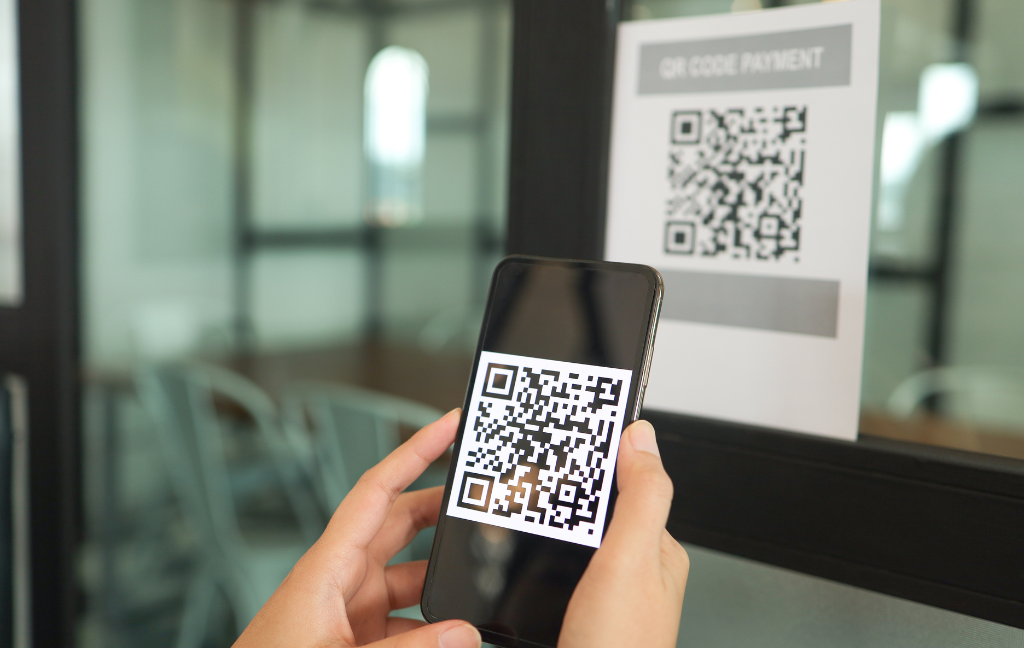
Static vs Dynamic QR Codes on IMQRScan
A QR code is a square barcode that a phone camera can read. It can open a website, save a contact, join a WiFi network, show a menu and much more. There are two kinds of QR codes on IMQRScan. Knowing the difference helps you pick the right one.
| Feature | Static QR code | Dynamic QR code |
|---|---|---|
| Price | Free forever, unlimited | Free 7-day trial, then paid plan |
| Change content after printing | No | Yes, any time |
| Scan tracking | No | Yes |
| Expires | Never | Stops when the plan ends or the scan limit is reached |
| Best for | Content that will not change, like a WiFi login or a fixed link | Campaigns, menus, flyers and anything you may update |
Simple rule
If the content will never change, use a free static QR code. If you might need to update it or want to see how many people scan it, use a dynamic QR code.
How IMQRScan Works in 4 Steps
Making a QR code with IMQRScan takes a few minutes. The same steps work on a laptop, tablet or phone.
Create a free account
Sign up with your email. It is free and no credit card is needed. One account holds both your static and dynamic QR codes.
Pick a QR code type
Choose what the code should do, such as open a link, save a contact or join WiFi. Then fill in the details.
Make it yours
Add your logo, pick brand colors and choose a style. Test the code with your own phone before you print.
Download, share and track
Download the QR code for print or screen. For dynamic codes, come back to the dashboard any time to change the destination or check scans.
Built to Scan, Built to Be Safe
A QR code only has value if it scans. It also has to be safe for the people who make it and the people who scan it.
Follows the standard
IMQRScan QR codes follow ISO/IEC 18004, the international QR code standard, so iPhone and Android cameras read them without an extra app.
Logos that scan
When you add a logo, IMQRScan uses error correction level H, so the code still scans even when part of it is covered.
Private by design
Static QR codes are made in your browser. Private details, such as a WiFi password, are not sent to IMQRScan servers.
Clear scan data
Dynamic QR codes show how often they are scanned, so you can see which signs, flyers or packages actually work.
For tips on sizing and printing, read our how-to guides. For usage numbers, see our QR code statistics page.
Who Uses IMQRScan
IMQRScan is made for anyone who wants print to lead to action. People use the IMQRScan QR code generator in many places:
- Restaurants and cafes for menus, WiFi and review requests.
- Small businesses for business cards, shop signs and flyers.
- Marketing teams for campaigns they want to measure.
- Event organizers for tickets, schedules and badges.
- Real estate agents for property signs and listings.
- Product brands for packaging, manuals and labels.
Explore ideas by industry or by marketing use. Need many codes at once? Try our mass QR code generator.
What IMQRScan Does Not Do
We think you should know the limits before you sign up, not after:
- Static QR codes do not track scans. For scan data, you need a dynamic QR code.
- A static QR code cannot be edited after it is made. To change it, you make and print a new one.
- Dynamic QR codes are not free after the 7-day trial. They stop working when your plan ends or when you reach your scan limit.
- You need a free account to make QR codes, even static ones. This keeps all your codes in one place.
Compare plans on our pricing page before you choose.
Why People Choose IMQRScan Over Other QR Code Generators
There are many QR code generators online. Most look the same at first. The differences show up later, when a code needs to change, when you want to know if it works, or when you need to find a code you made months ago.
- Free static codes that never expire. Some tools quietly turn a "free" code into a trial code that stops working. IMQRScan static codes stay free and keep working.
- One dashboard for everything. Static and dynamic codes sit side by side, so you do not need two tools or two accounts.
- Clear rules for dynamic codes. We state the trial limits and what happens when a plan ends, so there are no surprises.
- Design without risk. Logos and colors are added with the right error correction, so a branded code still scans.
- Help that reads like a person wrote it. Our guides use plain words and real steps, not sales talk.
Want to see how we stack up? Read our guide to the best QR code generator, or compare paid and free QR code tools.
How We Write Our Guides
Our website has a large library of QR code guides, tutorials and comparisons. The IMQRScan Editorial Team writes them. Every page is checked against the live product and against primary sources, such as the ISO/IEC 18004 QR code standard and the IETF RFC 6350 vCard standard. Every page is reviewed before it is published.
Read our Editorial Policy to see how we check facts, handle comparisons with other QR code tools, and fix mistakes.
Day Free Dynamic Trial
Dynamic Codes in Trial
Scans in Trial
Cost of Static QR Codes
About IMQRScan: FAQ
Short answers about the company and the IMQRScan QR code generator.
Get in Touch with IMQRScan
Questions about QR codes, plans or your account? Email support@imqrscan.com or use our contact form.
IMQRScan, Dubai, United Arab EmiratesQR Code is a registered trademark of Denso Wave Incorporated.