How to Edit a QR Code or Change Its Link After Printing
You printed menus, a banner, or business cards and now the QR code link needs to change. This guide explains when a QR code can be edited, when it cannot, and how to change a dynamic QR code link online.
Quick Answer
Yes, you can edit, modify, or change a QR code link after printing if it was created as a dynamic QR code. Static QR codes cannot be changed because the destination is fixed inside the QR image.
If you are creating a QR code for printed material, use an dynamic QR code generator so the destination can be changed later without reprinting.
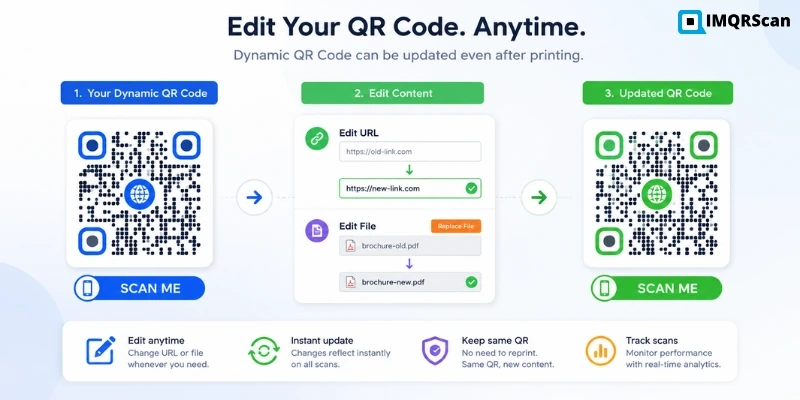
Table of Contents
Create a Dynamic QR Code
Use a dynamic QR code when the destination may need to change after printing.
Create Dynamic QR CodeUseful next reads
Key Takeaways
- You can edit a QR code link after printing only if the code is dynamic.
- A static QR code cannot be edited because the destination is fixed inside the QR image.
- A dynamic QR code uses a redirect link, so the destination can be changed from a dashboard.
- You can modify dynamic QR code destinations such as websites, PDFs, menus, forms, and campaigns.
- If you plan to print a QR code, dynamic is the safer choice.
You printed a stack of menus, a banner, or a box of business cards, and now the link behind your QR code needs to change. Maybe the URL moved, the offer ended, or someone entered the wrong address. The good news: you may not have to reprint anything at all. Whether you can fix it comes down to one thing: was the QR code created as static or dynamic?
This guide gives you the direct answer, explains the difference in plain English, and walks through exactly how to edit a QR code link online step by step.
What Is an Editable QR Code?
An editable QR code is a dynamic QR code that lets you change the destination link after the QR code has already been created, printed, or shared. The printed QR image stays the same, but the link behind it can be updated from your dashboard.
Editable QR codes are useful for menus, marketing campaigns, business profiles, forms, PDFs, product packaging, and special offers where the destination may change later.
To create one before printing, use IMQRScan's dynamic QR code generator.
Can You Edit or Modify a QR Code?
The honest answer is: it depends on the type of QR code you made.
A QR code is just a pattern of black and white squares that a phone camera reads. What that pattern contains is what decides everything. There are two kinds:
A static QR code stores the actual link directly inside the pattern. The web address is physically encoded into those squares. Change the link, and you change the pattern, which means you have a completely different QR code that has to be regenerated and reprinted.
A dynamic QR code stores a short redirect link inside the pattern instead of your real destination. That short link points to a page you control. When someone scans it, they are forwarded to wherever you have pointed it. You can repoint it any time, and the printed squares never change.
So when people ask "can you modify a QR code?", the precise answer is this: you can modify where a dynamic QR code goes, but you cannot modify the link baked into a static one. If you want the ability to edit a QR code later, you have to choose dynamic before you generate and print it.
Can You Change a QR Code Link After Printing?
This is the question that brings most people to a page like this. You have already printed, and you are hoping it is fixable.
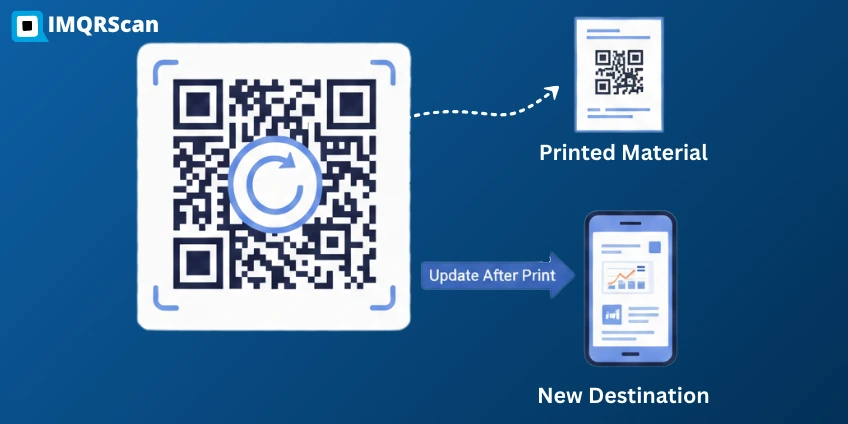
If your code is dynamic: yes. The printed QR code stays exactly the same. The squares do not move, the image does not change, and every copy you have already handed out keeps working. All you do is log in and swap the destination URL. The next person who scans the same printed code lands on your new link. Nobody scanning it would ever know the destination changed.
If your code is static: no. The destination lives inside the printed pattern itself, so the only way to change it is to generate a brand-new QR code with the new link and reprint everything that carried the old one.
This is the single most important reason to plan ahead. The decision you make at creation time determines whether a future link change costs you five minutes or a full reprint run.
Static vs Dynamic QR Codes: Which One Can Be Edited?
Here is the simplest way to think about it:
| Feature | Static QR code | Dynamic QR code |
|---|---|---|
| Where the link lives | Inside the printed pattern | On a redirect you control |
| Can you edit it after printing? | No | Yes |
| Reprint needed to change link? | Yes | No |
| Scan tracking or analytics | No | Yes |
| Pattern complexity | Denser, because it holds full data | Simpler, because it uses a short link |
| Can change design after printing? | Requires reprint | Destination can change without reprint, but design changes still need reprint |
| Best for | One-time, never-changing information | Anything you may update |
Only the dynamic type can be edited. A static QR code cannot be edited once it exists. That is not a limitation of any particular tool, it is how the format works. If you want the full background on the technical and practical differences, see our breakdown of the static vs dynamic QR code.
How to Edit a QR Code Link Online
If your code is dynamic, editing the link takes about a minute. The exact button names vary slightly between tools, but the flow is the same everywhere:
- Log in to your QR code dashboard. This is the account you used when you first generated the dynamic code.
- Open the dynamic QR code you want to edit. Find it in your list of saved codes by its name or the date you created it.
- Click edit or manage destination. Look for an edit, manage, or change destination option on the code settings page.
- Replace the old URL with the new destination. Paste in the new web address, file, or landing page you want people to reach.
- Save the changes. The redirect updates almost instantly, usually within seconds.
- Scan and test the QR code. Open your phone camera, scan one of your printed or on-screen codes, and confirm it lands on the new destination before you rely on it.
That is it. The printed code is untouched. Only the address behind it moved.
How to Modify a QR Code Destination
"Editing the link" can mean more than just swapping one website address for another. With a dynamic code, the destination is flexible. You can point it at several different things over the life of the code:
- A different website or landing page
- A new PDF or downloadable file, such as a brochure, price list, or instructions
- An updated restaurant menu link when prices or dishes change
- A fresh campaign URL for a new promotion
- A different form link for sign-ups, feedback, or registrations
Because the redirect is the only thing inside the printed pattern, all of these are just a destination change in your dashboard. The physical QR code never needs to be touched.
Can You Edit an Existing QR Code?
Here is how to know where you stand with a code you already have:
- If it is dynamic: yes. Log in, edit the destination, save, and you are done. Nothing gets reprinted.
- If it is static: no. You cannot edit it. You will need to create a new QR code with the correct link and replace the printed versions.
- If you are not sure which one you have: check your QR generator dashboard. If the code appears there with editable settings, it is dynamic. You can also scan it and watch the address bar. A dynamic code may briefly pass through a short redirect link before landing on the final page, while a static code usually goes straight to the raw URL with no redirect step.
When in doubt, assume it is static unless you specifically created it as dynamic. Many basic free generators produce static codes by default.
What Can You Change in a Dynamic QR Code?
A dynamic QR code is far more flexible than people expect. Depending on your generator, you can typically change:
- Destination URL: the main web address the code points to
- Landing page: the page or microsite people see after scanning
- PDF or file destination: swap one document for another
- Restaurant menu link: update the menu without reprinting table tents
- Campaign link: repoint the same code to each new promotion
- Form link: change which form or survey the code opens
- UTM parameters: adjust your tracking tags for analytics and attribution
- Expiry date: set or change when the code should stop working
- Password protection: add or remove a password gate on the destination
- Redirect destination: reroute scans to a different page entirely
Because every scan passes through your redirect, dynamic codes also give you QR code tracking. You can see how many times the code was scanned and when, which a static code can never do.
Can You Edit the QR Code Design After Printing?
You can usually change the saved design inside your dashboard, such as colors, frame, or logo, but printed materials will not update automatically. If you change the visual design, you need to download the new QR image and reprint the material.
The main advantage of a dynamic QR code is that you can change the destination link without changing the printed QR pattern.
What Cannot Be Changed in a Static QR Code?
A static QR code stores fixed data directly in the QR pattern. The web address, text, or contact details are encoded into the squares themselves at the moment you generate the image. There is no redirect sitting in the middle, and no dashboard entry to log into.
That means the link is permanent. To send people somewhere new, you have to generate a completely new QR code with the new data and replace every printed copy of the old one. There is no way to edit the original. The pattern is the data.
This is exactly why a static QR code cannot be edited after it has been created, and why anything you print at scale or expect to update later is better made dynamic from the start.
When Should You Use an Editable QR Code?
Use a dynamic code any time the destination might change, or any time you want to track scans. Common cases where editing later saves real money and hassle include:
Update dishes, prices, or seasonal items without reprinting.
Change the landing page across a production run.
Point to schedules, recordings, or next event details.
Keep your contact link current after a role or job change.
Switch the offer behind the same printed batch.
Point one sign to the current listing, then the next.
Reuse a single code across multiple promotions.
Swap in an updated document whenever content changes.
The benefit of choosing dynamic is that you keep the option to edit. Even if you upgrade later for more controls, it is usually far easier than reprinting menus, flyers, labels, or packaging.
Create an Editable QR Code Before You Print
The cleanest fix for "I need to change my QR code link" is to never get stuck in the first place. If there is any chance your destination will change, and for most real-world use there is, make the code dynamic from day one.
You can avoid this problem by creating your printed QR codes as dynamic QR codes from the start. With IMQRScan's dynamic QR code generator, you can manage the destination from your dashboard, change links when needed, and track scans without replacing the printed QR image.
The rule of thumb is simple: if you are printing it, make it editable.
Create a QR Code You Can Change Later
Create a dynamic QR code before printing, so you can change the destination later without replacing menus, flyers, labels, or business cards.
Create Dynamic QR CodeConclusion
Editing a QR code link after printing is entirely possible as long as you planned for it. Dynamic QR codes let you change the destination, swap files, update menus, and reroute campaigns without touching the printed design, while static codes lock the link in place forever.
If you are unsure which you have, check your dashboard or watch for a redirect when you scan. And if you are about to print anything, the safest move is to make it editable from the start.
Ready to avoid future reprints? Create your next printed QR code as a dynamic QR code, so you can manage the destination from your dashboard when the link changes.
FAQs About Editing QR Codes
Clear answers about editing QR codes, modifying QR code destinations, changing QR code links after printing, and when static QR codes cannot be changed.
Need a QR code you can update later without reprinting?
Create Dynamic QR Code with EditingRelated Dynamic QR Code Guides
Continue with editable QR codes, dynamic QR creation, static vs dynamic QR codes, and QR code tracking.
Dynamic QR Code Generator
Create dynamic QR codes with dashboard-based destination management, branding, security and scan tracking.
Open Tool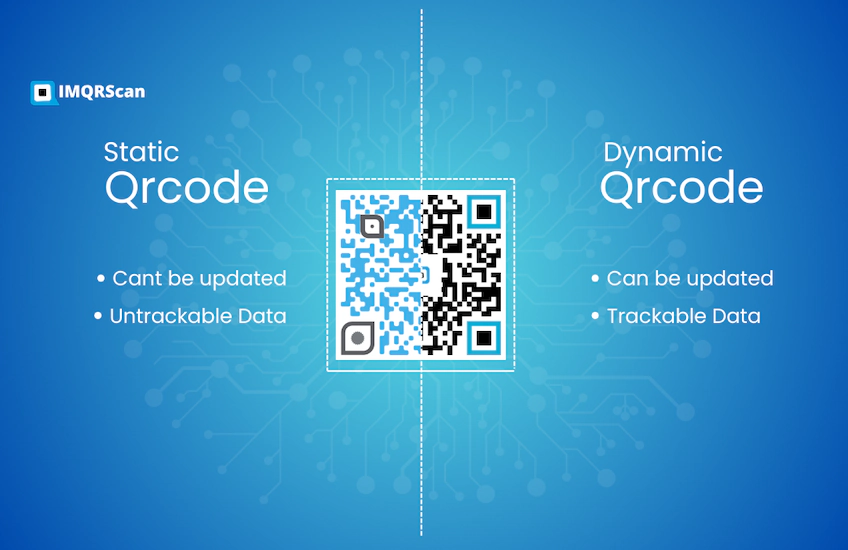
Do QR Codes Expire?
Static QR codes do not expire. Dynamic QR codes can expire if the subscription ends.
Read Guide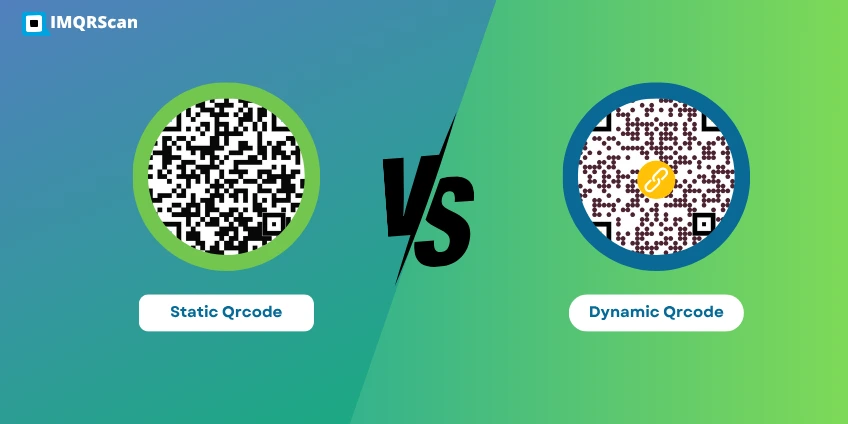
Static vs Dynamic QR Code
Compare static and dynamic QR codes before you print your next campaign.
Read Guide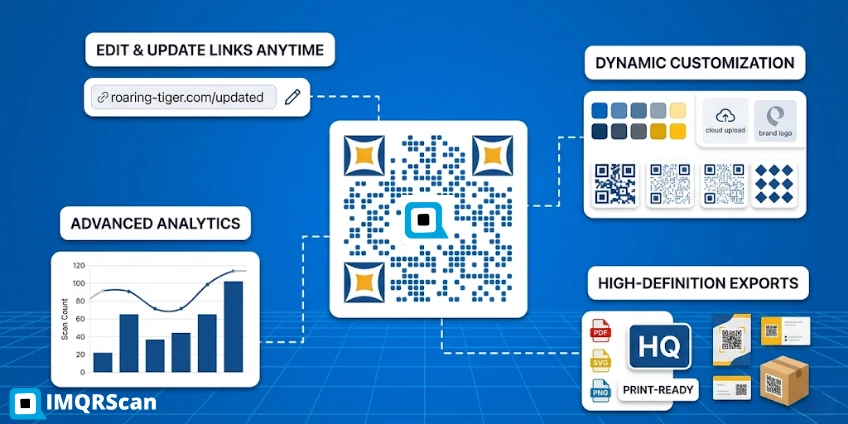
What Is a Dynamic QR Code?
Learn the meaning of dynamic QR codes, how they work, and when to use them.
Read Guide