Scanova Pricing 2026: Features, Reviews & Best Alternative
Imqrscan vs Scanova: both platforms support dynamic and trackable QR codes and QR analytics, but Imqrscan is often the better fit for businesses that want strong customization, simple workflow, tracking, and better value. Scanova is commonly considered by users comparing enterprise-style QR platforms.
- ✔ Covers: Dynamic QR codes, analytics, customization, pricing, and usability
- ✔ Explains: dynamic vs static QR codes and when editability matters
- ✔ Compares: Imqrscan vs Scanova for real business use cases
Table of Contents
- What is Scanova?
- Quick Answer: Which Is Better?
- Imqrscan vs Scanova Comparison Table
- Framework for Evaluating QR Code Solutions
- Dynamic QR Code Editing and Flexibility
- Tracking and Analytics Features
- Customization Capabilities
- User Experience and Ease of Use
- Cost Analysis and Pricing Models
- Why Editability and Analytics Matter
- Business Use Cases
- When to Choose Imqrscan vs Scanova
- Limitations and Considerations
- Final Verdict
- Scanova Alternatives
- Try Our QR Code Generators

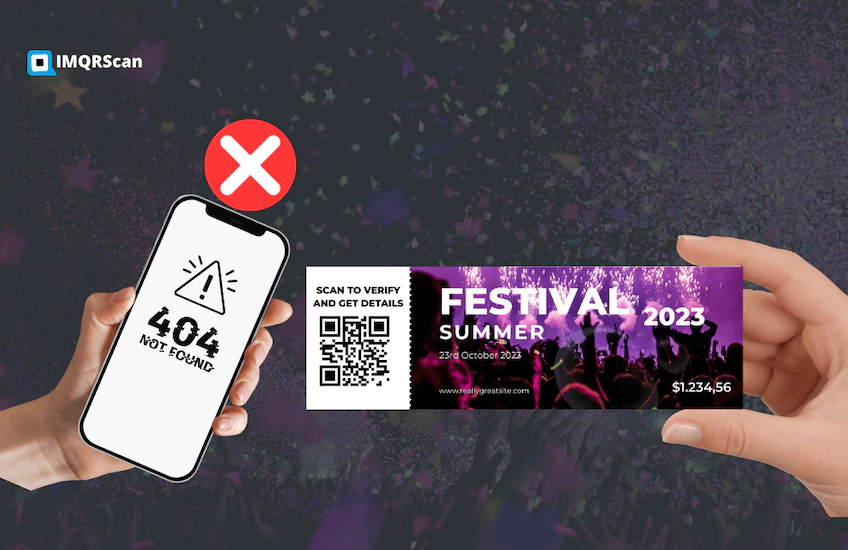

If you are comparing IMQRScan vs Scanova, the real decision comes down to QR code flexibility, analytics depth, customization, and pricing value. Both platforms act as modern QR code software for marketing and business use, supporting QR campaign management, QR destination editing, and QR marketing analytics. In this guide, we compare features, scan reporting, customization, and real-world usability to help you choose the right platform. For the wider comparison, see our best QR code generators compared guide.
What is Scanova?
Scanova is a QR code management platform used for creating static and dynamic QR codes, with features focused on editing, customization, and analytics for business campaigns.
Scanova is commonly considered by businesses that want a professional QR code tool for campaign management. It is often compared with alternatives when users want a more straightforward workflow, lower cost, better customization value, or a different analytics experience.
What businesses want
- Dynamic QR codes for changing destinations later
- Analytics to measure scan activity
- Brand customization for campaigns
Why users compare alternatives
- Need for simpler workflow and dashboard
- Looking for better value and flexibility
- Comparing QR tools for real campaign use
Quick Answer: Which Is Better?
Imqrscan is the better fit for most businesses that want dynamic QR codes, business-friendly analytics, customization, and a simpler experience. Businesses looking for an all-in-one platform can also explore IMQRScan’s QR code features.
Scanova may be better for teams specifically evaluating enterprise-style QR platforms and comparing structured management tools in that category.
For restaurants, real estate, events, marketing teams, agencies, and growing businesses, IMQRScan usually offers the more practical path because it focuses on fast creation, easy edits, branded QR codes, and usable tracking.
Imqrscan vs Scanova Comparison Table
This QR code generator comparison evaluates IMQRScan and Scanova across key areas including customization, analytics, editing flexibility, and real-world business usage. It also considers how both platforms compare in Scanova vs competitors QR tracking scenarios where analytics and scalability are critical. Here is a quick side-by-side business comparison:
| Feature | Imqrscan | Scanova |
|---|---|---|
| Dynamic QR codes | Yes, with dynamic QR support | Yes, with dynamic QR support |
| Scan analytics | Yes, business-friendly tracking | Yes, depending on plan and workflow |
| Customization | Yes, logo, colors, frames, styling | Yes, logo and branded QR options |
| Ease of use | Simple workflow | Useful for structured workflows |
| Best fit | SMBs, marketers, events, restaurants | Teams comparing established QR platforms |
| Alternative value | Strong Scanova alternative | Known QR code management platform |
Pros and Cons
IMQRScan strengths
- Simple business QR workflow
- Editable dynamic QR codes
- Branded QR code customization
- Clear scan reporting
Scanova strengths
- Known QR platform brand
- Dynamic QR management
- Analytics-focused workflows
- Enterprise-style evaluation fit
Feature availability and analytics depth may vary by plan, product updates, and account configuration.
Framework for Evaluating QR Code Solutions
Choosing between QR code platforms should not be based on feature checklists alone. The best way to evaluate a solution is to ask whether it helps your team in real scenarios.
Editability
Can you change the destination after printing without generating a new QR code?
Analytics depth
Can you track scan activity in a way that helps improve campaigns?
Branding flexibility
Can you create a QR code that fits your brand without harming scan performance?
Practical value
Does the tool make sense for your team as campaigns grow over time?
Dynamic QR Code Editing and Flexibility
This is one of the most important categories in the entire comparison. Both platforms support dynamic QR codes, but the experience differs. IMQRScan focuses on fast QR destination editing and practical business QR workflows, making it easier to manage campaigns without complexity. Scanova also supports editing but may feel more structured for enterprise-style usage. If you are looking for better dynamic QR codes with simpler workflows, IMQRScan is often preferred.
That matters in practical business scenarios. A restaurant can update a menu, a retailer can change a promotion, a real estate agent can replace a property listing, and an event organizer can update a registration page without reprinting posters, packaging, menus, or signage.
If your team depends on speed and flexibility, dynamic and trackable QR codes are essential. That is why many businesses prefer dynamic QR code generators instead of static-only tools. If you are still learning the difference, read more about static QR codes and how they compare with editable options.
Tracking and Analytics Features
Analytics are a key differentiator in any QR code generator comparison. Both platforms offer tracking, but the depth of scan reporting and usability of the QR code dashboard matter more in daily operations. IMQRScan focuses on clear QR marketing analytics and actionable insights, while Scanova analytics features are often evaluated for enterprise-style reporting, including Scanova dynamic QR GPS analytics in some use cases.
Analytics are what turn a QR code from a simple access tool into a business asset. Instead of only asking whether people scanned the code, you can also review how often it was scanned and use that insight to improve campaigns.
This matters for packaging, posters, restaurant menus, event materials, flyers, brochures, and real estate signs. Businesses want more than a QR image. They want campaign visibility.
If analytics are a priority, compare not only whether both tools offer tracking but also how practical the reporting is for daily use. You can also explore QR code tracking in more detail and learn how to track QR code scans for campaigns.
Customization Capabilities
Branded QR codes can make a campaign look more professional and more trustworthy. Both Imqrscan and Scanova support customization such as logos, colors, and design styling.
The difference is in how useful and flexible that experience feels. Businesses need custom QR codes that match brand identity while still scanning reliably across print and digital channels.
A strong QR code platform should help you create designs that work on packaging, menus, posters, business cards, and labels without becoming too complex. For more branding options, explore IMQRScan’s QR customization features.
Customization is essential for building recognizable campaigns. Both tools support customizable QR codes, including logo placement, color adjustments, and design frames. IMQRScan emphasizes branded QR codes with print-safe QR design to ensure reliability across packaging, menus, and marketing materials.
User Experience and Ease of Use
Ease of use affects how quickly your team can create codes, update them, and monitor performance. A platform should reduce friction, not create it.
This is where IMQRScan becomes attractive for many businesses. It focuses on practical usage: simple creation, quick editing, clear QR use cases, and straightforward campaign execution.
For restaurants, agencies, marketers, event managers, and eCommerce sellers, that simplicity often matters more than feature overload.
Cost Analysis and Pricing Models
When evaluating pricing, businesses should consider more than subscription cost. The real value depends on scalability, QR campaign management, and whether the platform supports features like campaign attribution and unlimited usage. Many businesses specifically look for the best QR generator with unlimited scans to avoid unexpected costs as campaigns grow.
When comparing Scanova vs Imqrscan, value matters more than a simple price label. The better tool is the one that gives you modifiable QR codes, customization, analytics, and smooth workflow without forcing unnecessary complexity.
If you want a flexible business-ready QR code platform with strong value, IMQRScan is built for dynamic editing, tracking, and branding in one place. You can also review QR code pricing before you create an account.
What businesses usually compare in QR pricing
Analytics access
Businesses want scan reporting that is actually useful for marketing and operations.
Long-term management
The platform should remain practical when you manage more codes, more campaigns, and more updates.
Why Editability and Analytics Matter
Editability allows businesses to update links without reprinting, while analytics provide visibility into performance. Together, they power modern editable dynamic QR codes analytics, enabling smarter decisions through real-time scan reporting and campaign attribution. Without these capabilities, QR codes remain static tools rather than measurable marketing assets.
Editability (Flexibility)
- Update links without reprinting QR codes
- Fix mistakes instantly
- Change campaigns anytime
- Use one QR for multiple promotions
Analytics (Data Insights)
- Track scan count and performance
- Identify user location & device
- Measure campaign ROI
- Optimize marketing decisions
Business Use Cases
Restaurant menus
A restaurant can print one QR code for each table and update the menu any time without reprinting. Analytics can also help measure engagement by location or campaign. See our restaurant menu QR code generator.
Retail packaging
QR codes on packaging can link customers to product details, support pages, offers, manuals, warranty forms, or reorder pages. Dynamic updates help when landing pages change after distribution. You can also use a file upload QR code generator for manuals, brochures, and product documents.
Events and conferences
Event organizers use QR codes for schedules, registrations, feedback, and sponsor promotions. Dynamic codes are especially useful when timings or links change at the last minute. Businesses can also use vCard QR codes for networking and attendee contact sharing.
Real estate listings
Agents can place QR codes on signs and brochures that link to listings, videos, tours, or lead forms. Tracking scan behavior helps identify which locations and listings generate the most interest. This is one of the strongest use cases for QR code marketing.
Example Scenarios of Using QR Code Solutions
QR codes are used across industries. Here are real-world scenarios where dynamic QR codes provide maximum value:
Scenario 1: Retail Marketing Campaign
A retail store prints QR codes on posters and packaging to promote discounts.
- Customers scan → open product page or offer
- Marketing team updates offers without reprinting
- Analytics shows which location performs best
Scenario 2: Event Management
Event organizers use QR codes for tickets, schedules, and check-ins.
- Attendees scan QR for entry
- Schedule updates pushed instantly
- Track attendance via scan data
When to Choose Scanova vs Imqrscan
Choose Imqrscan if
- You want dynamic QR codes for business campaigns
- You need tracking and analytics
- You want custom branded QR designs
- You prefer a simpler setup and workflow
- You want a strong Scanova alternative
Choose Scanova if
- You are evaluating multiple established QR code vendors
- You prefer a more enterprise-style comparison process
- You want to compare structured QR management tools
- Your team is already familiar with that type of platform workflow
Limitations and Considerations
Before choosing any QR code platform, it is worth checking a few practical points:
- Whether dynamic QR code editing depends on an active plan
- How much analytics access is available in your workflow
- Whether branded designs still scan reliably
- How easy it is to manage many QR codes over time
- Whether the platform fits your long-term campaign goals
Need dynamic QR codes with analytics?
Create branded, trackable QR codes with IMQRScan and update destinations anytime from one dashboard.
Create QR Codes NowHow do I reactivate my QR code for free?
If your QR code stopped working, it is usually because it is a dynamic QR code linked to a subscription.
- Static QR codes: Cannot be reactivated (they never expire)
- Dynamic QR codes: Reactivate by renewing your plan
- Check if the destination link is still active
How do I know if a QR code is legit?
QR codes can lead to any URL, so it’s important to verify before scanning.
Safe QR Code Signs
- From trusted brands or businesses
- Printed clearly (not tampered)
- Preview URL looks legitimate
Warning Signs
- Sticker placed over another QR
- Unknown or shortened links
- Requests for sensitive data
Final Verdict
If you want a platform for dynamic QR codes, analytics, customization, and day-to-day business usability, Imqrscan is the better choice for most users.
It is especially well suited for businesses that need to launch QR campaigns quickly, update them easily, track performance, and keep designs aligned with their brand.
IMQRScan stands out as a strong option for restaurants, events, packaging, retail, real estate, agencies, and growing businesses. To get started, explore the dynamic QR code generator or browse all available tools in the QR solutions hub.
| Need | Better fit |
|---|---|
| Small business simplicity | IMQRScan |
| Dynamic QR editing | Both |
| Branded QR campaigns | IMQRScan |
| Enterprise-style evaluation | Scanova |
| Trackable QR workflows | Both |
Scanova Alternatives
Many businesses compare Scanova with other QR code generators when they want more flexibility, better value, simpler workflows, or business-friendly analytics.
Popular Scanova alternatives include:
Popular Scanova Alternatives
Compare similar tools quickly by use case, workflow, and business fit.
Tip: For long-term print campaigns, choose dynamic QR codes so you can update content later.
Create QRTry Our QR Code Generators
If you are comparing Scanova alternatives, you may also want a generator built for your exact use case. Start with our hub and then choose the QR solution you need.
Restaurant Menu QR Code
Upload your menu or link to it, then update it anytime. Great for restaurants and cafes.
Restaurant Menu QR Code Generator →File Upload QR Code Generator
Share PDFs, brochures, documents, and other files through dynamic QR codes you can update later.
File Upload QR Code Generator →Dynamic QR Code Generator
Create editable QR codes that can be tracked and updated without reprinting.
Dynamic QR Code Generator →QR Solutions Hub
Browse all generators, industry use cases, marketing ideas, and business-friendly templates in one place.
Explore QR Solutions Hub →Tip: For marketing use, choose dynamic QR codes so you can edit destinations without reprinting.
Frequently Asked Questions
About Imqrscan vs Scanova
Quick answers to the most asked comparison questions
Imqrscan is a strong choice for most businesses that want editable QR codes, analytics, customization, and a more practical workflow. Scanova may be suitable for teams comparing enterprise-style QR code platforms.
Yes. Both platforms support dynamic QR codes, so you can update the destination content without reprinting the QR code image.
Yes. Both platforms support QR code tracking, but the depth of analytics, ease of reporting, and workflow can differ depending on the plan and use case.
Yes. Imqrscan is a practical Scanova alternative for businesses that want dynamic QR editing, branded customization, and analytics in a simpler dashboard experience.
Dynamic QR codes are better for campaigns that need editing and analytics. Static QR codes are better when the destination never changes and tracking is not required.