Cheap Dynamic QR Code Generator from $2.99/month
Create free static QR codes or upgrade to affordable dynamic QR codes with editing, tracking, logo branding, and print-ready downloads.
Create QR NowFree static QR codes • Dynamic QR codes from $2.99/month • No credit card required
Table of Contents
- Which Cheap QR Code Option Is Right for You?
- How Much Does a Dynamic QR Code Cost?
- Cheap QR Code Subscription from $2.99/month
- Is IMQRScan the Cheapest Dynamic QR Code Generator?
- Cheap Dynamic QR Code Generator Comparison
- Where to Buy a Cheap Dynamic QR Code
- What Are QR Codes?
- Why Use Cheap QR Codes?
- Who Needs Cheap QR Codes?
- Use Cheap Business Cards with QR Code
- How to Start with a Cheap QR Code Subscription
- Create Cheap QR Code Step-By-Step
- Customize Your QR Code
- Track Your QR Code Scans
- Why Pick a Cheap Dynamic QR Code Generator?
- Tips to Use QR Codes Smartly
- Final Thoughts
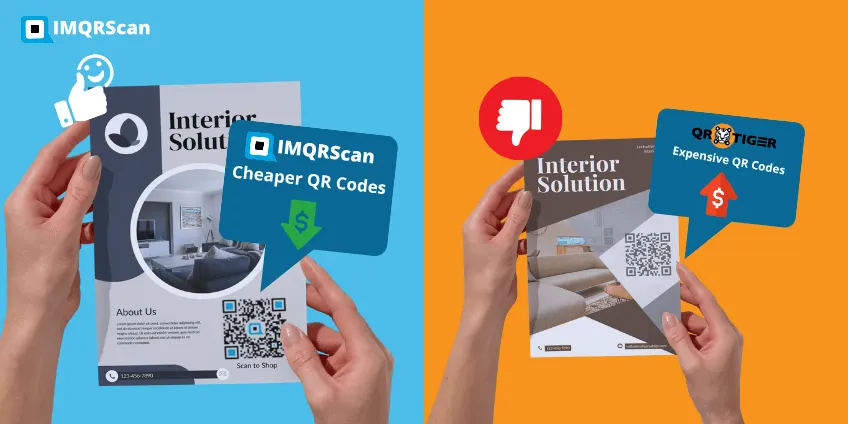
QR codes are one of the fastest and most cost-effective ways to connect people to your digital content. Whether you run a small business, manage events, or promote services offline, you need a QR code that works reliably without costing too much.
That’s where cheap QR codes come in. You don’t need to overpay to look professional or modern. With the right QR code generator, you can create high-quality QR codes that scan instantly, look great on print, and still fit a small budget.
At IMQRScan, you can create free static QR codes or upgrade to affordable dynamic QR codes starting from just $2.99 per month. Dynamic QR codes let you update links anytime, track scans, and avoid reprinting materials, saving both time and money.
If you’re searching for the cheapest QR code generator that still offers reliability, customization, and tracking, this guide will help you choose the right option.
Quick Answer: Cheap Dynamic QR Code Generator
A cheap dynamic QR code generator lets you create QR codes that can be edited after printing and tracked from a dashboard. IMQRScan offers free static QR codes and affordable dynamic QR codes from $2.99/month, including link editing, scan analytics, logo branding, and print-ready downloads.
- ✔ Free static QR codes for permanent links
- ✔ Dynamic QR codes from $2.99/month
- ✔ Edit QR code links anytime without reprinting
- ✔ Track scans by device, location, and time
- ✔ Add logo, colors, frames, and custom branding
- ✔ Download PNG, SVG, or PDF for digital and print use
Which Cheap QR Code Option Is Right for You?
| Use Case | Best Option | Why It’s Cheapest |
|---|---|---|
| Permanent links or menus | Static QR Code | Free and never expires |
| Marketing campaigns | Dynamic QR Code | Edit anytime, no reprinting |
| Track performance | Dynamic QR Code | Analytics included |
| Business cards | vCard QR Code | One scan saves all contact details |
| Events & invitations | URL / Event QR Code | Low cost, high engagement |
Not sure whether you need a free or paid option? Read our full guide on Free vs Paid QR Code Generator to choose the right plan.
How Much Does a Dynamic QR Code Cost?
A dynamic QR code can cost anywhere from a few dollars per month to higher business plans, depending on the platform, number of QR codes, scan limits, analytics, branding, and export options. With IMQRScan, you can start with free static QR codes, while dynamic QR codes start from only $2.99/month.
| QR Code Type | IMQRScan Cost | Best For |
|---|---|---|
| Static QR Code | Free | Permanent links, text, phone numbers, email, and simple sharing |
| Dynamic QR Code | From $2.99/month | Editable links, scan tracking, campaigns, menus, flyers, posters, and business cards |
If your QR code destination will never change, a free static QR code may be enough. If you want to edit the link later, track scans, add branding, or avoid reprinting, a cheap dynamic QR code is the better option.
For a full cost breakdown, read our detailed guide: how much does a QR code generator cost?
Cheap QR Code Subscription from $2.99/month
IMQRScan offers a low-cost QR code subscription for users who need dynamic QR codes without expensive enterprise pricing. Starting from $2.99/month, you can create dynamic QR codes, update destinations after printing, track scans, and customize your QR code design.
- Free static QR codes for permanent links
- Dynamic QR codes from $2.99/month
- No credit card required to start
- Edit QR code links without reprinting
- Track scans by time, device, and approximate location
- Add logo, colors, frames, and brand styling
This makes IMQRScan a practical choice for small businesses, restaurants, agencies, freelancers, creators, and marketers who want affordable QR code software.
Is IMQRScan the Cheapest Dynamic QR Code Generator?
IMQRScan is one of the cheapest dynamic QR code generator options for users who want editing, tracking, branding, and print-ready downloads at a small-business price. Plans start from $2.99/month, making it suitable for users who do not want to pay high monthly fees for basic dynamic QR code features.
Free tools are useful for static QR codes, but they usually do not include full dynamic editing, scan analytics, campaign dashboards, or long-term QR management. IMQRScan gives you these business features at a lower starting price.
Cheap Dynamic QR Code Generator Comparison
When comparing cheap dynamic QR code generators, check more than the monthly price. Some tools offer free static QR codes only, while others include dynamic editing, scan analytics, branding, and dashboard management.
| Feature to Compare | Why It Matters | IMQRScan |
|---|---|---|
| Starting price | Helps small businesses avoid expensive plans | From $2.99/month |
| Free static QR codes | Useful for permanent links | Yes |
| Dynamic QR editing | Update links after printing | Yes |
| Scan tracking | Measure campaign performance | Yes |
| Logo and branding | Make QR codes look professional | Yes |
| Print-ready export | Useful for flyers, menus, stickers, posters, and packaging | PNG, SVG, PDF |
Where to Buy a Cheap Dynamic QR Code
You can buy a dynamic QR code with IMQRScan by creating an account, choosing your QR code type, customizing the design, and selecting a plan from $2.99/month. Unlike static QR codes, dynamic QR codes let you edit the destination later and track scan performance from your dashboard.
This is useful if you are printing QR codes on business cards, product packaging, restaurant menus, flyers, posters, stickers, or event materials.
View Dynamic QR Code PricingWhat Are QR Codes?
QR codes are square, scannable codes that store information. You scan them with your phone, and they instantly open content such as a website, video, form, or even a Wi-Fi password. “QR” stands for “Quick Response.” It was first used in Japan to track automotive parts, and today you’ll see QR codes on packaging, event tickets, business cards, posters, menus, and more. QR codes are fast, reliable, and easy to scan. In most cases, all you need is your phone’s camera, no extra app required. Instead of typing a long web address, users scan once and go straight to the right page.
There are two main types of QR codes:
- Static QR Code: A static QR code is fixed. Once created, its destination cannot be changed.
- Dynamic QR Code: A dynamic QR code can be edited even after it’s printed. It’s ideal when you need to update a link, fix mistakes, or reuse the same code for new campaigns.
A cheap dynamic QR code generator, such as IMQRScan, helps you create each type. This gives you more flexibility without paying for expensive QR software. Whether you are a teacher, shop owner, freelancer, or marketer, QR codes help you share information quickly and professionally.
Static vs. Dynamic QR Codes
When creating a QR code, you'll select both static and dynamic options. What's the difference between static and dynamic QR codes? Let's break it down:
| Feature | Static QR Code | Dynamic QR Code |
|---|---|---|
| Editable | No | Yes |
| Tracking | No | Yes |
| Best For | Permanent information (email, phone) | Marketing campaigns, changing content |
| Cost | Free | Affordable subscription |

Why Use Cheap QR Codes?
You don’t need to spend a lot of money to use effective marketing tools. That’s why affordable QR codes are a great fit for small businesses, creators, and local brands. They let you share information instantly at little to no cost. A low-cost QR code generator can also reduce printing expenses because you don’t need to reprint flyers every time your content changes. With a dynamic QR code, you can update the destination link anytime while the QR code image stays the same, saving both time and money.
Affordable QR codes still help your brand look professional and modern. Even if you're just beginning, your customers will see that you're using modern tech. Want to link to your Instagram? Want people to find your website or read your opinions? Use a QR code!
They work well in many places:
- On a store window
- On restaurant menus or food packaging
- On a sign at an event
- On your business card
You can even place QR codes on T-shirts, name badges, or promotional items. It enables you to stand out.
Affordable QR Code Generators Are Best For:
- Freelancers
- Teachers
- Delivery drivers
- Startups
- Food trucks
- Real estate retailers
Want to grow your brand without overspending?
Affordable QR codes are a smart choice, just pick a best QR code generator like IMQRScan. It’s fast, easy to use, and budget-friendly.
Who Needs Cheap QR Codes?
Almost anyone can benefit from using QR codes. If you want to share information quickly while keeping costs low, cheap QR codes are an excellent choice. Many small businesses use QR codes for promotions, menus, and customer engagement. See how they work for small businesses or explore practical ideas in our QR code marketing guide.
Business Owners
Run a small store or cafe? Use an affordable QR code generator to share menus, reviews, and social media links.
Teachers and Students
URL QR codes help students scan once to instantly open links, assignments, or learning resources.
Freelancers
Are you a designer, writer, or artist? Use an Instagram QR code to link to your portfolio, latest work, or Instagram profile.
Event Planners
Put QR codes on event tickets, signs, or badges. They can guide guests to maps, schedules, registration pages, or even playlists.
Use Cheap Business Cards with QR Code
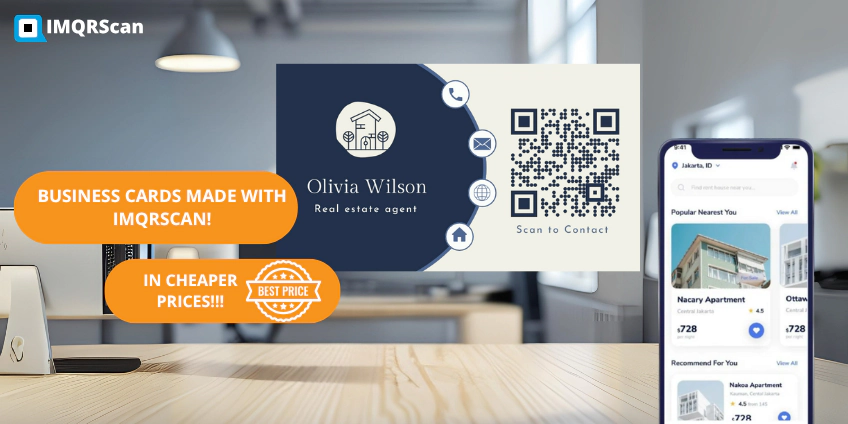
Business cards are small, but they can do a lot. If you want to share more than just your name and number, add a QR code. It’s fast, easy, and professional, and QR code costs are surprisingly affordable.
Using business cards with a cheap Vcard QR code, you could link to:
- Your website
- Your social media
- A contact number
- A video about your career
We help you make a custom code that suits your brand. Use your preferred brand, upload your logo, or even select the shape of the QR code. Then, download it and add it to your business card design.
When you hand out a card with a QR code, people can scan it right away. They don't need to find anything. That's fast. That's smart. And that's how you stand out, all with a QR code cheap tool like ours.
How to Start with a Cheap QR Code Subscription
Looking for an affordable QR code subscription that still includes powerful features? You’re in the right place. IMQRScan is built to keep QR codes simple, reliable, and budget-friendly. Here’s how to start with the best plan for less.
1 Start with the Free Trial
Try the tool before you buy. Use our free QR code features to make static codes. Test the system to see how quickly you can create code.
2 Pick What You Need
Don't pay for gear you may not use. With IMQRScan, you select a plan that suits you. Do you only need one dynamic code? Get the cheap QR code subscription that provides just that. Need extra? We also have plans for growing companies.
3 Check for Special Offers
We regularly run deals and discounts. Check our site for new offers, this is an easy way to save even more.
4 Use Dynamic QR Codes Smartly
You don’t need to create a new code for every link. Just update the destination in your dashboard. One QR code can last for months, that’s the advantage of a dynamic QR code generator.
Create Cheap QR Code Step-By-Step
Ready to make your personal QR code? Follow this guide. It's speedy, clean, and reasonably priced with IMQRScan.com.
- Visit IMQRScan.com Go to our homepage and click "Create QR Code."
- Pick a QR Code Type Choose what your code will do:
- Link to a website
- Show text or contact details
- Display a message
- Share Wi-Fi information
- Enter Your Info Type your website or text within the field. Double-check to make sure it's correct.
- Choose Static or Dynamic If you want to edit the destination later, choose Dynamic. If the content will never change, Static is enough.
- Customize Your Code Pick your preferred colors, add your logo, and adjust the QR pattern or frame.
- Generate & Download Click “Generate”, then download as PNG or SVG. Use it on signs, business cards, menus, and more.
Why Choose IMQRScan: IMQRScan focuses on keeping QR codes affordable without cutting essential features, free static codes, low-cost dynamic codes, editing flexibility, and scan tracking when you need it.
Customize Your QR Code
Want your QR code to match your brand? With IMQRScan, you can customize the design instead of using a plain black-and-white QR code. You can also create a transparent QR code with no white background for Canva designs, packaging, flyers, stickers, business cards, and branded print materials.
Add your logo
Make it uniquely yours with your brand logo embedded in the code.
Change Brand Colors
Match your company colors for a cohesive look.
Use Shape and Pattern
Choose from dots, squares, or rounded edges.
Track Your QR Code Scans
Want to know if people are scanning your code? You can. Use our analytics to track each scan and measure performance.
-
See how many scans you can get
-
Learn when and where people scan
-
Use the data to improve your marketing
Why Pick a Cheap Dynamic QR Code Generator?
Dynamic QR codes save money and time. The use of a cheap dynamic QR code generator, such as IMQRScan.com, makes it even better.
Edit Anytime
Change your link later. Don't print a brand-new flyer or card.
Fix Mistakes Fast
Typed the incorrect link? Just edit it. The code still works.
Track Everything
Get valuable insights about who's scanning your codes.
Use One Code for Many Things
Change the destination based on your current campaign.
These features make your marketing easier to manage and more cost-effective. You can update links, fix mistakes, track scans, and reuse the same QR code without paying for expensive QR software.
Tips to Use QR Codes Smartly
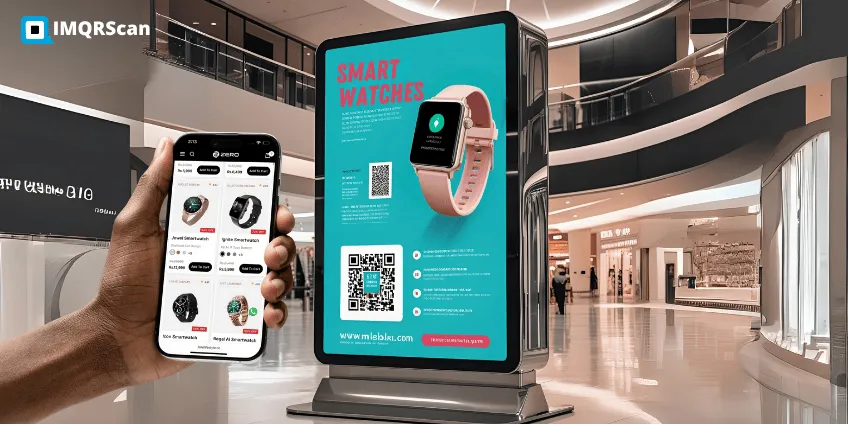
Want better results? Use these tips when sharing your QR code.
- Add helpful text like ‘’Scan Me’’.
- Make sure that your code is easy to scan.
- Test the QR code before printing.
- Use brand colors and logos to build trust.
- Use proper QR code sizes, At least 2x2 inches (5x5 cm) for reliable scanning.
- Place your codes strategically, where people naturally pause (waiting areas, menus).
Cheap QR Code Stickers for Print
Print QR codes on stickers, packaging, flyers, and posters with the right size and format for reliable scans.
Why Pay More? Get a powerful Cheap QR Code Generator
QR codes make sharing fast and smart. When you generate cheap QR codes, you save money while still achieving professional results. Whether it's in your shop, your career, or your school assignment, a perfect QR code helps you to grow.
Use IMQRScan to create reliable QR codes with custom designs and dynamic features that work. Start for free, then upgrade only when you need editing and analytics.
What Our Trusted Users Are Saying

Sarah Malik
Boutique Owner"I used IMQRScan to make codes for my saved menu. It took 2 minutes! The best cheap QR code generator I've tried."

Ahmed Ali
Event Planner"The tracking dashboard helped us monitor event check-ins. Super helpful and less expensive. I endorse their cheap dynamic QR code generator."

Lisa John
Teacher"My students can access lessons faster. I love how easy IMQRScan is to use."
Frequently Asked Questions
About Cheap QR Codes
Quick answers about pricing, dynamic vs static, tracking, and printing.