PayPal QR Code Generator
Create QR codes to receive PayPal payments instantly.
Create a universal UPI payment QR code using your UPI ID, payee name, fixed amount, and payment note. Download and test it with compatible apps such as PhonePe, Google Pay, Paytm, Amazon Pay, and BHIM. You can use it to accept money for a shop, invoice, freelancer payment, donation, event fee, or personal transfer without asking people to type your UPI ID manually.
Simple idea: scan → review → pay → confirm.
That is why UPI QR code payment feels fast. It removes manual typing and cuts down friction at the last step of the transaction.
Tip: If you want other payment-friendly tools, also see our Payment QR Code Generator.

It is not “just a QR image.” It is a payment shortcut.
A UPI QR code is a scannable payment code containing a UPI ID and optional payment information. When the customer scans it with a compatible UPI app, the app reads the details, displays the recipient, and opens the payment screen for review and authorization.
Create one interoperable UPI payment QR code that customers can scan using compatible apps such as PhonePe, Google Pay, Paytm, Amazon Pay, BHIM, and supported banking apps.
A universal UPI QR code is an interoperable payment QR that can be scanned by different compatible UPI apps. Instead of displaying a separate code for each payment app, a shop or individual can use one QR code linked to a valid UPI ID.
A universal UPI QR code contains payment destination information in a format that compatible UPI apps can read. The code may include a UPI ID, payee name, amount, currency, and payment note.
When a customer scans the code, the UPI app opens a payment screen. The customer can then check the recipient, review the amount, and approve the payment.
This interoperability is why one valid QR code can support several UPI apps. However, users should always test the finished code because app support and payment rules can vary.
| Feature | Universal UPI QR Code | Separate App QR Codes |
|---|---|---|
| Number of displayed codes | One QR code | Several QR codes may be required |
| Compatible UPI apps | Designed for supported UPI apps | May focus on one provider |
| Counter appearance | Simple and uncluttered | Can look crowded |
| Customer choice | Customers use a compatible preferred app | Customers may look for a specific app code |
| Best use | Shops, invoices, events, and freelancers | Provider-specific payment campaigns |
A café accepts payments from customers who use different UPI apps. Instead of placing separate PhonePe, Google Pay, Paytm, and BHIM codes at the counter, the café displays one interoperable UPI payment QR code.
A customer scans the code with a compatible app, checks the café name, enters or confirms the amount, and authorizes the payment. The café keeps a cleaner counter, while customers can use their preferred supported UPI app.
Always verify the recipient and payment information before sharing your final QR code.
To generate a UPI QR code, enter your UPI ID, add your name and optional amount, then create and download the QR code for payment use.
Paste the UPI destination you want people to pay.
Useful for clarity and trust on the payer’s screen.
Optional, but very helpful for fixed-price payments.
Scan on multiple phones before printing or sharing.
Best practice: A good UPI QR generator does more than create an image. It should help you generate a payment QR that scans clearly and shows the right payment details. Use the cleanest final payment setup possible, especially if you plan to print the code on a stand, sticker, table tent, or invoice template.
A UPI QR code can contain a UPI ID, payee name, amount, currency, and payment note. The payer’s UPI app reads these details and opens a payment screen for review.
A sample UPI QR code usually stores a
payment link beginning with upi://pay.
Required and optional parameters identify the recipient
and describe the payment. Always scan and verify the
final UPI QR code image before sharing it.
The following simplified payment link shows how common UPI details may be arranged before the link is converted into a QR code:
upi://pay?pa=merchant@upi&pn=Your+Store&am=250&cu=INR&tn=Invoice+123
Sample only: The UPI ID shown above is an example. Do not use it for a real payment.
| Field | Meaning | Sample value |
|---|---|---|
pa |
Payee address or UPI ID | merchant@upi |
pn |
Payee or business name | Your Store |
am |
Preset payment amount | 250 |
cu |
Payment currency | INR |
tn |
Transaction note or reference | Invoice 123 |
Some fields are optional. Compatibility may vary between UPI applications, banks, and payment setups.
A UPI QR code image turns the payment information into a scannable pattern. The customer does not need to type the complete UPI ID manually.

Scan the completed image and confirm the payee name, UPI ID, amount, and note before printing or sending it to customers.
A freelance designer needs to collect ₹2,500 for invoice 104. The designer creates a UPI QR code with the correct UPI ID, payee name, ₹2,500 amount, and “Invoice 104” as the payment note.
The client scans the QR code, checks the recipient and amount, and authorizes the payment. This reduces manual entry and makes the payment purpose easier to identify.
Never treat a sample UPI QR code as a verified payment destination. Test your final code with a compatible UPI app and confirm the recipient before publishing it.
Add your UPI ID, payment amount, and note, then generate and test the final QR code image.
Scan the QR code with a trusted UPI app and review the recipient information. You do not need to complete a payment to check the available UPI details.
To find a UPI ID from a QR code, open a trusted UPI app and scan the code. Review the payee name and UPI ID shown on the payment screen. Some apps may show only the verified recipient name. Exit without entering your UPI PIN.
Some QR-decoding tools can display the text stored
inside a payment QR code. A standard UPI payment link
may show the UPI ID after the pa= parameter.
upi://pay?pa=merchant@upi&pn=Your+Store&cu=INR
In this sample, merchant@upi is the UPI ID.
It is an example only and should not be used for a real
payment.
Never authorize a payment merely to get a UPI ID from a QR code. Avoid unknown decoding websites, verify the recipient carefully, and never share your UPI PIN, OTP, or banking password.
UPI QR code instant activation usually means the generated QR image is ready to scan immediately when it contains a valid and active UPI ID.
UPI QR code instant activation means a correctly generated QR code may work as soon as it is created. A QR generator does not activate a UPI ID, bank account, or merchant payment service.
The generated QR image becomes available for scanning. A compatible UPI app can read the encoded payment destination when the UPI ID is valid.
The QR image itself does not need a separate activation process. Its ability to receive payments depends on the existing UPI account behind it.
IMQRScan creates the QR image. Your bank or UPI service provider manages the UPI ID, account status, merchant onboarding, transaction processing, and settlement.
A custom UPI QR code can include your business logo, brand colors, frame, and a clear “Scan to Pay” label. Scan quality should always come before visual styling.
| Design element | Recommended approach |
|---|---|
| Logo size | Keep it small and away from key QR patterns |
| Contrast | Use a dark code on a plain, light background |
| Quiet zone | Preserve clear empty space around every side |
| Error correction | Use a suitable level when adding a small logo |
| Frame | Keep it outside the QR code and quiet zone |
| Scan testing | Test the final digital and printed versions |
A stylish UPI QR code generator can improve branding, but heavy decoration may reduce scan reliability.
Avoid placing a large logo over the QR modules. Payment reliability should take priority over visual styling, unusual shapes, gradients, or decorative backgrounds.
UPI QR payments make it easier to share payment details, reduce manual entry, and collect payments from compatible UPI applications.
Customers do not need to type the complete UPI ID before paying.
Scanning can shorten the payment process at a counter or billing desk.
Encoded payment details reduce errors caused by entering an incorrect UPI ID.
A fixed amount can be included for invoices, products, fees, or registrations.
Use the QR code on invoices, receipts, counters, menus, and payment displays.
Send the QR image through email, messaging apps, websites, or digital invoices.
A compatible app can display recipient information before payment authorization.
A valid interoperable QR may work across several compatible UPI applications.
A business UPI QR code gives customers a simple way to start payments at shops, service counters, events, and billing points.
A business UPI QR code can be displayed on a payment counter, invoice, UPI QR code sticker, receipt, table tent, or UPI QR code stand.
For shops, cafés, salons, and service desks.
For client bills and post-service payments.
For entry fees, workshops, and community events.
For freelancers, tutors, consultants, and clinics.
Merchant note: A general QR generator can encode payment details. It does not replace official merchant onboarding, payment confirmation, settlement reporting, or services provided by a bank or approved payment provider.
Static and dynamic merchant QR codes support different payment situations. The main difference is whether the transaction data remains reusable or changes for each order.
Yes. A static UPI QR code is normally reused with the same payment destination. A dynamic merchant UPI QR is usually created for a specific order with transaction-specific details.
| Feature | Static UPI QR | Dynamic merchant UPI QR |
|---|---|---|
| Payment destination | Usually fixed | Transaction-specific |
| Amount | Open or preset | Usually generated per transaction |
| Order reference | Optional fixed value | Unique reference possible |
| Repeated printing | Suitable | Usually displayed per order |
| Payment-status integration | Not normally included | May be supported through a provider |
| Best use | Counter, sticker, or invoice | POS, billing, and checkout systems |
Choose a static UPI QR when the payment destination remains the same and you want one reusable printed code.
A dynamic UPI QR generator provided through a payment service may suit order-specific amounts, references, status callbacks, and billing systems.
Important: A preset amount alone does not automatically make a QR code dynamic. A reusable static UPI QR can also contain a fixed amount.
Most UPI QR code frauds rely on confusion, false payment requests, replaced stickers, or users sharing private authorization details.
Receiving money normally does not require entering a UPI PIN. A UPI PIN authorizes a payment from your account. Always read the action shown inside your payment app before continuing.
A basic UPI payment QR can open a payment request. A payment gateway is needed when a business must connect payment results with a website, order, invoice, or billing system.
| Requirement | Basic QR generator | Payment gateway |
|---|---|---|
| Create a payment QR image | Yes | Yes |
| Open a UPI payment request | Yes | Yes |
| Confirm successful payment automatically | No | May be supported |
| Connect payments to orders | No | May be supported |
| Provide callbacks and reconciliation | No | May be supported |
Important: The basic IMQRScan UPI generator creates a payment QR code. It should not be presented as providing automatic transaction confirmation, settlement, or payment-gateway services unless those features are available.
Download the UPI QR code image in a clear format, preserve its quiet zone, and place it where customers can scan it without glare, damage, or obstruction.
Use PNG for common digital and document use. Choose SVG when you need a scalable image for larger print work.
Check that the downloaded UPI QR code image is sharp and includes the full quiet zone.
Use high contrast, a plain background, and enough size for the expected scanning distance.
Avoid stretching, cropping, blurring, or placing text inside the QR code area.
Place the QR on a counter, invoice, receipt, UPI QR code sticker, table tent, or UPI QR code stand.
Keep it at a comfortable angle and away from bright reflections or damaged surfaces.
| Format | Best use | Main advantage |
|---|---|---|
| PNG | Websites, messages, documents, and small prints | Easy to open and share |
| SVG | Posters, stands, signs, and professional printing | Scales without becoming blurry |
UPI QR payment limits and international availability depend on the bank, payment app, transaction category, account type, and participating payment provider.
There is no separate universal limit that applies only because a payment uses a QR code. The transaction is subject to the UPI limits applied by the customer’s bank, payment app, account, and transaction category.
Some merchant categories may support different limits. Banks may also apply daily amount limits, transaction count limits, or additional security checks.
Best practice: Check the current limit inside your UPI app or contact your bank before accepting or making a large payment.
UPI is mainly used in India, but supported international merchant payments may be available in selected countries and locations through participating banks, apps, and payment networks.
A UPI QR code does not become globally accepted simply because it can be downloaded or shared online. The merchant, payer’s application, bank, location, and payment arrangement must support the transaction.
Travel tip: Look for an official UPI acceptance sign and confirm support in your payment app before attempting an international merchant payment.
Avoid publishing one fixed UPI limit as if it applies to every user. Banks, apps, regulators, and payment providers may change limits or apply different rules to certain transaction categories.
Generate a UPI QR code with amount, payee name, and note for instant scan-and-pay transactions. Use it for shops, merchants, invoices, freelancers, and faster digital payments.
Fast to create. Easy to print. Better for scan-and-pay checkout.
Clear answers about creating, scanning, downloading, printing, and paying through UPI QR codes.
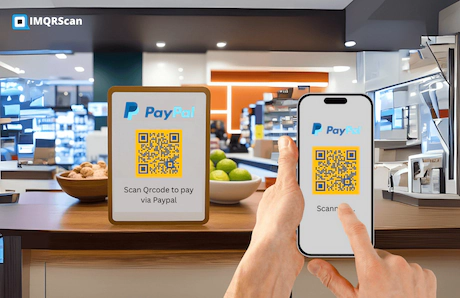
Accept payments faster by sharing QR codes for popular payment platforms and digital wallets.
Edit your destination anytime and track scans with IMQRScan dynamic QR codes.
Want a non-editable QR? Use Static QR Codes. Need campaign ideas? Explore QR Code Marketing.
You will experience great benefits from the new revolution of QR codes. Within one minute
Create Free QR Code