How to Track QR Code Scans
Use dynamic QR codes to capture real-time audience engagement data.
A static QR code stores your data directly inside the black-and-white pattern, so the code never expires and works offline. Use IMQRScan's free generator to create permanent QR codes for URLs, Wi-Fi, vCards, text, email, and phone numbers, and download them as PNG, SVG, or PDF.
Last updated: April 22, 2026 · Reviewed by the IMQRScan Editorial Team

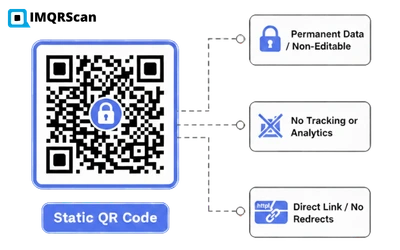
TL;DR: Static QR codes store data directly and do not expire, but you cannot edit them or track scans.
A static QR code is a two-dimensional barcode in which the destination data a URL, text, phone number, or Wi-Fi password is encoded directly into the black-and-white modules of the code itself. Once generated, the data is fixed permanently and cannot be changed without creating a new code. Static QR codes follow the ISO/IEC 18004 standard originally developed by Denso Wave in 1994. For a deeper technical breakdown, read our guide on how static QR codes work.
The encoded content is fixed the moment the code is generated. You must create a new code to change it. See Examples of Permanent QR code.
Data sits inside the QR pattern, no redirect server, no database, and no internet required to decode.
Five properties define a static QR code and separate it from its dynamic counterpart.
Once generated, the content is locked inside the pattern and cannot be changed.
The QR pattern has no expiry date. It keeps working as long as the destination it points to is still live.
Static codes do not pass through a redirect server, so they cannot report scan counts, location, or device data.
Because the data is inside the pattern, decoders such as Wi-Fi and vCard scanners work without an internet connection.
A single QR code can store up to 7,089 numeric, 4,296 alphanumeric, or 2,953 bytes of data (ISO/IEC 18004).
Good to know
Static QR codes are ideal for permanent information such as Wi-Fi credentials, fixed product details, or business-card contact info that rarely changes. For anything you may want to edit after printing, use a dynamic QR code.
No tech skills needed. Add your content, customize the style, and download in print-ready PNG, SVG, or PDF.
Try the Static QR Generator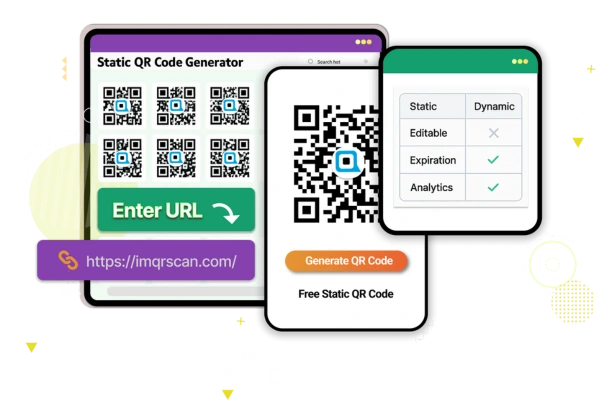
The difference comes down to where the data lives. In a static code, data lives inside the pattern. In a dynamic code, the pattern points to a short URL that redirects to your real destination, which is why dynamic codes can be edited and tracked. See our full breakdown on static vs dynamic QR codes.
Data is encoded permanently into the pattern and cannot be modified.
No server in the middle means no scan counts, locations, or device data.
Business cards, Wi-Fi passwords, posters, and packaging where the info will not change.
The destination URL can be swapped at any time, even after the code is printed.
Provides scan count, location, device type, operating system, and time-of-day data.
Marketing campaigns, event tickets, menus, and anything where the content may change over time.
| Feature | Static QR | Dynamic QR |
|---|---|---|
| Editable after creation | ||
| Scan analytics (count, location, device) | ||
| URL redirection | ||
| Works fully offline | ||
| Requires a subscription | (never) | |
| Max URL / data length encoded | ~4,296 alphanumeric chars | ~25 chars (short URL) |
| Pattern density (for long URLs) | Higher | Lower |
| A/B testing & retargeting | ||
| Privacy (no tracking by default) | ||
| Permanent validity | ||
| Best for permanent print |
No. Static QR codes do not expire. They keep working as long as the destination they point to usually a website URL is still live.
The QR pattern itself has no expiry. If you create a static code that points to a URL today and that URL is still live in 10 years, the code will still scan and work perfectly.
The code will appear broken only if you delete or move the destination. For example, if you take down the linked PDF or change the website's URL structure.
A no-expiration static QR generator like IMQRScan lets you create permanent codes for free, with no time limits and unlimited scans.
IMQRScan creates both static and dynamic QR codes for business, marketing, and personal use. Here is the fastest way to make a permanent static code.
Pick the data you want to encode: URL, text, phone, email, SMS, Wi-Fi, or vCard.
Paste the destination (for example https://yoursite.com). Short URLs create lighter, easier-to-scan patterns.
Change colors, round the corners, add a center logo. Keep strong contrast between foreground and background.
Click Generate. Your code is created instantly with the data encoded directly into the pattern.
Export as PNG, SVG, or PDF. Always scan with two different phones before printing.
A free IMQRScan account unlocks unlimited static QR codes with no expiration, no watermark, and no scan limit. It takes about 30 seconds to sign up.
No hidden fees or premium paywalls for static codes.
Static codes carry no scan tracking by design.
Colors, logo, corner style, frames & CTA text.
SVG and PDF for print at any size without pixelation.
Static QR codes are the right choice whenever the destination will not change. They are commonly used on business cards, product packaging, restaurant menus, Wi-Fi signs, educational worksheets, and equipment tags. Many businesses also place them on receipts and invoices to enable instant payments, see our payment QR code guide.
Add a vCard QR code so clients can save your contact details to their phone with one scan, name, phone, email, and website all at once.
NetworkingLink to user manuals, setup videos, or warranty registration on a product catalogue QR code. The code stays the same for the full print run.
RetailEncode the network name and password directly into the pattern. Guests scan and join the Wi-Fi without typing a single character.
HospitalityTeachers print static QR codes on worksheets to link students to assignments, videos, or answer keys — no app or login required.
SchoolsHospitals use static codes on doors and notices for hygiene protocols, visitor hours, and permanent reference info. Learn more about QR codes in healthcare.
ClinicsAttach permanent maintenance instructions, inspection logs, and safety documents directly to machines and tools.
IndustrialNeed hundreds of codes at once? Our bulk QR code generator creates up to thousands of unique static codes from a CSV. For codes that blend into packaging artwork, use transparent QR codes; for quick URL encoding, use our URL QR code generator.
QR (Quick Response) codes were invented by Denso Wave in 1994 for tracking automotive parts and are standardized under ISO/IEC 18004. Below are the specifications that matter when you create a static code.
QR codes come in 40 versions, from 21×21 modules (Version 1) up to 177×177 modules (Version 40). Higher versions hold more data but require sharper printing.
Four levels use Reed–Solomon codes: L (~7% recovery), M (~15%), Q (~25%), H (~30%). Use level H when adding a center logo.
Up to 7,089 numeric, 4,296 alphanumeric, 2,953 bytes, or 1,817 Kanji characters at Version 40 with error correction L.
Leave a blank margin of at least 4 modules around the code (roughly 10% of the QR width) so decoders can find the finder patterns.
A common rule of thumb: the QR side length should be about 1/10th of the expected scanning distance. Use the table below as a starting point.
| Scanning distance | Minimum QR size | Typical use |
|---|---|---|
| 10–30 cm (arm's length) | 2 × 2 cm (0.8 × 0.8 in) | Business cards, product labels |
| 30–60 cm | 3 × 3 cm | Menus, brochures, packaging |
| 1–2 m | 10 × 10 cm | Posters, shop windows |
| 5 m | 50 × 50 cm | Event banners, trade-show booths |
| 20 m+ | 2 × 2 m or larger | Billboards, building signage |
"For anything you print once and keep for years (Wi-Fi signs, business cards, product labels) a static QR code is almost always the right call. It works offline, it has no recurring cost, and there's no redirect server that can disappear on you."
No, you cannot. Once the data is encoded into a static QR code it is locked into the pattern. To get editing and tracking, you must create a new dynamic QR code pointing to the same destination.
Learn more about what a dynamic QR code is, or head straight to our dynamic QR code generator.
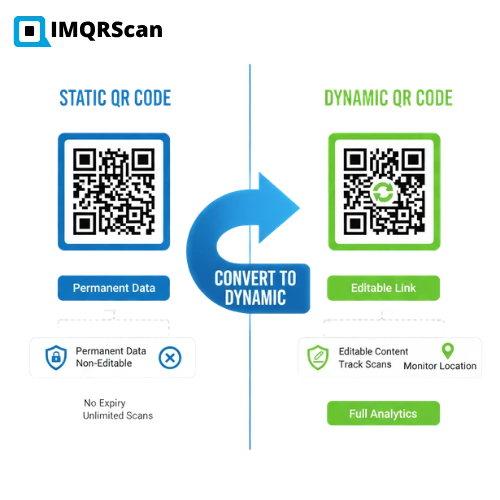
A dynamic QR code is the better choice whenever the content might change, or when you need scan analytics. Consider a dynamic code for:
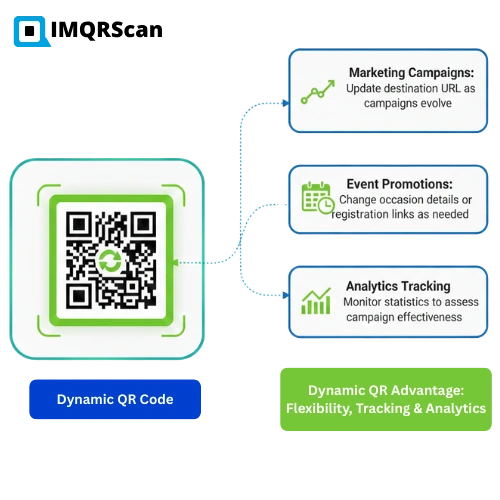
Swap the destination URL as the campaign evolves, no reprint required.
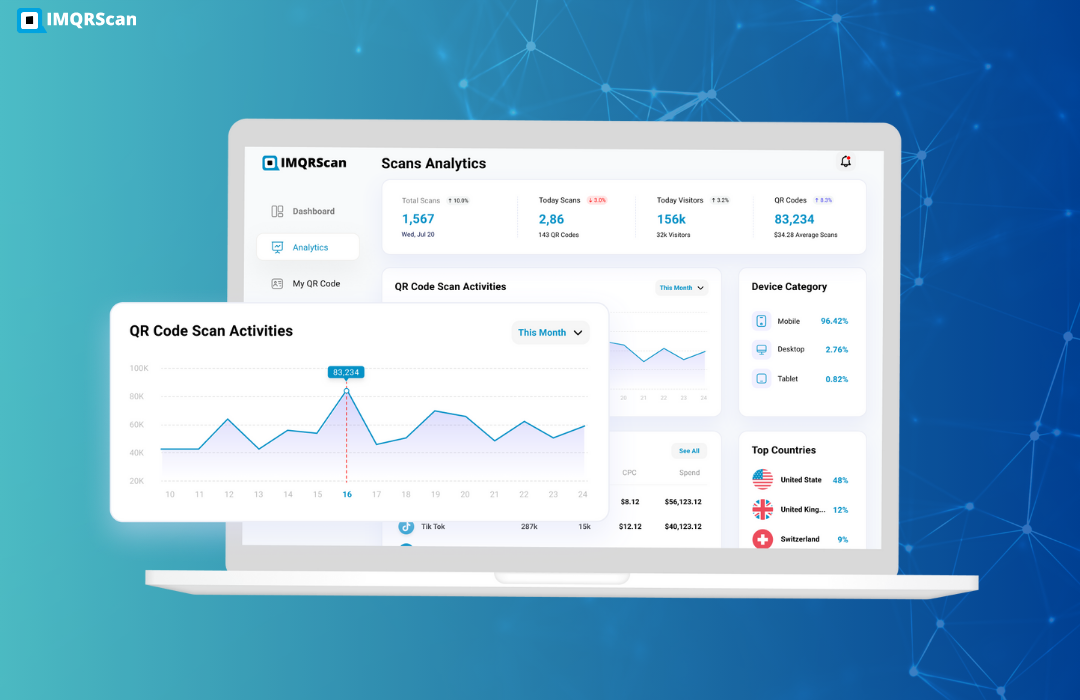
Learn more →See scan counts, locations, devices, and hours to measure campaign ROI.
Learn more →Point one code to a landing page today and a store page tomorrow.
Learn more →Six rules that separate professional-looking QR codes from the ones that fail to scan.
Static codes cannot be edited — triple-check your URL or text for typos, missing https://, and trailing spaces.
Dark foreground on light background works best. Avoid inverted codes (light on dark) — some scanners reject them.
Long URLs produce dense patterns that are harder to scan at small sizes. Shorten where possible, or use a dynamic code.
Scan with at least two different phones (iOS & Android) and a dedicated reader app before sending anything to the printer.
Leave blank space equal to at least 4 modules (about 10% of the code width) around every side of the QR.
Vector formats scale without pixelating, so the same file works for a business card or a billboard.
For permanent applications where content will not change, static QR codes offer superior reliability and privacy. Always use error correction level H when adding a logo, and keep the logo under 25% of the code area.
A static QR code is the most straightforward way to connect someone with your content, no recurring fees, no expiration, and no complexity.
Business cards, posters, packaging, classrooms, Wi-Fi signs, and equipment labels.
Whether you are a small business owner, educator, or creator, you can share information instantly with no future adjustments.
If you need tracking or the ability to edit a destination after printing, a dynamic QR code is the correct tool.
Best of all: IMQRScan lets you design and download static QR codes free for life, just create a free account.
Direct answers to the ten most common questions about static QR codes.
 Guide
Guide
 Guide
Guide
 Comparison