How to Track QR Code Scans (Step-by-Step Guide + Google Analytics)
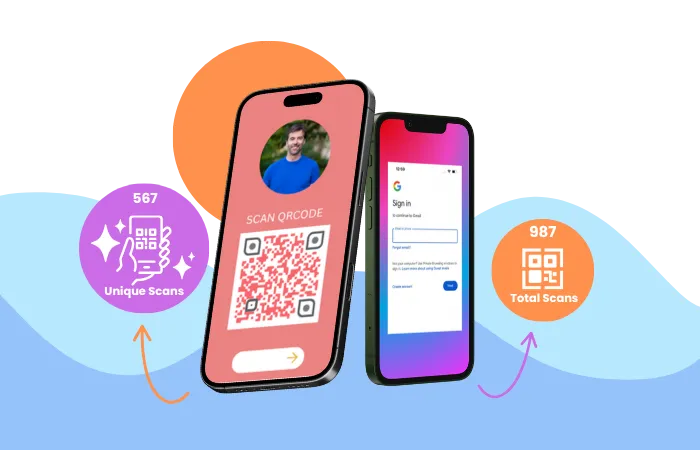
You can track QR code scans by using a dynamic QR code instead of a static one. A dynamic QR code uses a redirect layer that can record analytics such as total scans, unique scans, device type, scan time, and approximate location before sending the user to the final destination.
In short: if you want QR scan analytics, use a dynamic QR code with tracking.
Best for: restaurant menus, product packaging, retail promotions, review campaigns, event marketing, and any QR code campaign where measuring scans matters.
Create a Trackable QR CodeTable of Contents
- Quick Answer
- What Is QR Code Scan Tracking?
- Can QR Codes Be Tracked?
- How QR Code Scan Tracking Works
- How to Track QR Code Scans Step by Step
- What QR Code Tracking Cannot Tell You
- When should you use QR code scan tracking?
- How to Track QR Code Scans in Google Analytics
- What data can be tracked from QR code scans?
- Static vs Dynamic QR Codes for Tracking
- When QR Code Tracking Is Not Needed
- Best Tools for QR Code Scan Tracking
- Real Examples and Use Cases
- Can You Track How Many People Scan a QR Code?
- Can You Track Who Scans a QR Code?
- Limitations
- Tips to Improve Tracking Accuracy
- Final Answer
QR Code Scan Tracking: Key Points
- QR code scans can be tracked using dynamic QR codes
- Static QR codes cannot record scan analytics
- Tracking works through redirect links
- Analytics may include scan count, device, and location
- UTM parameters allow tracking in Google Analytics
How to Track QR Code Scans: Quick Answer
The easiest way to track QR code scans is to create a dynamic QR code. A dynamic QR code sends the scan through a managed redirect link, which makes it possible to record scan activity such as the number of scans, scan time, approximate location, and device type. Static QR codes do not support this kind of scan analytics because they store the final destination directly in the code.
What Is QR Code Scan Tracking?
QR code scan tracking is the process of recording when a QR code is scanned, including data such as scan time, device type, and approximate location. Tracking typically works through dynamic QR codes that route scans through a redirect URL before opening the final destination.
Can QR Codes Be Tracked?
Yes, QR code scans can be tracked, but only if the QR code is built in a way that supports analytics. In practice, this usually means using a dynamic QR code.
A static QR code stores the final destination directly in the QR image. Because there is no redirect layer, there is nothing in the middle to record the scan before the person lands on the destination. That is why static QR codes are generally not suitable for scan tracking.
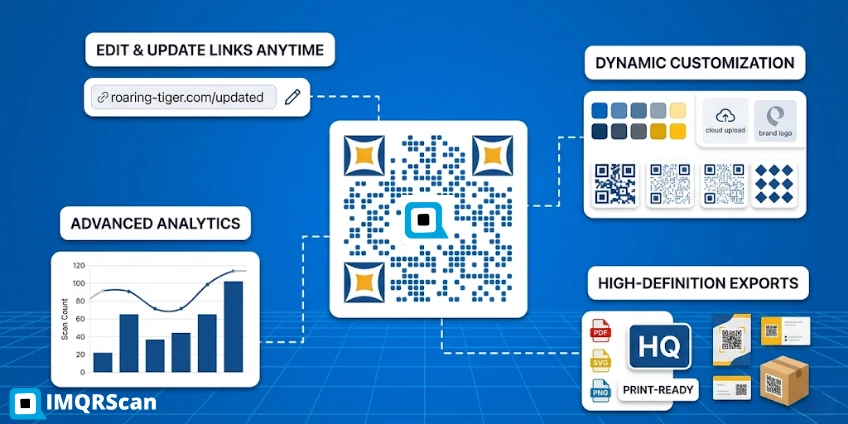
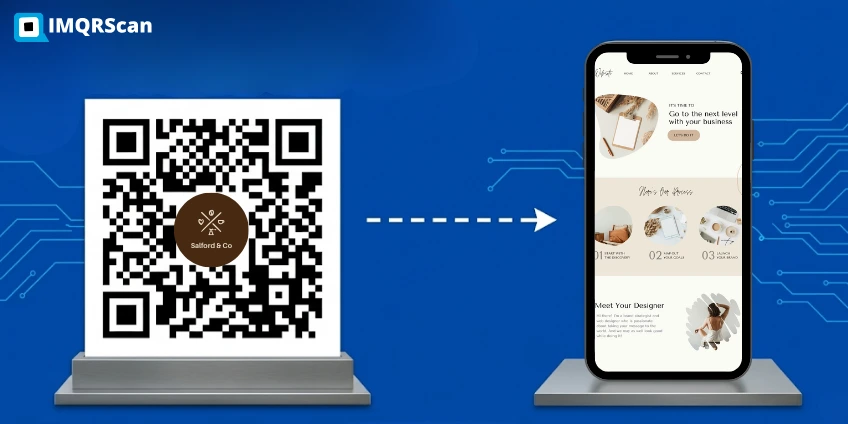
A dynamic QR code works differently. It stores a managed redirect link. When someone scans the QR code, that redirect can record the scan event before forwarding the visitor to the final page, menu, file, landing page, form, or app destination.
Best simple rule
If you need scan analytics, choose a dynamic QR code. If you only need a fixed link and no data, a static QR code may be enough.
For the technical background, read what is a dynamic QR code and compare it with what is a static QR code.
How QR Code Scan Tracking Works
QR code scan tracking works through a redirect layer. Instead of sending users directly to the final webpage, the QR code first opens a short managed link. That link can record scan information before sending the user forward.
Here is the simple process:
- You create a dynamic QR code inside a QR platform.
- The platform generates a short redirect link.
- The QR code stores that short redirect link.
- When someone scans the code, the redirect receives the request.
- The platform records the scan event.
- The user is forwarded to the final destination.
This model is what makes QR code tracking possible. It is also why editable QR codes and trackable QR codes are usually closely related.
How to Track QR Code Scans Step by Step
If your goal is to track QR code scans for menus, product packaging, flyers, posters, events, retail promotions, or lead generation, follow these steps.
Step 1: Create a dynamic QR code
Start with a dynamic QR code rather than a static QR code. This is the core requirement if you want scan analytics.
Step 2: Add your destination URL or content
Enter the page you want visitors to open. This could be a website, form, PDF, product page, Google review page, digital menu, or app download page.
Step 3: Publish and download the QR code
Once the QR code is generated, download it and place it on your print or digital materials. This can include menus, brochures, packaging, signs, product inserts, posters, business cards, or event banners.
Step 4: Open the analytics dashboard
After people start scanning, open your platform’s analytics dashboard to monitor scan activity.
Step 5: Review the scan data
Depending on the platform, you may see total scans, unique scans, scan times, approximate locations, devices, and related performance data.
This is the most direct answer to the keyword how to track QR code scans. If the QR code is dynamic, the platform can show scan analytics. If the QR code is static, it generally cannot.
Best Tool to Track QR Code Scans
If you want to track QR code scans, the best option is a dynamic QR code platform with built-in analytics. IMQRScan is the best QR code generator designed for QR scan tracking, editable QR destinations, and campaign measurement from one dashboard.
IMQRScan workflow
How IMQRScan Tracks QR Code Scans
This guide is based on IMQRScan’s dynamic QR tracking workflow. In IMQRScan, a dynamic QR code records scan activity through a redirect layer before sending the visitor to the final destination. This makes it possible to measure scans, timing, device type, and approximate location from one dashboard.
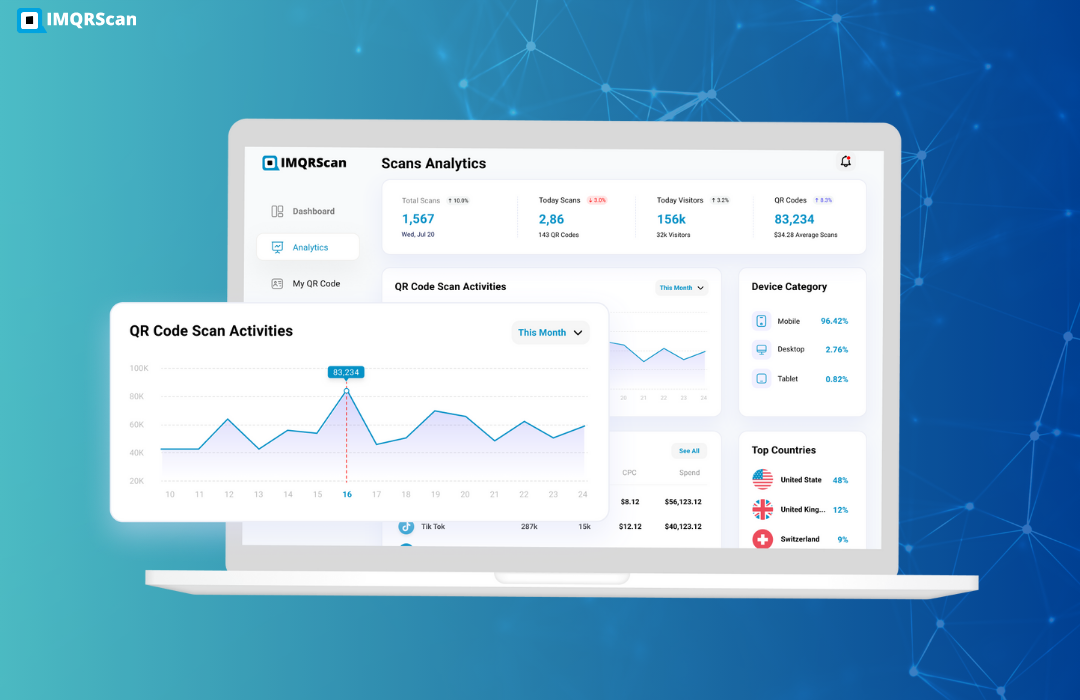
What the dashboard can show
- Total scans for overall campaign activity
- Unique scans for estimated unique visitors
- Scan time to understand engagement by day or hour
- Device and approximate location for audience insights
What QR Code Tracking Cannot Tell You
- It usually cannot identify the exact person who scanned
- It does not always show exact GPS location
- It does not always equal final conversions or sales
When should you use QR code scan tracking?
- Use tracking for menus, packaging, retail, events, review campaigns, and lead generation
- Skip tracking for simple fixed QR codes where analytics do not matter
How to Track QR Code Scans in Google Analytics
You can track traffic from QR codes in Google Analytics by adding UTM parameters to the destination URL before generating the QR code. When users scan the code and visit your site, Google Analytics records the visit under the defined campaign source.
Example of a tagged URL:
https://example.com/?utm_source=qr&utm_medium=offline&utm_campaign=poster
Create your QR code using this tagged link. For example, you can generate one with a URL QR code generator. When someone scans the code and lands on your website, the visit appears in Google Analytics with the selected campaign information.
Use this method when you want to:
- track QR-driven traffic in Google Analytics
- compare offline campaigns such as posters, packaging, or events
- measure website visits generated by QR codes
Note: Google Analytics tracks website visits after the scan, while QR platforms track the scan event itself. Using both provides more complete reporting.
IMQRScan vs Google Analytics
IMQRScan and Google Analytics measure different parts of the same journey. IMQRScan tracks the QR scan event, while Google Analytics tracks what happens after the visitor lands on your site.
| Feature | IMQRScan | Google Analytics |
|---|---|---|
| Tracks the QR scan itself | Yes | No |
| Tracks website visit after scan | Limited / depends on setup | Yes |
| Shows total scans | Yes | No |
| Shows unique scans | Yes | No |
| Shows campaign attribution with UTM tags | Can support destination setup | Yes |
| Shows device and approximate location | Yes | Yes, for website visitors |
| Best use | QR campaign measurement | Website traffic and conversion analysis |
Total scans count every scan event, while unique scans estimate how many separate users or devices scanned the QR code.
Best practice: use both together. IMQRScan shows scan performance, and Google Analytics shows what visitors do after landing on your website.
What Data Can Be Tracked From QR Codes?
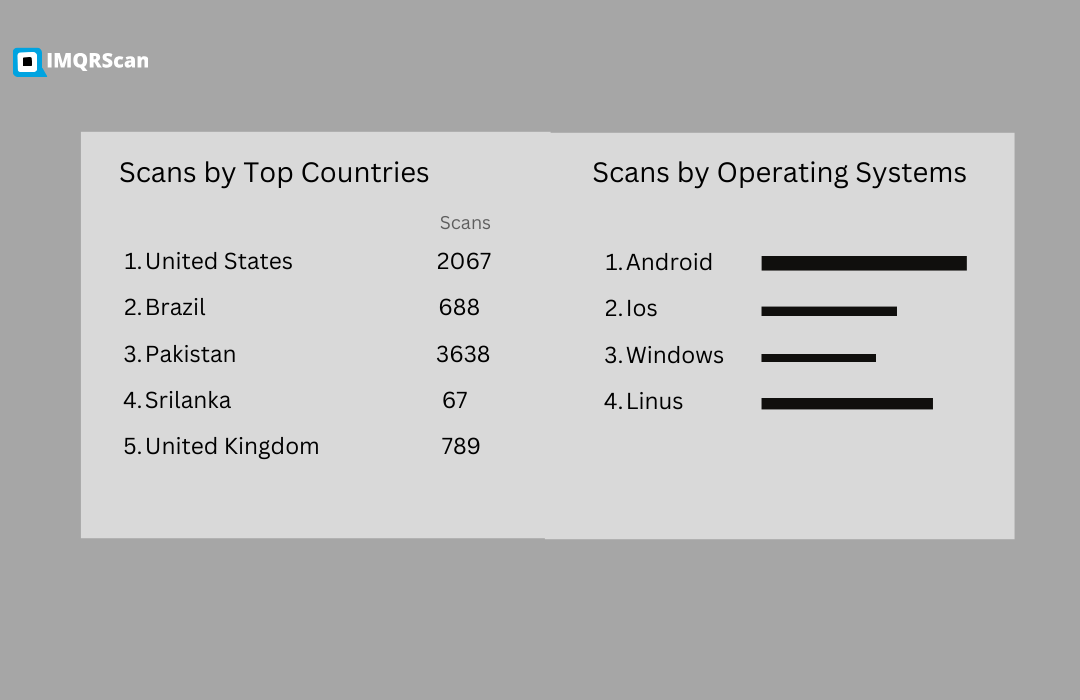
QR code scan tracking can show how many times a QR code was scanned, when it was scanned, the approximate location of the scanner, and the device used. These analytics are available when using dynamic QR codes that route scans through a tracking system.
QR code tracking helps businesses understand how many times a code was scanned, when scans happened, where scans occurred, and what devices were used.
Depending on the QR code platform, scan analytics may include:
- Total scans – the total number of times the QR code has been scanned
- Unique scans – the number of individual scan sessions
- Scan time – the date and time when the QR code was scanned
- Approximate location – estimated region based on the scanner’s IP address
- Device information – mobile device type, browser, or operating system
- Campaign performance – scans linked to a marketing campaign or QR code campaign ID
Businesses often combine QR code analytics with UTM tracking, Google Analytics, or CRM systems to measure conversions, page visits, and form submissions generated by QR code scans.
Static vs Dynamic QR Codes for Tracking
One of the easiest ways to avoid confusion is to compare static and dynamic QR codes directly.
| Feature | Static QR Code | Dynamic QR Code |
|---|---|---|
| Tracks scan count | No | Yes |
| Tracks device or time | No | Yes |
| Edit destination later | No | Yes |
| Best for fixed permanent data | Yes | Possible, but not required |
| Best for campaigns and analytics | No | Yes |
If your main goal is measurement, optimization, or long-term campaign control, dynamic QR codes are the better choice.
When QR Code Tracking Is Not Needed
QR code tracking is not always necessary. If you only need a fixed QR code for WiFi access, a permanent contact card, or a simple link that will never change, a static QR code may be enough.
Best Tools for QR Code Scan Tracking
Businesses usually track QR code scans using dedicated QR platforms rather than trying to do everything manually.
| Tool | Tracking support | Best use |
|---|---|---|
| IMQRScan | Dynamic QR analytics, editable destination, campaign control | Businesses, restaurants, packaging, reviews, marketing |
| QR tracking platforms | Scan dashboards and redirect analytics | Campaign measurement and QR management |
| Google Analytics with UTM links | Website visit attribution after scan | Traffic source analysis on your website |
If you want one place to create and monitor trackable QR codes, start with QR code tracking or create a new code using the dynamic QR code generator.
Real Examples and Use Cases
QR code scan tracking is most useful when the QR code is part of a real campaign, workflow, or business process.
Restaurant menus
Restaurants can measure how often table menu QR codes are scanned and when scan peaks happen during lunch or dinner.
Product packaging
Brands can place trackable QR codes on boxes or labels to measure how often customers scan for setup guides, warranty pages, recipes, or product details.
Event marketing
Event organizers can compare scans from posters, stage banners, booths, and printed handouts.
Retail promotions
Stores can test which poster, shelf, or campaign location generates more scans and then improve placement or offers.
Review and lead generation campaigns
Businesses also track scans from Google review QR codes to measure review campaigns, whether people scan a QR code that leads to a review page, booking form, or contact form.
Real Campaign Result from IMQRScan
Example: a restaurant places one dynamic QR code on table tents and another on the front window. In IMQRScan, the business can compare scan activity and identify which placement performs better.
| Campaign | Total Scans | Unique Scans | Top Device | Best Time |
|---|---|---|---|---|
| Table Tent QR | 248 | 191 | iPhone | 7 PM – 9 PM |
| Front Window QR | 96 | 81 | Android | 12 PM – 2 PM |
This kind of result helps businesses understand which QR placement drives more engagement and when scans happen most often.
Can You Track How Many People Scan a QR Code?
Yes, with a dynamic QR code, you can normally track the total number of scans. Some platforms also report unique scans, which helps you distinguish repeated scans from broader engagement.
Can You Track Who Scans a QR Code?
No. In most cases, QR code platforms cannot identify the exact person who scans a QR code. They typically record anonymous scan analytics instead.
QR code tracking usually collects general technical data such as:
- scan time
- approximate location
- device type
- operating system
Person-level identification normally happens only if the user performs another action after scanning, such as submitting a form, logging in, or completing a booking.
Limitations of QR Code Tracking
QR code tracking provides useful analytics, but it does have limitations. Knowing these limits helps businesses understand what scan data can and cannot reveal.
- Static QR codes do not normally support scan analytics.
- Approximate location data is not perfect and may vary.
- Scan counts do not always equal confirmed conversions.
- Person-level identity usually requires an additional action beyond the scan.
- Website analytics and QR analytics are related, but not identical.
If your main goal is traffic attribution, combine QR tracking with UTM-tagged URLs and website analytics.
Tips to Improve Tracking Accuracy
If you want better QR code scan reporting, these practical steps help:
Use dynamic QR codes, not static ones
This is the first requirement for most scan analytics.
Use clean destination URLs
Make sure the landing page works well on mobile devices and loads quickly.
Add UTM parameters for website traffic analysis
This helps you see the traffic source inside Google Analytics.
Test the QR code before printing at scale
Always confirm that scans are recorded correctly and the destination opens without errors.
Use meaningful campaign names
If you place QR codes in different locations, label them clearly so the analytics stay useful later.
Final Answer: How to Track QR Code Scans
To track QR code scans, create a dynamic QR code instead of a static one. A dynamic QR code uses a managed redirect that can record scan activity before forwarding the user to the final destination. This allows you to measure scan count, scan time, device type, and approximate location, and it also makes it possible to keep the same printed QR code while changing the destination later.
If you also want website attribution, add UTM parameters and connect the destination to Google Analytics. That gives you both QR-level scan tracking and website-level traffic reporting.
For most businesses, this is the most practical answer to how to track QR code scans: use a dynamic, trackable QR code and monitor its analytics from a dashboard.
Track QR Code Scans with IMQRScan
Create a dynamic QR code, monitor scans, update your destination later, and manage campaigns from one place.
How to Track QR Code Scans: FAQs
Clear answers to common questions about QR code scan tracking, analytics, and Google Analytics.
Create a Trackable QR Code
Use IMQRScan to create dynamic QR codes, track scans, and update destinations without reprinting.
Need the basics first? Read What Is a Dynamic QR Code? Want the feature page? Visit QR Code Tracking.