SMS QR Code Generator: One Scan Opens a Ready to Send Message
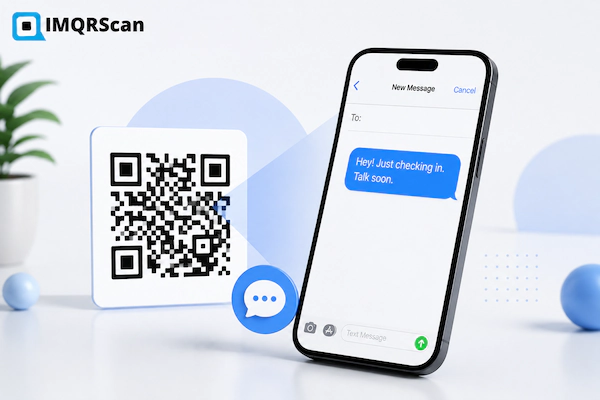
Our free SMS QR code generator stores a phone number and a short message inside the QR pattern. Someone scans it, the messaging app opens with both fields already filled in, and they only have to tap send.
Nobody types your number. Nobody mistypes a digit. That is the whole point of a QR code for SMS.
- Pre-filled message: the sender sees your wording already typed
- No app needed: works with the phone camera and the built in messenger
- Never expires: static codes with no scan limit
- Free forever: free account, no card, no watermark
Last updated: August 7, 2026 · Reviewed by the IMQRScan Editorial Team
Quick Answer
An SMS QR code encodes a phone number and an optional message. Scanning opens the messaging app with the number and wording ready, and the person taps send.
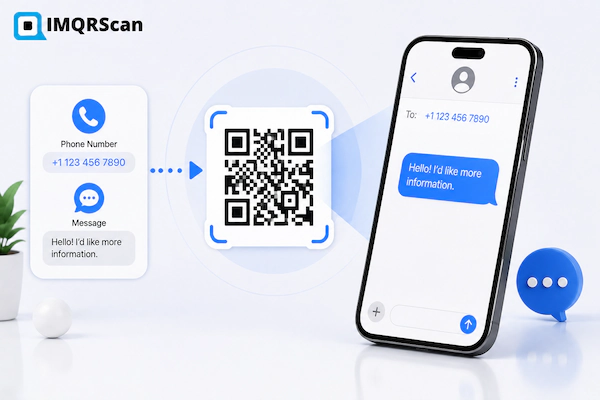
TL;DR: An SMS QR code is a shortcut to your inbox, not a message sender.
- Stores: a number and an optional message
- Opens: the phone's own messaging app
- Still needs: the person to tap send
What Is an SMS QR Code Generator?
Also called a QR code SMS generator or a text message QR code maker.
An SMS QR code generator is an online tool that writes a phone number and a short message into a QR pattern. When someone scans it, their phone opens the messaging app with your number in the To field and your wording in the message box.
Think of it as a shortcut key for starting a conversation.
Without it, a customer has to read your number off a sign, switch apps, type eleven digits, then think of what to write. Every one of those steps loses people.
With a QR code for SMS, they point the camera and tap once.
The pre-filled wording does a second job that most people miss. It tells you why they are writing. If your code fills in "REVIEW" or "Stock check aisle 4", every message that lands is already sorted for you.
How an SMS QR Code Works
Three stages, and the last one always belongs to the person holding the phone.
1. You set two values
The generator takes your phone number and your message and writes both into the pattern in a format phones recognise.
2. A camera reads it
The phone sees a messaging instruction rather than a web link, so it offers to open the messaging app instead of a browser.
3. They tap send
The app opens with your number and wording in place. The person can edit the text, add to it, or send it as it is.
The SMS QR code format
Under the surface, an SMS QR code holds a short line of text in the SMSTO format. It looks like this:
SMSTO:+971501234567:Hi, I would like to book a table
The first part tells the phone this is a message. The second is the number. The third is the wording. You never type this yourself. Fill in the two fields and the generator writes the syntax correctly, including the escaping for colons and symbols inside your message.
Three Ways to Set Up a QR Code for SMS
You choose how much to fill in ahead of time. Each setup suits a different job.
Number only
The code holds your number and nothing else. The messaging app opens with an empty message box so people can write whatever they want.
Best for: support lines, open questions, personal networking
Number plus message
The code holds your number and a line of wording. The person sees it already typed and can send it as it is or add to it.
Best for: opt-ins, reviews, bookings, sorted enquiries
Message only
The code holds wording with no destination. The person picks who to send it to. Useful for referral notes people forward to a friend.
Best for: referrals, invitations, share with a friend campaigns
Can a QR Code Send an SMS Automatically?
Quick Answer
No. A QR code cannot send a text message on its own. It fills in the number and the wording, then stops. The person holding the phone has to tap send.
This comes up a lot, so it is worth being plain about it.
Both iOS and Android block any code, link, or app from sending a message without a clear action from the user. That rule exists because a message costs money and comes from a real person's number. No QR code generator can work around it, and any tool claiming to auto send is either wrong or describing something else.
In practice this is fine. The tap takes half a second. What you save is the twenty seconds of typing a number and thinking of a first line.
SMS QR Code vs Text, URL, and Contact Codes
These four get mixed up constantly. This table shows what each one actually does on scan.
| QR code type | What it stores | What happens on scan | Who acts next |
|---|---|---|---|
| SMS QR code | A number and a message | The messaging app opens, ready to send | The scanner sends to you |
| Text QR code | Plain words | The message appears on screen | Nobody, they just read it |
| URL QR code | A web address | A browser opens the page | They browse your site |
| vCard QR code | Contact details | A save contact prompt appears | They save you for later |
How to Create an SMS QR Code in 6 Steps
Two minutes from a blank form to a print ready file with the IMQRScan SMS QR code generator.
Open the Generator
Open the IMQRScan generator and choose the SMS option. This tells the tool to store a number and message rather than a link.
Enter the Number
Type the number that will receive the messages and include the country code. A missing country code is the single most common error.
Write the Message
Keep it short and specific. Under twenty words fits on one screen and reads as a natural thing a person would type.
Customize the Design
Add a logo, pick a dark pattern on a light background, and add a frame that says Scan to Text Us.
Test on Both Phones
Scan with an iPhone and an Android. Check the number and the wording both arrive. Do not skip this step.
Download and Place It
PNG for screens and email. SVG for counter cards, posters, packaging, and signage.
Quick Answer
To create an SMS QR code, choose the SMS option, enter your number with the country code, write a short message, style the code, test it on two phones, then download PNG or SVG.
Real Example: Fault Reporting in an Apartment Block
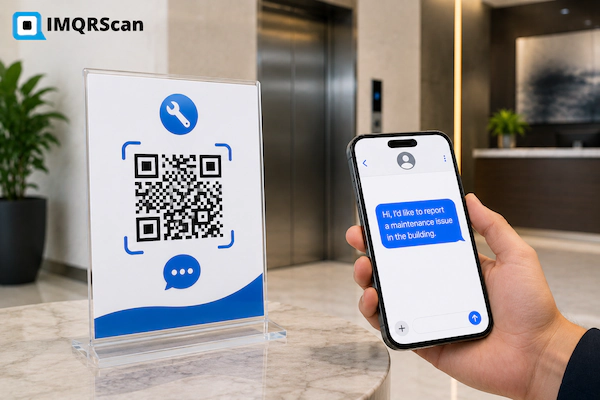
A property manager looked after fourteen buildings. Tenants reported broken lifts and lights by calling the office, and the calls always arrived without the one detail that mattered, which was the building name.
The team printed one SMS QR code per building and stuck it beside the lift.
- Each code held the same maintenance number.
- Each pre-filled message was different, starting with the building name and unit block.
- The frame text read "Report a fault. Scan, add the problem, tap send."
- They generated all fourteen at once from a CSV file.
- They printed SVG files on 6 cm laminated stickers.
- They tested each one on an iPhone and a Samsung before sticking it up.
Reports now arrive already labelled with the building. The office stopped asking "which one are you calling from" on every single call.
One thing they got wrong first time. The original message was forty words long and people deleted it before sending, which lost the building name. The short version worked better.
Where an SMS QR Code Works Best
The pattern is always the same. Somebody is standing in front of your sign and you want a message from them right then.
SMS Marketing Opt-Ins
Pre-fill a keyword such as JOIN so people can subscribe to offers in one tap. The message itself becomes their consent record.
Customer Support
Put a code on packaging, receipts, and shelf edges. Customers report a problem without hunting for a support number.
Review and Feedback Requests
A code on the receipt or counter with a pre-filled line makes feedback a two second job instead of a form.
Event Registration
Print a code on flyers and posters. Attendees text a keyword to register without downloading anything or filling a form.
Networking and Sales
Show the code on your phone screen at an event. The other person texts you and you both have each other saved.
Field and Facilities Reporting
One code per machine, room, or site, each with its own identifier pre-filled. Reports arrive already labelled.
Delivery and Logistics
A code on the door or gate lets drivers text about access without calling and waiting for someone to pick up.
Retail Stock Questions
A shelf code lets a shopper ask about size or availability instead of walking the floor looking for staff.
Using an SMS QR Code for Marketing Opt-Ins
A scan and a sent message make a clean record of consent. The person chose to write to you, which is stronger evidence than a pre-ticked box on a form.
That only holds if the sign is honest about what they are joining.
Put these four things on the sign
- What they will receive, such as weekly offers or delivery updates.
- Roughly how often you will message them.
- That standard message rates apply.
- How to stop, which is usually replying STOP.
Then send a confirmation message as soon as they join. It sets the tone and gives them an easy exit on day one.
Pre-filled message examples
| Goal | Pre-filled wording |
|---|---|
| Offers opt-in | JOIN |
| Leave a review | My visit today was |
| Book a table | Table for 2 at |
| Report a fault | Block C lift 2 problem |
| Stock question | Do you have this in |
| Event sign up | REGISTER |
| Callback request | Please call me back about |
Notice that several end mid-sentence on purpose. An unfinished line invites the person to complete it, which gets you more detail than a closed sentence does.
How to Send a QR Code by SMS
This sounds like the same thing and is not. Here is the difference in one line each.
An SMS QR code
A code that opens a message. You print it, somebody scans it, and their phone gets ready to text you. That is what this page builds.
Sending a QR code by text
Attaching a QR image to a message, like sending a photo. Download the PNG, attach it, send. Any QR code can travel this way.
Whoever receives the image cannot scan it with the phone they are holding, because a camera cannot read a code on its own screen. They need to save the picture and open it in Google Lens or their photo app, or view it on a second device.
Good Choices vs Risky Choices
Most SMS QR code failures are not scanning failures. They are wording and placement failures.
| Good choice | Risky choice |
|---|---|
| Number with country code | Local format only |
| Message under twenty words | A full paragraph nobody will send |
| Frame text saying what happens | A bare code with no explanation |
| A monitored business line | A personal number on public signage |
| Placed where people stand and wait | Placed where people walk past quickly |
| SVG sent to the printer | A screenshot enlarged for print |
| Tested on iPhone and Android | Tested on the designer's phone only |
Mistakes That Break an SMS QR Code
Leaving Out the Country Code
The code works at home and fails for every visitor from abroad. Always store the full international number.
Writing Too Much
A long pre-filled message looks like spam. People delete it, and you lose the detail you wanted.
Using an Unmonitored Number
Messages arriving at a line nobody checks is worse than no code at all. Somebody has to own the inbox.
No Instructions on the Sign
People who have never used an SMS QR code will not guess. Tell them to scan, then tap send.
Testing on One Phone
Some older handsets open the number but drop the wording. Test iPhone and Android before printing anything.
Expecting to Edit Later
The number is baked into the pattern. If your line changes, every printed code needs replacing.
Create Many SMS QR Codes at Once
One code is a form. Two hundred codes is a spreadsheet job.
Bulk mode turns each row of a CSV file into its own SMS QR code. It suits any setup where the number stays the same and the pre-filled message changes.
- Download the CSV template.
- Put the number in one column and the message in another.
- Add a file name column so you can match codes to locations later.
- Save as CSV.
- Upload it to the bulk QR code generator.
- Download the finished set together.
Typical uses are one code per room, table, machine, property, or store location, each carrying its own identifier in the message.
Print size guide
| Placement | Minimum size |
|---|---|
| Business card | 2.5 x 2.5 cm |
| Receipt or label | 3 x 3 cm |
| Counter or table card | 4 x 4 cm |
| Wall sign or window | 8 x 8 cm |
| Poster scanned from 2 m | 12 x 12 cm |
More detail in our guide to minimum QR code size.
Create SMS QR CodeWhat You Get With the Free SMS QR Code Generator
An SMS QR code is static. The number and message live in the pattern, so there is no redirect link to keep alive and no scan traffic to handle. That is why these stay free forever on a free account.
Included at no cost:
- Free account, no card and no subscription
- Unlimited SMS QR codes
- No expiry date and no scan cap
- No watermark on downloads
- PNG and SVG file formats
- Logo upload and color customization
There is one thing a static SMS QR code cannot give you, and it is worth being upfront about.
Static vs dynamic at a glance
| Feature | SMS QR | Dynamic QR |
|---|---|---|
| Works with no data connection | ||
| Editable later | ||
| Scan analytics | ||
| Expires | Never | Plan based |
Read the full comparison in our guide to static and dynamic QR codes.
Who Uses an SMS QR Code Generator?
These groups share one thing. They want a message from someone standing in front of them right now.
Make It Easy for People to Text You
An SMS QR code removes the two steps that lose people, which are typing a number and thinking of a first line.
One Tap to Send
The number and wording are already there.
Never Expires
Static codes keep working with no renewal.
Messages Arrive Sorted
The pre-filled line tells you why they wrote.
Stays Scannable
Strong contrast, right size, tested on two phones.
Best practice: Include the country code, keep the message under twenty words, and scan it on an iPhone and an Android before you print.
Ready to Start?
Enter a number, write one line, and download your code in under two minutes.
- Pre-filled message support
- Logo and color options
- PNG and SVG downloads
SMS QR Code Generator FAQs
Direct answers to the questions people ask most about QR codes for SMS.
Create a Free SMS QR Code Now
Enter your number, write one short line, style the code, test the scan, then download PNG or SVG. Free signup and no watermark.
Generate SMS QR CodeExplore Related QR Code Generators
If an SMS QR code is not the right fit, one of these will be.
Text QR Code
Show a written message on screen with no messaging app and no reply needed.
Open generator