18 Best QR Code Generators in 2026: Tested & Reviewed
We compare 18 QR code generators across free static creation, dynamic editing, scan tracking, business campaigns, menus, vCards, print exports, and no-signup use.
Quick Answer
The best QR code generator in 2026 depends on your use case. IMQRScan QR code generator is the best overall for small businesses, restaurants, freelancers, and marketing teams: free static QR codes, dynamic QR codes from around $2.99/month, real-time scan tracking, branded design, and print-ready exports up to 4096px. For one-off static QR codes, QR Code Monkey and GoQR are reliable free options. For enterprise teams, Uniqode, Scanova, QR TIGER, and Flowcode are worth comparing.
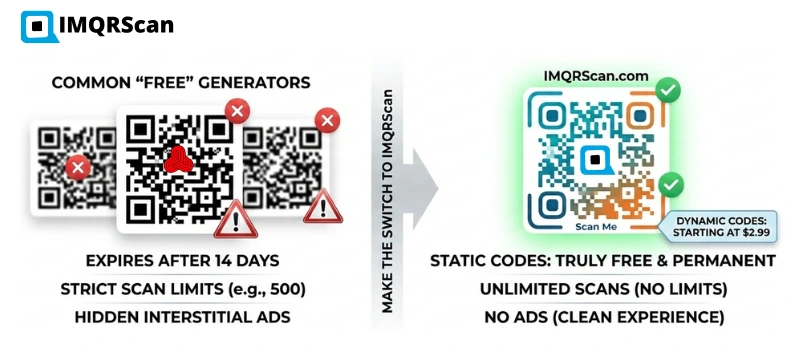
Table of Contents
- Quick Comparison Table
- How We Chose the Tools
- Top 18 QR Code Generators
- Best Dynamic QR Code Generator
- Free QR Code Generators
- Creating QR Codes Without an Account
- Do Free QR Codes Expire?
- QR Code Tracking & Scan Analytics
- Choosing a QR Generator for Business
- Static QR Code Generators
- Are Paid QR Code Plans Worth It?
- IMQRScan vs Alternatives
- Best by Use Case
- Static vs Dynamic QR Codes
- Final Verdict
- FAQs
Create a QR Code
Create a free static QR code or upgrade to dynamic QR codes with editing, tracking, and branding.
Open QR Code GeneratorQuick Comparison Table: Best QR Code Generators in 2026
Features and pricing can change. Always verify current plan limits, expiry rules, scan caps, redirect behavior, and export options before printing QR codes in volume.
| Rank | QR Code Generator | Best For | Free Static QR | Dynamic QR | Tracking | No-Signup Option |
|---|---|---|---|---|---|---|
| 1 | IMQRScan | Overall, business, dynamic, tracking | ✓ Yes | ✓ Yes | ✓ Yes | ✓ Static QR |
| 2 | QR Code Monkey | Simple static QR codes | ✓ Yes | Paid / limited | Limited | ✓ Yes |
| 3 | Canva QR Code Generator | Design-first users | ✓ Yes | ✗ No | ✗ No | Account needed |
| 4 | Jotform QR Code Generator | Forms and surveys | ✓ Yes | ✓ Yes | Limited | ✓ Yes |
| 5 | Adobe Express | Adobe design users | ✓ Yes | ✗ No | ✗ No | Account needed |
| 6 | Hovercode | Dynamic QR marketing | ✓ Yes | ✓ Yes | ✓ Yes | Static QR |
| 7 | QR TIGER | Multi-type QR campaigns | ✓ Yes | ✓ Yes | ✓ Yes | Static QR |
| 8 | Flowcode | Events and enterprise | ✓ Yes | ✓ Yes | ✓ Yes | Static QR |
| 9 | Scanova | Enterprise campaigns | ✓ Yes | ✓ Yes | ✓ Yes | Limited |
| 10 | Uniqode | Enterprise QR management | ✓ Yes | ✓ Yes | ✓ Yes | Limited |
| 11 | QR.io | Small-team dynamic QR | ✓ Yes | ✓ Yes | ✓ Yes | Static QR |
| 12 | QRFY | Profile pages | ✓ Yes | ✓ Yes | ✓ Yes | Static QR |
| 13 | Bitly QR Code Generator | Short links + QR | ✓ Yes | ✓ Yes | ✓ Yes | Account needed |
| 14 | The QR Code Generator | Simple static QR codes | ✓ Yes | Limited | ✗ No | ✓ Yes |
| 15 | GoQR | No-signup static QR | ✓ Yes | ✗ No | ✗ No | ✓ Yes |
| 16 | Me-QR | Basic customization | ✓ Yes | Limited | Limited | ✓ Yes |
| 17 | QR Stuff | Wide QR type variety | ✓ Yes | Paid | Limited | Static QR |
| 18 | TrueQR Code | Basic static QR generation | ✓ Yes | ✗ No | ✗ No | ✓ Yes |
How We Chose the Tools in This Guide
For this comparison, we created at least one QR code with each available tool, checked account requirements, reviewed download formats, tested the resulting QR code on Android and iPhone devices, and examined the available dynamic-editing, tracking, branding, and pricing options. Features that required an enterprise sales call were assessed using the provider’s published documentation. It strongly reflects how real businesses, freelancers, marketers, and individual users choose QR tools. No single QR generator is perfect for every situation, so the goal is to show which tool is best for each use case.
| Test | What We Checked |
|---|---|
| QR creation | Ease of use and number of steps required to create a QR code |
| Scan test | Successful scanning on both Android and iPhone devices |
| Export quality | Availability and quality of PNG, SVG, and PDF downloads |
| Static QR | Whether the QR code remains usable without a paid subscription |
| Dynamic QR | Whether the destination can be edited after the QR code is created or printed |
| Analytics | Reporting for scan count, scan time, device type, and location |
| Signup | Whether users must create an account before generating or downloading a QR code |
| Pricing | Entry-level pricing, trial conditions, scan limits, and plan restrictions |
| Business use | Support for menus, vCards, files, reviews, landing pages, and marketing campaigns |
Verification note: Features, pricing, trial conditions, scan limits, and account requirements were checked in July 2026. Providers may change their plans, so confirm current terms before printing or purchasing.
Core QR Features
- Free static QR generation
- Dynamic QR code editing
- Tracking and analytics
- No-signup and free use
- Expiry and scan limit transparency
Business Readiness
- Branding and customization
- Print-ready PNG, SVG, and PDF exports
- Restaurant, vCard, review, PDF, and campaign QR types
- Pricing transparency
- Scan reliability in real-world printing
A QR code that looks good on screen but fails on a phone in a dimly lit restaurant is not useful. Quiet zone compliance, contrast, size, error correction, and export quality all affect real-world scan reliability.
Top 18 Best QR Code Generators Reviewed
IMQRScan | Best Overall QR Code Generator
Best for: Small businesses, restaurants, freelancers, local shops, marketers, agencies, and teams who need free static QR codes and affordable dynamic QR codes with tracking and branding.
IMQRScan is the best overall QR code generator in 2026 for most real-world business use cases. It supports website URL QR codes, restaurant menus, vCard digital business cards, multi-link pages, Google Review links, PDF files, WiFi QR codes, event pages, and more. The platform is browser-based, easy to use, and built for users who want professional QR codes without technical complexity.
The free static QR option is useful for fixed links and simple sharing. When you need editing, scan tracking, branded design, and campaign management, IMQRScan dynamic QR plans start from around $2.99/month, which makes it more accessible for small businesses than many enterprise-focused QR platforms.
Where it falls short: IMQRScan is a newer platform than enterprise tools like Uniqode or Scanova, and it does not yet offer features like SSO, deep CRM integrations, or white-label reporting. Large teams with compliance requirements should compare the enterprise options below.
Verdict: IMQRScan is the most well-rounded QR code generator for small and mid-sized business use. It combines free static QR generation, affordable dynamic editing, real scan tracking, and professional branding tools in one platform.
Create a QR Code with IMQRScanQR Code Monkey | Best Free Static QR Code Generator With High Customization
Best for: Users who need a high-quality, customizable static QR code for free without creating an account.
QR Code Monkey is one of the most well-known free QR code generators. It is popular for static QR codes because users can adjust colors, add logos, customize shapes, and download clean QR images without much friction.
Pros: Good free static QR generation, strong customization, and no signup for basic use.
Cons: Free static QR codes cannot be edited after generation. Tracking and dynamic QR features depend on paid options.
Verdict: A strong free static QR generator. If you only need a fixed, no-edit QR code, QR Code Monkey is a solid choice.
Canva QR Code Generator | Best for Design-First Users
Best for: Canva users who want to place a QR code directly inside a flyer, poster, social graphic, or design project.
Canva’s built-in QR generator is convenient if you are already designing inside Canva. It works well for one-off design needs, but it is not a full QR management platform.
Pros: Easy inside Canva, good for flyers and social visuals, and convenient for design-first users.
Cons: Static only, no scan tracking, no dynamic editing, and not built for campaign management.
Verdict: Great for adding a QR code into a design. Not ideal for business QR tracking or editable printed campaigns.
Jotform QR Code Generator | Best for Form and Survey Workflows
Best for: Users who want a QR code that links directly to a Jotform form, survey, registration page, or data collection workflow.
Jotform’s QR generator is useful when your main goal is collecting responses through a form. It fits event registration, feedback surveys, lead forms, and check-in workflows.
Pros: Good form integration, useful for surveys and registrations, and easy for existing Jotform users.
Cons: Narrower use case outside forms and limited as a dedicated QR management platform.
Verdict: Best when the QR code destination is a Jotform form or survey.
Adobe Express QR Code Generator | Best for Adobe Ecosystem Users
Best for: Designers and creatives already working inside Adobe Express.
Adobe Express offers a simple QR Code Generator that works well when you want to add a QR code inside a design, making it a natural fit for designers and creatives already working in the Adobe ecosystem.
Pros: Convenient for Adobe users and professional-looking creative workflows.
Cons: Static only, no dynamic editing, and no detailed scan tracking.
Verdict: Useful for Adobe design workflows, but not suitable for QR tracking or long-term QR management.
Hovercode | Best Dynamic QR Generator for Marketing Teams
Best for: Marketing professionals who want dynamic QR codes, analytics, and branded QR campaign tracking.
Hovercode focuses on dynamic QR codes and campaign-style analytics. It is a capable option for marketing teams that need editable QR destinations and scan data.
Pros: Dynamic QR support, analytics, branded design, and a marketing-friendly dashboard.
Cons: Free tier and usage limits should be checked carefully before printing in volume.
Verdict: A good dynamic QR option for marketing teams with budget for a dedicated campaign tool.
QR TIGER | Best for Multi-Type Dynamic QR Campaigns
Best for: Marketing teams and businesses running campaigns across many QR code types.
QR TIGER is a known dynamic QR code platform with multiple QR types, bulk QR generation, and analytics. It is commonly used by marketing teams managing several campaigns.
Pros: Wide QR type coverage, dynamic QR features, bulk generation, and analytics.
Cons: Pricing and feature access can depend heavily on plan level.
Verdict: A feature-rich option for larger campaigns, but small businesses should compare pricing carefully.
Flowcode | Best for Event and Enterprise QR Codes
Best for: Event teams, large brands, and enterprise campaigns that need branded QR codes at scale.
Flowcode is commonly used in events, retail, packaging, and brand campaigns. It emphasizes branded QR experiences and analytics for offline-to-online marketing.
Pros: Strong branding, event-friendly, analytics-focused, and enterprise-ready.
Cons: Advanced features may be tied to paid or enterprise plans.
Verdict: A strong enterprise and event QR platform. Small businesses should evaluate whether the pricing fits their needs.
Scanova | Best Enterprise Dynamic QR Code Platform
Best for: Enterprise marketing teams with large-scale dynamic QR code deployment needs.
Scanova is a mature QR code management platform with dynamic QR management, analytics, team workflows, and campaign tools for larger organizations.
Pros: Enterprise-grade dynamic QR features, analytics, team access, and campaign management.
Cons: May be more complex and expensive than what small businesses or freelancers need.
Verdict: A strong enterprise option, especially for large teams and complex campaigns.
Uniqode | Best Enterprise QR Code Generator With Team Management
Best for: Enterprise teams and brands that need centralized QR code management, analytics, permissions, and integrations.
Uniqode is an enterprise QR and digital engagement platform. It is well-suited for large brands that need team controls, API access, and advanced analytics.
Pros: Strong enterprise controls, team management, integrations, and advanced analytics.
Cons: Enterprise pricing may not be cost-effective for smaller businesses.
Verdict: One of the strongest enterprise QR platforms. Small businesses may prefer a simpler, lower-cost option like IMQRScan.
QR.io | Best for Small Teams Needing Dynamic QR With Analytics
Best for: Small teams and businesses that want dynamic QR codes with a dashboard and scan analytics.
QR.io offers dynamic QR codes, branded QR design, and analytics for teams that need editable QR links without a very complex enterprise setup.
Pros: Clean interface, dynamic QR support, and practical analytics.
Cons: Feature depth and limits should be checked before large print campaigns.
Verdict: A functional mid-tier QR option for small teams.
QRFY | Best for Dynamic QR With Profile Pages
Best for: Creators, small businesses, and professionals who want dynamic QR codes connected to hosted profile or landing pages.
QRFY is useful when the QR code opens a profile page or hosted landing page rather than only redirecting to a URL.
Pros: Good for profile pages, digital business cards, and hosted landing page QR use cases.
Cons: Advanced features depend on plan and may be narrower than enterprise QR platforms.
Verdict: A practical option for hosted profile-page QR use cases.
Bitly QR Code Generator | Best for URL Shortening Plus QR
Best for: Marketers and brands already using Bitly for link management and URL tracking.
Bitly’s QR code tool works naturally with its short link platform. It is a good option if your team already uses Bitly for campaigns and wants QR tracking in the same dashboard.
Pros: Link management and QR tracking in one place, known brand, and useful for marketing teams.
Cons: QR features are part of a link platform, not a dedicated QR-first workflow. Pricing should be checked carefully.
Verdict: Best for existing Bitly users who want QR codes as part of a link tracking workflow.
The QR Code Generator | Best for Simple Online Static QR
Best for: Users who want a simple, quick, no-fuss static QR code online.
The QR Code Generator handles basic QR types such as URL, text, email, phone, SMS, and WiFi. It is fast and useful for personal static QR creation.
Pros: Simple, fast, and no-friction static QR generation.
Cons: Not suitable for dynamic editing, tracking, or full business QR campaigns.
Verdict: Reliable for quick static QR needs.
GoQR | Best No-Signup Static QR Generator
Best for: Users who need an instant, no-signup, no-account static QR code.
GoQR is minimal and fast. It is useful for one-off static QR generation and developer API use, but it does not provide dynamic QR tracking or business management features.
Pros: Completely frictionless, quick, and useful for static QR creation.
Cons: No dynamic QR, no tracking, and minimal customization.
Verdict: One of the fastest choices for no-signup static QR generation.
Me-QR | Best Free QR With Basic Customization
Best for: Individuals and casual users who want free QR codes with basic color and logo customization.
Me-QR provides free QR generation with customization options and limited dynamic features depending on the plan.
Pros: Basic customization, free entry point, and easy to use.
Cons: Dynamic and tracking features may be limited. Check scan caps and expiry terms before printing.
Verdict: A reasonable casual QR option for light use.
QR Stuff | Best for Wide QR Type Variety
Best for: Users who need many different QR data types, including less common formats.
QR Stuff supports a broad range of QR types beyond standard URLs and text. This makes it useful for education, niche workflows, and varied QR content needs.
Pros: Large QR type library and useful for niche QR formats.
Cons: Dynamic QR and advanced features are usually tied to paid options.
Verdict: Best when QR type variety is more important than business QR management.
TrueQR Code | Best Basic Free Static QR
Best for: Users looking for a straightforward static QR code generator for basic use.
TrueQR Code is a simple static QR generator for common QR data types like URL, text, email, and contact information.
Pros: Simple, clean, and easy for basic static QR generation.
Cons: Static only, limited customization, no tracking, and not suitable for business campaigns.
Verdict: A basic static QR option for one-off personal needs.
Best Dynamic QR Code Generator in 2026
A dynamic QR code does not encode your destination directly. Instead, it encodes a short redirect URL hosted by the QR provider. When someone scans the code, the provider's server receives the request, records the scan event, and forwards the visitor to your current destination. That redirect layer is what makes two things possible: editing the destination after printing and tracking every scan. A static QR code can do neither, because the destination is baked into the pattern itself.
This matters most for anything printed. If you put a static QR code on 500 menus, flyers, or product boxes and the link changes, you reprint everything. With a dynamic QR code, the printed code never changes; only the destination behind it does.
You need a dynamic QR code generator when:
- The destination might change. Restaurant menus, price lists, event pages, seasonal promotions, and product packaging all change over time.
- You need to measure results. Scan counts, locations, devices, and scan times only exist when a redirect server records them.
- You run campaigns. One printed code can point to different landing pages across a campaign, or be retargeted after a promotion ends.
- Reprinting is expensive. Business cards, signage, packaging, vehicle decals, and anything produced in volume.
If none of these apply — a permanent URL, WiFi credentials, a fixed phone number — a free static QR code is enough, and you can skip the monthly fee entirely.
Dynamic QR code generators compared
Of the 18 tools reviewed above, these are the ones with genuine dynamic QR support — editable destinations plus scan tracking:
| Dynamic QR Tool | Edit After Printing | Scan Tracking | Branding | Entry Pricing |
|---|---|---|---|---|
| IMQRScan | ✓ Yes | Scans, location, device, time | Logo, colors, frames | From ~$2.99/month |
| QR TIGER | ✓ Yes | Detailed, incl. bulk campaigns | ✓ Yes | Mid-tier, plan-dependent |
| Uniqode | ✓ Yes | Advanced enterprise analytics | ✓ Yes | Enterprise pricing |
| Scanova | ✓ Yes | Detailed, white-label reports | ✓ Yes | Mid to high |
| Flowcode | ✓ Yes | ✓ Yes | Design-led, strong | Mid to high |
| Hovercode | ✓ Yes | ✓ Yes | ✓ Yes | Check free-tier limits |
| QR.io | ✓ Yes | ✓ Yes | ✓ Yes | Mid-tier |
| Bitly | ✓ Yes | Unified with link analytics | Limited | Bundled with link plans |
Which dynamic QR code generator should you pick?
For small businesses, restaurants, and local teams, IMQRScan is the best dynamic QR code generator because it covers the full workflow — editable destinations, scan tracking, branded design, and business QR types like menus, vCards, multi-link pages, PDFs, and Google Reviews — at a starting price of around $2.99/month. Try the IMQRScan dynamic QR code generator to see the editing and tracking workflow.
That said, it is not the only good option. QR TIGER is a better fit for agencies generating QR codes in bulk across many campaigns. Uniqode and Scanova make sense for enterprise teams that need SSO, role permissions, CRM integrations, or white-label reporting — capabilities smaller platforms, including IMQRScan, do not offer. Bitly is the pragmatic choice if your team already manages campaign links there and wants QR analytics in the same dashboard.
Whichever tool you choose, confirm two things before printing: that the plan's redirect stays active at your scan volume, and what happens to existing dynamic QR codes if you downgrade or cancel — with some providers, they stop resolving.
Free QR Code Generators: What You Get Without Paying
The best free QR code generator in 2026 depends on whether you need a static or dynamic QR code. Static QR codes embed the destination directly into the QR pattern and are commonly available for free on platforms like QR Code Monkey, GoQR, IMQRScan, and The QR Code Generator.
Static QR codes are best for permanent URLs, WiFi details, plain text, contact information, or simple personal sharing. They do not require a hosted redirect system and usually do not expire on their own.
IMQRScan offers free static QR codes with clean export quality and optional upgrades when you need dynamic editing and tracking. For quick one-off static QR codes, QR Code Monkey and GoQR are also dependable free options.
Creating QR Codes Without an Account
Several QR code generators allow you to create a static QR code instantly without an account. The main no-signup options are GoQR, QR Code Monkey, The QR Code Generator, and IMQRScan for static QR codes.
No-signup QR generators are best suited for static QR codes. Dynamic QR codes usually require an account because the editable destination and scan analytics must be stored securely by the provider.
Do Free QR Codes Expire?
Static QR codes do not expire on their own. A static QR code generated today can still scan years later as long as the destination URL remains active. This makes static QR codes the safest free choice for permanent links that will never change.
The best tools for permanent free QR codes are generators that create true static QR codes, including the IMQRScan free static QR code generator, QR Code Monkey, and GoQR.
Dynamic QR codes work differently because they depend on the provider’s redirect system. Some free dynamic QR codes may stop working if a trial ends, if scan limits are reached, or if the account is downgraded. For long-term dynamic QR use, a paid plan is safer.
QR Code Tracking: Which Tools Offer Scan Analytics
QR code tracking is only available with dynamic QR codes. Static QR codes do not pass through a hosted redirect, so there is no server event to record scan analytics.
A good QR tracking dashboard should show total scans, scans over time, device type, location insights, operating system, and time of day. These insights help businesses understand campaign performance and optimize offline-to-online marketing.
IMQRScan is a strong QR code tracking option for small businesses and marketers because it combines dynamic QR management with real-time analytics. Enterprise tools such as Uniqode and Scanova offer deeper reporting for larger teams.
Choosing a QR Code Generator for Business Use
The best QR code generator for business is not only the tool with the most features. It is the tool that fits your workflow, budget, and use case. Most small businesses need reliable dynamic QR codes, scan analytics, branded design, and print-ready exports without enterprise complexity.
IMQRScan is purpose-built for this. It supports restaurant menu QR codes, vCard digital business cards, multi-link pages, Google Review QR codes, PDF product sheets, event pages, and campaign QR codes.
For business use cases, start with QR Code for Small Business, or explore supporting guides like the best vCard QR code generator, best QR code generator for restaurant menus, and best multilink QR code generator.
Static QR Code Generators
Static QR codes are best when the destination is permanent and will never change. Examples include a fixed website URL, WiFi network details, a phone number, a plain text message, or a simple location.
A good static QR code generator should provide clean image quality, good contrast, proper quiet zone, and print-ready export options. The IMQRScan free static QR code generator supports no-watermark static QR generation and clean exports; QR Code Monkey and GoQR are also solid choices here.
Are Paid QR Code Plans Worth It?
Paid QR code generators are worth it when you need dynamic editing, scan tracking, branded QR design, high-volume print campaigns, or ongoing QR management for business. If you only ever need fixed, unchanging codes, free static tools cover you.
IMQRScan offers strong value for paid dynamic QR management for small businesses and growing teams, with plans from around $2.99/month for editable QR codes, analytics, and branded exports. Enterprise teams with bigger budgets should compare Uniqode, Scanova, QR TIGER, and Flowcode.
IMQRScan vs Alternatives: Head-to-Head Comparisons
If you are weighing IMQRScan against a specific tool, these side-by-side comparisons break down pricing, dynamic QR features, tracking, and branding so you can decide based on your own use case. Each guide covers where the alternative is the stronger pick and where IMQRScan wins on value.
IMQRScan vs QR TIGER
A feature-heavy platform for bulk campaigns. See how it compares on pricing and everyday small-business use.
Read the QR TIGER alternative comparison →IMQRScan vs Scanova
Enterprise-grade analytics and white-label reporting, compared against IMQRScan on cost and simplicity.
Read the Scanova alternative comparison →IMQRScan vs Flowcode
Design-led QR codes for events and brands. Where its polish is worth the price, and where it is not.
Read the Flowcode competitor comparison →IMQRScan vs QRFY
Hosted profile-page QR codes, compared on dynamic features, tracking, and monthly cost.
Read the QRFY alternative comparison →IMQRScan vs QR.io
A clean mid-tier dynamic QR tool. How its analytics and limits stack up against IMQRScan.
Read the QR.io alternative comparison →IMQRScan vs QR Code Monkey
Best free static QR generator, but no dynamic editing or tracking. When you need to upgrade.
Read the QR Code Monkey alternative comparison →IMQRScan vs Adobe Express
Great inside a design workflow, static only. Where a dedicated QR platform is the better fit.
Read the Adobe Express QR alternative comparison →IMQRScan vs QR Code Generator PRO
A popular mid-range tool. How it compares on dynamic features, templates, and pricing.
Read the QR Code Generator PRO alternative comparison →Looking specifically for a lower-cost option? See cheap QR codes for affordable dynamic QR plans, or compare paid vs free QR code solutions to decide whether a paid plan is worth it for your use case.
Which QR Code Generator Fits Your Use Case
| Use Case | Best QR Type | Recommended IMQRScan Page |
|---|---|---|
| Website URL | Static or Dynamic | QR Code Generator Online |
| Editable campaign link | Dynamic QR | Dynamic QR Code Generator |
| Restaurant menu | Menu QR, usually dynamic | Restaurant Menu QR Code Generator |
| Digital business card / vCard | vCard QR | vCard Plus QR Code Generator |
| Multi-link landing page | Multi-link QR | Multilink QR Code Generator |
| Google Reviews collection | Google Review QR | Google Review QR Code Generator |
| Small business general use | Business QR | QR Code for Small Business |
| Tracking scans and analytics | Dynamic QR with analytics | QR Code Tracking |
Static vs Dynamic QR Codes: Which Is Better?
Understanding the difference between static and dynamic QR codes is the most important decision when choosing a QR code generator. Using the wrong type for a printed campaign can create unnecessary reprinting costs later.
| Feature | Static QR Code | Dynamic QR Code |
|---|---|---|
| Free to use | Usually free | Free tiers may exist, but full features are usually paid |
| Edit after printing | No | Yes |
| Tracking | No | Yes |
| Best for | Permanent URLs, WiFi, fixed contacts, one-off use | Menus, campaigns, packaging, business cards, events |
| Expiry risk | No platform expiry, but destination must stay live | Depends on provider plan and redirect rules |
| Business campaigns | Not ideal because there is no tracking or editing | Recommended because it is editable and trackable |
Final Verdict: Which Is the Best QR Code Generator in 2026?
There is no single best QR code generator for every user, but there is a clear best choice for each situation.
IMQRScan is the best QR code generator for small businesses, restaurants, freelancers, local shops, marketing teams, and agencies. It offers free static QR codes, dynamic QR codes from around $2.99/month, real-time scan tracking, branded design, and purpose-built QR types for the business use cases that matter most.
QR Code Monkey is best for users who only need free, high-quality, customized static QR codes. Canva and Adobe Express are best if you are already creating designs in those ecosystems. Jotform is best for form and survey workflows. Uniqode, Scanova, Flowcode, and QR TIGER are strong options for enterprise marketing teams with larger budgets and complex deployment needs.
Whatever tool you choose, always scan-test your QR code on a real phone before printing, confirm your scan limits, and use a dynamic QR code for any printed material that may need to change later.
Create Your QR Code with IMQRScan
Start free with static QR codes, then upgrade only if you need dynamic editing, scan tracking, branding, and business QR management.
Create a QR Code FreeAbout This Guide
This guide compares QR code generators for individuals, small businesses, restaurants, freelancers, agencies, marketers, and enterprise teams. It focuses on practical features such as free static QR creation, dynamic editing, scan analytics, branding, expiry rules, and print-ready downloads. IMQRScan appears in this comparison; where competing tools are the better fit for a use case, we say so.
For creating your own QR code, use the IMQRScan QR Code Generator Online.
Frequently Asked Questions
Common questions about the best QR code generators, free QR codes, dynamic QR codes, QR tracking, static QR codes, and business QR tools.
Ready to create your QR code?
Create a QR Code FreeRelated QR Code Generator Guides
More IMQRScan resources to help you compare, create, edit, and track QR codes for business.
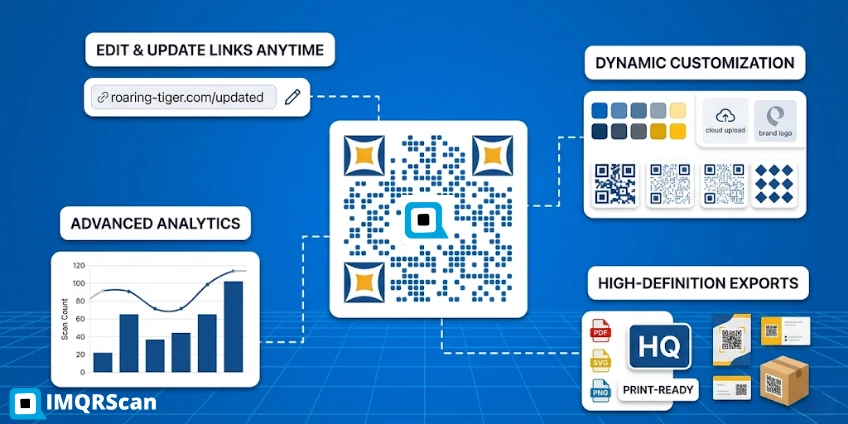
Dynamic QR Code Generator
Create editable QR codes with scan tracking, branding, and no reprinting when links change.
Open Tool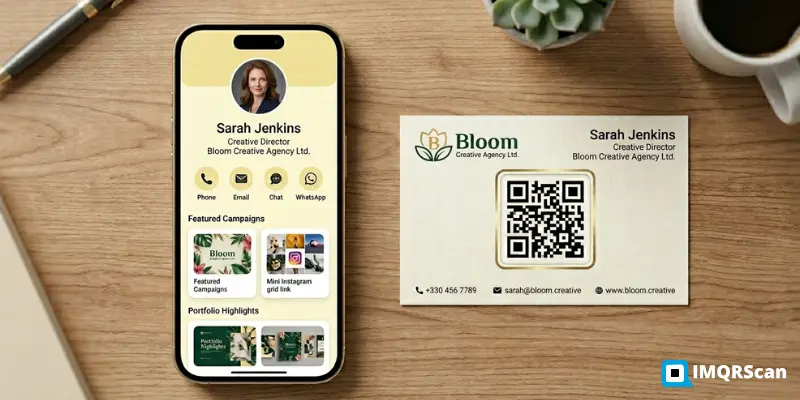
Best vCard QR Code Generator
Compare the best vCard QR code generators for digital contact sharing and business cards.
Read Guide
Best Multilink QR Code Generator
Compare the best multilink QR code generators for sharing multiple links in a single QR code.
Read Guide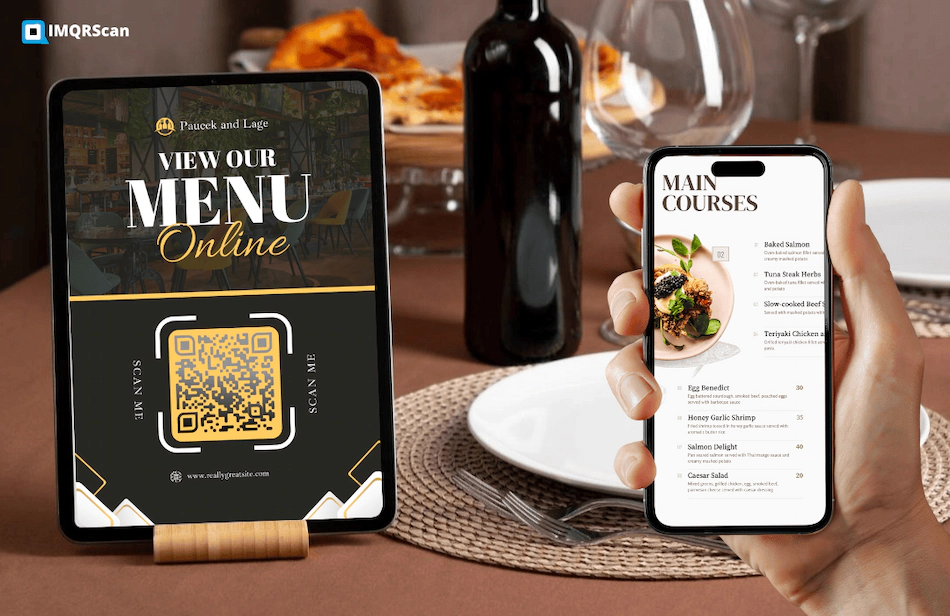
Best QR Code Generator for Restaurant Menus
Compare QR code tools for restaurants, digital menus, updates, and customer scanning.
Read Guide