Instagram QR Code Generator
Create a free Instagram QR code for your profile, post, Reel, Highlight, or business page. Enter your Instagram username in the Instagram QR code generator above, or paste a post or Reel link in its Website URL tab, customize the design, and download a print-ready PNG or SVG file. Free signup for a basic static QR code. If you want scan tracking or the ability to change the destination later, a free account unlocks that too.
- Instagram profile link
- Post or Reel link
- Story or Highlight link
- Business profile link
What Is an Instagram QR Code?
An Instagram QR code is a scannable image that opens a specific Instagram destination the moment someone points a camera at it. It can be linked to a profile URL, a post URL, a reel URL, a story link, or a business profile, without them typing a single letter into the search bar. Enter your username in the generator above, or paste a post or Reel link in its Website URL tab, style it to match your brand, and download a print-ready file in under two minutes.
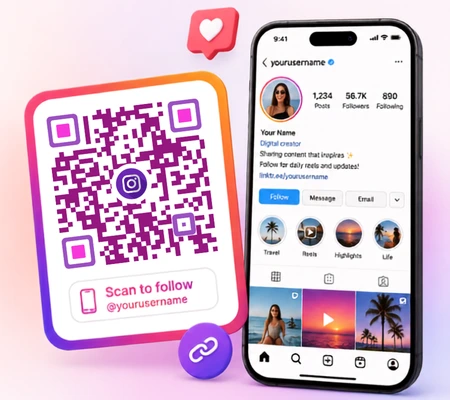
How to Create an Instagram QR Code
Find Your Username or Link
Profile link: On mobile, open your profile, tap the three lines menu, then Share Profile > Copy Link. On the desktop, just copy the URL from the address bar while viewing your profile.
Post or Reel link: Tap the three dots on the post or reel and then Copy Link.
Story or Highlight link: Tap the three dots on an active story or a saved highlight, and then Copy Link.
Enter It in the Generator
Type your username in the Instagram generator above, or paste a post, Reel, or Story link in its Website URL tab. A live preview builds itself instantly, so you see the finished code before you download anything.
Customize the Design
Logo: Add the Instagram glyph or your own brand logo in the center.
Colors: Set the dot color and background to match your brand palette.
Frame and CTA label: add a short line like "Follow Us on Instagram" or "Scan to See Our Feed" underneath the code.
Shape options: square, rounded, or dotted modules, whichever fits your design.
Download and Test
best for digital use, websites, email, social posts.
best for print, business cards, posters, packaging, since it scales to any size without losing quality.
Always test the code on both an iPhone and an Android phone before printing in bulk, a scan that works on one device but fails on another usually points to a sizing or contrast issue, not a device problem.
Ready to generate?
Use the generator above: enter your Instagram username, customize, download in under two minutes.
Generate Your Instagram QR CodeWhat Can an Instagram QR Code Link To?
An Instagram QR code can link to an Instagram profile, business account, post, Reel, Highlight, or multi-link social page. The best destination depends on what you want people to do after scanning, such as follow your account, watch a video, view a product, or explore several social channels.
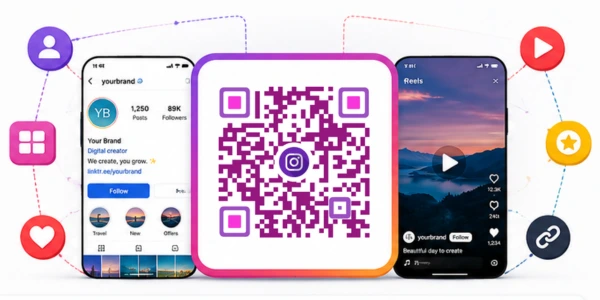
Instagram Profile
- Send people to your main profile
- Show bio, posts, Reels, highlights, and followers
- Best for growing your audience
- Perfect for cards, flyers, shop windows, and more
Instagram Post
- Open a specific Instagram post directly
- Ideal for announcements, giveaways, offers, events, and testimonials
- More focused than a profile QR code
- Best with dynamic QR codes for promotions
Instagram Reel
- Open a specific Reel instantly
- Great for product demos, tours, recipes, transformation videos, and more
- Give scanners a clear and engaging experience
- Works great on print and digital materials
Instagram Highlight
- Link to a saved Story collection on your profile
- Perfect for FAQs, reviews, menus, events, tutorials, and brand stories
- Highlight stays available until you remove it
- Safer choice than active Stories for print
Instagram Business
- Direct people to your business profile
- Include contact buttons, address, category, products, booking, and more
- Great for restaurants, shops, salons, clinics, agencies, and local businesses
- Drive customers without searching your name
Multi-Link Social
- One link to multiple destinations
- Include Instagram, Facebook, WhatsApp, website, store, booking, and more
- Let visitors choose the action they want
- Ideal for creators, events, packaging, and signs
How the QR Code Works
The QR code itself does not require the Instagram app to be involved in its generation. It is simply a URL encoded as a pattern. IMQRScan reads the instagram.com link and turns it into a scannable image.
Instagram's Native QR Code vs. a Dedicated Generator
| Feature |
Instagram's Built-in QR
|
Dedicated Generator (IMQRScan)
|
|---|---|---|
| Editable after printing | No (static) | Yes (dynamic QR) |
| Basic customization | Limited | Yes |
| Full brand logo, frame, and campaign design | No | Yes |
| Scan tracking & analytics | No | Yes |
| Custom destinations such as posts, Reels, or campaign pages | No, profile sharing only | Yes |
| Downloadable in print-ready formats | Limited | Yes (PNG and SVG) |
Instagram's built-in profile QR code is useful for simple profile sharing. A dedicated generator becomes more useful when you need to promote a specific post, Reel, Highlight, product, or campaign, apply full brand styling, download print-ready formats, update the destination after printing, or measure scans.
Static vs Dynamic Instagram QR Codes
Not every Instagram QR code needs to be the fancy kind. A static code is fine for a single business card. A large print run for a campaign is a different story.
| Feature |
Static QR Code
|
Dynamic QR Code
|
|---|---|---|
| Destination | Fixed, baked into the code permanently | Editable anytime after printing |
| Scan Analytics | Not available | Full scan tracking and reporting |
| Update Without Reprint | No | Yes |
| Cost | Free | May require a paid or account-based plan |
| Best For | Business cards, one-off use | Large print runs, ongoing campaigns |
| Setup Time | Instant | Slightly longer, needs an account |
When to choose dynamic: if you're printing thousands of flyers, running a seasonal campaign, or simply don't want to reprint materials every time your Instagram link changes, dynamic is the safer bet.
How to Scan an Instagram QR Code
Open your phone's built-in Camera app, point it at the code, and tap the notification banner that pops up. That's it, no extra app required for a business or custom Instagram QR code.
Scan on iPhone
Open the Camera app and point it at the code, then tap the notification banner that appears on screen. Instagram also provides a built-in profile QR code and an in-app QR scanner for finding Instagram profiles. A custom Instagram QR code from IMQRScan works as a standard URL QR code, so it can open through the phone's camera and may link to a profile, post, Reel, Highlight, business page, or another campaign destination.
Scan on Android
Most modern Android phones detect a QR code automatically the moment the Camera app is pointed at it. If your phone's camera doesn't auto-detect, Google Lens works as a reliable fallback.
Scanning a Business QR Code
A custom, business-style Instagram QR code doesn't need Instagram installed at all. Any phone's native camera can read it, since the code is really just a link wrapped in a scannable image.
Scanning From a Printed Card or Poster
Hold the phone roughly 15-30cm from the code for a clean scan, too close or too far both cause failed reads. Good lighting matters more than people expect, avoid glare and shadows falling directly across the code. Glossy or laminated surfaces can bounce light back into the camera lens, a matte finish scans more reliably.
| Device | Native Camera Support | Notes |
|---|---|---|
| iPhone | Yes, iOS 11+ | Tap the banner after pointing the camera |
| Android | Yes, Android 9+ | Auto-detects on most devices; Google Lens as backup |
| Instagram App | Built-in profile QR scanner | Designed for sharing and finding Instagram profiles |
| Laptop/Desktop | No native camera scan | Use webcam-based scanner apps if needed |
Customize and Download Your Instagram QR Code
Logo Placement
Keep any logo at roughly 30% or less of the total code area. Push past that and scanners start struggling to read the underlying pattern.
Contrast Rules
Dark dots on a light background scan best. If you want a dark background instead, flip it, use light-colored dots. Low contrast between the dots and the background is the single most common reason a code fails to scan.
Frame Label Best Practices
A short label under the code removes any doubt about what scanning it will do, which noticeably improves scan rates on printed material:
- "Follow Us on Instagram"
- "Scan to See Our Feed"
- "Find Us on Instagram"
Which File Format to Download
SVG: always the safest choice for anything printed, it scales to a billboard without pixelating. PNG: good for digital use, websites, and social graphics.
Where to Use Instagram QR Codes for Business
The appeal is simple. Nobody wants to type out a username while standing in a checkout line, and nobody wants to search your business name hoping the right account shows up first. A scan solves both problems in about two seconds.
Creators running sponsored campaigns, giveaways, product launches, or offline events can follow our guide on how to use Instagram QR codes for influencer marketing to select the right destination, track each placement, and report campaign results to sponsors.
Business Cards
A small printed code on the back of a card turns a handshake into an instant follow, no typing, no searching.
Product Packaging and Shopping Bags
Customers who already bought from you are the easiest to earn. A code on the packaging catches them right after the purchase, while they're still engaged.
Receipts, Menus, and Table Cards
Restaurants and cafes get a lot of mileage here, a code on the table or receipt turns a meal into a follow or a review.
Posters, Flyers, and Banners
Local promotions and store openings do well with a code placed at eye level, ideally somewhere people are already standing still, like a queue or a waiting area.
Events and Trade Shows
Booth banners, badges, and table signage all work well since attendees are already primed to scan things at these events.
Window Stickers and In-Store Signage
A code on the storefront window catches foot traffic even when the store is closed.
Industry Examples
Ready to Create Your Instagram QR Code?
Turn your Instagram profile, Reel, post, giveaway, or influencer campaign into a scannable experience.
Use IMQRScan to create a custom Instagram QR code, add your branding, choose a clear call to action, and download it for digital or printed use.
For campaigns that need editable destinations and scan reporting, choose a dynamic QR code and create a separate code for each placement.
Generate a dynamic, trackable QR code with IMQRScan in under a minute.
Instagram QR Code Not Working? Common Fixes
Most "broken" Instagram QR codes trace back to one of five things: a changed link, a private or deleted account, a code printed too small, poor contrast, or a blurry print job. Check the table below for the fix.
Wrong or Changed Instagram URL
Cause the link the code points to has since changed.
Fix if it's a dynamic code, update the destination from your dashboard, no reprint needed. If it's static, you'll need to regenerate and reprint.
Account Is Private or Deleted
Cause the account behind the link is either set to private or no longer exists.
Fix switch the account to public if that's intentional, or point the code somewhere else if the account is gone.
QR Code Printed Too Small
Cause below roughly 2.5cm by 2.5cm, most cameras struggle to lock onto the pattern.
Fix reprint at a larger size, and always export as SVG for print so there's no quality loss at larger sizes.
Low Contrast Design
Cause the dot color and background color are too close to each other.
Fix increase the contrast, dark on light or light on dark, and avoid mid-tone combinations.
Blurry or Damaged Print
Cause a low-resolution export or a smudged print run.
Fix regenerate from the SVG file and test a printed sample before running the full batch.
Instagram profile vs Custom QR Confusion
Cause confusion between Instagram's built-in profile QR code and a custom URL QR code.
Fix use IMQRScan for posts, Reels, Highlights, business pages, custom branding, editable links, and scan tracking.
| Symptom | Cause | Fix |
|---|---|---|
| Scans but opens the wrong page | Instagram link was changed after printing | Update via dynamic code, or reprint if static |
| Won't scan at all | Printed too small or too blurry | Reprint larger using the SVG file |
| Opens but shows nothing | Account is private or deleted | Make account public, or repoint the link |
| Works on one phone, not another | Low contrast or damaged print | Increase contrast, reprint from a clean file |
| QR code does not behave as expected | Confusion between Instagram's profile QR code and a custom URL QR code | Use the correct QR type for the intended destination |
| Scan is inconsistent, sometimes works | Glossy or laminated surface glare | Use matte finish or adjust scan angle |
Why Use IMQRScan's Instagram QR Code Generator?
All Three Formats
PNG and SVG download as standard, no extra cost for print-ready files.
Logo Upload
Add a branded center logo without breaking scannability.
High Error Correction
Can help when part of the QR code is slightly damaged or covered. However, glare, poor contrast, fabric folds, and blurry printing can still prevent scanning.
Dynamic Codes
Scan tracking and the ability to update a destination without reprinting.
Free Signup
For a basic static code, you can generate and download immediately.
Automatic Recognition
Paste an instagram.com link and the tool recognizes it right away.
Create Your Instagram QR Code
Instagram QR Code FAQs
Direct answers about creating, editing, scanning, and using Instagram QR codes.
Create Your Instagram QR Code Free
Enter your Instagram username in the generator above, customize the design, and download. A free account gives you a basic static QR code.
Sign up free for dynamic codes with scan tracking, or see pricing plans for business and team options.
Explore More Social Media QR Code Tools
Create QR codes for all your social channels, combine multiple links on one landing page, or connect people directly to Facebook and Snapchat.

Social Media QR Code Generator
Connect people to your social media profiles with one scannable QR code designed for print and digital use.
Explore Social Media QR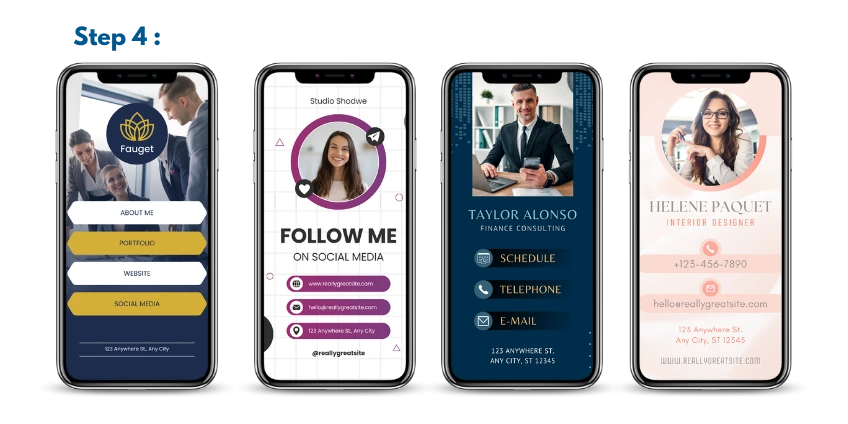
Multi-Link QR Code Generator
Add Instagram, Facebook, WhatsApp, your website, booking page to one mobile-friendly landing page.
Create a Multi-Link QR Code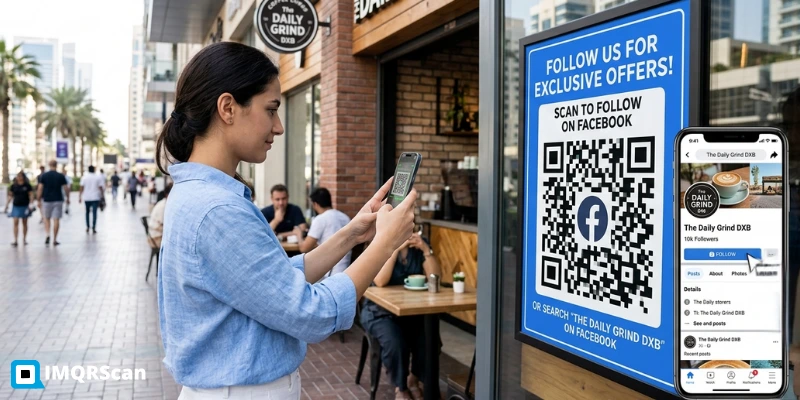
Facebook QR Code Generator
Create a QR code that opens your Facebook page, profile, post, event, group, or campaign destination.
Create a Facebook QR Code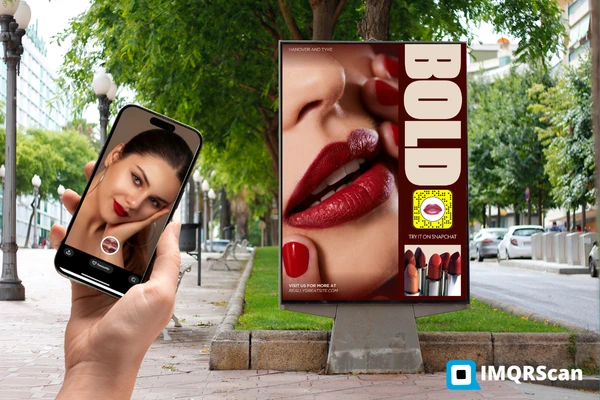
Snapchat QR Code Generator
Turn your Snapchat profile or Snap link into a customizable QR code for posters, cards, packaging, and campaigns.
Create a Snapchat QR Code