Facebook QR Code Generator for Page, Profile, Group & Event
A Facebook QR code is just a scannable QR code that opens a specific Facebook destination, not “Facebook” in general, but a specific link.
- That destination can be:
- A Facebook Page (most common for businesses)
- A Profile (great for networking)
- A Group (join prompts, communities)
- An Event (RSVPs, check in, details)
- A Post (promo, announcement, pinned offer)
A QR code is basically: scan → land → convert.
That’s it. One action, and you’re where you want them.
Note: Looking for a Messenger chat QR? Use our dedicated page: Messenger QR page.
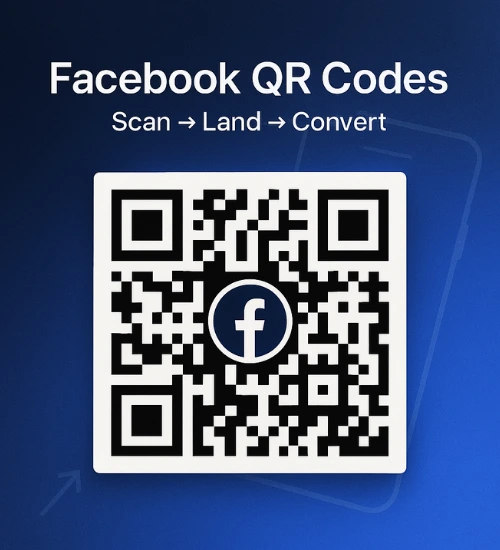
What’s the Easiest Way to Create a Facebook QR Code?
The easiest way is to copy your Facebook link, paste it into IMQRScan's URL QR code generator, generate the QR code, and test it before sharing or printing.
If you want the simplest workflow, use your clean Facebook Page, Profile, or Group URL, keep the design easy to scan, and download a print-ready version once testing is done.
Simple flow: Copy link → generate QR → test on mobile → publish.
Why this works
- No technical setup needed
- Works for Pages, Profiles, Groups, and Events
- Fast to test before printing
- Better for real-world use than typing long links
Quick Use Cases
Where Facebook QR codes quietly crush it:
Where to Use Facebook QR Codes
The reason Facebook QR codes work so well is quite simple and that's the whole point. People do not want to type long URLs. They do not want to search your business name and guess which result is yours. They definitely do not want extra taps while standing in a store line or holding a flyer outside.
- Storefront signage (window, counter, checkout)
- Business cards (especially for service pros)
- Packaging and inserts (scan to follow for updates)
- Events (posters, badges, tickets, tables)
- Menus (restaurants, food trucks, cafes)
- Flyers and door hangers (local promos)
- Receipts (scan for reviews or offers)
- Email signatures (simple, surprisingly effective)
This guide will help you create the right type of Facebook QR code for each use case, whether it’s for a business page, personal profile, group, or event and avoid the scammy QR generator traps. If you’re using QR codes for growth, explore how QR codes for small business can improve engagement, tracking, and conversions. The versatility of QR codes makes them an invaluable tool across various sectors.
Already have your Facebook link?
Paste it into IMQRScan and generate your QR in under a minute.
Does Facebook Generate QR Codes? (What Facebook Can and Can't Do)
Facebook has had QR style features in different places over the years. Some versions of the app have profile QR options, some business tools surface share options that look QR-ish, and sometimes you'll see "scan" features tied to specific flows.
But here's the real world answer: Facebook is not a full featured QR code generator for marketing.
| Features | IMQRScan | Facebook built-in QR |
|---|---|---|
| Customization | ✔️ | ❌ |
| Print formats (SVG/PDF) | ✔️ | ❌ |
| Security | ✔️ | ❌ |
| Tracking | ✔️ | ❌ |
| Stability | ✔️ | ❌ |
This is why people use a dedicated generator like imqrscan.com:
- You can keep using stable QR codes with tracking and analytics
- Branding options (including logo/icon)
- Print ready downloads (PNG for digital, SVG/PDF for print depending on what you need) QR Codes in Print
- Cleaner workflow when you are doing this more than once.
Pick the Right Destination Before You Generate Your Facebook QR Code
A "Facebook QR code" isn't one thing. It's the destination that decides whether the scan actually converts.
1. Facebook Page
Best for businesses. Use this if your goal is: follows, likes, calls, directions, reviews, shopping, general trust building.
2. Facebook Profile
Personal networking. Creators, real estate agents, freelancers, consultants, local service pros. Anyone who sells with their name.
3. Facebook Group
Community growth. Perfect for gyms, classes, local groups, customer communities, niche interest groups.
4. Facebook Event
RSVP or check in. Conferences, pop ups, live sessions, community meetups, in store promos.
5. Facebook Post
Promo. Great when you want the scan to land on one specific offer or announcement. Especially if you pin that post.
Tip before you copy links: sometimes URLs copied from inside the Facebook app can be messy, shortened weirdly, or tied to a session. If possible, open the destination in a browser and copy the clean URL. Then test it in an incognito browser.
How to Generate a QR Code for a Facebook Page (Business Page)
Once you have the link, generating the QR code takes under a minute on imqrscan.com. This is the most common one. Also the easiest to get right.
Step 1: Find and copy your Facebook Page URL
- On desktop: Go to your Facebook Page. Look at the address bar. Copy the full URL (example: https://www.facebook.com/YourBusinessName).
- On mobile: Open your Page in the Facebook app. Tap the three dots (…) Tap Copy link (or Share → Copy link depending on your version).
Optional but smart: paste it into Notes, then open it in a browser once to confirm it loads cleanly.
Step 2: Generate the QR code on imqrscan.com
Go to IMQRScan. Choose URL QR Code and Paste your Facebook Page link. Choose a QR style (keep it clean if this is for print). Download your QR code in the format you need.
Step 3: Choose the best landing option
Most people link to the Page home. That's fine. But if you have a specific goal, be intentional:
- Want faster inquiries? Set your Page's main CTA button (Call Now / Book Now / Learn More)
- Want reviews? Link to the reviews section
- Want sales? Link to Shop or a pinned offer post
Print tip: keep your URL clean. Avoid stuffing random tracking parameters unless you know why you need them and you've tested the final link.
Create your Facebook business page QR code with imqrscan.com
Download it in print ready quality. Generate high-resolution QR codes that work perfectly for:
- Storefront signage
- Business cards
- Packaging and labels
- Flyers and brochures
- Receipts and invoices
Learn how businesses use QR codes to increase engagement and followers in our Facebook QR code marketing guide.
How to Generate a QR Code for a Facebook Profile
A profile QR code makes sense when people are buying you, not just the business name.
- Networking events
- Conferences
- Creators and influencers
- Real estate agents
- Photographers
- Coaches, consultants, fitness pros
Steps to copy your profile URL
- Desktop: Go to your profile. Copy the URL from the address bar.
- Mobile: Go to your profile. Tap the three dots (…) Tap Copy link.
Some profiles use a username URL, some use a numeric ID. Both can work if the profile is accessible.
Privacy note (important): A QR code can only open what your profile allows. If your profile is friends only, new people scanning from a flyer will basically hit a wall. So either make sure key info is public, use a public "Follow" setup if available, or consider linking to a Page instead (often the better business move).
Need a clean profile QR?
Generate a Facebook profile QR code in seconds on imqrscan.com. For generating a QR code for your personal Facebook profile, consider using a specialized tool like the one offered by IMQRScan's QR Code Generator, which simplifies the process significantly.
How to Generate a QR Code for a Facebook Group
Groups convert well because they feel like community, not marketing. But you need to set expectations fast.
Use Cases
- Gyms and studios (member updates)
- Classes and workshops
- Local community groups
- Brand communities
- Customer only support groups
Steps
- Open your Facebook Group.
- Copy the group link (desktop address bar or mobile Copy link).
- Check the group visibility:
- Public: anyone can view content (usually easier conversions)
- Private: people can find it but need to join to see content (still fine, just be clear)
- Paste the link into imqrscan.com and generate the QR.
Conversion tip: If your group is private, first time scanners need clarity. You can guide them by linking to the group About page (if that works cleanly), or a pinned welcome post (when the link structure behaves).
Moderation tip: QR codes can cause spikes. If you expect a lot of joins, set membership questions. It filters junk and helps you learn what people want.
Turn your group link into a scannable join prompt
With IMQRScan, you can create professional QR codes for your Facebook groups that encourage engagement and growth.
How to Generate a QR Code for a Facebook Event
Events are basically made for QR codes. You can use them early for RSVPs, and later for day of details and check in signage.
Best For
- Conferences
- In store promos
- Pop ups
- Community meetups
- School events, clubs
- Local organizations
Steps
- Open the event page on Facebook.
- Copy the event URL.
- Make sure it's public if you want anyone to access it instantly.
- Paste into imqrscan.com → generate → download.
Placement Ideas
- Posters at the venue entrance
- Tickets and wristbands
- Email footer leading up to the event
- Presentation slides
- Check in table signage
Timing tip: Use the event QR early for RSVPs. Later, you can update your creative materials without changing the destination.
Best QR Code Generators for Facebook Pages
Not all QR code tools are built for marketing. Here’s how they compare.
| Features | IMQRScan | QRCode Monkey | Canva | QR Code Generator |
|---|---|---|---|---|
| Dynamic QR Codes | ✔️ | ❌ | ❌ | ✔️ |
| Tracking & Analytics | ✔️ | ❌ | ❌ | ✔️ |
| Logo Customization | ✔️ | ✔️ | ✔️ | ✔️ |
| Print Formats (SVG/PDF) | ✔️ | ✔️ | ❌ | ✔️ |
| Best For | Business & Marketing | Free static use | Design | Advanced campaigns |
Short answer: IMQRScan is best for Facebook QR codes if you need tracking, customization, and business use. Free tools work for basic needs but lack control.
Facebook QR Code Generator with Logo
Adding a logo or icon is not just for looks. It increases trust. When someone sees a QR code on a random flyer, their brain does this quick risk check. A logo helps them feel like it is legit.
Best Practices (So Your QR Still Scans)
To ensure maximum scannability and engagement, follow these top QR code design best practices:
- Keep high contrast (dark code on light background is safest)
- Keep the quiet zone (the empty margin around the code)
- Keep logo size within 20–30% of the QR code
- Don't over style the modules until it becomes "art"
- Don't make the logo too large
- If your generator offers error correction options, use a level that supports a center logo, but still test scans
Logo Options
Your Brand Logo
Best for real businesses and professional use.
Facebook Icon
Useful when you need quick recognition.
File prep: Use a clean SVG or PNG. Transparent background helps. Keep it centered.
Can You Customize a Facebook QR Code and Still Scan Easily?
Yes. You can fully customize a Facebook QR code with a logo, colors, and branding — as long as you follow the core scannability rules above. The key is to keep contrast high, maintain a clear quiet zone, and avoid oversized logos.
Simple rule: If it looks good but fails to scan instantly, simplify the design.
Use imqrscan.com to create a Facebook QR code with a logo and download a print ready file.
Security Warning: QR Code Generator Scam to Get Facebook Password
This one is real, and it catches people.
The scam pattern usually looks like this: A fake "Facebook QR code generator" page asks you to log in with Facebook or claims you need to "verify" your account to generate the QR. Sometimes it even looks kind of official.
The Golden Rule:
A QR code generator never needs your Facebook password. It only needs your public link.
Safety Checklist
- Use a trusted generator
- Do not enter Facebook credentials into random sites
- Verify the domain carefully
- Look for HTTPS
- After generating, scan the QR yourself before sharing it publicly
If you suspect you entered your info somewhere sketchy:
- Change your Facebook password immediately
- Enable two factor authentication
- Review logged in sessions and log out of unknown devices
- Report the phishing page if you can
Just paste your Facebook link and generate it safely.
Quick Checklist: Generate, Test, Publish, Repeat
The IMQRScan workflow that keeps you out of trouble.
Choose Destination
Page, Profile, Group, Event, or Post
Copy Clean URL
Get the canonical link from browser
Generate & Customize
On IMQRScan with logo/colors
Test & Publish
Multiple devices, then deploy
Common Troubleshooting (Quick Fixes)
- Scans but opens wrong thing: You copied a messy redirect link
- Opens but people can't see: Privacy settings issue
- Logo breaks scanning: Shrink logo, increase contrast
- Works on one phone not another: Link format issue
If you want the simplest next step, do this now: copy your Facebook link, paste it into imqrscan.com, generate your QR, scan it twice, then print.
Ready to Create Yours?
Generate your Facebook QR code with IMQRScan. Customize it, download print-ready files, and start turning scans into followers.
No password required. Just paste your Facebook link and create.
Facebook QR Code Generator FAQs
Get answers to common questions about creating and using Facebook QR codes.
A Facebook QR code is a QR code that opens a specific Facebook link when scanned, like a Page, profile, group, event, or post.
Sometimes Facebook surfaces QR style features, but it's not a consistent, full featured QR code generator for marketing. For stable, customizable, print ready QR codes, people usually use a dedicated tool like imqrscan.com.
Usually your Facebook Page main URL. Then make sure your Page looks updated and the Follow or Like action is obvious.
Yes, but keep it small, maintain high contrast, keep the quiet zone, and always test scans on multiple phones before printing.
Yes. Tools like IMQRScan are designed for Facebook QR codes with features like dynamic editing, tracking, and branding. Other tools like QRCode Monkey and Canva work for basic use, but lack advanced marketing features.
Yes, as long as you follow key design rules like maintaining high contrast, keeping a quiet zone, and not covering too much of the QR code with a logo. Always test the QR code on multiple devices before printing.
The easiest way is to copy your Facebook profile link, paste it into a QR code generator like IMQRScan, and download the QR code. The process takes less than a minute.
Yes, if you care about performance. Use differentfacebook QR codes for storefront, flyers, packaging, and receipts so you can compare what's working.
For print, SVG or PDF is ideal (sharp at any size). PNG works for digital and small prints, but vector is safer for large signage.
Often the URL copied from the Facebook app can include redirects or session based links. Try opening the destination in a browser, copy the clean URL, then regenerate the QR.
It should be, as long as the generator does not ask for your Facebook password. A legitimate QR generator only needs your public link. If a site asks you to log in, leave.