Dynamic QR Code Generator Online
IMQRScan is a dynamic QR code generator. A dynamic QR code stores a redirect, so you can change where it points after it has been printed without replacing the code. The free plan includes 5 dynamic QR codes and needs no credit card. Paid plans start at $2.99 per month for 50 codes from one dashboard. Every plan includes logo upload, colour customisation, password protection, expiry dates, and PNG, SVG and PDF downloads.
- 5 dynamic QR codes free, no credit card required
- Paid plans from $2.99 per month for 50 codes
- Change the destination after printing, unlimited times
- Password protection, expiry dates, logo and colour customisation
- Download as PNG, SVG or PDF
Last updated: September, 2026 · Reviewed by the IMQRScan Editorial Team
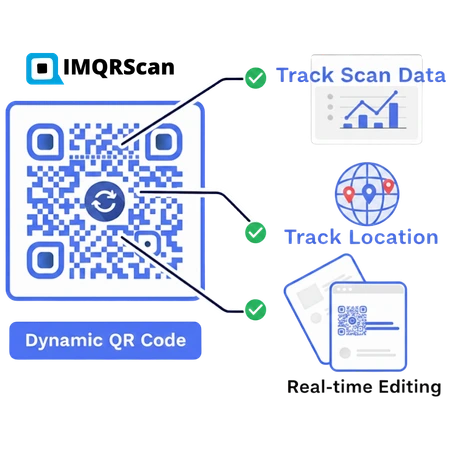
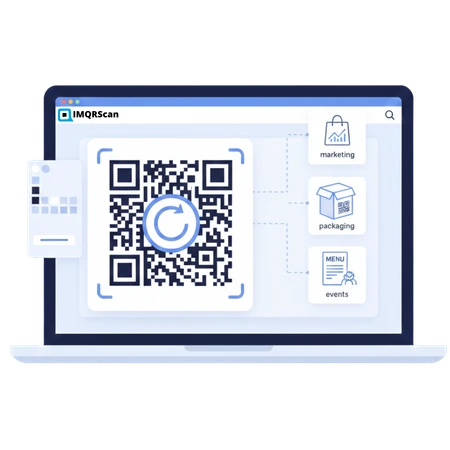
Create a Dynamic QR Code in Seconds
Need quick dynamic QR codes for marketing, packaging, menus, or events? With IMQRScan, you can create your dynamic QR code, customize it, test it, and publish instantly, while keeping full control over it. Not sure how they work? Learn what a dynamic QR code is.
Manage from One Dashboard
Manage your dynamic QR code settings, campaign details, and access controls from one place.
Multiple QR Types
Generate URL, vCard, menu, social, and many more dynamic QR code types from one dashboard.
How to Create a Dynamic QR Code in 5 Steps
Add your destination, customize the design, test the QR code, and manage it from your IMQRScan dashboard.
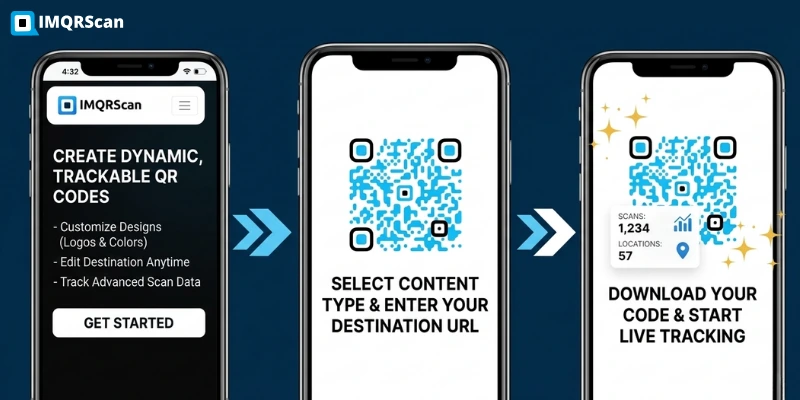
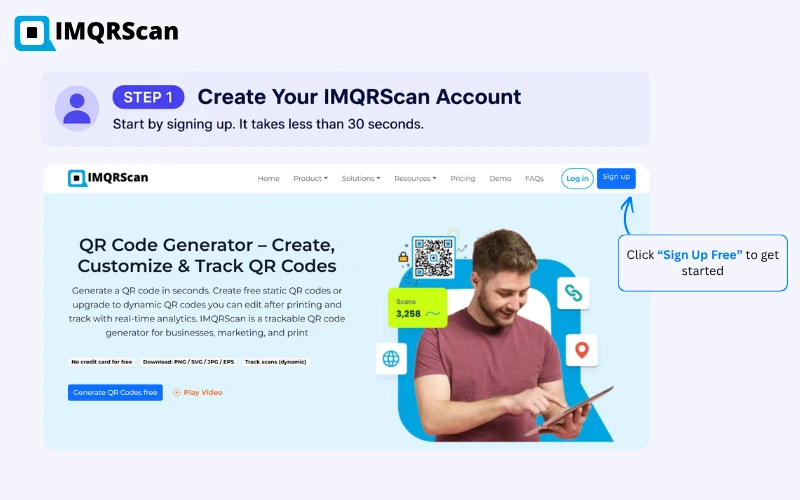
Create or Sign In to Your IMQRScan Account
Create an IMQRScan account or sign in to your existing dashboard. Your dashboard is where you create, organize, edit, and manage your dynamic QR codes.
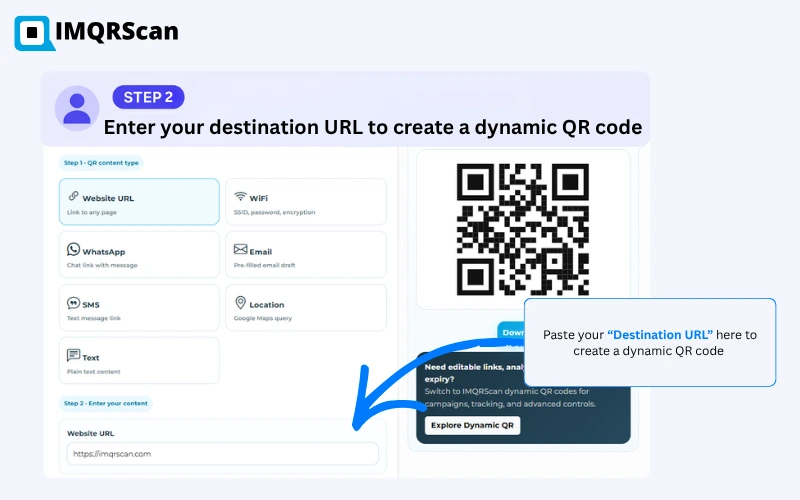
Choose a Dynamic Type and Add Your Destination
Select the dynamic QR code format that matches your goal. For a website, choose the URL option and enter the page you want people to open after scanning.
Your destination can be:
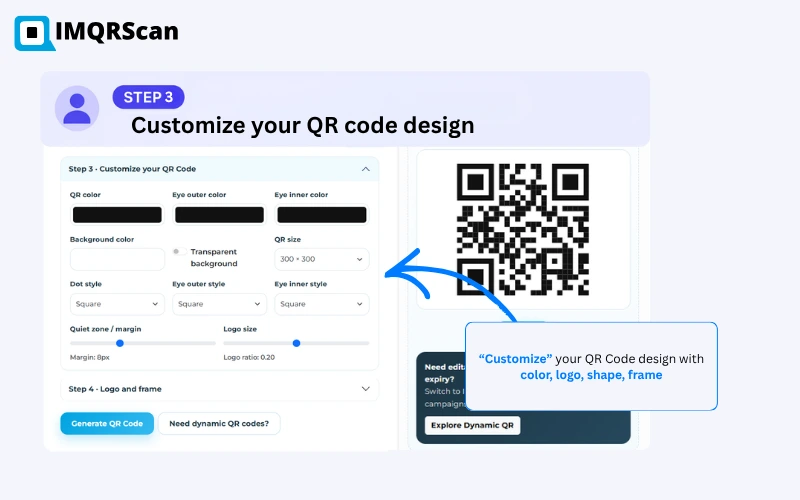
Customize Your QR Code Design
Customize the QR code so it fits your brand while remaining clear and easy to scan.
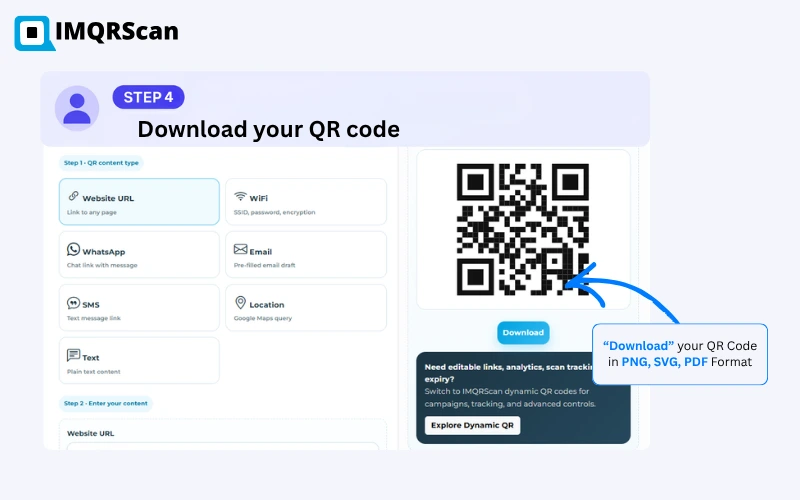
Test and Download Your Dynamic QR Code
Scan the QR code with more than one phone before printing or publishing it. Confirm that it opens the correct destination and that the page works on mobile.
| Format | Recommended use |
|---|---|
| PNG | Websites, email, presentations and social media |
| SVG | Packaging, posters, banners and scalable print |
| Print-ready documents and design workflows |
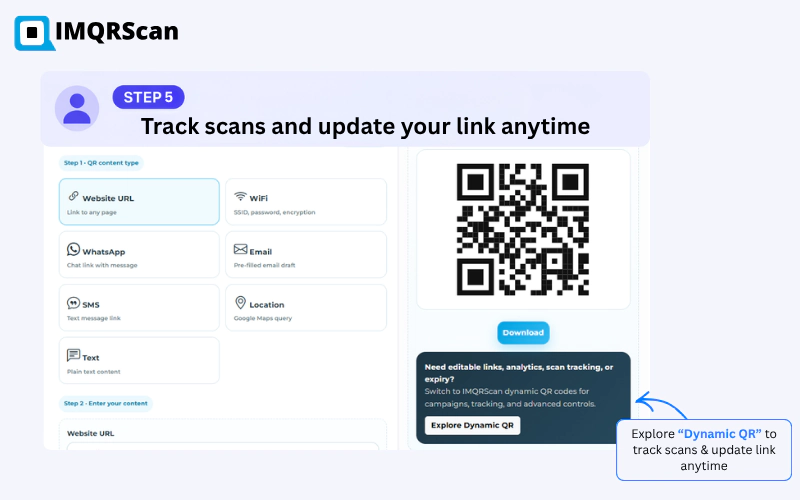
Manage the QR Code and Review Its Scans
After saving the dynamic QR code, manage it from your dashboard. Depending on your plan and settings, you can review available scan information and manage the destination used by the code.
Learn how to change a QR code link after printing or explore available QR code tracking features .
Dynamic QR Code Printing Checklist
Complete these checks before using your code on menus, packaging, receipts, flyers, posters, or other materials.
Common Dynamic QR Code Setup Mistakes
Fix these issues before publishing or printing your QR code.
Wrong Destination
Scan and verify the destination before downloading or publishing the QR code.
Poor Mobile Experience
Ensure the destination loads quickly and is easy to use on a mobile device.
Weak Contrast
Keep the QR pattern clearly separated from its background.
Missing Quiet Zone
Preserve blank space around the QR code so cameras can detect its boundaries.
Too Much Customization
Test every visual change and avoid designs that interfere with the QR pattern.
No Print Test
Verify a physical sample at its final size and on its intended material.
Create Your Dynamic QR Code
Add your destination, customize the design, test the code, and manage it from your IMQRScan dashboard.
Dynamic QR Code Maker for Online Campaigns
Create a dynamic QR code online for your link, menu, offer, or campaign, then update it later from your IMQRScan dashboard when details change.
Instant Setup
Sign up and create your first dynamic QR code within minutes. No software installation required.
Editable Anytime
Update the destination URL without changing the printed QR code. Perfect for marketing campaigns.
Reuse & Redirect
Redirect your printed QR code to new URLs, landing pages, or campaigns — as often as you want.
Start Free, Scale Anytime
Use our dynamic QR code generator online to test features, then upgrade when you need password protection, expiry controls, or campaign organization.
Need scan analytics? See our trackable QR code generator with real-time tracking.
Create Your Dynamic QR Code Today
No tech skills required. Add your link, customize design, and download instantly.
Try Dynamic QR Code Generator Now
Buy Dynamic QR Code Services for Everyday Business Use
Start with the number of dynamic QR codes you need today. As your campaigns grow, you can move to a plan with branding options, security controls, and campaign management features.
Starter
For individuals, freelancers, and small teams running their first QR campaigns.
- 50 dynamic QR codes
- Unlimited static QR codes
- Change destinations any time
- Logo, colours and frames
- PNG, SVG and PDF downloads
Professional
For growing businesses running several QR campaigns at once.
- 250 dynamic QR codes
- Everything in Starter
- Password protection
- Expiry dates on codes
- Campaign organisation
Plus
For teams managing QR codes across branches, products, or clients.
- 500 dynamic QR codes
- Everything in Professional
- Team access to one dashboard
- Priority support
All plans include unlimited static QR codes that never expire. The free plan includes 5 dynamic QR codes with no credit card required. Prices last checked 2026.
Buying Tip
If your QR code will be printed on menus, flyers, labels, or packaging, choose a dynamic QR code plan. It gives you dashboard control, expiry rules, password protection, and better campaign management.
You can start small and upgrade later when your QR campaigns need more control.
Why Businesses Use IMQRScan for Dynamic QR Codes
IMQRScan is built for businesses that need dynamic QR codes they can manage, secure, brand, and organize from one dashboard. You can update links, add branding, protect access, and keep your QR campaigns organized without creating a new code every time something changes.
Need scan data too? Visit our trackable QR code generator page to learn how QR code tracking helps you monitor scans, devices, and locations.
Fast Scanning
Send people to the right page quickly, whether they scan from a phone, tablet, poster, menu, or product label.
Editable Links
Change the QR code destination later without reprinting the QR code already used on your materials.
Customize Dynamic QR Code with Logo
Add your logo, choose colors, use frame styles, and create a QR code with transparent background so your design fits your brand.
Access Control
Use password protection, expiry dates, and campaign controls when your QR code needs extra security.
Built for Real Business Use
A good dynamic QR code generator should do more than create a basic QR image. IMQRScan helps you keep QR campaigns organized with dashboard management, branded designs, security controls, and campaign settings.
Dynamic QR Code Dashboard for Campaign Management
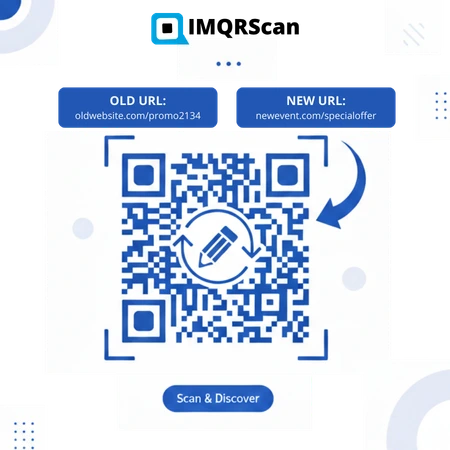
The IMQRScan dynamic QR code dashboard lets you create, organize, update, and secure QR code campaigns from one place. Change destinations, organize campaigns, set expiry dates, and apply password protection without reprinting your QR codes. For example, the same QR code on a menu, poster, package, or business card can point to a new destination when your content changes.
Update Links
Replace an old URL with a new landing page, menu, file, form, or campaign link.
Change Campaigns
Switch a QR code from one promotion to another without replacing the printed design.
Avoid Reprinting
Keep the same QR code on menus, flyers, labels, and packaging even when the destination changes.
Limit Access
Add password protection or expiry rules when a QR code is used for private or time-limited content.
Example
If your QR code is printed on a restaurant menu, you can update the menu link when prices, items, or seasonal offers change. The printed QR code stays the same. Learn more in our static vs dynamic QR code guide.
For step-by-step editing instructions, see our guide on how to change a QR code link after printing.
Dynamic QR Code Generator Software for Businesses
IMQRScan helps businesses create dynamic QR codes for campaigns, menus, forms, files, reviews, and customer touchpoints. You can update destinations, style QR codes with your brand, and keep related campaigns easier to manage. If you run a company, see how QR codes help small businesses connect printed materials with online actions.
Planning a marketing campaign? Read our QR code marketing strategies. Comparing tools before you commit? See our guide to the best dynamic QR code generator options, where IMQRScan is ranked against QR TIGER, Uniqode, Scanova, and more.
Works for Teams
Useful for businesses that manage QR codes across locations, products, departments, or client campaigns.
Security Options
Add password protection and expiry rules when a QR code should only be available to the right audience or for a set time.
Workflow Friendly
Use dynamic QR codes in everyday workflows such as campaigns, menus, feedback forms, files, and landing pages.
Campaign Management
Keep QR codes grouped by campaign, use case, client, location, or team so they are easier to find later.
Shared Use
Let team members work from the same QR code dashboard instead of keeping campaign links scattered across files.
Display QR Codes Online and in Print
Download and display your QR codes on websites, posters, packaging, menus, labels, business cards, and other digital or printed materials.
Need more details? See all QR code features.
Built by IMQRScan for Real QR Code Campaigns
IMQRScan focuses on practical QR code tools for businesses, including dynamic QR codes, scan tracking, branded QR designs, menu QR codes, file QR codes, vCard QR codes, and Google review QR codes.
Our goal is simple: help businesses connect printed materials with online actions without losing control when a link, offer, file, or campaign changes.
Dynamic QR Code Generator FAQs
Answers about creating, customizing, testing, downloading, and managing dynamic QR codes with IMQRScan.
Create a Dynamic QR Code
Create flexible QR codes for growing business campaigns.
Want a permanent QR? Use Static QR Codes. Need campaign ideas? Explore QR Code Marketing.