YouTube QR Code Generator
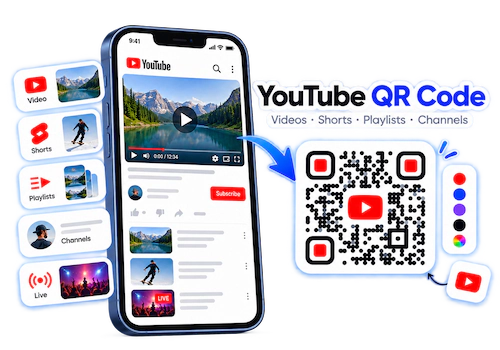
The IMQRScan YouTube QR code generator turns any YouTube link into a QR code people can scan with a phone camera. It works for single videos, Shorts, playlists, live streams, and channels. Paste the link, add your logo, and download a print-ready file. Direct codes are free with a free account. Dynamic codes let you change the video later and count every scan.
Free signup. No credit card. One dashboard for static and dynamic QR codes.
- Works with any public or unlisted YouTube link
- Static codes: free, unlimited, and they never expire
- Dynamic codes: edit the video after printing and track scans
- Logo, colors, and frames with high error correction
- PNG and SVG downloads
Does YouTube make QR codes?
Only for channels. The YouTube app can show a channel QR code, but not one for a single video, playlist, or Short. For those, use a QR code generator.
Is it free?
Yes, to start. Direct YouTube QR codes are free with a free account. Smart codes have a 7-day free trial with 5 codes and 15 scans.
Do they expire?
Static codes never expire. Dynamic codes stop when your scan limit runs out or your paid plan ends. Any code breaks if the video is deleted or made private.
What Is a YouTube QR Code?
A YouTube QR code is a square barcode that holds a YouTube link. When someone points a phone camera at it, the phone shows the link. One tap opens the video or channel in the YouTube app or the browser. Nobody has to type a long URL or search for your name.
The code itself is just stored text. A static QR code stores the YouTube link directly. A dynamic QR code stores a short IMQRScan link that forwards to YouTube, which is why you can change it later and count scans. If you want the technical side, read how a QR code works.
Which YouTube Link Should You Turn Into a QR Code?
The link you paste decides what people see after they scan. Pick it based on what you want them to do next.
| Link type | What it looks like | Best for | Watch out for |
|---|---|---|---|
| Single video | youtube.com/watch?v=... or youtu.be/... |
One clear message, like a demo, tutorial, or trailer | The code breaks if the video is deleted or made private |
| Short | youtube.com/shorts/... |
Quick clips on packaging, posters, and stickers | Viewers can swipe away to other Shorts |
| Playlist | youtube.com/playlist?list=... |
Courses, recipes, series, and setup guides with several parts | You can add videos later without changing the code |
| Channel | youtube.com/@yourhandle |
Business cards, merch, and anything that should grow followers | Old /channel/UC... links still work if you change your handle |
| Subscribe link | youtube.com/@yourhandle?sub_confirmation=1 |
Warm audiences who already know you | The subscribe box only shows to signed-in viewers |
| Live stream | youtube.com/live/... or the stream's watch link |
Event screens and posters for a scheduled stream | Use a dynamic code so you can point it to the replay later |
youtu.be links and full youtube.com links both work. A shorter link makes a simpler QR pattern with fewer dots, which is slightly easier to scan when the code is printed small.
Have an MP4 file instead of a YouTube link? Use the video to QR code converter to host the file and share it with a QR code.
How to Create a QR Code for a YouTube Video
It takes about two minutes. The same steps work for Shorts, playlists, live streams, and channels.
Copy the YouTube Link
On your phone, tap Share under the video, then Copy link. On a computer, copy the address from the browser bar. For a channel, copy your youtube.com/@handle link.
Paste It Into IMQRScan
Sign in to your free account and open the QR code generator. Paste the YouTube link. Open the link once in a private browser window to make sure it plays for people who are not signed in.
Choose Static or Dynamic
Pick static for a free code that points to one link forever. Pick dynamic if you may swap the video later or want to count scans.
Design the Code
Add your logo, use dark dots on a light background, and add a frame like "Scan to watch the 2-minute demo." People scan more when they know what they will get.
Download and Test
Download PNG for screens and social posts. Download SVG for print. Scan the code with an iPhone and an Android phone before you share it.
Update It Later (Dynamic Only)
With a dynamic code, you can edit the QR code link from your dashboard. The printed code stays the same and opens the new video.
Free signup. No credit card required.
How to Make a QR Code for Your YouTube Channel
You have two good options. Here is when to use each one.
Option 1: The QR code inside the YouTube app
YouTube added channel QR codes to its app in August 2024, according to How-To Geek. Anyone can use it, not just big creators. Here is how to find yours:
- Open the YouTube app on your iPhone or Android phone.
- Tap You at the bottom of the screen.
- Tap Share channel under your name. You may need to swipe the row of buttons.
- Tap QR code. You can save it to your photos.
This is great for showing your code on your phone screen at a meetup. It is less great for print. You cannot change the design, add a frame, get a vector file, or see how many people scanned it.
Option 2: A channel QR code from IMQRScan
Copy your channel link, such as youtube.com/@yourhandle, and paste it into the generator. Use this when the code goes on business cards, merch, posters, or packaging.
| Feature | YouTube app QR code | IMQRScan channel QR code |
|---|---|---|
| Cost | Free | Free static code with a free account |
| Videos, Shorts, playlists | No, channels only | Yes, any YouTube link |
| Custom colors, logo, frame | No | Yes |
| Print file (SVG) | No, image only | Yes |
| Subscribe link version | No | Yes |
| Change link after printing | No | Yes, with a dynamic code |
| Scan tracking | No | Yes, with a dynamic code |
Can a QR code make people subscribe?
Not by itself. Nobody can be subscribed without tapping the button. But you can make it one tap. Add ?sub_confirmation=1 to the end of your channel link before you make the code:
youtube.com/@yourhandle?sub_confirmation=1
When a signed-in viewer opens that link, YouTube can show a subscribe box right away. Be honest with yourself about the limits:
- The box does not show to people who are signed out.
- It does not show to people who already subscribe.
- Some phones open the channel in the app without the box. They still land on your channel.
Use the subscribe link for people who already know you, like fans at a show. Use the plain channel link for cold audiences. People who have never seen your videos want to look around first.
Static vs Dynamic YouTube QR Codes
Both scan the same way. The difference is what you can do after you print.
| Feature | Static YouTube QR code | Dynamic YouTube QR code |
|---|---|---|
| Price | Free with a free account | 7-day free trial, then a paid plan |
| How many codes | Unlimited | 5 codes on the trial, more on paid plans |
| Scan limit | None | 15 scans on the trial, higher on paid plans |
| Change the video later | No | Yes, from your dashboard |
| Scan analytics | No | Yes |
| When it stops working | Only if the YouTube link breaks | If the link breaks, the scan limit runs out, or the paid plan ends |
A dynamic code runs through IMQRScan. If your trial ends, your scan limit runs out, or you stop paying, the printed code stops opening your video. That is how dynamic QR codes work on every platform. If you are printing thousands of boxes and do not plan to keep a subscription, use a static code.
When to choose static
- The video is permanent, like an evergreen tutorial or your channel page.
- You do not need scan numbers.
- You want a code that works for years with no account to maintain.
When to choose dynamic
- You might replace the video, such as a yearly product update or a seasonal ad.
- You point to a live stream today and the replay tomorrow.
- You want to compare placements, like packaging versus posters, using QR code tracking.
Want the full picture on expiry? Read do QR codes expire, or compare plans on the pricing page.
Design and Print Tips for YouTube QR Codes
A good-looking code that does not scan is worse than a plain one that does.
- Keep strong contrast. Use dark dots on a light background. Red dots on a red YouTube-style background often fail.
- Keep the logo small. IMQRScan uses high error correction when you add a logo. Still, a small logo scans better than a big one. Keep it away from the three corner squares.
- Leave white space. Keep a clear border around the code. Text or pictures touching the edge can stop it from scanning.
- Add a clear frame. "Scan to watch the setup video" beats a code with no words.
- Use the right file. SVG stay sharp at any size. PNG can look blurry if you stretch it.
- Watch out for gloss. Shiny labels reflect light. Test under the real lights where the code will hang.
| Where it goes | Typical scan distance | Minimum code size |
|---|---|---|
| Business card or small label | Up to 20 cm | 2 cm |
| Flyer or menu | About 30 cm | 3 cm |
| Poster at eye level | About 1 metre | 10 cm |
| Banner or window sign | About 2 metres | 20 cm |
| TV or big screen | Across a room | Large and on screen for at least 5 seconds |
Rule of thumb used above: make the code about one tenth of the scan distance, and never smaller than 2 cm.
How to Scan a YouTube QR Code
No app is needed on most phones made in the last few years.
iPhone
Open the Camera app and point it at the code. Tap the yellow link. If nothing shows, turn on Scan QR Codes in Settings, then Camera. You can also use the Code Scanner in Control Center.
Android
Open the Camera app and point it at the code. Tap the link that pops up. If your camera does not read QR codes, use Google Lens. Some brands hide the option under camera settings.
A QR Code Inside a YouTube Video
Your camera cannot scan its own screen. Pause and take a screenshot. On iPhone, open it in Photos and touch and hold the code. On Android, open it in Google Photos and tap Lens.
A QR Code on a TV
Pause the video so the code stays still. Turn up the brightness, hold your phone straight, and step back until the whole code fits on your screen.
YouTube QR Code Not Working? Check These First
Work down this list. Most problems are found in the first three rows.
| What you see | Likely cause | Fix |
|---|---|---|
| Scans, but shows "Video unavailable" | The video is private, deleted, or blocked in that country | Set the video to Public or Unlisted. If it is gone, update a dynamic code or make a new static one. |
| Opens the wrong video | The wrong link was pasted | Dynamic code: change the link in your dashboard. Static code: make and print a new code. |
| Asks the viewer to sign in | The video is age-restricted or private | Link to a video anyone can watch without an account. |
| Camera does not react at all | Too small, low contrast, glare, or a missing white border | Reprint larger with dark dots on white. Use matte paper. |
| Works on one phone, not another | Heavy design or a large logo | Simplify the design and test on iPhone and Android. |
| Dynamic code suddenly stopped | Scan limit reached or plan ended | Check your plan in the IMQRScan dashboard. |
| Scans, but the page loads slowly | Weak signal at the venue | Nothing is wrong with the code. Ask people to try mobile data. |
Before a big print run, scan one real printed copy with two different phones, in the real light where it will be used. Two minutes of testing is cheaper than a reprint.
What a YouTube QR Code Generator Cannot Do
Many people search for these. The short answer to each one is no, and here is where to go instead.
YouTube TV sign-in QR codes
The QR code on a smart TV or game console sign-in screen is made by YouTube. It links your phone to that TV. Scan it, or go to yt.be/activate and type the code on the screen, as explained in YouTube Help. No QR code generator can make or fix these codes.
YouTube on the Nintendo 3DS
The official YouTube app for the 3DS family ended in 2019, according to Nintendo Support. A QR code cannot bring it back. New 3DS models can still open YouTube in the built-in browser.
Auto-subscribe people
A QR code can open a subscribe box, but the viewer still has to tap Subscribe. Any tool that promises automatic subscribers is breaking YouTube rules.
Download or copy videos
A YouTube QR code only opens the video on YouTube. It does not save the video to the phone, and it cannot remove YouTube ads or suggested videos.
What about a Rick Roll QR code?
That one we can do. A Rick Roll QR code is a normal YouTube QR code that opens the Never Gonna Give You Up music video. Paste that video link into the generator like any other. Keep it harmless. Never stick a prank code over a real one on a menu, parking meter, or payment sign.
Where to Use a YouTube QR Code
Put the code where people have a question a video can answer.
Product Packaging
Link to a setup or assembly video right where the customer opens the box.
Creators and Business Cards
Send new contacts to your channel or a short intro video instead of a URL they will never type.
Teachers and Worksheets
Add a code next to a hard question that opens a short explainer or a playlist for the unit.
Restaurants and Cafes
Show how a signature dish is made, or tell the story behind the coffee.
Events and Live Streams
Point to the live stream during the event, then switch a dynamic code to the replay.
Real Estate Signs
Let people take a video tour of the home while they stand outside it.
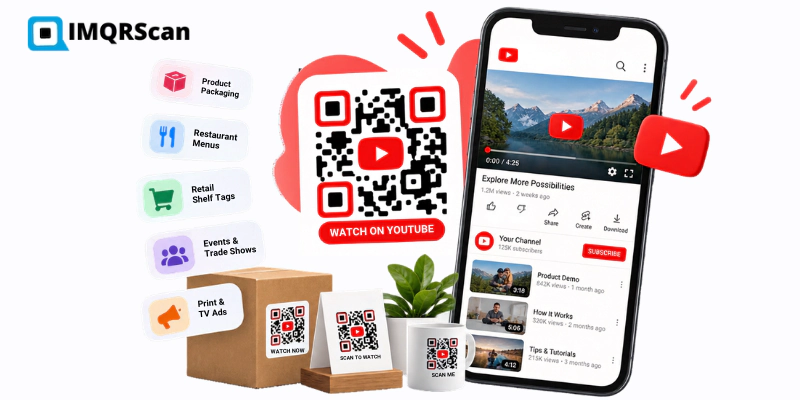
See detailed examples, placements, and tracking ideas in YouTube QR codes for business. Need your videos, website, and socials behind one code? Try the multi link QR code generator.
YouTube QR Code Generator Features
Everything you need to create, brand, track, and update a QR code for YouTube.
Every YouTube Link
Videos, Shorts, playlists, live streams, channels, and subscribe links.
Static or Dynamic
Free static codes that never expire, or dynamic codes you can edit after printing.
Custom Design
Logo, colors, dot shapes, and frames with high error correction.
Scan Analytics
Scan count, time, device, and approximate location on dynamic codes.
Print-Ready Files
PNG and SVG downloads.
One Dashboard
Manage your static and dynamic QR codes in one place.
Start free. Upgrade only if you need tracking.
What Else Can a YouTube QR Code Do?
A YouTube QR code opens a video, Short, playlist, or channel. IMQRScan adds tools that connect views to your ads and show the right video in each country.
Country Rules
Send viewers from each country to a video in their language from one printed code.
Retargeting Pixels
Add a Google Ads or Meta pixel, so people who scan your YouTube QR code can see your ads later.
Schedule and Scan Limits
Show a premiere or launch video only on its dates, then let the code stop.
More Tools for Every YouTube QR Code
Built-in QR Templates
Ready-made designs with colors, frames, and logo placement set.
Multiple QR Shapes
Dot, corner, and frame shapes that match your brand and still scan.
Free Print Templates
Flyers, posters, and table tents with your code already placed.
QR Stickers
Sticker-ready designs for labels, packaging, doors, and windows.
PIN Protection
Ask for a PIN before the content opens.
Custom Domain
Use your own domain for the short link behind the code.
Team and Users
Invite teammates and give each one a role.
QR Code API
Create and manage codes from your own software.
Free on every plan
- Built-in QR templates
- Multiple QR shapes
- Free print templates
- QR stickers
Free plan includes
- Unlimited static QR codes
- 5 Smart (dynamic) QR codes
- 15 tracked scans
- 14 days of scan analytics
- Bulk creation, 5 per upload
- File uploads up to 5 MB
Professional plan and up
- PIN protection
- Schedule and scan limits
- Country rules
- Retargeting pixels
- QR Code API
- Team management and roles
- Custom domain add-on from Starter ($10/month)
YouTube QR Code FAQs
Straight answers to the questions people ask most about YouTube QR codes.
Related YouTube and QR Code Guides
Business uses, dynamic editing, scan tracking, and multi-link pages.
YouTube QR Codes for Business
Ten practical placements, what to link, and how to measure them.
Read Guide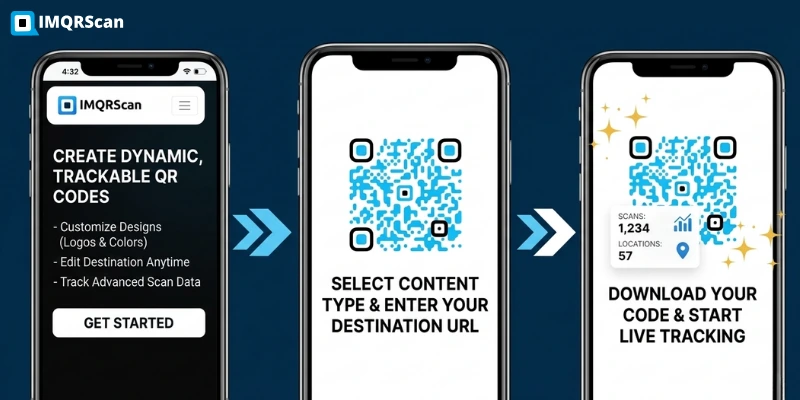
Dynamic QR Code Generator
Change the link after printing and see scan data in one dashboard.
Open Tool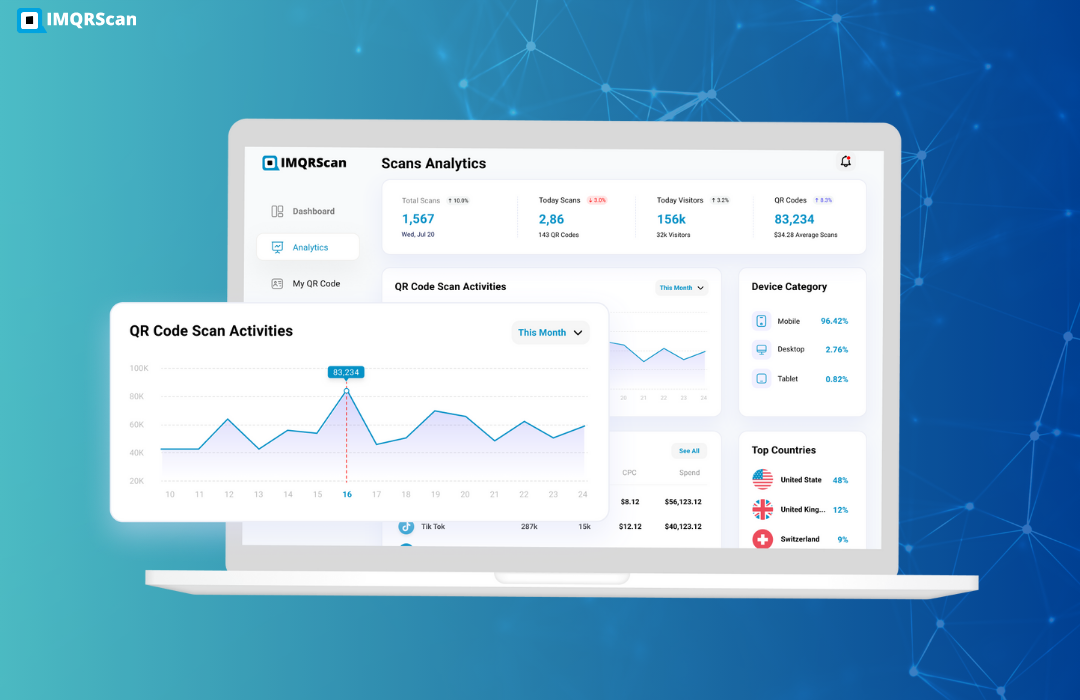

Multi Link QR Code Generator
Put your channel, website, and social links behind one QR code.
Open ToolCreate Your YouTube QR Code
Paste any YouTube link, add your logo, and download a code that scans. Start free with a static code, or try dynamic codes for 7 days.
Your first code takes under a minute.