How to Track QR Code Scans
Turn every scan into a data point you can actually use.
A video QR code is a scannable pattern that encodes the link to a hosted video. Scan it, and the phone opens the link — the video plays in the browser. You create one by pasting a hosted video URL or by uploading an MP4, MOV, or WEBM file.
Last updated: · Written by Sarah Park · Reviewed by the IMQRScan Editorial Team
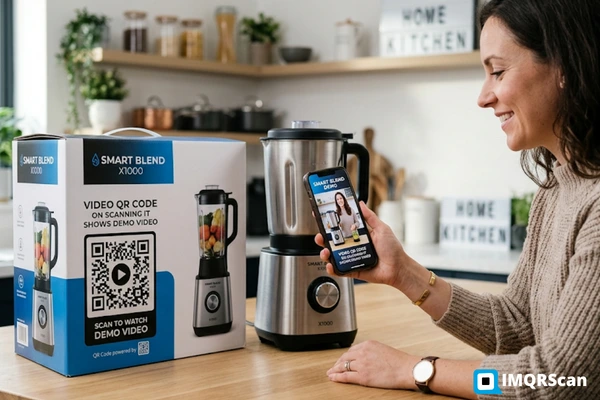
To turn a video into a QR code, host the video online and encode its URL into the QR pattern. Paste a hosted video link (website, Vimeo, Google Drive, Dropbox) into a QR generator, or upload an MP4, MOV, or WEBM file and let the generator host it for you. When someone scans the resulting code, the phone opens the link and the video plays. This works because a QR code can only hold up to 2,953 bytes of data under ISO/IEC 18004 — enough for a URL, never for the video file itself.
The same answer applies to every tool on the market. The only two variables are where the video is hosted and whether you want a static code (fixed URL, free) or a dynamic code (editable URL, scan analytics).
Printing a video URL on a flyer is almost the same as not linking the video at all — typed-URL clickthrough from print sits in the low single digits. A QR code removes the typing step entirely. According to IMQRScan's QR code report 2026, 71% of consumers now say QR codes are useful in daily life, and QR-initiated customer journeys deliver an average click-through rate of 37% — several multiples higher than standalone print or display alone.
For video content specifically, that friction cut is the whole point. Point phone → tap notification → video plays. No keyboard, no search, no lost viewer.
Average click-through rate on QR-initiated journeys
— IMQRScan, 2026
Global dynamic QR scans in 2025 (up 211% YoY)
— IMQRScan, 2026
Of consumers find QR codes useful in daily life
— IMQRScan, 2026
US smartphone users scanning QR codes (projected 2025)
— Statista via IMQRScan
Where your video sits right now decides which route you take. Neither is better — they just handle different starting conditions.
The video already has a home — your CMS, Vimeo, a landing page, or a shared cloud drive. You already control the hosting, the privacy, and the analytics on that platform. All you need is a QR code that points to it.
This route is ideal when:
Tip: shorter URLs create lighter QR patterns that scan more reliably at small print sizes. If the destination link is long, generate a dynamic code and let the redirect handle it.
The video exists as an MP4, MOV, or WEBM file and you would rather not park it on a public platform first. Drag it in, we host it on a global CDN, and we generate a scannable code pointing to the hosted version — all in one step.
This route is ideal when:
Tip: compress the video before uploading. A 720p clip at 2–3 Mbps plays smoothly on 4G and loads noticeably faster than an unprocessed 4K export.
| Your situation | Recommended route |
|---|---|
| Video is already embedded on my website | Route A — URL |
| Video is on Vimeo, unlisted | Route A — URL |
| Video is on Google Drive / Dropbox with a public link | Route A — URL |
| Video is only on my laptop right now | Route B — Upload |
| I want it hosted but kept off public platforms | Route B — Upload |
| I don't run a website and don't want one | Route B — Upload |
| I need to swap the video later without reprinting | Either — but go dynamic |
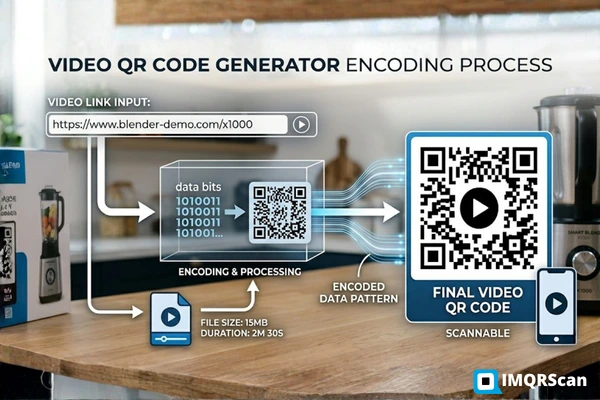
The term "video QR code generator" is a little misleading. These tools do not squeeze video into a QR pattern. They do three smaller jobs in quick succession, and the output looks like a single seamless step.
If you paste a link, that link becomes the destination. If you upload a file, the tool stores the file on its servers and mints a short URL pointing to it.
The URL is converted into black-and-white modules using the QR algorithm and wrapped in Reed–Solomon error correction so the code still scans with a logo in the middle or a scratch across the corner.
For dynamic codes, the pattern points to a short tracking URL on our servers, which then forwards to your real video URL. This is the layer that makes scan analytics and future edits possible.
Same flow for Route A and Route B — the only step that changes is step 3.
Confirm whether it lives at a URL or as a file on your device. That single fact decides your route.
Visit the IMQRScan video to QR code tool. No app, no download, works in any modern browser.
Route A: paste the video URL. Route B: drop the MP4/MOV/WEBM into the file uploader.
Colors, corner rounding, logo, frame, call-to-action label. Keep high contrast — light on dark can confuse older scanners.
Hit Generate. Download PNG for web, SVG for clean scaling, or PDF if your printer asked for one.
Test with one iOS and one Android device on mobile data, not Wi-Fi. Ship only after both open the video without a reload.
These are patterns our customers use repeatedly. Product packaging and printed materials are two of the fastest-growing placements for QR codes — used by 42% and 50% of marketers respectively (IMQRScan 2026).
A consumer-electronics brand prints a dynamic QR on the back of the box. Scan opens a 40-second "first-time setup" video. Support calls for that SKU drop, and the QR can redirect to an updated video when firmware changes. Works well with a branded product catalogue QR.
Retail · Consumer electronicsA teacher puts a small QR next to the hardest exercise on a printed sheet. It plays a 90-second explainer recorded on a phone. Students who need it use it; students who don't, ignore it. No app, no login, no printer reprint when the explainer gets updated.
Education · K–12 and higher edAn agent prints the walkthrough video's QR on the yard sign. Passers-by scan, watch the interior tour, and self-qualify before calling. Dynamic codes let the same sign serve a new video after each listing — no sign reprints between listings.
Real estate · Yard signsA facilities team sticks a laminated QR on each piece of equipment. Each one opens a different maintenance video. No misplaced manuals, no paper binders in dusty rooms. 43% of businesses now use QR codes for logistics tracking in similar ways (Uniqode 2025).
Field maintenance · ManufacturingAn exhibitor hands out a single-sided card with a QR. Attendees walk away with a 30-second recap they can replay on the train home. The dynamic code gets refreshed with the next event's reel the following week, so the same printed run works across multiple shows.
Events · B2B marketingA service business prints a QR next to each testimonial quote. Scan opens the 20-second version of that customer saying it on camera. Trust bump, zero extra real estate on the page — and 75% of consumers scan QR codes specifically to "get more information" (Uniqode 2026).
Marketing · BrochuresPrinting a batch? Use the bulk QR code generator. Need the code to disappear into artwork? Try transparent QR codes. For non-video permanent codes, see the static QR code generator.
QR was invented by Denso Wave in 1994 for factory part tracking and later opened up as an international standard, ISO/IEC 18004. The numbers below are what limits and enables every video QR code on earth.
A URL — usually 20–60 characters. The video itself lives on a server. The code just points the phone to it.
2,953 bytes binary, per ISO/IEC 18004. That's a URL, not a video — which is why every video QR is really a URL QR in disguise.
L ≈ 7%, M ≈ 15%, Q ≈ 25%, H ≈ 30%. Bump to H when you add a logo or plan to print on textured paper.
MP4 / H.264 plays on everything. WEBM and MOV are fine on modern devices. Re-encode AVI, WMV, FLV, and MKV first.
Rule of thumb: the QR side length should be roughly one-tenth of the expected scanning distance. Use the table to sanity-check before printing.
| Where the viewer stands | Minimum QR size | Typical placements |
|---|---|---|
| Arm's length (10–30 cm) | 2 × 2 cm | Packaging, worksheets, flyers, business cards |
| Close reading (30–60 cm) | 3 × 3 cm | Menus, brochures, tent cards |
| Standing by (1–2 m) | 10 × 10 cm | Posters, shop windows, real-estate signs |
| Across a booth (5 m) | 50 × 50 cm | Trade-show walls, event banners |
| From the street (20 m+) | 2 × 2 m or larger | Billboards, building signage |
"Almost every broken video QR we've audited wasn't broken at creation — it was broken by someone on the team uploading a new version of the video to a new URL six months later. If you're printing, go dynamic. If you're not printing, it doesn't matter."
Each one is fixable in under a minute before printing, and nearly impossible to fix once the code is out in the wild. Scannability alone is the biggest QR issue reported by consumers (35%, Uniqode 2025).
A 200-character tracking URL creates a dense QR pattern that fails on textured paper or small sizes. Use a dynamic code or shorten first.
Every scan comes from a phone. If the video lives on a page that renders badly on a 390 px screen, you've lost them.
AVI and WMV files fail silently on iOS. Re-encode to MP4 (H.264) before uploading — every phone plays it, every time.
Light modules on a dark background violate the QR spec's contrast assumption. Older scanners refuse to decode them.
Text, logos, or artwork crammed against the QR pattern breaks the finder-pattern detection phones rely on. Leave 4 modules of breathing room.
A 200 MB 4K export takes 15+ seconds to start on a crowded 4G network. Compress to 720p at 2–3 Mbps — viewers will thank you. Slow load times are the #2 QR complaint (27%, Uniqode 2025).
Before sending to print: scan the code on one iOS phone and one Android phone, using mobile data (not Wi-Fi). That single test catches every mistake on this list except the "video goes stale later" one — and that's the one dynamic codes exist to solve.
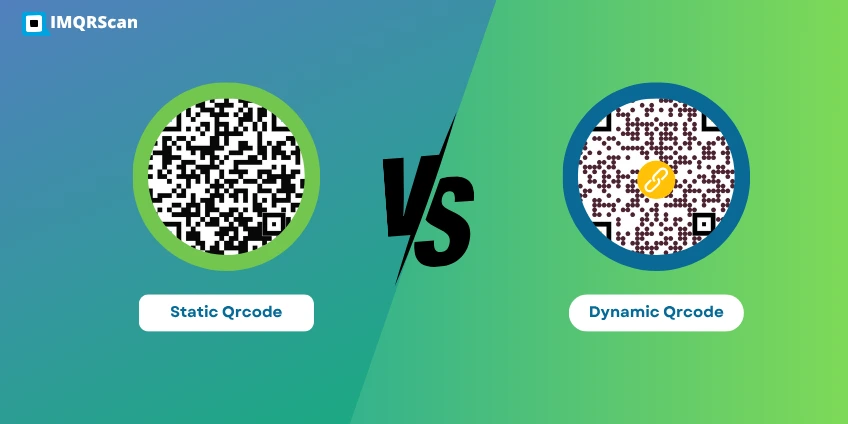
Both types scan the same and both open your video. The real question is whether your printed material will outlive the video's URL. If the answer is yes, go dynamic. If the answer is no, static is simpler and free forever.
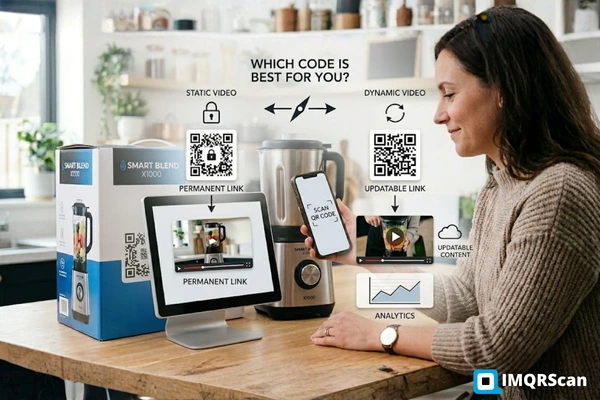
Free, permanent, no analytics. Fine for evergreen videos at stable URLs.
Static QR overview →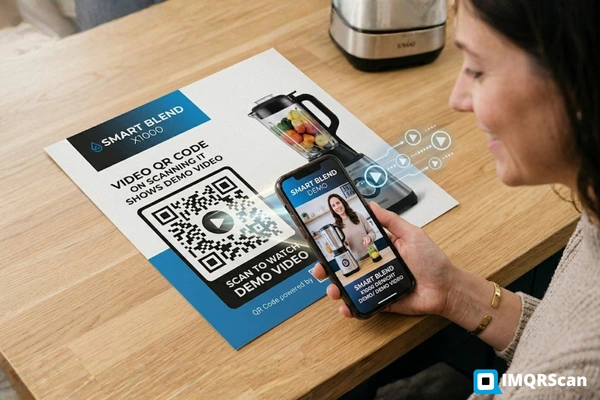
Turning a video into a QR code is not really about the video — it's about giving your audience a one-tap shortcut from a physical surface to a digital player. IMQRScan handles the shortcut. Your hosting, editing, and content stay exactly where they already are.
Paste a URL or upload an MP4. Either way, you leave with a scannable, print-ready code.
No app, no login, no typing. The camera they already carry does the work.
Printed code, editable destination. Perfect for anything with a long shelf life.
Bottom line: static video QR codes are free forever on IMQRScan — and you can upgrade to dynamic the moment a campaign needs it.
Direct answers to the 12 snags we see most often in support.
 Guide
Guide
 Guide
Guide
 Comparison