Coupon QR Code Generator for Discounts and Promo Offers
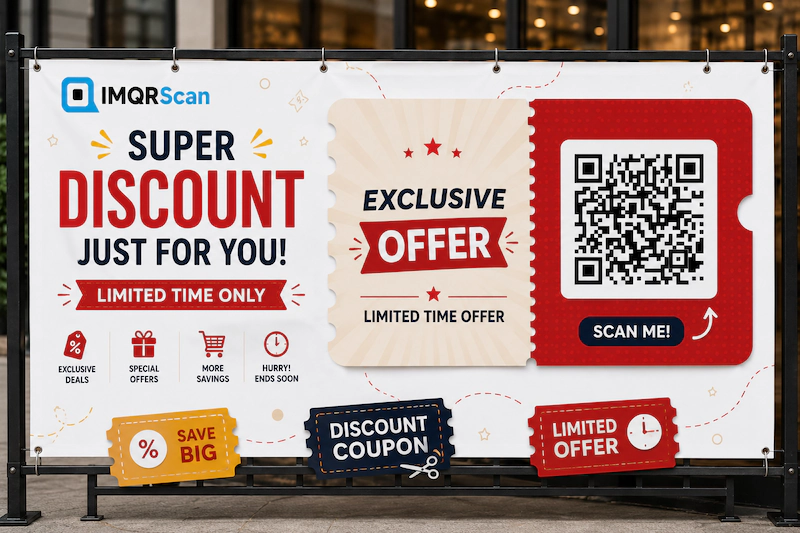
A coupon QR code opens a mobile coupon with your offer, a copyable discount code, an expiry date, and terms. Fill in your offer in the generator below, design the code, and download it as PNG or SVG.
Change the offer anytime without reprinting. Need a code that works only once per customer? Use the voucher QR code generator instead.
What Is a Coupon QR Code?
A coupon QR code is a QR code that opens a digital coupon on a phone: the offer, the discount code to copy, when it ends, and how to use it. It is also called a discount QR code or a QR code promo.
With IMQRScan, the coupon is a mobile page we host for you. You do not need a website. The customer scans, sees your logo and offer, taps to copy the code, and uses it at checkout or shows it at the counter.
Because it is a Smart code, you can change the offer, the code, or the expiry date after printing. The same printed QR code on receipts, menus, and packaging keeps working for the next promotion.
How to Create a Coupon QR Code in 4 Steps
Use the generator at the top of this page. The steps match its buttons.
- Step 1
Add your business and offer
In the generator above, add your logo, cover image, business name, and the offer, such as 20% off your next order.
- Step 2
Add the code and rules
Type the coupon code to copy, how to use it, the valid until date, and your terms.
- Step 3
Add a button and design
Add a button such as Shop now with your store link, then open Design for colors, shapes, a frame, or a coupon sticker.
- Step 4
Download QR code
Press Download QR code, create a free account if you have none, and save it as PNG or SVG.
What Goes on a Coupon QR Code Page?
Every coupon QR code page has your brand, one clear offer, and everything the customer needs to redeem it.
| Part | What you add | Limit |
|---|---|---|
| Brand | Logo, cover image, and business name | Name up to 120 characters |
| Offer | The headline, such as Free dessert with any main | Up to 100 characters |
| How to use it | The redemption steps | Up to 400 characters |
| Coupon code | The code customers copy, such as WELCOME20 | Up to 40 characters |
| Valid until | An optional end date and time | Optional |
| Button | Your own text and link, such as Shop now to your online store | Optional |
| Terms | Minimum spend, locations, exclusions | Up to 600 characters |
The button is the fastest route to a sale. Point it at a product page, your store, a booking form, or a link that applies the discount at checkout.
What Happens When Someone Scans a Discount QR Code?
The phone camera opens the coupon page in the browser, with no app needed on iPhone or Android.
- The customer scans the code on a receipt, flyer, or package.
- Your coupon opens with the offer, the code, and the end date.
- They tap to copy the code, or tap your button to shop.
- They use the code at checkout, or show the page to your staff.
If the coupon has a valid until date, customers see exactly when the offer ends, which gives them a reason to act now.
Coupon QR Code or Voucher QR Code?
Choose a coupon QR code for one shared code that anyone can use, and a voucher QR code when every customer needs their own code that works once.
| Coupon QR code (this page) | Voucher QR code | |
|---|---|---|
| Code | One shared code for everyone | A unique code for each customer |
| Customer step | Scan and copy the code | Scan and claim with an email |
| Redeemed once | No, the shared code can be reused | Yes, staff redeem each code once |
| You see | Scans by date, city, and device | Every claim and redemption, with CSV export |
| Best for | Online discounts, promo codes, seasonal sales | Free items, gifts, limited stock, events |
Need single-use rewards? Use the voucher QR code generator. Looking for campaign ideas first? See our QR code coupon ideas and examples.
How a Bakery Brings Customers Back With One Coupon QR Code
A bakery can print one coupon QR code on every receipt and change the offer each month without reprinting.
- The coupon says 15% off your next order, with the code BAKE15 and a valid until date two weeks away.
- The button says Order online and opens the bakery’s shop.
- Next month, the owner edits the same code to Free coffee with any cake. The receipt template never changes.
- Scan numbers show which week and which branch bring the most returning customers.
Where to Put a Coupon QR Code
Put the coupon where customers have a moment to scan and a reason to come back.
Receipts and bags
A return-visit discount QR code that customers take home.
Packaging and inserts
A second-order coupon inside every shipped box.
Flyers and windows
A QR code promo that brings new customers in.
Social posts and screens
A coupon people can scan from another screen.
Design a Coupon QR Code That Gets Scanned
Say the reward next to the code, keep strong contrast, and test it before printing.
- Show the benefit: Scan for 20% off works far better than Scan me.
- Use a coupon sticker: pick a free QR sticker or print template, so the offer is visible around the code.
- Keep dark on light: a dark code on a light background scans fastest.
- Download SVG for print: it stays sharp at any size. Use PNG for screens and social posts.
- Test on two phones: scan the printed proof with an iPhone and an Android phone.
| Where you print it | Suggested size |
|---|---|
| Receipt or label | 2 x 2 cm or larger |
| Flyer or table tent | 3 to 4 cm |
| Window or poster | 8 cm or larger |
More detail in the minimum QR code size guide.
What a Coupon QR Code Cannot Do
A coupon QR code shows one shared code. It does not apply the discount in your till or online store by itself.
- Create the discount code in your checkout, store, or point-of-sale system first. The coupon page shows it.
- A shared code can be copied and reused. For one use per customer, use a voucher QR code.
- It does not generate random codes. You type the code you created.
- It is a Smart code, so it needs an active plan to stay online. The Free plan lets you try it with 5 Smart codes and 15 tracked scans.
How Much Does a Coupon QR Code Cost?
You can try a coupon QR code free, and paid plans start at $2.99 a month, billed annually.
| Plan | Free | Starter | Professional | Plus |
|---|---|---|---|---|
| Price (billed annually) | $0 | $2.99 / month | $10 / month | $33.33 / month |
| Smart QR codes | 5 | 50 | 250 | 500 |
| Tracked scans | 15 | 500,000 a year | 1,000,000 a year | 2,000,000 a year |
| Scan analytics history | 14 days | 60 days | 90 days | 180 days |
See every detail on the pricing page.
What Else Can a Coupon QR Code Do?
A coupon QR code turns print into sales you can measure. IMQRScan adds rules that control when the offer runs, where people go, and who sees your ads later.
Schedule and Scan Limits
Start a discount QR code on the first day of a sale and stop it automatically when the sale ends.
Retargeting Pixels
Add your Meta or Google Ads pixel, so people who open your coupon can see your ads later.
QR Stickers
Print coupon stickers for receipts, bags, and packaging with the offer shown around the code.
More Tools in IMQRScan
Built-in QR Templates
Ready-made designs with colors, frames, and logo placement set.
Multiple QR Shapes
Dot, corner, and frame shapes that match your brand and still scan.
Free Print Templates
Flyers, posters, and table tents with your code already placed.
Multi-Language Pages
Show hosted landing pages in the languages your visitors read.
Country Rules
Send each country to a different destination from one code.
PIN Protection
Ask for a PIN before the content opens.
Custom Domain
Use your own domain for the short link behind the code.
Team and Users
Invite teammates and give each one a role.
QR Code API
Create and manage codes from your own software.
Free on every plan
- Built-in QR templates
- Multiple QR shapes
- Free print templates
- QR stickers
- Multi-language landing pages
Free plan includes
- Unlimited static QR codes
- 5 Smart (dynamic) QR codes
- 15 tracked scans
- 14 days of scan analytics
- Bulk creation, 5 per upload
- File uploads up to 5 MB
Professional plan and up
- PIN protection
- Schedule and scan limits
- Country rules
- Retargeting pixels
- QR Code API
- Team management and roles
- Custom domain add-on from Starter ($10/month)