Create QR Code for Vouchers

Coupon QR Code Generator for Discounts, Offers, and Promos

Create a QR code coupon that sends customers to a discount, voucher, promo code, product deal, booking offer, or checkout page. IMQRScan also includes a built-in, fully customizable coupon QR code sticker. Change the headline, offer text, colors, fonts, frame, QR style, and logo so the design fits your campaign.

Use a static code for a fixed offer or choose a dynamic QR code when you want to update the destination, schedule a campaign, set an expiry, or measure scans. Download the finished design in PNG, SVG, PDF, or JPG format for print and digital use.

Build a branded coupon sticker, test it, and publish it in less than two minutes.

Free static QR codes. Dynamic QR codes support editable destinations, tracking, scheduling, and campaign controls.

Written by: IMQRScan Editorial Team, • Last updated: July 19, 2026

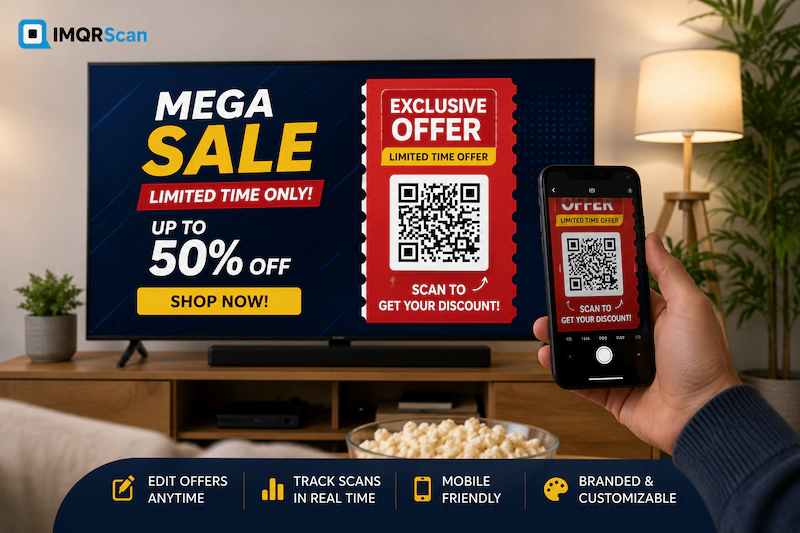
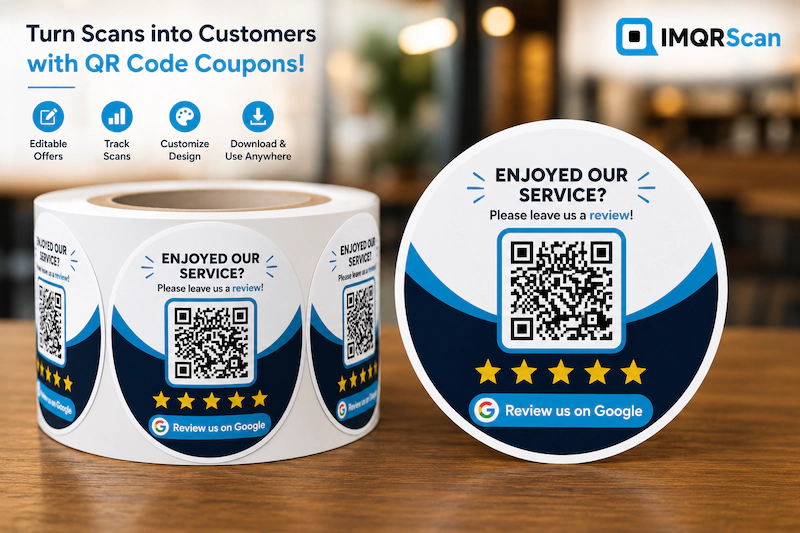
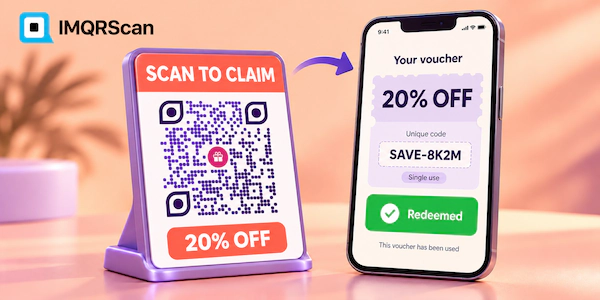
QR code coupon sticker showing an exclusive discount offer

Quick Answer

A coupon QR code links a printed or digital promotion to a mobile offer. A customer scans it, opens the discount page, and follows the redemption steps.

  • Best for discounts, vouchers, promo codes, loyalty rewards, and limited-time offers.
  • Use a dynamic code when the offer may change after printing.
  • Add a clear benefit, expiry date, terms, and call to action.
  • Test the final design on several phones before publishing.

Key Takeaways

  • A QR code coupon removes the need to type long URLs or coupon codes.
  • The built-in IMQRScan coupon sticker can be customized for brand colors and campaign messages.
  • Dynamic codes let you correct links, replace offers, and track scans without reprinting.
  • The offer page, not the QR image alone, should manage redemption rules and one-time use.

Stay with us

What Is a QR Code Coupon?

Definition

A QR code coupon is a scannable code that opens a digital discount, voucher, promotion, special offer, or redemption page on a customer’s phone.

The code acts as a bridge between an offline message and an online action. A shopper may see it on a receipt, menu, package, flyer, shelf sign, or window. After scanning, the shopper reaches the exact page needed to claim the deal.

The destination can be simple. It may show a coupon code and terms. It can also open a product page with a discount already applied, a restaurant booking offer, a loyalty reward, or a downloadable voucher.

A good coupon campaign does more than hide a link inside a square image. It gives the customer a clear reason to scan. It also explains what happens next. Messages such as “Scan for 20% off”, “Open your free voucher”, or “Claim today’s offer” work better than a QR code with no context.

IMQRScan helps you create the QR image and a matching coupon sticker. The sticker adds visible offer text around the code, which makes the purpose easier to understand before a customer scans.

How Does a Coupon QR Code Work?

The process is simple. The QR code stores or redirects to a web address. A customer scans the code with a phone camera. The phone reads the code and shows a link. The customer taps that link and lands on the offer page.

  1. The business creates an offer. This may be a discount page, promo code, voucher, product deal, or loyalty reward.
  2. The business creates the code. The offer URL is added to the IMQRScan generator.
  3. The design is customized. The business selects a sticker, adds its logo, and changes the text and colors.
  4. The code is published. It appears on print materials, product packaging, signs, receipts, emails, or social content.
  5. The customer scans it. The phone opens the offer and shows the redemption steps.
  6. The business measures results. A dynamic code can report scans and help compare campaign placements.

Best Practice

Send customers straight to the offer. Do not make them search your home page after scanning. Fewer steps usually create a clearer experience.

Use the Built-In Customizable Coupon QR Code Sticker

A plain code can work, but it does not explain why someone should scan it. IMQRScan includes a built-in coupon sticker that makes the purpose visible at a glance.

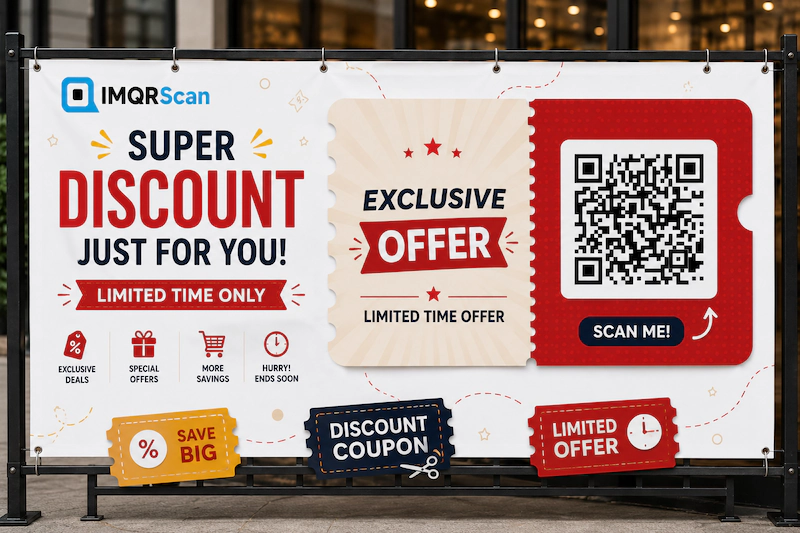
The sample sticker uses a ticket shape, an “Exclusive Offer” headline, a “Limited Time Offer” message, and a clear QR area. You can adjust the design so it matches your own promotion instead of using generic wording.

What Can You Customize?

  • Headline: Change “Exclusive Offer” to “20% Off,” “Free Dessert,” “Member Reward,” or another short benefit.
  • Supporting text: Add a time limit, minimum spend, product name, store location, or redemption note.
  • Colors: Match the sticker background, QR code, and text with your brand palette.
  • Fonts: Choose a readable typeface that fits the style of the campaign.
  • QR shapes: Adjust dots, corner patterns, frames, and other visual details.
  • Logo: Add your business mark so customers can recognize the source.
  • Call to action: Use direct text such as “Scan to Claim,” “Open Voucher,” or “Get the Deal.”
  • Size and export: Download the design for social media, websites, labels, flyers, posters, or large print.

Customization should support scanning, not fight it. Strong contrast and enough empty space around the code remain important. A stylish design has little value when phones cannot read it.

Fully customizable QR code coupon sticker for a limited-time offer

Why Use a QR Code Coupon in Marketing?

Coupons already give people a reason to act. A QR code makes the path to that action faster. It can connect a physical message to a mobile page without asking the customer to type a URL or remember a code.

Make Print Campaigns Easier to Use

Flyers, menus, packaging, receipts, and signs have limited space. A QR code coupon can hold the digital path while the printed design shows only the key benefit and scan instruction.

Update Offers Without Reprinting

A dynamic coupon QR code can keep the same printed image while the destination changes. This helps when a discount ends, a product sells out, a link is wrong, or a new seasonal promotion starts.

Connect Offline and Online Sales

A store can place a code near a product and send shoppers to an online checkout. An ecommerce brand can print it on packaging and invite a second purchase. A restaurant can add it to a receipt and offer a reason to return.

Measure Interest Before Redemption

Scan data shows attention. Redemption data shows completed use. The two numbers are not the same, but together they can reveal where people lose interest and which placements attract the most response.

Keep the Offer Clear

A branded coupon sticker tells the customer what the code is for. This lowers uncertainty and helps the code feel like a planned part of the campaign instead of an unexplained black square.

Key Takeaway

The QR code is only the entry point. The full result depends on the offer value, landing page speed, clear terms, and simple redemption process.

Static vs Dynamic Coupon QR Codes

Both types can open an offer, but they work differently. The right choice depends on how long the campaign will run and whether you need changes or analytics.

Feature Static Coupon QR Code Dynamic Coupon QR Code
Destination Stored directly in the QR code Managed through a redirect link
Edit after download No Yes
Scan tracking Not built in Available with analytics
Scheduling and expiry Managed only on the destination page Can use campaign controls and destination rules
Best for Permanent pages and simple fixed offers Seasonal deals, print campaigns, tests, and changing promotions
Reprinting after a link change Required Not required

Use a static code when the linked page will stay in place and you do not need QR analytics. Use a dynamic code when the printed material may stay active longer than the current offer.

For a deeper comparison, read the static vs dynamic QR code guide.

How to Create a Coupon QR Code in 5 Steps

You do not need design or coding skills. Prepare the offer first, then use IMQRScan to build the code and sticker.

Step 1: Choose the Offer Destination

Decide what customers should see after scanning. Good options include a discount landing page, product page, checkout with an applied code, menu offer, booking form, loyalty page, or downloadable voucher.

Use a dedicated campaign page when possible. It keeps the message focused and makes reporting easier. The page should load well on a phone because most scans happen on mobile devices.

Step 2: Add the Link to IMQRScan

Open the QR code generator and enter the destination URL. Select a dynamic option when you need editable links, analytics, expiry, or scheduling.

You can also begin with the URL QR Code Generator when your coupon already has a landing page.

Step 3: Customize the Coupon Sticker

Select the built-in coupon sticker and replace the sample message with your own offer. Keep the headline short. A clear benefit is easier to understand than a long marketing sentence.

Add your logo, brand colors, frame, font, and QR style. Keep enough contrast between the code and its background. Avoid placing busy graphics behind the code.

Step 4: Test the Complete Experience

Scan the code from the preview and from a test print. Try at least one iPhone and one Android phone when available. Confirm that the page opens, the offer is correct, and the redemption steps are easy to follow.

Test more than the QR image. Check page speed, buttons, coupon code copying, checkout behavior, dates, and terms.

Step 5: Download and Publish

Choose the file format based on where you will use it. PNG is practical for most digital graphics and small labels. SVG or PDF is better when the design must stay sharp at a larger print size.

Add the final QR code coupon to receipts, menus, flyers, packaging, signs, email designs, social posts, or display screens. Scan one final production sample before printing a large quantity.

Create a Coupon QR Code for Your Next Offer

Customize the built-in coupon sticker, add your destination, test the scan, and download a ready-to-use design.

Generate Coupon QR Code

What Should a Coupon Page Include?

The QR code should open a page that answers the customer’s main questions without making them search. The offer page does not need to be long, but it must be complete.

Page Element Why It Matters Simple Example
Offer headline Explains the benefit immediately Get 20% Off Your Next Order
Promo code or action Tells the user how to redeem Use code SAVE20 at checkout
Expiry date Sets a clear time limit Valid through August 31
Terms Prevents confusion at redemption One use per customer, minimum spend $25
Call to action Shows the next step Shop Now, Book Now, or Claim Voucher
Business identity Builds trust Logo, store name, secure domain, and contact details
Location rules Explains where the offer applies Valid at the Downtown branch only

Keep important information visible before the customer taps another button. Hiding the minimum spend or excluded items at the bottom of a long page can create frustration.

Real Example: A Café Return-Visit Coupon

Consider a local café that wants first-time customers to return within seven days. The café prints a small coupon sticker at the bottom of every receipt.

The sticker says “Free Pastry With Your Next Coffee” and “Scan to Claim.” The QR code opens a mobile page with the offer, expiry date, participating location, and a “Save Voucher” button.

The café uses a dynamic QR code because the same receipt template will remain in use for several months. At first, the link opens the pastry offer. Later, the café changes the destination to a breakfast bundle without changing the printed sticker.

It also creates separate dynamic codes for counter receipts and takeaway packaging. The two codes look similar, but each has its own campaign record. Scan data shows which placement gets more interest.

The café’s point-of-sale system handles actual redemption. Staff tap a “Redeem” button or enter a unique voucher reference. IMQRScan tracks the scan, while the café system decides whether the reward is valid and unused.

Why This Example Works

  • The reward is clear before the scan.
  • The offer has a simple return window.
  • The landing page explains the exact terms.
  • The dynamic destination can change later.
  • Separate placements can be measured.
  • The redemption system controls one-time use.

Coupon QR Code Use Cases by Business Type

Restaurants and Cafés

Add a discount QR code to menus, table tents, takeaway bags, receipts, or delivery inserts. Offers may include a free item, meal upgrade, weekday deal, or reward for a future visit.

Retail Stores

Place a QR code coupon on shelf signs, fitting-room cards, product tags, shopping bags, and checkout receipts. Link to a product discount, bundle, loyalty signup, or online offer.

Ecommerce Brands

Print a voucher QR code inside shipped orders. Give the customer a reason to place a second order, review a product, join a loyalty program, or refer a friend.

Salons, Spas, and Clinics

Use a promo QR code on appointment cards, mirrors, counters, and follow-up emails. Link to a booking discount, package upgrade, referral reward, or seasonal service.

Hotels and Tourism

Place codes on keycard sleeves, room guides, front-desk cards, event maps, and guest messages. Offers may include dining discounts, spa vouchers, late checkout, tours, or partner deals.

Gyms and Fitness Studios

Offer a trial session, class pass, membership upgrade, or friend referral. Put the coupon sticker on windows, local flyers, event booths, and social graphics.

Events and Trade Shows

Use a QR code coupon to reward booth visits, unlock a show-only price, share a sponsor offer, or collect leads before revealing a voucher.

Consumer Products

Add codes to packaging, bottle labels, boxes, instruction cards, and product displays. Link customers to a rebate, next-purchase offer, sample request, or loyalty reward.

Where Should You Place a Coupon QR Code?

Place the code where customers have enough time and space to scan it. The best location depends on the buying journey.

  • Receipts: Good for return-visit offers and loyalty rewards.
  • Menus: Useful for meal deals, upgrades, and limited-time items.
  • Product packaging: Good for repeat purchases, registration, and cross-sells.
  • Shelf signs: Helps shoppers open a product-specific deal.
  • Store windows: Can attract people before or after opening hours.
  • Flyers and brochures: Connects local print campaigns to a mobile offer.
  • Table tents: Keeps the offer visible while customers wait.
  • Email graphics: Lets readers move an offer from a computer to a phone.
  • Social posts: Useful when viewers may see the post on another screen.
  • Event displays: Supports booth specials and time-limited rewards.

Avoid placing the code on folds, shiny curves, moving objects, or areas that may be covered. On packaging, print a real sample and test it after the package is assembled.

Need to Print the Coupon as a Sticker?

This page explains how to create, manage, redeem, and track coupon QR codes. For sticker materials, waterproof printing, vinyl options, sizing, adhesive labels, and physical placement, read our dedicated QR code stickers guide.

QR Code Coupon Design and Printing Best Practices

Use a Clear Offer Message

Tell people what they receive. “Scan Me” is weak by itself. “Scan for 15% Off” gives a reason to act.

Keep Strong Contrast

Dark QR modules on a light background are usually the safest choice. Brand colors can work, but avoid combinations that look similar in brightness.

Protect the Quiet Zone

Leave clear space around the QR code. Text, borders, logos, and other graphics should not touch the outer modules.

Choose the Right Size

The correct size depends on scanning distance, print quality, and the amount of data in the code. Make it larger when people will scan from farther away.

For more sizing guidance, read theminimum QR code size guide.

Use the Right File Format

Format Best Use Main Benefit
PNG Websites, emails, social media, small labels Simple and widely supported
SVG Professional print, signs, packaging, web design Scales without losing sharpness
PDF Print handoff and document layouts Easy to share with printers
JPG Simple digital graphics Small and easy to use

Learn more in the PNG QR code guide and SVG QR code guide.

Test the Final Material

A code that works on a laptop preview may fail after printing. Paper texture, glare, low ink, folds, and small size can reduce scan performance. Test the real output from the expected distance.

Best Practice Checklist

  • State the reward next to the code.
  • Use a short and direct call to action.
  • Keep the landing page mobile friendly.
  • Show the expiry date and key terms.
  • Test iPhone and Android scanning.
  • Check a real print sample.

How Coupon QR Code Redemption Works

Scanning and redeeming are different actions. The QR code opens the offer. Your website, checkout, loyalty tool, voucher platform, or staff process decides whether the customer can use it.

Common Redemption Methods

  • Visible promo code: The page shows a code that the customer enters at checkout.
  • Applied checkout link: The link opens a cart or product page with a promotion attached.
  • Staff validation: The customer shows the voucher page to an employee.
  • Barcode on the page: A store scans a separate redemption barcode displayed after the QR scan.
  • Unique voucher token: Each customer receives a single-use reference from another system.
  • Account-based reward: The offer is added to a signed-in loyalty account.

Can You Make a One-Time Redeemable QR Code Coupon?

You can connect the QR code to a one-time redemption process, but the QR image alone does not stop reuse. Anyone who can see the same code may scan it.

For true single-use control, use a backend system that creates unique vouchers, records redemption, and rejects a second attempt. IMQRScan can provide the scannable entry point and campaign tracking, while your coupon or checkout system manages validity.

Do not promise one-time use unless the redemption system actually enforces it. Clear technical limits build more trust than a vague claim.

How to Track Coupon QR Code Performance

Dynamic QR analytics can help you understand where and when people scan. This makes print and offline campaigns easier to compare.

Depending on the plan and campaign setup, you may review total scans, scan times, devices, and location insights. You can also create a separate code for each placement.

Useful Campaign Metrics

  • Total scans: How many scan events the campaign generated.
  • Unique scans: An estimate of different scanners where available.
  • Redemptions: How many customers completed the offer.
  • Scan-to-redemption rate: Redemptions divided by scans.
  • Placement performance: Which receipt, sign, package, or channel gets more scans.
  • Time patterns: When customers show the most interest.
  • Revenue or order value: Sales linked to the campaign through your ecommerce or point-of-sale data.

QR scan data does not prove a sale by itself. Connect campaign links with UTM parameters, checkout data, promo codes, or another attribution method for a fuller view.

Learn how scan measurement works on the QR code tracking page.

Common Coupon QR Code Mistakes to Avoid

Using a Brand Coupon Search as the Page Topic

A generator page should help businesses create offers. It should not pretend to provide active coupons for unrelated restaurants, retailers, or other brands.

Showing No Benefit Near the Code

Customers should not have to guess. Add a direct reward and call to action beside the code.

Sending People to the Home Page

A general home page adds extra work. Link to the exact campaign or product offer whenever possible.

Hiding Important Terms

State minimum spend, expiry, locations, exclusions, and usage limits clearly. Hidden conditions can create complaints at checkout.

Printing a Static Code for a Changing Campaign

A static code cannot be edited after publishing. Choose a dynamic code for long print runs or seasonal promotions.

Claiming One-Time Use Without Validation

One-time redemption requires a system that records whether the voucher has already been used.

Overdesigning the QR Code

Too many colors, weak contrast, small corner shapes, or graphics over the modules may make the code hard to scan.

Skipping Production Testing

Test the exact material, size, lighting, and distance. A good screen preview does not guarantee a good print result.

Build a Clear Offer, Not Just a QR Image

A successful QR code coupon combines four parts: a useful offer, a clear sticker, a fast mobile page, and a simple redemption method.

IMQRScan helps with the scannable and visual parts of that system. You can build a custom code, use the built-in coupon sticker, add brand elements, and download files for print or digital campaigns.

Dynamic options add flexibility. They help you update the destination, manage campaign timing, and review scan activity. Your own website, ecommerce store, loyalty tool, or voucher system can then manage the final redemption rules.

Start with one focused offer. Tell people what they get. Make the next step easy. Test the full journey before publishing.

Create Your Coupon QR Code Today

Add your offer link, customize the built-in coupon sticker, test the scan, and download a campaign-ready design.

Frequently Asked Questions About Coupon QR Codes

Clear answers about creation, customization, redemption, tracking, printing, expiry, and one-time-use coupon campaigns.

A QR code coupon is a scannable code that opens a discount, voucher, promo page, product offer, or checkout where customers can redeem a deal.

Customers open their phone camera, scan the code, tap the link, review the offer terms, and follow the shown steps to redeem the discount.

Yes. You can create a free static coupon QR code with IMQRScan. Choose a dynamic code when you need editing, scheduling, or scan analytics.

Yes. IMQRScan includes a customizable coupon sticker. You can change its text, colors, frame, fonts, QR style, logo, and call to action.

Yes, when you use a dynamic QR code. You can replace the destination offer without changing or reprinting the QR code already in use.

Yes. Dynamic codes can record scan totals, scan times, device details, and location insights so you can compare placements and campaign performance.

Yes. You can set offer dates on the destination page and use IMQRScan scheduling or expiry controls to stop or redirect the campaign.

Yes. Link the code to a multi-offer landing page or multi-link page. Keep the choices short so customers can understand them quickly.

IMQRScan can link to your one-time redemption system, but unique-code validation must be handled by your checkout, loyalty, voucher, or coupon platform.

SVG or PDF is best for large print because it stays sharp. PNG works well for labels, receipts, emails, websites, and social posts.

Place it on receipts, menus, flyers, packaging, shelf signs, windows, table tents, product labels, email graphics, social posts, or event displays.

Use strong contrast, enough white space, a clear size, short encoded data, and a simple background. Always test the final printed design.