QR Codes for Television and Commercials
IMQRScan helps brands, agencies, broadcasters and businesses create high-quality QR codes for TV commercials, smart TV screens and digital displays. With dynamic QR codes, viewers can scan the screen and instantly open websites, product pages, streaming links, app downloads, menus, forms or offers without typing a URL.
Whether you are running a TV commercial, live broadcast, in-store display, restaurant screen or event presentation, IMQRScan turns passive viewers into active customers. Create a branded QR code, display it on any screen, update the destination anytime and track QR campaign results with QR code tracking from one simple dashboard.
Generate a scannable QR code for TV commercials, smart TV screens, streaming campaigns and digital displays in less than 2 minutes.
Free static QR codes. Dynamic QR codes with editable links and scan tracking.
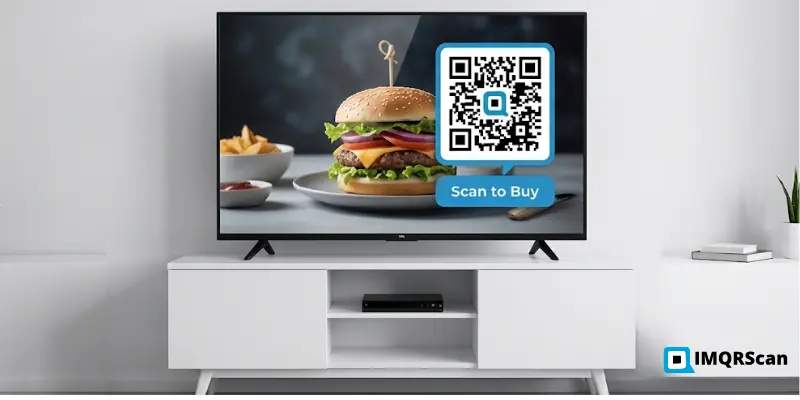
Quick Answers About TV QR Codes
- Best size: around 15 to 20 percent of the TV screen area.
- Best display time: at least 10 seconds.
- Best type: dynamic QR codes for editable TV campaigns.
- Best use: commercials, smart TV screens, streaming ads, events and digital displays.
Table of Contents
- Create Scannable TV QR Codes
- Why Use QR Codes on Television?
- Popular Uses of Television QR Codes
- How to Create Television QR Codes
- Powerful QR Code Generator for Television Screens
- Generate Multiple QR Code Types for Television
- Devices Supported
- Tips for Better TV QR Code Scanning Performance
- Television QR Codes for Modern Marketing
- Frequently Asked Questions
Create Scannable TV QR Codes for Commercials and Digital Screens
Television screens, smart TVs, live broadcasts and digital displays can become direct response channels when you add a scannable QR code. With IMQRScan, you can create branded, editable and trackable TV QR codes for campaigns that need instant viewer action.
A QR code on a TV screen gives viewers a simple way to move from watching to taking action, whether the goal is a purchase, app install, signup, booking or social follow.
Why Use QR Codes on Television?
Make Television Content Interactive
Television advertising and digital displays are changing quickly. Today’s audiences often use a second screen while watching TV, browsing, shopping and searching from their phones. Smart brands use QR codes on television screens to turn broadcast moments into direct conversion opportunities.
A television QR code removes the friction between seeing an offer and taking action. With one scan, viewers land exactly where you want them to go. No URLs to remember, phone numbers to type or searches needed. For simple landing pages and offers, you can start with a URL QR Code Generator. IMQRScan gives you a simple, fast and measurable way to create, manage and track QR codes for TV commercials and digital display campaigns.
Key benefits of using QR codes on television:
- Increase viewer engagement during TV commercials and live broadcasts
- Send viewers directly to landing pages, offers and product pages
- Share YouTube videos, streaming links and app download pages
- Promote mobile apps with one-scan app store access
- Collect leads, feedback and customer inquiries instantly
- Grow social media followers and profile visits
- Share booking forms, tickets and event registrations
- Create a contactless path from any screen to any online destination
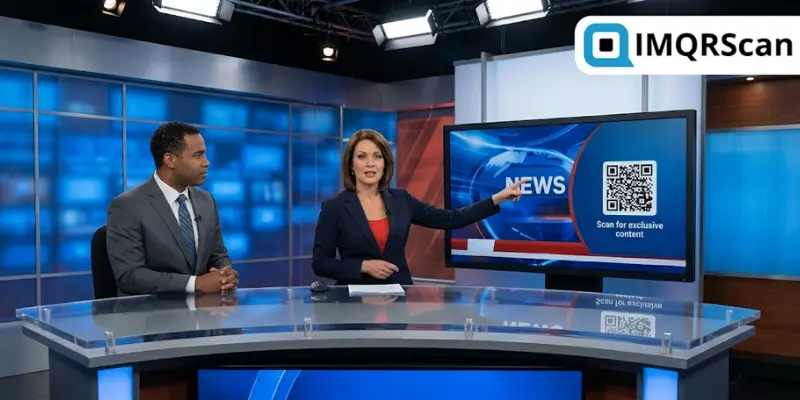
Popular Uses of Television QR Codes
All industries are using QR codes on TV to make broadcasts more intelligent, quantifiable and engaging. The most significant use cases are as follows:
Television Advertisements
A TV commercial QR code is especially useful for limited-time offers, product launches, app promotions, event registrations and direct-response advertising campaigns.
Add a scannable QR code to your TV commercial and send viewers directly to a product page, checkout page, coupon, booking form or limited-time offer. Instead of asking people to remember a URL, give them a one-scan path to action.
With IMQRScan dynamic QR codes, you can update the destination link anytime, even after the commercial has already aired. This makes TV advertising more flexible, measurable and conversion-focused.
Smart TV and Streaming Campaigns
Streaming platforms and content creators can use TV QR codes to drive app installs, subscriptions, watchlists, exclusive content and free-trial signups. A QR code shown during a trailer, outro, bumper ad or live stream can take viewers directly to the next action without using a remote. You can also explore broader QR code marketing ideas for multi-channel campaigns. For app install campaigns, use an App Download QR Code Generator to send viewers directly to the App Store or Google Play.
Floating QR codes can also be useful for videos, live streams and screen-based campaigns where the QR code appears over moving content. Learn more in our floating QR code guide.
Restaurant and Café Displays
Restaurants and cafés can show QR codes on TV screens to share digital menus, daily deals, ordering pages, loyalty programs and feedback forms. Customers scan the screen, open the menu or offer on their phone, and take action without waiting for staff. For guest WiFi screens, a WiFi QR Code Generator can help customers connect without typing passwords.
Educational Content
Colleges, universities, corporate trainers, and e-learning platforms use TV QR codes to instantly connect students with worksheets, quizzes, reference materials, or course registration pages.
During any lecture or training video, a simple scan delivers resources directly to their smartphones without disrupting the class. IMQRScan makes education more interactive, accessible, and effective with every scan.
Events and Conferences
Live events, conferences, trade shows, and concerts use TV QR codes on stage screens and venue monitors to boost real-time engagement. Organizers share schedules, speaker profiles, polls, networking forms, and ticket upgrades through a single scan. Attendees stay fully engaged without missing a moment of the live experience. For event promotions, you can also use SMS QR codes when you want viewers to send a pre-filled message instantly.
Retail and Showroom Screens
Retail stores and showrooms can use QR codes on digital screens to share product details, catalogues, discount codes, financing options or checkout pages. Shoppers can scan the screen, compare products and continue the buying journey on their phones. To discover more business examples, explore QR code uses by industry.
Create a TV QR Code for Your Campaign
Use IMQRScan to create branded QR codes for commercials, smart TV screens, streaming ads and digital displays.
Generate QR Code NowHow to Create Television QR Codes in 3 Simple Steps
With IMQRScan, it takes less than two minutes to prepare your television QR code for transmission. Technical expertise is not necessary.
Step 1: Enter Your Content
Log into IMQRScan, select your QR code type, and enter your URL, video link, app store link, or any destination. No technical skills needed.
Step 2: Customize the Design
Add your logo, choose brand colors, and select a frame style. Preview your design in real time and keep the code clear, high contrast and easy to scan.
Step 3: Download and Display
Download your QR code in high-resolution PNG, SVG, or PDF format. Share it with your production team or display it directly on screen. Every scan is instantly tracked in your IMQRScan analytics dashboard.
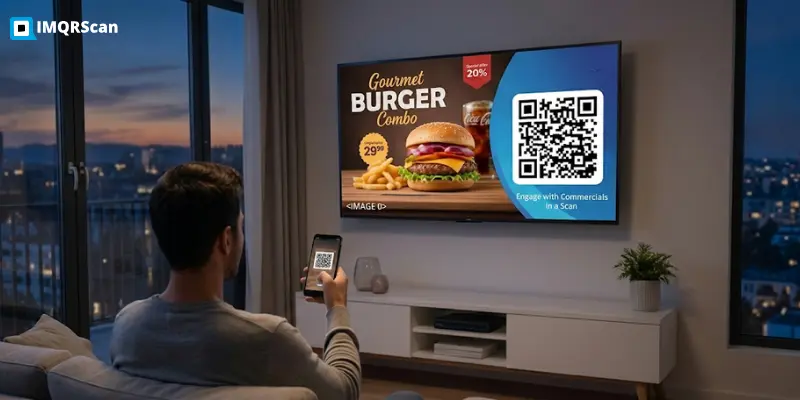
Powerful QR Code Generator for Television Screens
IMQRScan is designed for performance, dependability, and user-friendliness. Every QR code created by IMQRScan is made to scan quickly, appear professional, and produce quantifiable outcomes.
| Feature | Description |
|---|---|
| High-Resolution Export | Download QR codes in PNG, SVG and PDF formats for screens, ads and presentations |
| Dynamic QR Editing | Update destination URLs anytime without changing the on-screen QR code |
| Real-Time Analytics | Track scans, devices, locations and peak scan times |
| Mobile-Friendly Scanning | Designed for fast scanning on modern iPhone and Android devices |
| Custom Logo Integration | Add your brand logo inside the QR code |
| Color Customization | Match QR code colors with your brand or TV ad design |
| Quick and Secure Creation | Create professional QR codes securely in seconds |
| Simple Dashboard | Manage all TV QR codes from one central dashboard |
Generate Multiple QR Code Types for Television
Numerous QR code formats are supported by IMQRScan, all of which are perfectly suited for display on digital and television screens. Select the QR type that best suits the objectives of your TV campaign:
| QR Code Type | Best For |
|---|---|
| URL QR Code | Send viewers directly to a landing page, product page or website |
| Video QR Code | Share YouTube videos, ad reels and streaming content |
| WiFi QR Code | Connect hotel guests, café customers or event visitors to WiFi |
| App Download QR Code | Drive installs from the App Store or Google Play |
| WhatsApp QR Code | Start a WhatsApp conversation instantly |
| SMS QR Code | Pre-fill a text message so viewers can respond quickly |
| Social Media QR Code | Grow followers on Instagram, TikTok, YouTube or Facebook |
| Multi-Link QR Code | Show multiple links from one QR code for multi-action campaigns |
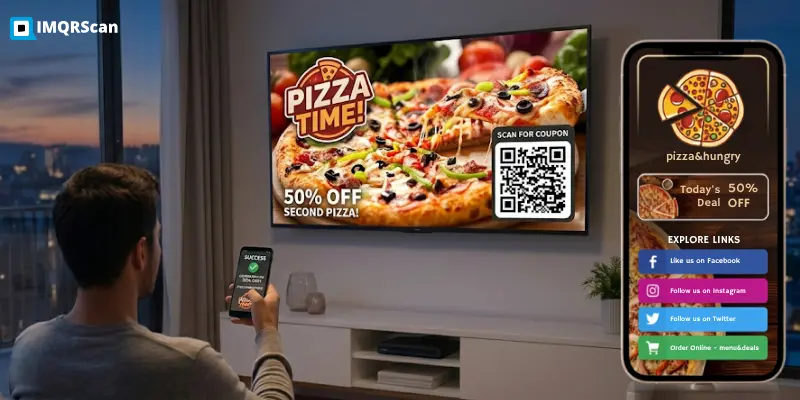
Devices Supported
IMQRScan QR codes are made to look and scan perfectly on a variety of screens.
IMQRScan QR codes can be displayed on major smart TVs and digital screens, including Samsung, LG, Sony, Android TV, Google TV, Fire TV, Roku, Apple TV and Chromecast displays.
Suitable for large format advertising screens, LED showroom screens, outdoor digital billboards and interactive kiosks in airports, shopping centers and museums.
They are also suitable for projectors in classrooms, conference rooms and event spaces. Any screen, any size, anywhere.
Tips for Better TV QR Code Scanning Performance
Not all QR codes perform equally on television screens. Follow these best practices to maximize scan rates and viewer response for your TV QR code campaigns:
Size and Contrast Matter
Make the QR code large enough to scan from the expected viewing distance. A good rule is to use around 15 to 20 percent of the screen area. Use dark QR modules on a white or light background for reliable scanning. For detailed sizing advice, read our minimum QR code size guide.
Timing and Placement
Keep your QR code visible for at least 10 seconds and place it in a clean, uncluttered area of the screen. Avoid fast movement, busy backgrounds and low-contrast overlays.
Use Dynamic and Optimized Codes
Dynamic QR codes let you update the destination URL anytime without changing the code on screen. Always link to a fast-loading, mobile-optimized page for the best viewer experience.
Television QR Codes for Modern Marketing
Television advertising has shifted from one-way broadcasting to direct digital engagement. Viewers today are holding smartphones in their hands while they’re watching TV. Smart brands are leveraging that second screen habit with QR codes on TV to turn that into measurable conversions. For broader campaign planning, read our guide on QR code advertising.
Just a simple scan on a television screen QR code drives clicks, purchases, app downloads and sign-ups instantly.
IMQRScan provides everything from a local restaurant QR code on a smart TV to a national brand running QR code advertising on TV, generation, tracking and real-time analytics all in one platform.
Dynamic TV QR codes let you change destinations on the fly, even after your campaign is live. No on-screen changes required. If you are comparing tools, see our best QR code generator guide.
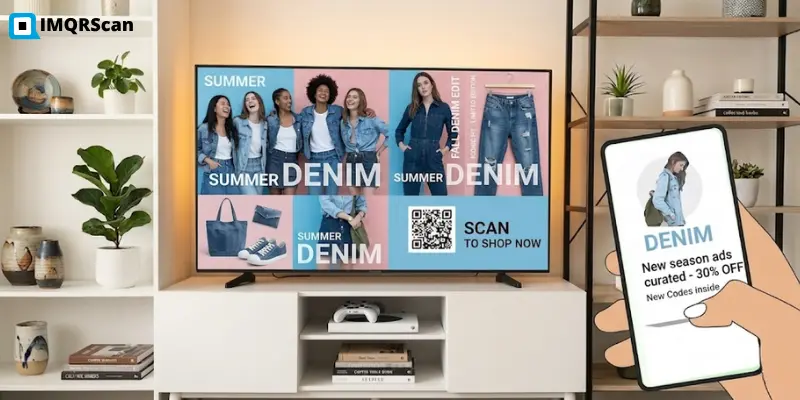
Create Your Television QR Code Today
Stop with the URL overlays. Give viewers a one-scan path to your offer and track every response in real time. Used by businesses, marketers and creators to create branded, trackable TV QR codes. Start free today, no credit card required.
Frequently Asked Questions
About QR Codes for Television and Commercials
Everything you need to know about TV QR codes, scan tracking, screen size, safety and dynamic QR campaigns.
More Marketing QR Code Use Cases
Explore more ways to use QR codes across print, apparel, physical branding, events and offline marketing campaigns.
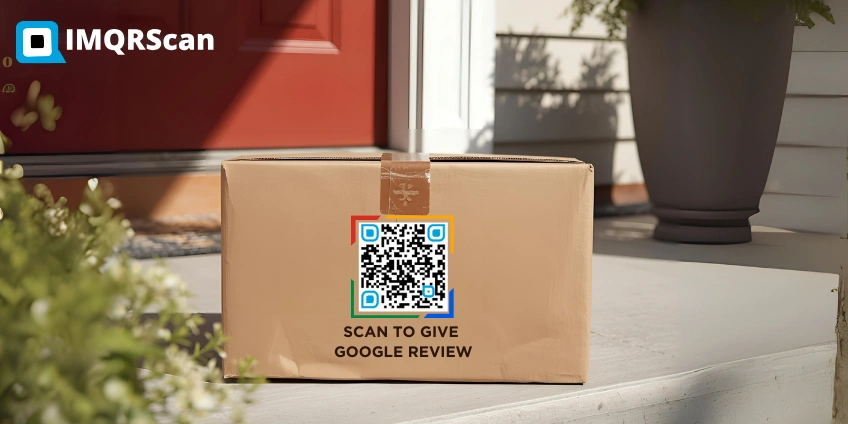
QR Code Stickers
Create printable QR code stickers for packaging, product labels, reviews, events and offline promotions.
Read Guide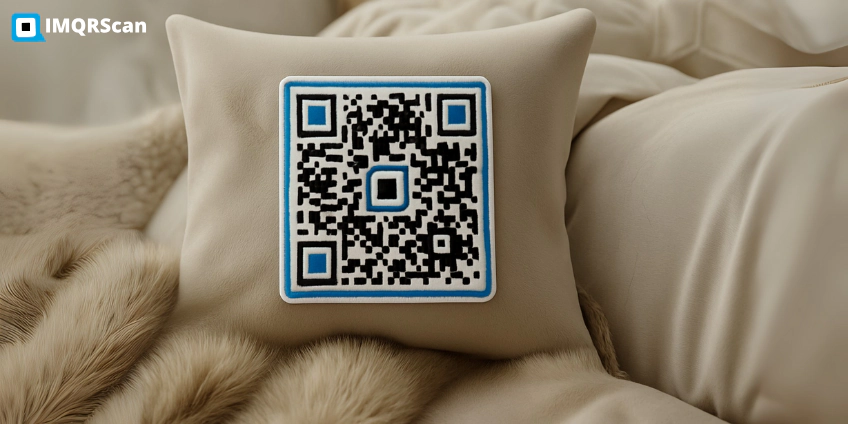
QR Code Patches
Use QR code patches on uniforms, backpacks, pillows, clothing and branded merchandise to connect offline items online.
Read Guide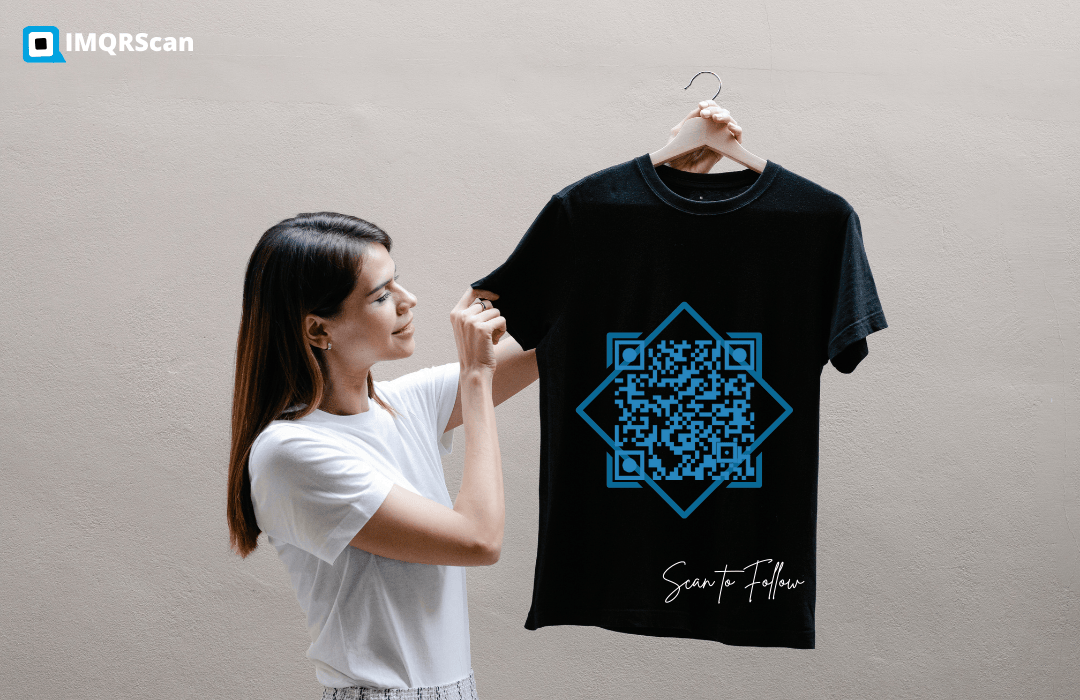
QR Code for Shirt
Turn T-shirts into scannable marketing tools for events, creators, brands, promotions and social media campaigns.
Read Guide
Custom Wooden QR Codes
Create premium wooden QR codes for restaurants, hotels, business cards, counters, displays and eco-friendly branding.
Read Guide