How to Use Instagram QR Codes for Influencer Marketing
A Complete Business Guide (2026)
By IMQRScan Team · Updated July 14, 2026 · 18 min read
Direct Answer
Influencers can use Instagram QR codes to turn offline attention into profile visits, Reel views, giveaway entries, direct messages, and sponsor engagement. The strongest campaigns use a dynamic QR code, one clear call to action, a mobile-friendly destination, and separate scan tracking for each placement.
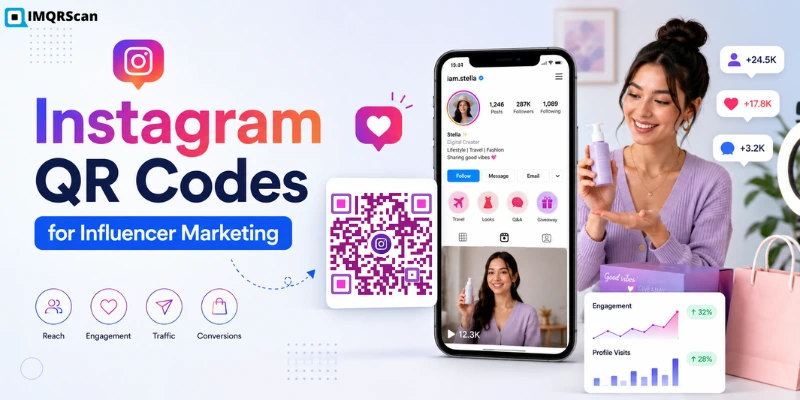
Table of Contents
Create an Instagram QR Code
Build a branded QR code for your Instagram profile, Reel, giveaway, sponsored post, or campaign page.
Open Instagram QR GeneratorMany influencers still overlook QR codes because they associate them with restaurant menus rather than polished creator campaigns. That is part of the opportunity. Relatively few creators use QR codes as part of a measured campaign, which means the creators who do end up standing out at exactly the moments that matter: a pop-up table, a stack of printed cards, a product box sitting on someone's kitchen counter. One scan and they're on your profile. No typing your handle wrong, no giving up halfway through a search.
What Is Instagram QR Code Marketing?
Influencers and businesses place these codes on packaging, event displays, merchandise, media kits, posters, and printed promotions. One scan can take someone directly to the campaign destination without making them search for a username or type a long link.
Instagram’s built-in profile QR code works well for simple profile sharing. A custom dynamic QR code is more useful for marketing campaigns because it can support branded designs, editable destinations, separate campaign placements, and scan tracking.
Why Influencers and Creator Businesses Actually Need This
Here's the thing about Instagram growth right now, a huge chunk of it doesn't happen inside the app anymore. It happens at a meetup, mid-collab, on a product's packaging, in a podcast studio. The gap has always been between someone noticing you offline and that same person actually opening Instagram and hitting follow. Most people never close that gap on their own; a QR code closes it for them.
For anyone treating this as an actual business rather than a hobby, a few things make QR codes genuinely worth the setup time:
- People forget usernames constantly. They misspell them, give up mid-search, or just get distracted and move on.
- Attention earned at an event, through a product, or from a printed card needs a simple bridge back to Instagram, and typing out a URL is friction most people won't push through.
- Sponsors often ask for proof. Scan counts, approximate locations, device data, and campaign results can make a media kit more credible than estimates.
Where Influencer Businesses Are Actually Using This
1. Bio Link & Profile QR Codes
On a business card, a tote bag, an event badge, basically anywhere someone's standing near you with a phone already in hand. They scan, they land on your profile, done. Nobody has to remember how your username is spelled.
2. Giveaways and Contests
Put a code on a poster or drop it into a story slide, and the "I'll enter later" excuse mostly disappears. Most giveaway entries die right there, in the gap between seeing the post and actually opening the app to go find it again.
3. Collab and Sponsorship Proof
Some creators drop a QR code straight into a sponsored post or an unboxing video, pointing back to the brand's page. Doubles nicely as proof you delivered what the contract actually said you would.
4. Offline Events and Pop-ups
A merch table or a photo booth with a code taped up somewhere visible turns foot traffic into followers, without you having to awkwardly ask every single person for their handle.
5. Product Packaging
If you sell physical products such as skincare, prints, or merchandise, adding a code to the packaging linking to an unboxing Reel or a quick review prompt costs nothing and barely adds a step for the buyer.
6. Podcast and YouTube Crossover
Flash it on screen mid-episode and whoever's watching can jump platforms without pausing to type a single character into their phone.
7. Media Kits and Press Materials
A media kit normally explains your audience, reach, past work, and contact details. A QR code can make it more useful.
Instead of listing a long Instagram address, add a code that opens:
- Your Instagram profile
- A portfolio Reel
- A sponsored content example
- A creator landing page
- A collaboration request form
This works well in both printed and PDF media kits.
A brand manager can scan the code and see your work without typing your username or searching for the correct account.
For a general media kit, link to your profile or creator portfolio. For a brand-specific proposal, link to content that matches that brand’s industry.
8. Creator Workshops and Speaking Events
Creators often speak at workshops, conferences, training sessions, and community events.
A QR code can help attendees open your Instagram account while you are still speaking.
Place it on:
- Presentation slides
- Workshop handouts
- Event badges
- Registration desks
- Feedback forms
- Final presentation screens
Do not show the code for only a few seconds. Keep it visible long enough for people to unlock their phones, open the camera, and scan it.
Your call to action should match the session.
Examples include:
- “Scan to Get the Workshop Notes”
- “Scan to Follow for More Tips”
- “Scan to Watch the Full Tutorial”
- “Scan to Ask a Question”
- “Scan to Download the Checklist”
You can also direct people to a specific Reel that summarizes the main lesson from your talk.
9. Sponsored Campaigns
A trackable Instagram QR code can help connect an offline sponsored campaign to a digital result.
For example, a creator might place a sponsor’s QR code on:
- Event displays
- Product packaging
- Printed cards
- Pop-up shop signs
- Giveaway materials
- Product samples
- Unboxing inserts
- Workshop handouts
The code can open a sponsored Reel, campaign post, product page, giveaway page, or brand profile.
Create a separate code for each placement. Do not use one code for every poster, box, and table card.
Separate codes help you see which placement produced the most scans.
For example:
EVENT-ENTRANCEMERCH-TABLEPRODUCT-BOXCREATOR-MEDIA-KITWORKSHOP-SLIDE
These names can be used inside your campaign dashboard or reporting sheet.
Which Instagram Destination Should You Use?
The QR code destination should match one clear campaign goal.
Do not automatically link every code to your Instagram profile. A specific Reel, giveaway post, or campaign page may produce a better result.
| Campaign goal | Recommended destination | Suggested call to action |
|---|---|---|
| Gain followers | Instagram profile | Scan to Follow |
| Promote a product | Product Reel or post | Scan to See It in Action |
| Run a giveaway | Giveaway post | Scan to Enter |
| Start conversations | Contact or direct-message link | Scan to Message Me |
| Show sponsored content | Sponsored Reel or post | Scan to Watch |
| Share several accounts | Multi-link page | Scan to Explore |
| Promote changing campaigns | Dynamic campaign URL | Scan for the Latest Offer |
| Collect leads | Mobile landing page or form | Scan to Join |
| Share workshop resources | Download or resource page | Scan to Get the Notes |
How to Build a Trackable Influencer QR Campaign
A useful QR campaign needs more than a working code. It needs a clear goal, a strong destination, and a simple way to measure results.
Step 1: Set One Campaign Goal
Decide what you want people to do after scanning.
Your goal could be:
- Visit your Instagram profile
- Follow your account
- Watch a sponsored Reel
- Enter a giveaway
- Open a product page
- Send a message
- Join an email list
Avoid combining several goals in one campaign.
“Follow me, watch this video, visit the sponsor, and join the giveaway” gives people too many choices.
Choose one main action.
Step 2: Select the Right Destination
Match the destination to the campaign goal.
Use your profile for general follower growth. Use a specific post or Reel for a promotion. Use a landing page when you need stronger conversion tracking.
Test the link in a private browser before using it. This helps you confirm that the destination is public and works for people who are not signed in.
Step 3: Create a Dynamic QR Code
A static QR code contains the final destination inside the code. You cannot change that destination after printing.
A dynamic QR code uses an editable redirect. You can update the final destination without changing the printed QR image.
This is useful for influencer campaigns because:
- Sponsor links can change
- Giveaway periods can end
- Old Reels may become less relevant
- Products can sell out
- Campaign pages may be replaced
- Printed materials may remain in use for months
For campaign work, an editable destination reduces the risk of wasting printed materials.
Step 4: Add Campaign-Specific Tracking
Create a separate trackable QR code for each campaign or placement.
For example, do not use the same code for a product box and a trade show banner. Those placements serve different audiences.
Use clear campaign names, such as:
- Summer Giveaway Poster
- Podcast Episode Screen
- Influencer Event Table
- Product Packaging Insert
- Sponsor Media Kit
You can also add campaign parameters to a landing-page URL when using a compatible analytics platform.
Step 5: Design the Placement and Test the Full Experience
Design the placement around the campaign message. Add one clear call to action, place the code where the audience has time to scan, and keep the surrounding design simple. For detailed guidance on contrast, print size, file formats, and scannability, see the Instagram QR Code Generator page. Test more than the QR image. Test a printed sample before ordering a large batch.
Step 6: Measure and Improve
Review the campaign while it is active.
Check which placements receive scans and which ones are ignored.
A table sign may work better than a flyer. A product insert may work better than the outside of the box. A benefit-based call to action may work better than “Scan Me”.
Use this information to improve your next placement.
How to Measure an Instagram QR Code Campaign
Tracking helps you understand whether people noticed the code and interacted with it.
Some metrics may come from your QR code dashboard. Others may require a landing-page analytics tool, Instagram Insights, an ecommerce platform, or a campaign form.
Total Scans
Total scans show how many scan events were recorded.
One person may scan more than once, so total scans do not always represent the number of individual people.
Use total scans to compare:
- Different placements
- Different event days
- Different calls to action
- Different printed materials
Unique Scans
Unique scans estimate how many separate scanners interacted with the code.
Only report this metric when your QR analytics system provides it. Do not describe total scans as unique people.
Unique scans can give sponsors a clearer view of campaign reach.
Scan Location
Location data can help show where people interacted with a campaign.
For example, you may find that most scans came from:
- One event venue
- A specific city
- A retail store
- A conference hall
- A product launch area
Location information is normally approximate. It should not be presented as a scanner’s exact address.
Scan Time
Scan time helps you identify when engagement was highest.
For an event campaign, you may see more scans:
- Before a session
- During a product demonstration
- At lunch
- After a creator talk
- Near the end of the event
This can help you decide when and where to display the code next time.
Device Category
Device information may show the type of phone or operating system used to scan the code.
This can help you test the campaign experience across common devices.
It is usually a technical quality metric, not proof of campaign success.
Placement Name
Placement tracking is one of the most useful parts of a QR campaign.
Create separate codes for:
- Posters
- Table cards
- Packaging
- Media kits
- Event slides
- Badges
- Flyers
You can then compare scan performance without guessing where the traffic came from.
Landing-Page Visits
A scan and a completed page visit are not always the same.
A person may scan the code but close the page before it loads. Use website analytics when you need to confirm landing-page visits.
A simple campaign funnel may look like this:
- QR code displayed
- QR code scanned
- Landing page opened
- Instagram link selected
- Campaign action completed
Instagram Actions
Instagram actions may include:
- Profile visits
- New followers
- Reel plays
- Likes
- Comments
- Saves
- Messages
QR analytics alone may not prove which scanner completed each Instagram action.
Compare the scan report with Instagram Insights during the same campaign period. Present the connection as a campaign comparison unless you have direct attribution.
Cost per Scan
Cost per scan tells you how much the campaign cost for each recorded scan.
Use this formula:
Example:
A campaign costs $150 and produces 300 scans.
$150 ÷ 300 = $0.50 per scan
Campaign Conversion Rate
A conversion is the final action you want people to complete.
It could be:
- A giveaway entry
- A form submission
- A purchase
- A booking
- A newsletter signup
- A coupon claim
Use this formula:
Example:
A campaign receives 200 landing-page visits and 40 giveaway entries.
40 ÷ 200 × 100 = 20% conversion rate
How Influencers Can Report QR Results to Sponsors
A sponsor report should be clear and honest.
Do not send a large dashboard screenshot without explaining what the numbers mean.
Start with:
- Campaign goal
- Campaign dates
- QR code destination
- Placement locations
- Total campaign cost
- Main results
- Lessons for the next campaign
Example Sponsor Report
The following results are only an example. They do not represent a real IMQRScan or influencer campaign.
| Metric | Illustrative result |
|---|---|
| Printed items distributed | 1,000 |
| Campaign cost | $100 |
| Total scans | 176 |
| Unique scans | 143 |
| Landing-page visits | 129 |
| Giveaway entries | 42 |
| Cost per total scan | $0.57 |
| Cost per unique scan | $0.70 |
| Landing-page conversion rate | 32.6% |
In this example:
- Cost per total scan is $100 ÷ 176
- Cost per unique scan is $100 ÷ 143
- Conversion rate is 42 ÷ 129 × 100
The campaign generated 176 scans from 1,000 packaging inserts. Most scans happened during the first three days after delivery. The giveaway produced 42 entries from 129 tracked landing-page visits.
The “Scan to Enter” packaging insert performed better than the general “Follow Us” card. The next campaign should use the giveaway message across all printed placements.
What QR Campaign Results to Include in a Media Kit
After completing several campaigns, add a short QR campaign section to your media kit.
You may include:
- Average scans per campaign
- Best-performing placement
- Previous campaign conversion rate
- Main audience location
- Example sponsor result
- A short case study
Do not combine unrelated campaigns in a way that makes one campaign look larger than it was.
When Should Influencers Use a Trackable Campaign QR Code?
Instagram’s built-in profile QR code is suitable for simple profile sharing. A trackable QR code for campaign is more useful when you need to change the destination, compare different placements, or report scan activity to a sponsor.
Influencer QR Campaign Placement Strategy
A well-designed QR code can still fail if it is placed in the wrong location.
Add One Clear Call to Action
Do not use a QR code without context.
Examples include:
- Scan to Follow
- Scan to Watch the Reel
- Scan to Enter
- Scan to Get 10% Off
- Scan to View the Collection
- Scan to Download the Guide
Tell people what they will receive or where the code will take them.
Place It Where People Can Pause
Good QR code locations allow people to stop and scan safely.
These include:
- Checkout counters
- Waiting areas
- Event tables
- Product boxes
- Workshop slides
- Store windows
- Reception desks
A fast-moving vehicle, crowded walkway, or short video frame may not give people enough time.
Use a Mobile-Friendly Destination
Most scans happen on phones.
The destination should:
- Load quickly
- Fit a mobile screen
- Show the main action near the top
- Avoid large pop-ups
- Use readable text
- Open without unnecessary steps
Test it on mobile data, not only on fast Wi-Fi.
Create One Code per Placement
A separate code for each placement gives you better reporting. For example:
| Placement | Code name |
|---|---|
| Event entrance poster | EVENT-ENTRANCE |
| Product box insert | PACKAGING-INSERT |
| Creator workshop slide | WORKSHOP-SLIDE |
| Media kit | MEDIA-KIT |
| Merchandise table | MERCH-TABLE |
This lets you see which location created real engagement.
Test Before and During the Campaign
Test the final printed or displayed version.
Do not rely only on the preview inside the generator.
Check the code:
- Before printing
- After printing
- After placing it at the venue
- After changing a dynamic destination
- During a long campaign
Test each placement during the campaign and confirm that the destination, tracking, and call to action still work correctly.
Common Influencer QR Campaign Mistakes
Using the same code for every placement
You cannot tell whether the poster, product box, event table, or media kit generated the scan.
Running a campaign without one main goal
Decide whether you want followers, Reel views, messages, entries, leads, or purchases.
Using a vague “Scan Me” message
Explain what the scanner will receive, such as “Scan to Enter” or “Scan to Watch.”
Printing a static code for a changing campaign
A giveaway, product link, or sponsor destination may change before the printed material is removed.
Reporting scans as followers or sales
A scan shows interaction with the QR code. It does not automatically prove a follow, purchase, or completed entry.
Skipping the sponsor reporting plan
Agree on the metrics, campaign dates, placements, and conversion goal before the campaign begins.
Final Thoughts
QR codes aren't flashy, and they're not going to rescue a marketing plan that has nothing else going for it. But for creators who already have some offline presence, events, merch, packaging, whatever it is, they close a gap that would otherwise just quietly bleed followers. The difference between a code that actually does something and one that just sits there ignored usually comes down to two things: making it dynamic and trackable instead of relying on Instagram's basic version, and putting one clear line of text next to it so people know what happens when they scan.
Ready to Build Your Influencer QR Campaign?
Create a custom Instagram QR code for your profile, Reel, giveaway, sponsored post, or campaign page. With IMQRScan, you can add your branding, use an editable destination, and track campaign scans by placement.
Create Your Instagram QR CodeFrequently Asked Questions
Practical answers about Instagram QR code marketing, influencer campaigns, sponsor reporting, scan tracking, and campaign placement.
Ready to create a trackable Instagram QR code for your next campaign?
Create Your Instagram QR CodeRelated Instagram and QR Code Guides
Create, customize, track, and improve QR codes for Instagram and social media campaigns.
Instagram QR Code Generator
Create a custom Instagram QR code for your profile, post, Reel, Story, giveaway, or creator campaign.
Open Tool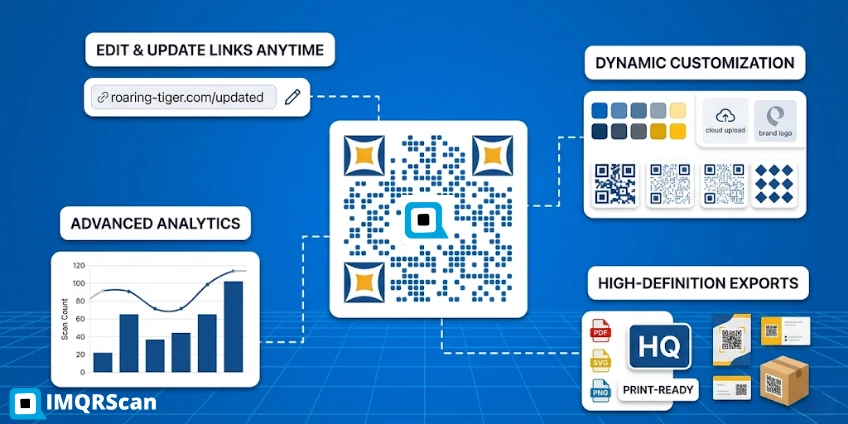
Dynamic QR Code Generator
Use an editable QR code for sponsor links, changing offers, giveaways, events, and long-running campaigns.
Open Tool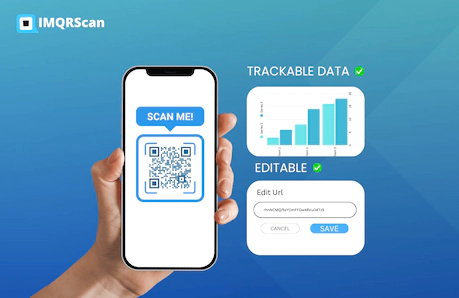
QR Code Tracking
Learn how scan counts, placement names, locations, devices, and campaign timing support better reporting.
Read Guide
QR Code Marketing
Explore practical ways to connect physical placements with mobile content, offers, tracking, and conversions.
Read Guide