Free Skype QR Code Generator for Calls and Chats
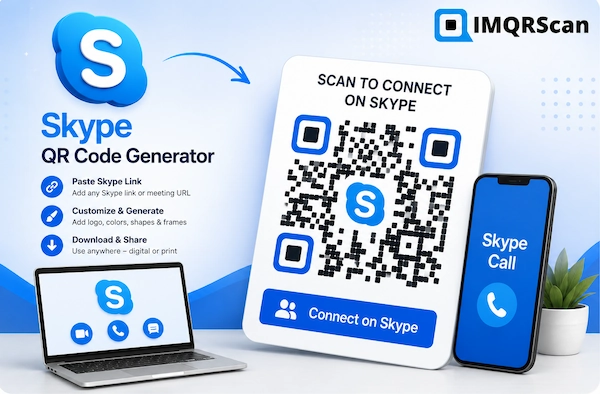
Use the Skype QR Code Generator to turn your Skype name into a scannable QR code. Enter the Skype name, choose Call or Chat, customize the code, test it, and download it for digital or print use. For a full meeting or Teams link, use the URL QR code generator.
Important Skype Status
Consumer Skype was retired on May 5, 2025. Microsoft moved users toward Microsoft Teams Free. This page can still create a Skype link from your Skype name, but it cannot restore a retired Skype service or guarantee that the call or chat opens on every phone.
Quick Answer
A Skype QR code stores a skype: link built from your Skype name, set to Call or Chat. When someone scans it, the phone tries to open Skype. It works only where an app still handles skype: links, so test it first.
What Is a Skype QR Code Generator?
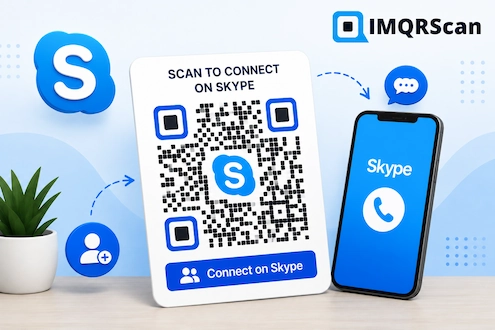
A Skype QR Code Generator turns a Skype name into a skype: link, set to start a call or open a chat, and stores it inside a QR code. A user scans the code to open that action on a phone or another supported device.
The QR code itself does not contain a live call. It contains text, a link such as skype:yourname?call. The receiving device decides what to do with that link.
In the past, people used Skype links for contact requests, calls, chats, and meeting invitations. Since consumer Skype has been retired, a phone may have no app that opens a skype: link, or the link may open a different app than expected.
This makes testing very important. Scan the finished code on both an iPhone and an Android phone before you share or print it.
Does Skype Still Work in 2026?
Consumer Skype does not operate as it did before. Microsoft retired it on May 5, 2025 and directed users to Microsoft Teams Free.
What this means for a Skype QR code
- A saved QR code image can still be scanned.
- The Skype link inside it may no longer perform the expected action.
- A browser or Microsoft page may show a migration or retirement message.
- Skype for Business is a separate product and should not be confused with consumer Skype.
- A current Teams link is a safer choice for a new campaign.
Best option for new use
For a new meeting, contact, community, or chat campaign, create a QR code for an official Microsoft Teams sharing link instead.
A Teams QR code works as a normal URL QR code. Copy the official link, paste it into the URL QR code generator, create the code, and test it.
Create Teams Link QR CodeHow to Use the Skype QR Code Generator
Follow these steps to turn a Skype name into a Skype QR code that starts a call or opens a chat.
Find Your Skype Name
Use your Skype name, not your display name. It is the account ID shown in your Skype profile, and for Microsoft accounts it often starts with live:.
Choose Call or Chat
Pick Call to start a voice call or Chat to open a conversation. The generator builds the link, such as skype:yourname?call, for you.
Enter the Skype Name
Type the Skype name into the generator above without spaces. Check every letter, dot, and dash, because one wrong character opens the wrong account.
Pick Direct or Smart Code
A Direct code opens the Skype link straight away. A Smart code opens a short page with an Open Skype button, can be edited later, and counts scans.
Customize the Design
Choose a dark pattern, light background, small logo, suitable frame, and short call to action such as Scan to Connect.
Scan and Test
Test the code on an iPhone and an Android phone. Since consumer Skype was retired, check that an installed app really opens the call or chat.
Download the File
Click Download QR code and save it as PNG for websites and social posts, or SVG for sharp print. Downloading needs a free IMQRScan account.
Test the Final Placement
Scan the code again at its real size, distance, lighting, screen position, or printed location before publishing it.
Quick Answer: Creating a Skype QR Code
Enter your Skype name, choose Call or Chat, pick a Direct or Smart code, customize it, scan-test the Skype QR code on two phones, and download it as PNG or SVG.
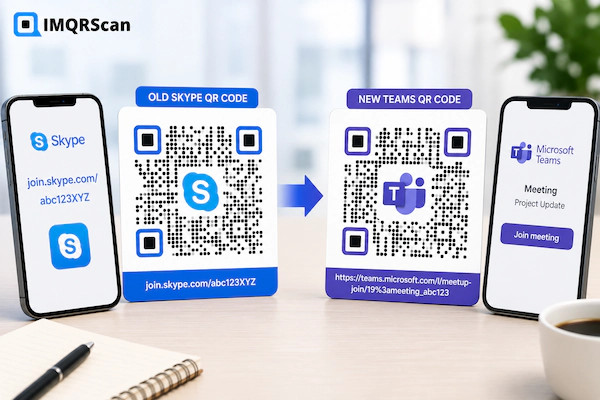
Old Skype Link vs Current Teams Link
| Point | Skype link | Current Microsoft Teams link |
|---|---|---|
| Consumer service status | Retired since May 5, 2025 | Current Microsoft communication option |
| Can a QR code store it? | Yes, as a skype: call or chat link | Yes, when it is a valid URL |
| Expected reliability | May fail or open nothing | Better for a new campaign |
| Best use | Contacts who still use a Skype-compatible app | New meetings, profiles, chats, or communities |
| Recommended QR type | Smart code, so you can edit it later | Direct or Smart code, based on campaign needs |
| Main action | Verify before publishing | Copy the official sharing link and test it |
Can You Generate a QR Code with a Skype ID?
Yes. A Skype ID, also called a Skype name, is all the generator needs. It builds a skype: link from the name and the action you choose, so you do not need to find or paste a full URL.
The link only works where a Skype-compatible app still opens skype: links. Test the finished Skype QR code before you print it.
Use this check:
- Copy your Skype name from your Skype profile.
- Confirm it is the Skype name, not the display name.
- Choose Call or Chat.
- Create the QR code.
- Scan the finished code on another device.
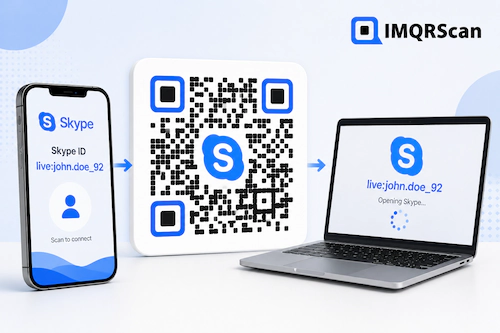
How to Scan a Skype QR Code
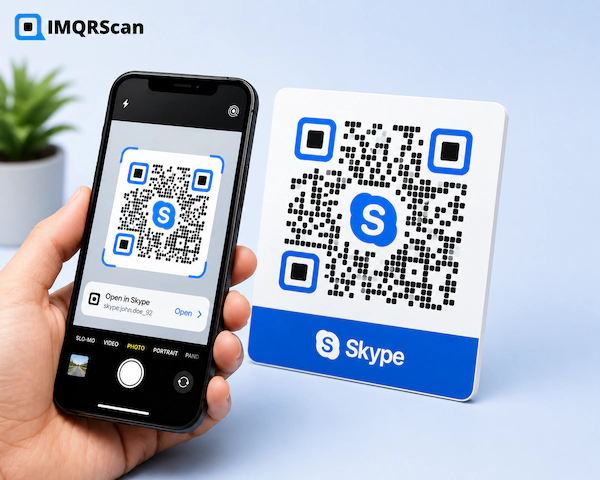
- Open the camera app on your iPhone or Android phone.
- Point the camera at the full QR code.
- Wait for the link notification to appear.
- Read the Skype name in the link before tapping it.
- Open the destination only when it looks correct.
- Close the page if it asks for unexpected payment, passwords, recovery codes, or personal data.
You do not need a special Skype QR code scanner. Most modern phone cameras can read it.
Skype Login QR Codes and Sign-In Safety
Search phrases such as “Skype QR code login” and “Skype sign in with QR code” can lead users to unsafe or outdated pages.
Safer behavior
- Use Microsoft’s official sign-in screen.
- Check the domain before entering a password.
- Use account security features offered by Microsoft.
- Review the action shown after scanning.
- Report suspicious QR codes or pages.
Risky behavior
- Scanning an unknown login QR code from a message.
- Entering a password on a misspelled domain.
- Sharing one-time security codes.
- Approving an unexpected sign-in request.
- Assuming a Microsoft logo proves a page is genuine.
Skype QR Code Generator Options
You can control the design and output of the QR code while keeping the Skype link unchanged.
| Option | What it does | Best practice |
|---|---|---|
| Call or Chat | Sets what the scan opens | Choose Call for support lines, Chat for casual contact |
| Direct code | Stores the Skype link in the QR pattern | Use only for a tested, permanent Skype name |
| Smart code | Uses an editable short link and counts scans | Best for printed material you may update later |
| Logo | Adds a small image in the center | Keep it simple and test the result |
| Colors | Matches the code to a campaign | Use a dark pattern on a light background |
| Frame text | Explains why someone should scan | Use “Scan to Call” or “Scan to Chat” |
| PNG | Creates a common image file | Use for websites, email, and social media |
| SVG | Supports sharp print output | Use for cards, posters, signs, and packaging |
Real Example: Replacing an Old Skype QR Code
A consultant printed a Skype contact QR code on business cards in 2024. After Skype retired, the code still scanned, but the old link no longer gave new clients a clear way to connect.
The consultant created a Microsoft Teams meeting link and a contact page with email, phone, and LinkedIn details. Then the consultant used a dynamic QR code for the new cards.
- Copied the current Teams or contact-page link.
- Pasted it into the URL QR code generator.
- Added a small business logo.
- Used a dark blue pattern on a white background.
- Added the frame text “Scan to Connect.”
- Tested the code on two phones.
- Downloaded an SVG file for printing.
The dynamic option gives the consultant flexibility. If the preferred contact tool changes again, the destination can be updated without changing the QR image.
Where Can You Use a Skype Link QR Code?
These placements can still support a tested Skype link, but a current Teams or contact-page link is usually better for new material.
Business Cards
Link to a current contact page, Teams profile, booking page, or tested Skype name.
Email Signatures
Add a small QR code for mobile users who want to start a call or chat with you.
Event Badges
Use a current connection link and clear text that explains what opens after scanning.
Resumes and Portfolios
Connect recruiters to a contact page rather than an unsupported account command.
Presentations
Let attendees scan a tested meeting, follow-up, resource, or contact link.
Office Signs
Share a support, reception, booking, or Teams meeting destination.
Social Profiles
Publish a QR code that opens one current profile or a multi-link page.
Support Material
Direct users to a live help channel rather than an old Skype contact method.
Common Skype QR Code Mistakes
Using the display name
Your display name is not your Skype name, so the code opens the wrong account or nothing at all.
Assuming old links still work
Consumer Skype retirement changed how many old links and actions behave.
Printing without testing
A code can scan correctly while the destination itself is broken or outdated.
Using a Direct code for a changing service
You cannot replace the link inside a printed Direct code. Use a Smart code instead.
Creating unofficial login codes
Sign-in QR codes can expose users to phishing when the destination is not official.
Making the code too small
Small codes may fail on business cards, labels, screens, or low-quality printers.
Using weak contrast
Light colors, busy images, or missing quiet space can reduce scan success.
Hiding the destination purpose
Add clear text so users know whether the code starts a call, opens a chat, or opens a page.
Static vs Dynamic Skype QR Codes
A static QR code, called a Direct code in the generator, stores the Skype link directly. It is simple, but the link cannot be changed after printing.
A dynamic QR code, called a Smart code, points to an editable short link. You can change the Skype name or switch between Call and Chat later, and you can see how often the code is scanned.
| Feature | Direct (static) | Smart (dynamic) |
|---|---|---|
| Change the Skype name later | No | Yes |
| Scan analytics | No | Yes |
| Best for printed material | Higher risk | Recommended |
| Best for quick digital sharing | Yes | Optional |
Useful related tools
Create the QR Code, but Verify the Destination
The Skype QR Code Generator turns your Skype name into a call or chat QR code. Because consumer Skype is retired, every Skype QR code must be tested before use.
- Use the exact Skype name, not the display name.
- Prefer Microsoft Teams or a current contact page for new campaigns.
- Choose a Smart code when the destination may change.
- Use clear contrast and enough empty space around the code.
- Scan the final digital or printed version before sharing it.
What Else Can a Skype QR Code Do?
A Skype QR code opens a call or chat with a Skype contact. IMQRScan adds tools that control when the code works and who can use it.
PIN Protection
Ask for a PIN before the call opens, so only invited people can reach you.
Schedule and Scan Limits
Let your Skype QR code work only for a set period, such as an interview week.
Free Print Templates
Download a free flyer or desk sign with your Skype QR code.
More Tools for Every Skype QR Code
Built-in QR Templates
Ready-made designs with colors, frames, and logo placement set.
Multiple QR Shapes
Dot, corner, and frame shapes that match your brand and still scan.
QR Stickers
Sticker-ready designs for labels, packaging, doors, and windows.
Country Rules
Send each country to a different destination from one code.
Retargeting Pixels
Meta, GA4, Google Ads, TikTok, and LinkedIn pixels on every scan.
Custom Domain
Use your own domain for the short link behind the code.
Team and Users
Invite teammates and give each one a role.
QR Code API
Create and manage codes from your own software.
Free on every plan
- Built-in QR templates
- Multiple QR shapes
- Free print templates
- QR stickers
Free plan includes
- Unlimited static QR codes
- 5 Smart (dynamic) QR codes
- 15 tracked scans
- 14 days of scan analytics
- Bulk creation, 5 per upload
- File uploads up to 5 MB
Professional plan and up
- PIN protection
- Schedule and scan limits
- Country rules
- Retargeting pixels
- QR Code API
- Team management and roles
- Custom domain add-on from Starter ($10/month)
Skype QR Code Generator FAQs
Clear answers about Skype QR codes, scanning, login links, Skype names, and Microsoft Teams alternatives.
Create a Skype QR Code for Your Skype Name
Enter your Skype name, choose Call or Chat, customize the Skype QR code, test it, and download it for digital or print use.
Create QR CodeExplore Related QR Code Tools
URL QR Code Generator
Convert any trusted website, meeting, profile, or contact link into a QR code.
Open toolDynamic QR Code Generator
Change the destination after printing and view supported scan analytics.
Open toolvCard Plus QR Code Generator
Share current contact details without depending on a retired communication app.
Open toolMulti-Link QR Code Generator
Place email, phone, Teams, social profiles, and booking links on one page.
Open tool