Viber QR Code Generator: Turn Your Chat Link Into a Scannable Code
Our free Viber QR code generator turns your Viber number into a QR code people can scan. One scan opens the Viber app straight on your chat. Nobody has to save your number first, and nobody has to type anything.
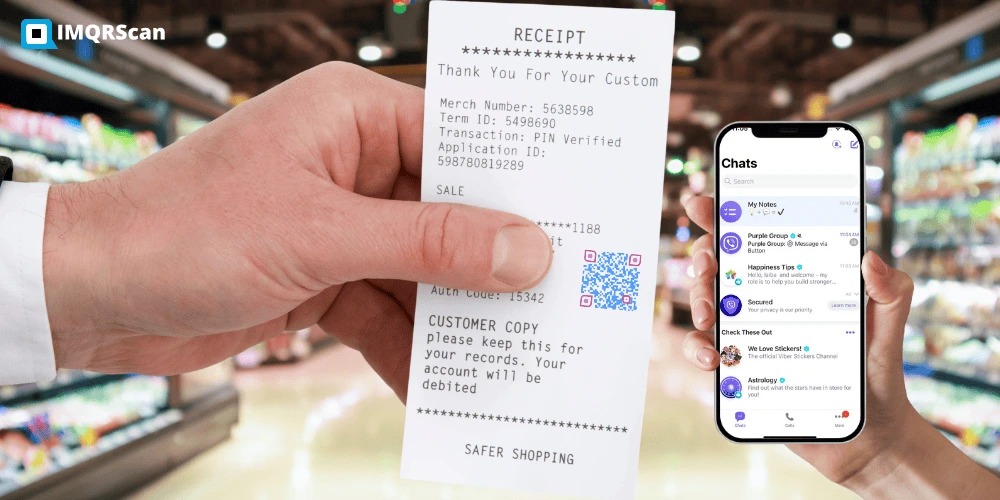
Use it for a one to one chat, a community invite, or a channel invite. Print the code on a flyer, a card, a shop window, or a receipt, and let people start the conversation in a single tap.
- One scan to chat: no contact saving, no typing
- Works for numbers and invites: chats, communities, channels
- Never expires: static codes have no scan limit
- Free forever: free account, no watermark
Quick Answer
A Viber QR code generator turns a Viber number into a scannable code. Scanning it opens the Viber app on that chat, so there is no number to save and no link to type.
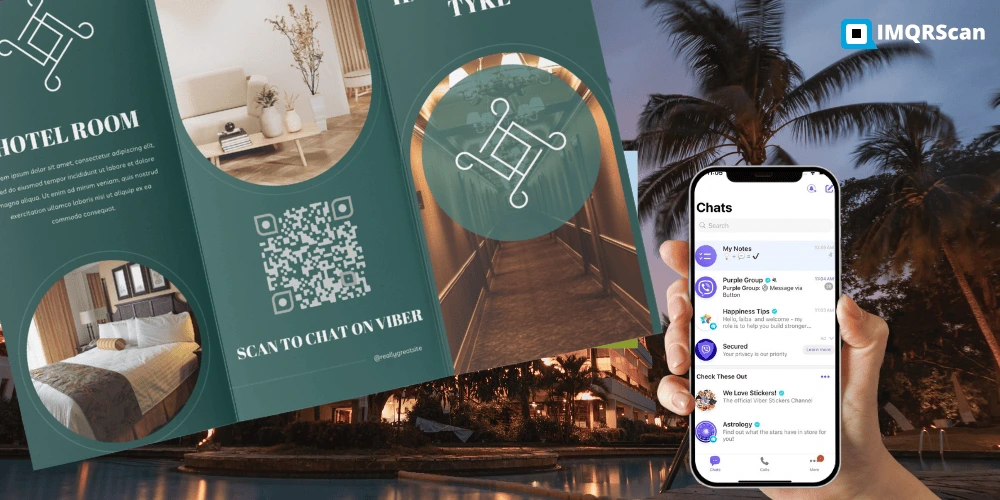
TL;DR: A QR code Viber users scan is really just a Viber link wrapped in a square.
- Holds: a viber link, not your contact card
- Opens: the Viber app on the right chat
- Needs: Viber installed on the scanning phone
What Is a Viber QR Code Generator?
Also searched as qr code viber, code qr viber, viber qr, and viber chat generator.
A Viber QR code generator is an online tool that writes a Viber link into a QR code pattern. When someone scans the code, their phone hands the link to the Viber app, and the chat opens right away.
Think of the QR code as a shortcut. The long, awkward part is the link. The square is just a way to carry that link on paper.
Behind almost every QR code for Viber sits a deep link that looks like this:
viber://chat?number=971501234567
That link tells the phone one thing. Open Viber, and open the chat with this number. Our generator builds the link, cleans up the formatting, and draws the code for you.
Have a community invite, a channel invite, or a Viber Business chat link? Switch to the Website URL tab in the same generator and paste it there.
How a Viber QR Code Works
Three short stages take someone from a printed square to an open Viber chat.
1. A link is built
The generator turns your number or invite into a viber link. Formatting is fixed automatically, so stray spaces and plus signs cannot break it.
2. The link becomes a pattern
That link is drawn as black and white squares called modules. The finished image carries the link wherever you print or post it.
3. Viber opens the chat
A camera reads the modules, the phone recognises the viber scheme, and the Viber app opens on the right conversation.
The scanner needs Viber installed
A viber link only means something to the Viber app. If the person scanning does not have Viber, the phone usually offers to install it, then the chat opens after setup. Add a small Viber icon next to your printed code so people know what to expect.
Four Different Things People Call a Viber QR Code
Most confusion around a QR code for Viber comes from this. Four separate codes share one name, and only two of them are made with a generator.
| Type of Viber QR code | What it does | Who makes it | Expires |
|---|---|---|---|
| Chat QR code | Opens a one to one chat with your number | You, with this generator | No |
| Community or channel QR code | Opens an invite so people can join | You, from a copied invite link | Only if an admin resets the link |
| Personal profile QR code | Lets someone add you as a contact | The Viber app on your phone | No |
| Login or activation QR code | Signs you in to Viber Desktop or tablet | Viber only, on screen | Yes, within seconds |
Use this generator when
- You want customers to message you on Viber
- You need a printed code for a flyer, card, or window
- You want people to join your community or channel
- You want a branded code with your logo and colours
Open the Viber app instead when
- You want your personal profile QR code to add contacts
- You want to scan someone else's code
- You want to sign in to Viber on a computer or tablet
Can Any Tool Generate a Viber Login QR Code?
Quick Answer: No
No website can generate a Viber login QR code, and ours does not either. Login codes are created by Viber itself, are tied to one session, and expire within seconds. Our Viber QR code generator only makes chat and invite codes.
People search for a viber login qr code, a viber web qr code, or a way to activate Viber on a PC. Those all point to the same feature, and it lives inside Viber, not in any generator.
Here is how the real login flow works.
- Install and open Viber Desktop on your computer.
- A QR code appears on the desktop start screen.
- Open Viber on your phone and tap the More tab.
- Tap the QR icon in the top right corner to open the scanner.
- Point the phone at the code on your computer screen.
- Your account activates on the desktop app within a second or two.
Viber also lets you remove old sessions. Open your account settings, find the section for desktop and tablets, and sign out any device you no longer use.
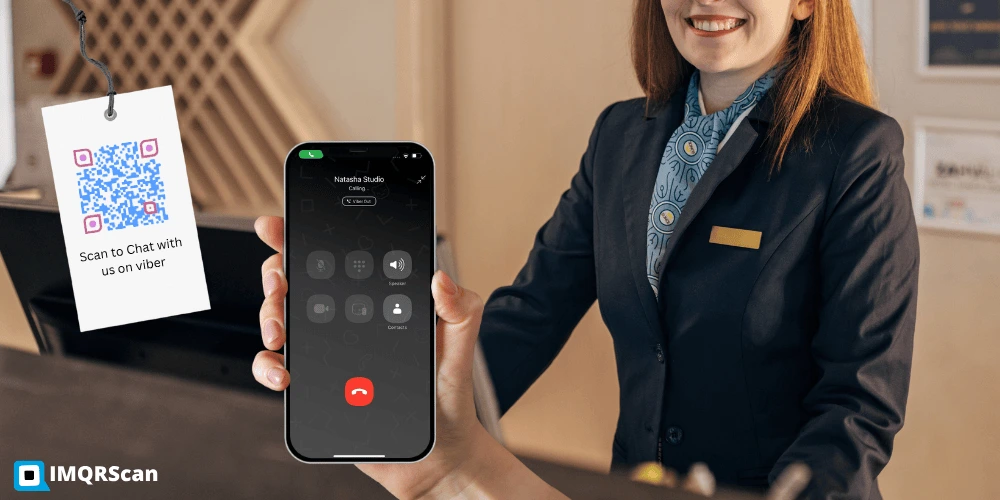
How to Create a Viber QR Code in 6 Steps
The whole job takes about two minutes with the IMQRScan Viber QR code generator.
Open the Generator
Sign in to your free IMQRScan account and open the Viber QR code option from the list of code types.
Choose the Destination
Decide what the code should open. A one to one chat, a community invite, or a channel invite.
Enter Your Number
Type the Viber number with its country code. For an invite link, use the Website URL tab instead.
Style the Code
Add your logo, choose a dark pattern on a light background, and add frame text such as Chat with us on Viber.
Test the Scan
Scan the preview on an iPhone and an Android phone. Check that Viber opens on the right chat every time.
Download and Share
Take PNG for screens and SVG for print. Then place the code where your customers already look.
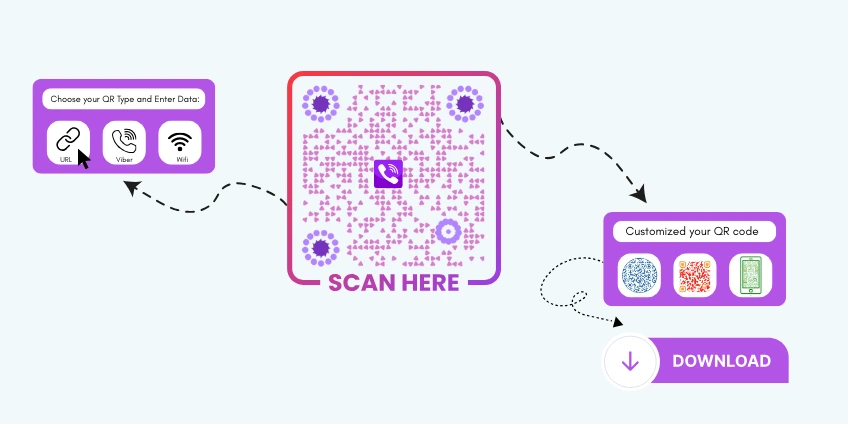
Quick Answer: Creating a Viber QR Code
To generate a QR code for Viber, open the generator, enter your Viber number with its country code, style the code, scan the preview on two phones, then download PNG or SVG.
Viber Link Generator: The Link Inside the QR Code
Every QR code Viber users scan carries a link. If you want to understand what the generator builds, or you need the raw link for a website button, here are the formats that matter.
Open a chat with a number
viber://chat?number=%2B971501234567
Open the add contact screen
viber://add?number=971501234567
Open a Viber bot or public account
viber://pa?chatURI=yourbotname
Number formatting rules
Viber is strict here, and most broken links come from formatting. Follow these four rules and the link works.
- Include the country code. Use 971 for the UAE, 63 for the Philippines, 30 for Greece, 44 for the UK.
- Drop the plus sign. Write 971501234567, not +971 50 123 4567.
- Drop the leading zero. A local number written as 050 becomes 50 after the country code.
- Use digits only. No spaces, dashes, brackets, or dots.
Our generator cleans this up for you. Paste the number however you have it saved and the tool strips the extra characters before building the code.
What you can put in a Viber QR code
How to Make a Viber Community or Group QR Code
A community invite link works in a QR code exactly like a chat link. Viber support even suggests embedding a channel invite link in a QR code.
Copy the invite link
- Open the community, channel, or group in Viber.
- Tap the name at the top to open the info screen.
- Tap Invite, then choose the option to copy the link.
- Paste it somewhere safe, such as a notes app.
Turn it into a QR code
- Open the Viber QR code generator on this page.
- Switch to the Website URL tab and paste the invite link.
- Add your logo and brand colours.
- Test the scan, then download and print.
How to Scan a QR Code on Viber
Viber has its own QR scanner built in. You do not need a separate app, and you do not need the camera app either.
On Android and iPhone
- Open the Viber app.
- Tap the More tab in the bottom bar.
- Tap the QR icon in the top right corner.
- Point the scanner frame at the code.
- Viber reads it and opens the chat, profile, or invite.
Show your own profile code
The same screen shows your personal Viber QR code. Open More, tap the QR icon, and your code appears so someone else can scan it and add you as a contact.
On a computer
Viber Desktop lets you add a contact by QR code using a webcam. Open the contacts area, choose to add a contact, and pick the scan option. If your computer has no camera, open the code on your phone instead.
Using the normal camera app
Any phone camera can read a QR code for Viber made with this generator. iOS 11 and later and Android 9 and later show a tap prompt, and tapping it hands the link to Viber. Viber's own scanner is only needed for personal profile codes.
Why Is My Viber QR Code Not Working?
Work down this list in order. The first three causes explain most failures.
Missing country code
Viber cannot route a bare local number. Add the country code in front, with no plus sign and no leading zero.
Spaces or symbols in the number
Dashes, brackets, dots, and spaces break the deep link. Use digits only after the country code.
Number is not on Viber
The destination number must have an active Viber account. A number without Viber will not open a chat.
Invite link was reset
A superadmin can disable or change a community or channel invite link, which kills every printed code using the old link.
Viber is not installed
The scanning phone needs the Viber app. Without it the link has nothing to open, so the phone offers to install it.
Weak print contrast
Pale colours look fine on a screen and fail on paper. Keep the pattern much darker than the background.
Code printed too small
Below 2 by 2 cm the modules get tiny. Go up to 4 by 4 cm on flyers and 8 by 8 cm on posters.
Logo covering too much
A large centre logo eats into the pattern. Keep it small, and always rescan after adding it.
Real Example: A Bakery That Stopped Losing Orders
A small bakery took most of its custom cake orders through Viber. The problem was the handover. Customers had to read the number off a printed card, type it into their phone, save it, then find it in Viber.
Plenty of them gave up somewhere in the middle.
- The owner made one Viber QR code from the shop number with the country code.
- She added the bakery logo in the centre and kept the pattern dark on white.
- She added frame text reading Order on Viber.
- She tested the code on her own phone and on a member of staff's Android.
- She printed it at 5 by 5 cm on the counter card and 10 by 10 cm on the window.
- She added the same PNG to the shop's social profiles and email signature.
Now a customer points a camera at the window and the chat opens with the bakery already selected. No number to save. No typing.
One lesson came later. She changed her business number the following year and had to reprint everything, because the code was static. A dynamic QR code would have let her swap the number and keep the printed card.
Print size guide
| Where it goes | Minimum size |
|---|---|
| Business card or receipt | 2.5 by 2.5 cm |
| Flyer or table card | 4 by 4 cm |
| Shop window or poster | 8 by 8 cm |
| Banner scanned from 2 metres | 20 by 20 cm |
Keep clear white space around the pattern. More detail in our guide to minimum QR code size.
The Viber QR code generator helped us streamline customer support. Clients can now connect with us instantly by scanning the code from our business cards.
Created a Viber QR code for my personal profile in minutes. The customization options make it look professional.
Where a Viber QR Code Earns Its Place
Viber is a daily habit across the Philippines, Greece, Ukraine, and much of Eastern Europe. Where your customers already live in Viber, a QR code beats a contact form.
Shop Windows
Customers scan from the pavement and message you about stock, prices, or opening hours before they walk in.
Receipts and Packaging
Put support one scan away. Fewer bad reviews start with a customer who could not reach anyone.
Business Cards
Add the code beside your name. People scan and chat instead of typing your number into their contacts.
Flyers and Posters
A printed campaign gains a reply channel. Scanning starts a real conversation, not a form submission.
Community Growth
Print your community invite on event signage so people join the group chat while they are standing there.
Channel Subscriptions
Turn a channel invite into a code for your website footer, newsletter, or product insert.
Delivery and Logistics
Drivers and customers reach each other in one scan without exchanging personal phone numbers on paper.
Events and Booths
Staff badges and stand graphics carry a scannable chat so visitors follow up after they leave.
Want your Viber QR code on staff uniforms, tote bags, or event merch? Print it on durable QR code patches that stay washable, scannable, and on brand.
Static or Dynamic Viber QR Code?
A Direct Viber QR code is free and never expires, but it cannot be changed after printing.
A dynamic Viber QR code carries a short redirect instead. The pattern stays the same forever while you edit where it points, which matters when a number, an invite link, or a campaign changes.
Dynamic codes also count scans, so you can see whether the window sticker or the flyer is doing the work.
Read the wider comparison in our guide to static and dynamic QR codes.
Side by side
| Feature | Static | Dynamic |
|---|---|---|
| Change the number later | ||
| Scan tracking | ||
| Expiry date | Never | Plan based |
| Logo and colours | ||
| Price | Free | From $2.99 a month |
Good Choices vs Risky Choices
Small design decisions decide whether a QR code for Viber gets scanned or ignored. The rules below follow the QR standard published as ISO/IEC 18004 and the guidance from Denso Wave, the company that invented the QR code.
| Good choice | Risky choice |
|---|---|
| Frame text saying Chat on Viber | A bare square with no explanation |
| Country code with digits only | Plus signs, spaces, and dashes |
| Dark pattern on a light background | Light purple on white |
| Small centred logo | A logo covering a third of the code |
| SVG sent to the printer | A screenshot stretched to fit |
| Matte finish on stickers | Glossy laminate that reflects light |
| Tested on two phones first | Printing the full run untested |
| Dynamic code for large campaigns | Static code on packaging you cannot recall |
What You Get Free With the Viber QR Code Generator
Static codes cost nothing to run, because there is no redirect to keep alive. That is why they stay free on a free account.
- Free account with no card required
- Unlimited static Viber QR codes
- No expiry date and no scan cap
- No watermark on any download
- PNG and SVG file formats
- Logo upload with error correction level H
- Custom colours and frame text
Paid plans add the dynamic features that a static code cannot have, such as editing the destination and scan tracking.
Who uses a QR code for Viber
Make the First Message Effortless
A Viber QR code removes every step between seeing your brand and sending you a message.
One Scan to Chat
No number to save, no link to type, no search inside the app.
Never Expires
Static codes keep working with no renewal and no scan cap.
Chats and Communities
One tool covers numbers, invites, channels, and bot links.
On Brand
Add your logo and colours without losing scan reliability.
Best practice: Check the country code, add frame text, then scan the code on two phones before it goes anywhere near a printer.
Ready to Start?
Enter your number, style the code, and download it in under two minutes.
- Unlimited free codes
- Logo and colour options
- PNG and SVG downloads
What Else Can a Viber QR Code Do?
A Viber QR code opens a chat with your Viber number. IMQRScan adds tools that help customer chats reach the right team and region.
Country Rules
Send customers from each country to your local Viber support number from one printed code.
Team and Users
Manage your support team’s Viber QR codes in one account, with a role for each teammate.
Free Print Templates
Download a free counter sign or flyer with your Viber QR code and a chat with us message.
More Tools for Every Viber QR Code
Built-in QR Templates
Ready-made designs with colors, frames, and logo placement set.
Multiple QR Shapes
Dot, corner, and frame shapes that match your brand and still scan.
QR Stickers
Sticker-ready designs for labels, packaging, doors, and windows.
Schedule and Scan Limits
Set start and end dates, or cap the number of scans.
Retargeting Pixels
Meta, GA4, Google Ads, TikTok, and LinkedIn pixels on every scan.
PIN Protection
Ask for a PIN before the content opens.
Custom Domain
Use your own domain for the short link behind the code.
QR Code API
Create and manage codes from your own software.
Free on every plan
- Built-in QR templates
- Multiple QR shapes
- Free print templates
- QR stickers
Free plan includes
- Unlimited static QR codes
- 5 Smart (dynamic) QR codes
- 15 tracked scans
- 14 days of scan analytics
- Bulk creation, 5 per upload
- File uploads up to 5 MB
Professional plan and up
- PIN protection
- Schedule and scan limits
- Country rules
- Retargeting pixels
- QR Code API
- Team management and roles
- Custom domain add-on from Starter ($10/month)
Viber QR Code Generator FAQs
Short answers to what people ask most about making and scanning a QR code for Viber.
Create a Free Viber QR Code Now
Enter your Viber number, add a logo and colours, test the scan, then download PNG or SVG. Free signup and no watermark.
Generate Viber QR CodeExplore Related QR Code Generators
If your customers live on a different app, one of these will fit better.
WhatsApp QR Code
Open a WhatsApp chat with your number and an optional first message ready to send.
Open generatorTelegram QR Code
Send people to your Telegram username, group, or channel in a single scan.
Open generatorBusiness Profile QR Code
Put your whole business profile behind one code, with links, hours, and contacts.
Open generator