WhatsApp QR Code Generator
Create a QR for chat links, numbers, or wa.me URLs. Read More
Tip: Paste the full Zoom invite link, including the ?pwd= passcode parameter, for the smoothest join experience.
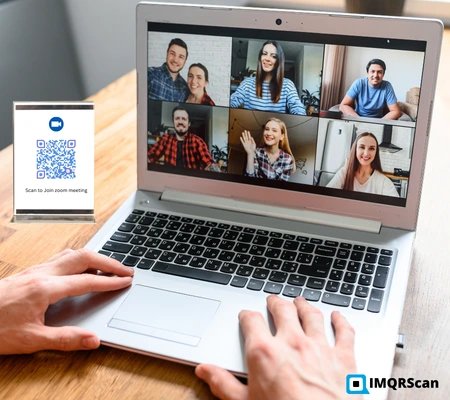
A Zoom QR code is a scannable code that opens your Zoom meeting link instantly. Instead of typing a meeting ID or copying a long URL, attendees scan and join in seconds.
If the QR code is shared publicly, protect your meeting to avoid unwanted participants.
Quick steps to convert any Zoom link into a QR code using IMQRScan. The process is simple and helps attendees access your Zoom meeting quickly without typing long links or meeting IDs.
From Zoom invite → copy the full meeting/webinar URL.
Paste the link, generate the QR code, then optionally add colors/logo.
Download PNG/SVG/JPG and place it on invites, posters, slides, or emails.
Here are common Zoom link formats you can convert into a QR code using IMQRScan.
https://zoom.us/j/1234567890?pwd=abc123
Used for standard Zoom meetings with Meeting ID and passcode.
https://zoom.us/w/9876543210?pwd=xyz789
Used for Zoom webinars where hosts manage attendees.
https://zoom.us/webinar/register/WN_abc123xyz
Used when attendees must register before joining.
Open the QR Code Generator, paste any Zoom meeting, webinar, or registration link, and create a scannable Zoom QR code.
A Zoom QR code works best when you paste the full invite link, not only the meeting ID. The full Zoom link may include the meeting ID, passcode token, webinar path, registration path, or your company Zoom domain.
| Zoom link part | Example | Why it matters |
|---|---|---|
| Meeting join path | https://zoom.us/j/1234567890 |
Opens the Zoom meeting room. |
| Passcode token | ?pwd=abc123 |
Helps attendees join without manually entering the passcode. |
| Webinar registration | https://zoom.us/webinar/register/WN_abc123 |
Sends attendees to the webinar registration page before they join. |
| Personal meeting room | https://zoom.us/my/yourname |
Useful for business cards, coaching calls, sales calls, and recurring personal meetings. |
| Company Zoom domain | https://company.zoom.us/j/1234567890 |
Works for branded or organization Zoom accounts. |
Attendees can join a Zoom meeting by scanning the QR code from a phone camera or QR scanner. The QR code opens the Zoom meeting, webinar, or registration link directly.
If the QR code contains the full Zoom invite link with the passcode token, attendees usually do not need to type the meeting ID or passcode manually.
Choose static (free) or dynamic (tracking + editable) based on your meeting workflow.
| Feature | Free Static Zoom QR | Dynamic Zoom QR (Recommended) |
|---|---|---|
| Change link later | No | Yes |
| Scan tracking | No | Yes (scans, device, location trends) |
| Best for | One-time meetings, fixed links | Recurring meetings, events, printed materials |
A Zoom QR code makes joining effortless, scan, tap, and you’re in. It’s perfect for webinars, classrooms, hybrid events, offices, and printed invites. With IMQRScan, you can create a Zoom QR code in seconds and optionally use a trackable QR code to track scans and update the meeting link anytime.
QR codes are widely used for meetings, marketing, and education. Learn more in our QR code use cases guide.
No more typing long Zoom links or meeting IDs. Attendees simply scan the Zoom meeting QR code and join in seconds, ideal for fast check-ins and busy schedules.
Add a clean, modern touch to invites, posters, and slides. With IMQRScan, you can customize your Zoom QR code with colors and a logo to match your brand. Zoom QR codes are powerful tools in QR code marketing strategies.
Manual entry leads to typos, expired links, and confusion. Scanning a QR code eliminates copy-paste errors and helps attendees land on the correct Zoom meeting every time.
Perfect for flyers, posters, reception desks, email footers, and presentation slides. People can scan while on the go, especially useful for hybrid events and classrooms.
If you change meeting links often (recurring webinars, weekly classes, rotating hosts), a dynamic QR code lets you update the destination without reprinting. You can also view scan analytics to understand engagement.
Instead of repeating or manually sharing a long Zoom meeting link, generate a Zoom QR code and let attendees join instantly with one scan. Whether you are hosting a webinar, classroom session, corporate meeting, or hybrid event, a QR code for Zoom meetings removes friction and simplifies access.
Simply display or share the QR code, and participants can scan it on their mobile devices to join the correct Zoom link within seconds, no typing, no copy-paste errors, and no confusion.
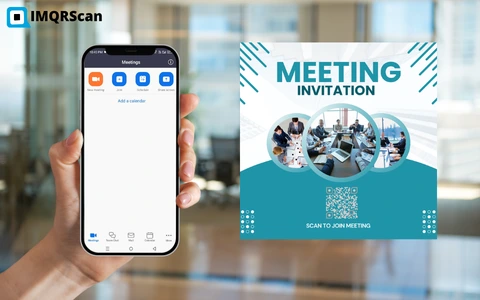
A Zoom meeting QR code is especially useful when organizing large events or managing recurring business meetings. Every attendee is directed to the exact meeting link automatically, reducing delays and improving attendance rates.
In today’s fast-paced digital environment, meetings must be quick, accessible, and user-friendly. A Zoom QR code generator eliminates technical barriers and ensures that participants can join your meeting effortlessly, whether it’s a one-time session or a recurring weekly call.
With IMQRScan’s Zoom QR Code Generator, you can create a professional, customizable QR code in seconds. Add your brand colors or logo for a polished appearance, and optionally use a dynamic QR code Generator to update meeting links or track scan activity without reprinting materials.
With IMQRScan, generate a Zoom QR code in seconds, customize the design, and download instantly. Need scan tracking or editable links? Switch to a dynamic QR code.
Meetings • Webinars • Classes • Events | one scan opens your Zoom link.
Create Zoom QR Code FreeCommon questions about creating and sharing QR codes for Zoom meeting links.
Create QR codes for your social and messaging apps to share profiles, chats, and channels instantly.