Payment QR Code Generator
Generate a QR code that customers can scan to send payments instantly. Use IMQRScan to create payment QR codes for PayPal, UPI, Pix, crypto wallets, payment links, and a payment QR code with logo for a more branded and trustworthy checkout experience.
Fast
Turn a payment link or wallet destination into a scannable QR code that works on printed and digital surfaces.
Flexible
Use payment QR codes for one-off collection, business checkout, events, restaurants, and mobile-first commerce.
Scalable
Create branded QR codes that fit signage, receipts, menus, packaging, websites, and customer touchpoints.
What Is a Payment QR Code?
A payment QR code is a scannable QR code that allows customers to pay through a banking app, mobile wallet, or payment gateway. Instead of manually typing account details, usernames, or payment links, the customer scans the code and completes the payment on their phone.
Businesses often connect QR payments with platforms like PayPal and Stripe, or regional systems such as UPI and Pix. Customers scan the Quick Response Code (QR code) using a smartphone running Android or iOS to complete a secure contactless payment through their banking app or mobile wallet.
Payment QR codes are used across retail, hospitality, events, and online selling because they reduce friction at checkout. Businesses that want more flexibility often compare static QR codes with dynamic QR codes before choosing the right payment setup, when they want reusable QR codes for menus, packaging, invoices, and long-term marketing campaigns. Many businesses also create payment flows with URL QR codes when their payment system relies on payment links rather than wallet-based payments.
If you want the full setup tutorial, best practices, and step-by-step explanation, visit How to Create a QR Code for Payment.
QR Code Payment Market Growth
QR code payments are one of the fastest-growing digital payment technologies worldwide.
$8 Trillion
Global QR code payment spending is projected to exceed $8 trillion by 2029.
Source: Juniper Research2.2 Billion
Over 2.2 billion people are expected to use QR code payments globally.
Source: Statista Digital Payments Report73%
73% of small businesses say digital payments help their growth.
Source: Visa Global Back to Business Study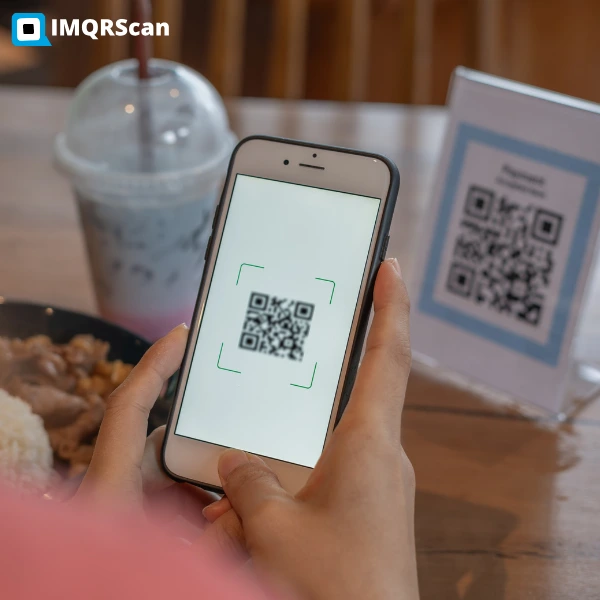
Generate a QR Code for Payment in Seconds
With IMQRScan, businesses can generate payment QR codes instantly and download them in high-resolution formats ready for print, websites, menus, invoices, and marketing materials.
- Static and dynamic QR codes
- Logo and branding customization
- Download in PNG, SVG, and print formats
- Works with PayPal, UPI, Pix, crypto and payment links
Create QR Codes for Popular Payment Methods
Choose the payment flow that matches your market, wallet, or payment platform.
PayPal QR Code
Use PayPal payment QR codes for stores, invoices, and simple buyer-friendly checkout.
Explore PayPal QR GeneratorUPI QR Code
Generate UPI QR codes for fast payments through apps such as Google Pay, PhonePe, & Paytm.
Explore UPI QR GeneratorPix QR Code
Create Pix QR codes for instant payments in Brazil and mobile-first local checkout flows.
Explore Pix QR GeneratorCrypto QR Code
Accept Bitcoin, Ethereum & other wallet-based payments through scannable crypto QR codes.
Explore Crypto QR GeneratorWhere Payment QR Codes Work Best
The strongest payment QR code pages are not only about creation. They also show practical use cases.
Checkout Counters
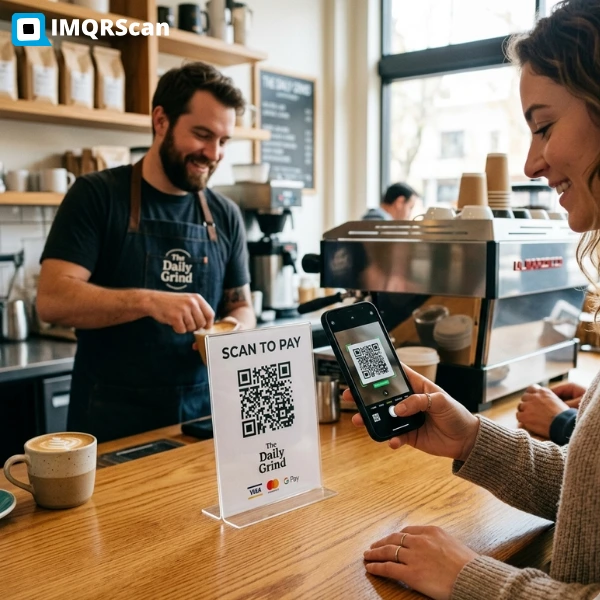
Place a payment QR code near the till so customers can scan and pay instantly without needing a card machine interaction.
Invoices & Receipts
Add payment QR codes to invoices and receipts so the payment path is only one scan away.
Restaurant Bills & Menus
Use them on table tents, menus, or final bills for quick and contactless payment collection.
Event Booths & Pop-ups
Ideal for temporary selling spaces where fast mobile payments matter more than heavy hardware setup.
Packaging & Inserts
Use a payment QR code on packaging inserts for repeat orders, deposits, upgrades, or quick reorder flows.
Websites & Landing Pages
Display a payment QR code on desktop pages so mobile users can scan from another device and complete payment quickly.
Real-World Business Use Cases
Cafes & Restaurants
Restaurants place payment QR codes on tables or receipts so customers can scan and pay instantly using mobile wallets.
Freelancers & Creators
Freelancers often include payment QR codes on invoices or portfolios to simplify international payments through PayPal or crypto wallets.
Retail Stores
Retailers display payment QR codes at checkout counters so customers can complete transactions quickly without cash or card terminals.
QR Code Payment for Businesses
Payment QR codes are especially useful for businesses that want faster checkout and lower setup costs. Instead of depending only on card terminals or manual bank transfer details, businesses can share a scannable payment route that works on screens and printed materials.
Small businesses often benefit the most because QR payments are easy to deploy across counters, invoices, product packaging, delivery slips, and marketing materials. Restaurants, salons, clinics, local stores, freelancers, creators, event sellers, and service providers can all use them to reduce payment friction.
Looking for broader business ideas beyond payments? See QR Code for Small Business.
Best fit for:
Why Businesses Use Payment QR Codes
This page stays focused on the value of the tool, not the long setup tutorial.
Faster Checkout
A customer can scan and pay in seconds, which helps reduce delays at the point of sale.
Lower Hardware Dependence
Payment QR codes can work on printed signs, receipts, menus, and screens without additional heavy hardware requirements.
Mobile-First Experience
Mobile wallets and banking apps make QR code payment familiar to customers in many markets.
Works Across Markets
Different regions prefer different payment methods, and QR code formats support that mobile payment culture well.
Great for Print & Digital
Use the same payment QR code on flyers, receipts, websites, packaging, and event displays.
Useful for Small Business
Many small businesses adopt QR payments because they are simple to launch and easy for customers to understand.
Payment QR Codes vs Other Payment Methods
| Payment Method | Hardware Required | Transaction Speed | Mobile Friendly | Setup Cost |
|---|---|---|---|---|
| QR Code Payments | No hardware required | Instant | Yes | Very Low |
| Credit Card Terminals | POS machine | Fast | Limited | High |
| Bank Transfer | No hardware | Slow | Yes | Low |
| Cash Payments | No hardware | Instant | No | Low |
QR code payments are becoming a preferred option for many businesses because they reduce hardware costs while enabling fast mobile transactions.
Static vs Dynamic Payment QR Codes
A quick comparison for buyers choosing the right format.
| Type | Best For | Editable | Trackable |
|---|---|---|---|
| Static Payment QR Code | Simple use cases, fixed destination, straightforward payment sharing | No | No |
| Dynamic Payment QR Code | Business campaigns, reusable materials, flexible payment journeys | Yes | Yes |
Dynamic QR Code Generator for Payment
Create dynamic QR codes for payment that are more flexible than static payment QR codes.
What is a dynamic QR code payment?
A dynamic QR code payment is a payment QR code that gives businesses more flexibility than a fixed, one-time code. Instead of relying only on a permanent static destination, a dynamic QR code can support changing payment flows, campaign-based use cases, reusable print materials, and better business control.
For example, a business may want to use the same printed QR code on packaging, flyers, table tents, or receipts while keeping the payment destination more manageable over time. That is where a dynamic QR code for payment becomes more useful than a basic fixed QR code.
If your use case involves repeat promotions, multi-location selling, campaign tracking, or evolving payment journeys, a dynamic QR code generator is usually the smarter option.
Why businesses prefer dynamic QR code payments
| Feature | Static QR Code Payment | Dynamic QR Code Payment |
|---|---|---|
| Best use case | Simple fixed payment destination | Business, recurring, campaign, and flexible payment use |
| Editable | No | Yes |
| Trackable | No | Yes |
| Good for print reuse | Limited | Much better |
| Recommended for businesses | Only for simple cases | Yes, especially for active businesses |
Payment Link QR Code Generator
Turn a payment link into a scannable QR code for faster checkout on print and digital surfaces.
What is a payment link QR code?
A payment link QR code is a QR code that opens a payment link when scanned. Instead of sharing a raw URL by message, email, invoice, or checkout screen, you convert that link into a QR code so customers can scan and pay faster.
This is one of the most practical payment QR use cases because many payment platforms already provide link-based payment flows. With IMQRScan, you can turn that destination into a QR code for payment link use across counters, posters, packaging, table tents, invoices, receipts, and landing pages.
If your customers already receive a payment URL, then a QR code payment link is often the easiest way to improve conversion and reduce friction. If your payment system relies on links instead of wallet addresses, a QR code for URL can convert any payment page into a scannable checkout experience.
Why businesses use QR codes for payment links
- Faster mobile checkout from printed materials
- Cleaner than typing long payment URLs manually
- Useful for invoices, receipts, posters, and event counters
- Works well for desktop-to-mobile payment journeys
- Supports payment platforms that already use link payments
Invoices
Add a qr code to payment link on invoices so clients can scan and pay without copying the URL manually.
Website checkout support
Show a payment link QR code on desktop pages so mobile users can complete the payment on their phone.
Posters, counters, packaging
Let customers scan a payment link instead of typing a URL from printed materials.
Payment platforms with QR code and link payments
Many businesses use payment platforms that already support shareable payment links. A QR code layer makes those platforms more useful in the real world because customers do not need to type the URL manually. That is why payment platforms with QR code and link payments are becoming more practical for small business checkout, invoices, and mobile-first commerce.
Common examples include payment link workflows connected to PayPal, region-specific systems like UPI and Pix, and wallet-based flows such as crypto QR codes.
QR Code for Payment Online
A QR code for payment online allows customers to complete a transaction by scanning a QR code that opens a checkout page or payment link. This is useful when customers are browsing on desktop but prefer to pay using their mobile wallet or banking app.
Many online businesses display payment QR codes on checkout pages, invoices, and customer dashboards. The customer scans the code with their phone and completes the payment instantly.
This approach is commonly used with platforms that support link-based payments such as PayPal, UPI, Pix, Stripe payment links, and crypto wallets.
Payment QR Code with Logo
Create a payment QR code with logo to make your QR look more professional, recognizable, and trustworthy.
Why add a logo to a payment QR code?
A payment QR code with logo helps customers recognize your brand faster and feel more confident before scanning. This is especially useful on invoices, restaurant tables, packaging, checkout counters, posters, and printed marketing materials where trust matters.
For businesses, branded QR codes can also look more polished than plain black-and-white codes. A well-designed payment QR with your logo can improve brand consistency across digital and physical touchpoints.
With IMQRScan, you can create branded payment QR codes that still remain practical for real-world business use.
Best practices for a payment QR code with logo
Invoices and bills
Add a logo so customers instantly know the QR belongs to your business.
Counters and table tents
A branded payment QR code can look more trustworthy in physical locations.
Packaging and print
A payment QR code with logo helps connect your printed materials with your brand identity.
Are Payment QR Codes Secure?
Payment QR codes are generally safe when they are created through trusted tools and linked to verified payment destinations. Most banking and wallet apps show the payment destination before the user confirms the transaction. The most important habit is simple: generate the QR code from a reliable platform, test it yourself, and make sure it points to the right payment flow before you print or publish it.
IMQRScan is designed to help businesses create payment QR codes that look professional, remain stable, and are easy to deploy across real customer touchpoints. Businesses that want additional control often use QR code tracking to monitor scan activity and detect unusual usage patterns, especially when QR codes are deployed across multiple physical locations.
Security checklist
- Use a trusted QR code generator
- Verify the destination before publishing
- Test scans on more than one device
- Use clear labels near the code
- Update printed materials carefully if the payment flow changes
Why Businesses Use IMQRScan for Payment QR Codes
Secure QR Codes
Payment QR codes generated with IMQRScan remain stable and secure for long-term business use.
Branded QR Codes
Create payment QR codes with logos, colors, and custom styles for better brand trust.
Scan Analytics
Dynamic QR codes allow businesses to track scans and analyze customer engagement.
Transparent Pricing
Start with a free plan and upgrade to advanced features for only $2.99 per month.
Ready to Create a Payment QR Code?
Build a payment QR code for PayPal, UPI, Pix, crypto, or payment links with IMQRScan. Customize it, download it, and use it across digital and printed customer touchpoints.
Use this page for creation. Use the how-to page for setup education and best practices.
How Payment QR Codes Work
1. Generate QR Code
Create a payment QR code linked to a payment gateway or payment link.
2. Display the QR
Businesses display the QR code on counters, invoices, websites, or menus.
3. Customer Scans
The customer scans the QR code using a banking app or mobile wallet.
4. Payment Completed
The transaction is confirmed instantly and the business receives payment.
Payment QR Code Generator FAQs
Common questions about payment QR codes, business usage, safety, and supported payment types.
Create a Dynamic QR Code
Edit your destination anytime and track scans with IMQRScan dynamic QR codes.
Want a non-editable QR? Use Static QR Codes. Need campaign ideas? Explore QR Code Marketing.