QR Code Banner: Complete Design, Size and Placement Guide
Banners have always been about grabbing attention, but attention alone doesn't pay the bills. A QR code banner turns a passive display into an interactive, measurable touchpoint that directs people from a street, trade show floor, or storefront to your website, menu, form, or offer.
Adding a QR code to a banner is not complicated, but a banner QR code that doesn't get scanned is just decoration. Use a static code for a simple, permanent message, or choose a dynamic QR code when you need to update the destination or track scans. The size, the placement, and the CTA text next to the code all decide whether it works.
Free static QR codes for banners. Dynamic QR codes support editable destinations and scan analytics without reprinting.
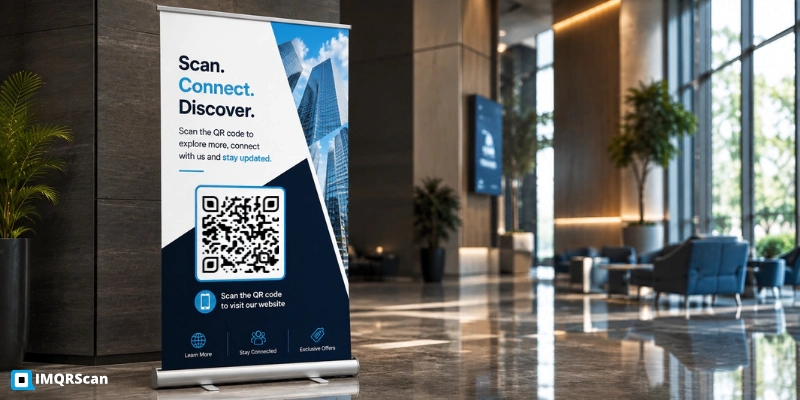
Quick Answer
To create a QR code for a banner, choose what the scan should open, enter the destination into IMQRScan's QR Code Generator, size the code for the expected viewing distance, add a clear call to action, and download it as an SVG for large-format printing. Test the final design from the expected distance before printing.
- Works for pull-up, vinyl, digital, and trade show booth banners.
- Use a dynamic code for any banner you plan to reuse or track.
- Size the code to roughly one tenth of the expected viewing distance.
- Test the printed banner from the actual viewing distance before installing.
Key Takeaways
- QR code size should increase as expected scanning distance increases.
- Dynamic QR codes are better for banners reused across campaigns because the destination can be updated.
- SVG is generally the safest format for large-format QR printing.
- Strong contrast, a clear quiet zone, descriptive CTA and real-world testing are essential for reliable scanning.
Table of Contents
- What Is a QR Code Banner?
- Why Add a QR Code to a Banner?
- How Does a QR Code Banner Work?
- How to Add a QR Code to a Banner
- Static vs Dynamic QR Codes for Banners
- QR Code Size & Placement Guide
- QR Code Banner Design Tips
- QR Code Banner Types, Examples and Templates
- Using Multiple QR Codes on One Banner
- Common QR Code Banner Mistakes to Avoid
- Why Use IMQRScan for a Banner QR Code
- Banner QR Code Features in IMQRScan
- Frequently Asked Questions
What Is a QR Code Banner
Definition
A QR code banner is a printed banner or publicly displayed digital sign that includes a scannable QR code linking viewers to a website, menu, registration form, offer or other digital destination.
Instead of asking someone to remember a URL or type it out, the code carries the link inside a pattern, most modern smartphone cameras can scan when the code is properly sized, printed, and positioned.
Unlike a regular banner, which only communicates a static message, a QR code banner creates a direct bridge between an offline audience and an online action you control. Common use cases include marketing landing pages, event RSVP forms, retail promotions, and real estate listings.
Why Add a QR Code to a Banner? (Key Benefits)
A banner with a QR code isn't just a design trend. It solves a real measurement and conversion problem that plain banners can't.
- Bridge offline-to-online traffic instantly. A banner alone can only display information, a QR code converts that display into a direct path to a website, app, or form.
- Track engagement with dynamic QR analytics.Dynamic QR analytics can provide scan metrics such as scan volume, time, approximate location and device information, depending on the analytics available.
- Cost-effective for small businesses and campaigns. A static QR code can usually be created without adding to the printing cost. Dynamic QR codes may involve a subscription but provide editable destinations and scan analytics.
- Update the destination without reprinting. A dynamic QR code lets you change where the code points without printing a new banner.
- Improves ROI measurement for events and trade shows. Scan data gives marketers measurable evidence of how many people interacted with the banner.
How Does a QR Code Banner Work?
Using a QR code on a banner follows a simple, repeatable flow:
- Create. Decide what the code should point to (URL, form, menu).
- Design. Generate the code and place it on your banner layout.
- Print. Produce the banner at full size with the code embedded.
- Scan. A visitor points their phone camera at the code.
- Redirect. Their device opens the linked page automatically.
- Measure. If dynamic, you review scan analytics afterward.
Does a QR code banner need the internet?The QR code itself does not need internet. If it links to a website, menu, form or other online destination, the viewer will need mobile data or Wi-Fi to load that content.
Can the same banner be reused for multiple campaigns? Only with a dynamic QR code, which lets you redirect the same printed code to a new URL, a static code contains a fixed destination and cannot be edited after it is created.
How to Add a QR Code to a Banner
Adding a QR code to a banner takes a few minutes once you know the destination link.
Choose Your Destination Link
A website, a form, a digital menu, or an RSVP page. Choose one clear destination rather than several competing ones.
Generate the QR Code
Paste the destination link into IMQRScan's QR code generator and decide between static or dynamic.
Pick Banner Size and QR Placement
Match code size to the expected viewing distance and place it where the eye naturally lands.
Add Contrast, Quiet Zone, and CTA Text
Include a short "Scan Me" prompt near the code, with adequate blank space around it.
Test Scan Before Printing
Check the code on multiple phones and lighting conditions before committing to a full print run.
Print and Install
Send to production only after a successful test scan.
For a business printing banners regularly, generating a QR code takes less time than designing the rest of the banner.
Static vs Dynamic QR Codes for Banners
Choosing between a static and dynamic QR code is one of the most important decisions when building a banner QR code, since it affects both cost and flexibility long after the banner is printed.
| Feature | Static QR Code | Dynamic QR Code |
|---|---|---|
| Editable destination link | No, locked permanently | Yes, change anytime |
| Scan tracking / analytics | No | Yes |
| Suitable for reusable banners | Limited | Yes |
| Requires reprinting when URL changes | Yes | No |
| Cost | Usually free, one-time | Often subscription-based |
| Best for | Permanent destinations that are unlikely to change | Reusable banners, campaigns and tracked promotions |
Recommendation: for any banner that will be reused across seasons, campaigns, or multiple events, a dynamic QR code is usually the better investment because it lets you redirect the link and measure scans without reprinting the physical banner.
QR Code Size & Placement Guide for Banners
A banner QR code needs to be scannable from the distance the reader will actually be standing when they see it.
| Expected Scanning Distance | Recommended Starting Size |
|---|---|
| 3 ft / 0.9 m | 3.5-4 in / 9-10 cm |
| 6 ft / 1.8 m | 7-8 in / 18-20 cm |
| 10 ft / 3 m | 12 in / 30 cm |
As a conservative starting point, use a scanning-distance-to-QR-size ratio of approximately 10:1. For example, a QR code expected to scan from 10 feet away may need to be about 1 foot wide. Actual performance also depends on lighting, print quality, camera quality, viewing angle, contrast, and QR code complexity.
Placement Rules
- Position the code at eye level whenever the banner format allows it.
- Avoid banner folds, grommets, or curved edges where the code could distort.
- Keep the code on a high-contrast background, dark code on light background, or vice versa.
Quiet Zone (White Space)
Every QR code needs a clear border of blank space around it, known as the quiet zone, so scanning apps can distinguish the code from surrounding banner artwork. Skipping this is a common reason scans fail even when the code looks fine to the human eye.
QR Code Banner Design Tips
A QR code that looks like an afterthought gets treated like one.
Keep It High Contrast
A dark code on a light background scans reliably in almost any lighting. Avoid light-on-light or code placed over a patterned photo.
Leave a Quiet Zone
A small margin of blank space on all four sides of the code prevents nearby text or graphics from interfering with the scan.
Add a Short Label
“Scan for Menu” or “Scan to RSVP” tells readers what will happen after they scan. A QR code with no context is easier to ignore.
Use Your Brand Colour Sparingly
A tinted QR code can match your palette, but keep the modules dark enough against the background.
A Logo Inside the Code Is Fine in Moderation
A small centered logo can work, but it covers part of the QR pattern. Use adequate error correction, keep the logo modest in size, and test the finished code on several phones before printing.
Don't Get Too Creative with Dot Shapes
Heavy customization can reduce scan reliability, especially when shapes, colors or logos make the QR pattern harder to distinguish. Keep the design readable and test it before printing.
QR Code Banner Types, Examples and Templates
Seeing a banner QR code used well is often more useful than a design rule on its own. The placement, the CTA wording, and whether the code should be static or dynamic all shift depending on what kind of banner it is.
Pull-Up / Roll-Up & Retractable Banners
A pull-up banner with a QR code (also called a roll-up or retractable banner QR code) is the most common format for events, retail entrances, and trade show aisles. Because these banners are viewed up close, a smaller code size works well. Place the code around waist-to-chest height where people can comfortably point a phone without bending down. Avoid positioning it at the very bottom, where people or furniture may block it.
Vinyl & Outdoor Banners
A vinyl or outdoor banner QR code is typically viewed from a distance, across a parking lot, street, or fence line, so code size needs to scale up significantly. Mesh banners follow the same rule but should avoid placing the code directly over a mesh seam.
Events & Trade Shows
An event or trade show banner QR code works best when linked to a schedule, RSVP form, or booth registration page. A code placed at the entrance of a booth can track foot traffic scans separately from codes placed on handouts.
Digital Signage and Display Banners
QR codes can also appear on lobby screens, exhibition displays, presentation screens and other public digital signage. They work best when viewers are looking at the display from another device and can scan the code with their phones.
A QR code in a conventional mobile web banner is usually less useful because the viewer may already be using the device needed to scan it.
Step-and-Repeat & Trade Show Booth Banners
A step-and-repeat banner QR code, the kind used behind photo backdrops, can link directly to a photo-sharing page, social hashtag campaign, or event gallery, turning every photo moment into a traceable scan.
Real Estate Banners
- Property listing pages
- Virtual tour links
- Open-house registration
- Agent contact card (vCard)
- Location map / directions
Restaurant Banners
- Digital menu access
- Table booking
- Online ordering
- Customer feedback forms
- Loyalty program sign-up
Retail Store Banners
- Promotional offers
- Product pages
- Loyalty program registration
- Store directions
- Coupon collection
Recruitment (Now Hiring) Banners
- Job application form
- Available roles list
- Company careers page
- Interview scheduling
If you're designing from scratch, start with the destination link and the CTA line first, then build the layout around those two elements rather than adding the QR code as a last-minute addition to a finished design.
Using Multiple QR Codes on One Banner
A banner can carry more than one QR code, but each one needs to be visually distinct and clearly labelled, or viewers won't know which code does what.
If a banner needs both a registration code and a social follow code, for example, give each its own short label directly underneath it, "Scan to RSVP" and "Scan to follow us," and keep enough visual separation between them that a viewer can tell at a glance which is which.
For a busier banner with several destinations, menu, booking, and social, for instance, a single QR code linking to a landing page with all the options performs better than several separate codes competing for attention.
Common QR Code Banner Mistakes to Avoid
Most banner QR codes that fail to get scanned have one of these problems, all of them are easy to check for before printing a full batch.
No Label or CTA Next to the Code
A code with no context reads as decoration, not an invitation.
Sized for the Screen, Not the Room
A code that looks plenty big on a laptop preview can be far too small once printed and installed at a distance.
Placed on a Fold Line, Grommet, or Near a Trim Edge
Creases and holes interfere with scanning.
Low Contrast or a Busy Background
A code printed over a photo or a colour too close to the module colour will fail on many phones.
Too Many Unlabeled Codes on One Banner
Multiple codes without clear separation and labels create hesitation.
Linking to the Homepage Instead of a Specific Page
Link straight to the exact offer, form, or page the banner is about.
Skipping the Printed Test
A code that scans perfectly from a screen can behave differently once it's actually printed at full size.
Using a Static Code for Something That Will Change
A seasonal offer or event detail that might get updated deserves a dynamic code.
Why Use IMQRScan for a Banner QR Code
- Create basic static QR codes without a watermark.
- Dynamic QR codes for banners you'll reuse across campaigns or seasons, with editable destinations and scan tracking.
- SVG downloads for large-format banners that need to stay sharp at any print size.
- PNG downloads for standard-size banners and digital displays.
- Logo, colour, and frame customization built into the same generator.
Create a QR Code for Your Banner
Got a link, a form, or an RSVP page ready to go? Plug it in, tweak the design a bit, and download a QR code that's ready for large-format print. It's free, and you don't need an account for a basic code.
What Else Can a Banner QR Code Do in IMQRScan?
A banner QR code reaches people from a distance at events, shops, and roadsides. IMQRScan adds tools that keep one printed banner useful for many campaigns and show which locations bring scans.
Schedule and Scan Limits
Reuse one banner at several events by pointing its Smart code to each event’s page on the right dates.
Country Rules
Send visitors from each country to a local page from the same banner at international trade shows.
Free Print Templates
Download a free banner or poster layout with your QR code sized and placed for large-format printing.
More Tools for Every Banner QR Code
Built-in QR Templates
Ready-made designs with colors, frames, and logo placement set.
Multiple QR Shapes
Dot, corner, and frame shapes that match your brand and still scan.
QR Stickers
Sticker-ready designs for labels, packaging, doors, and windows.
Multi-Language Pages
Show hosted landing pages in the languages your visitors read.
Retargeting Pixels
Meta, GA4, Google Ads, TikTok, and LinkedIn pixels on every scan.
PIN Protection
Ask for a PIN before the content opens.
Custom Domain
Use your own domain for the short link behind the code.
Team and Users
Invite teammates and give each one a role.
QR Code API
Create and manage codes from your own software.
Free on every plan
- Built-in QR templates
- Multiple QR shapes
- Free print templates
- QR stickers
- Multi-language landing pages
Free plan includes
- Unlimited static QR codes
- 5 Smart (dynamic) QR codes
- 15 tracked scans
- 14 days of scan analytics
- Bulk creation, 5 per upload
- File uploads up to 5 MB
Professional plan and up
- PIN protection
- Schedule and scan limits
- Country rules
- Retargeting pixels
- QR Code API
- Team management and roles
- Custom domain add-on from Starter ($10/month)
More Ways to Use QR Codes in Marketing
Explore practical QR code ideas for flyers, coupons, stickers, and editable campaign links.
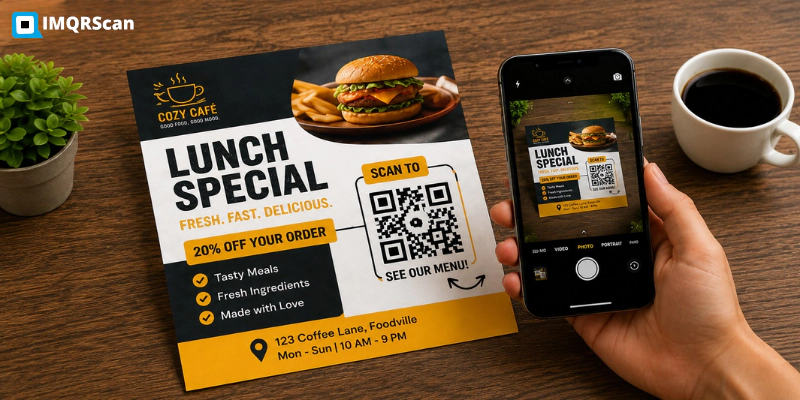
QR Code for Flyer
Add, size, and place a QR code on a flyer, with templates for business, event, and donation flyers.
Read Guide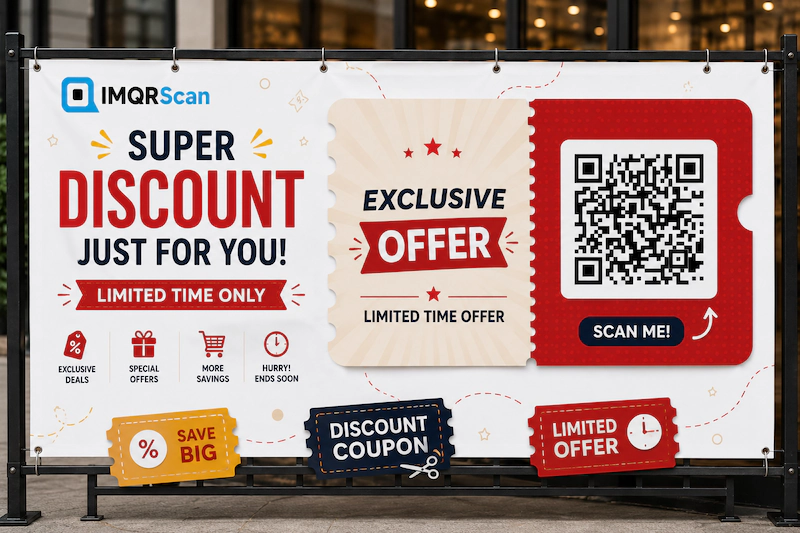
Coupon QR Code
Create a QR code coupon for discounts, vouchers, and promotions, with a customizable sticker.
Read Guide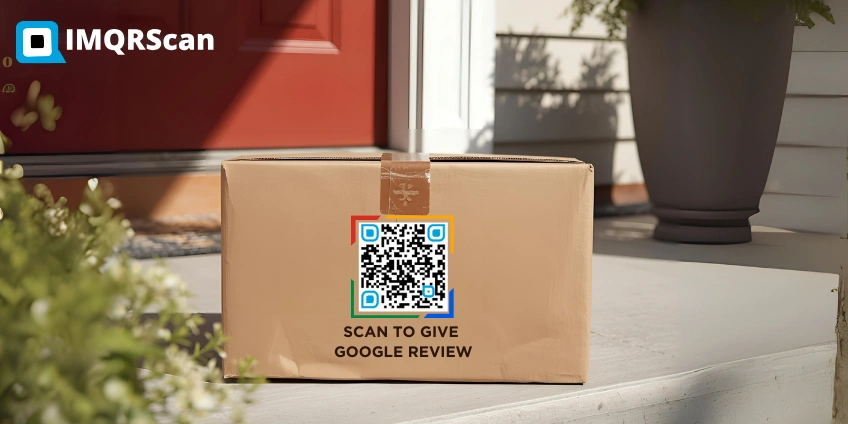
QR Code Stickers
Create printable stickers for products, packaging, counters, windows, and offline promotions.
Read Guide
Dynamic QR Code Generator
Edit the destination after printing and track scans, useful for banners that get reused.
Open Tool