Pinterest QR Code Generator
Use IMQRScan’s Pinterest QR Code Generator to convert any Pinterest profile, board, pin, idea pin, or collection URL into a scannable QR code in seconds. No design skills are needed.
You can create basic Pinterest QR codes quickly, and dynamic QR options are available when you need editing and tracking. Anyone who scans the QR code can open your Pinterest content directly, whether they are scanning from product packaging, a wedding invitation, a poster, a classroom handout, or a business card.
- Works for Pinterest profiles, boards, pins, idea pins, and collections
- Create basic Pinterest QR codes quickly
- Dynamic QR options support editing and tracking
- Useful for flyers, packaging, menus, posters, and business cards
Last updated: June 2026 · Reviewed by the IMQRScan Editorial Team
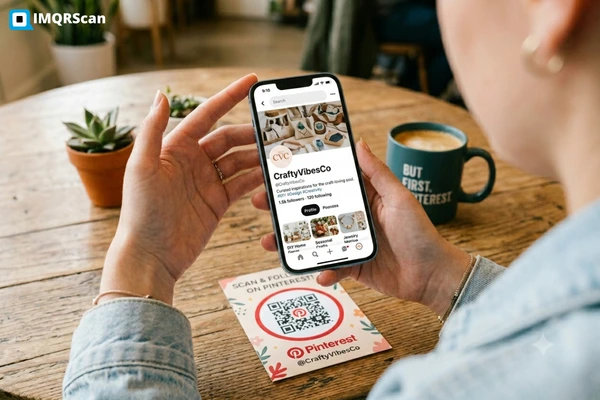
What is a Pinterest QR code?
A Pinterest QR code is a standard QR code that opens a Pinterest profile, board, pin, or idea pin when scanned.
To create one, copy your public Pinterest URL, paste it into IMQRScan, customize the QR code if needed, download it, and test it before printing.
Convert Pinterest Link to QR Code
Any public Pinterest URL can become a QR code. That includes:
Pinterest profile
A full Pinterest profile such as pinterest.com/yourusername
Pinterest board
A specific board such as pinterest.com/yourusername/board-name
Pinterest pin
An individual pin such as pinterest.com/pin/123456789
Idea pin or video pin
Share creative visual content through a scannable QR code
Product inspiration board
Useful for retail, fashion, home decor, and product discovery
Shared board
Link to public boards with collaborators or communities
The process is the same regardless of which Pinterest URL you are using. Copy the link from Pinterest, paste it into IMQRScan, customize the design if you want, and download. The QR code will take anyone who scans it directly to that Pinterest content.
The key requirement is that the Pinterest content must be public. If a board is set to private or secret, people who scan the QR code will hit a login wall or an error.
Because a Pinterest QR code is based on a web address, it works similarly to a URL to QR code generator, but this page is focused specifically on Pinterest profiles, boards, pins, and idea pins.
What Is a Pinterest QR Code?
A Pinterest QR code turns a Pinterest link into a scannable code that opens directly on a smartphone.
A Pinterest QR code is a standard QR code that encodes a Pinterest URL. When someone scans it with a smartphone camera or a QR scanner app, their phone opens the Pinterest link directly, no typing, no searching, no navigating.
It is worth being clear about what a Pinterest QR code is not. Pinterest has its own proprietary format called a Pincode, which looks different from a standard QR code and is typically scanned from inside the Pinterest app. A Pinterest QR code created through IMQRScan is a standard QR code, scannable by the native camera on most modern iPhone or Android phones, without needing the Pinterest app installed.
A Pinterest login QR code is something else entirely. That refers to a feature within Pinterest’s own interface that lets you sign into your account by scanning a code. This page is not about that. This page is about creating QR codes you can put on physical or digital materials to share your Pinterest content with other people.
How to Create a QR Code for Pinterest
Creating a Pinterest QR code with IMQRScan takes about a minute.
Copy your Pinterest link
Open Pinterest and navigate to the profile, board, or pin you want to share. Copy the URL from your browser address bar. On mobile, tap the share icon and choose “Copy link.”
Paste the link into the Pinterest QR code generator
Go to IMQRScan and paste your Pinterest URL into the generator. The tool will recognize it as a URL and generate a live preview of your QR code.
Customize the QR code
Adjust the colors, upload a logo, and choose a frame with a short call-to-action like “Follow us on Pinterest” or “Scan for inspiration.”
Choose static or dynamic
Use a static QR code for simple projects. Use a dynamic QR code when you need editing, redirects, and scan tracking.
Download and use
Download as PNG for digital use or SVG for print. SVG files scale to any size without losing quality.
Test before printing
Scan the QR code with your own phone before you print or publish anything. Confirm it opens the correct public Pinterest page.
Ready to create one? Paste your Pinterest link into IMQRScan and generate your QR code now.
Generate Your Pinterest QR CodeCreate a QR Code for a Pinterest Board
A Pinterest board is one of the most practical things to link to with a QR code, because boards collect multiple pins around a single theme. Someone who scans the QR does not land on one image, they land on a curated collection. Practical board use cases:
Wedding planners
Print a QR code on consultation packets or mood board printouts linking to a wedding theme board. Clients scan and see the full visual direction rather than receiving a long URL in an email.
Recipe bloggers and food brands
Print QR codes on packaging or at market stalls linking to seasonal recipe boards. Someone buying a bag of flour can scan the QR and land on 40 recipe ideas.
Interior designers
Add a QR on a business card or catalog page linking to a room inspiration board. It turns a static printed piece into an interactive portfolio.
Fashion boutiques
Attach QR codes to hangtags or fitting room mirrors linking to outfit inspiration boards organized by style or season.
Teachers
Include a QR code in handouts or on classroom displays linking to a board of educational resources, project inspiration, or visual references.
Event planners
Print a QR code in an event program linking to a decor or vendor inspiration board that clients and vendors can reference.
Create a QR Code for a Pinterest Profile
A Pinterest profile QR code is useful when you want people to discover all your boards, pins, and visual content from one scan.
Instead of sending people to one board or one pin, a profile QR code opens your complete Pinterest presence. It works well for creators, businesses, restaurants, salons, designers, real estate agents, and anyone who uses Pinterest to share ideas, inspiration, or portfolio content.
Best for profile discovery
Use it when one QR code should open your full Pinterest profile.
pinterest.com/yourusername
Bloggers and content creators
Add a Pinterest profile QR code to media kits, business cards, email newsletter footers, or event handouts so readers can follow your full Pinterest content library.
Restaurants and cafes
Place a profile QR code on table cards or menus. Diners can follow your Pinterest profile for recipe ideas, behind-the-scenes content, seasonal boards, or upcoming specials.
Salons and beauty professionals
Add a profile QR code to appointment reminder cards, mirrors, or reception displays so clients can browse hairstyle, makeup, nail, or color inspiration.
Real estate agents
Include a Pinterest profile QR code in listing packages, open house materials, or buyer welcome folders to share staging, renovation, and neighborhood inspiration boards.
Designers and architects
Use a profile QR code in printed portfolios or project presentations so clients can explore your ongoing design research, mood boards, and visual references.
Retail brands
Add a Pinterest profile QR code to packaging, lookbooks, flyers, or in-store displays so customers can discover your product boards and style inspiration.
Create a QR Code for a Pinterest Pin
The easiest way to get a QR code for Pinterest is to copy the public Pinterest pin URL and generate it through IMQRScan. Individual pins are especially useful when you want to share one specific product, idea, recipe, design, image, or tutorial.
Turn a Pinterest Pin into a QR Code
Open the Pinterest pin, copy the public URL from your browser address bar, paste it into IMQRScan, customize the QR code, and download it for print or digital sharing.
- Works for public Pinterest pins
- Useful for product, recipe, design, and portfolio pins
- Download for packaging, flyers, catalogs, and events
Product packaging
A brand can place a QR code on packaging that links to a specific pin, such as a recipe using the product, a styling guide, or a how-to video.
Catalog pages and lookbooks
Add QR codes beside products or outfits so customers can open a pin with more images, related products, or styling ideas.
Event materials
Invitations, programs, place cards, and event signs can link to a relevant pin with inspiration, details, or visual references.
Flyers and posters
Local businesses can add a pin-specific QR code beside a product, offer, design idea, or service promotion.
Print portfolios
Photographers, artists, and designers can place a QR code beside each printed work to show process images, extended views, or related pins.
Retail displays
Shelf signs, counter cards, and display boards can link shoppers to one focused Pinterest pin for inspiration or product context.
Pinterest QR Code vs Pinterest Pincode
Pinterest QR codes and Pinterest Pincodes are often confused because both connect people to Pinterest content. The difference is simple: a Pinterest QR code is a standard QR code that opens a Pinterest URL, while a Pinterest Pincode is Pinterest’s own visual code format.
Pinterest QR Code
A standard Pinterest QR code is a conventional QR code that encodes a Pinterest URL. It can link to a Pinterest profile, board, pin, idea pin, or any public Pinterest page.
- Scans with most modern iPhone and Android cameras
- Can also be scanned with QR scanner apps
- Opens the Pinterest URL in a browser or Pinterest app if available
- Better for business cards, packaging, posters, signage, and menus
Pinterest Pincode
A Pinterest Pincode is Pinterest’s proprietary visual code. It is visually different from a standard QR code and is mainly designed for Pinterest-native discovery inside the Pinterest experience.
- Uses Pinterest’s own dot-and-pattern style
- Usually scanned from inside the Pinterest app
- Better suited for Pinterest-specific discovery flows
- Less universal for audiences scanning from normal phone cameras
| Feature | Pinterest QR Code | Pinterest Pincode |
|---|---|---|
| Format | Standard QR code with a Pinterest URL | Pinterest’s proprietary visual code |
| Scanning | Most modern phone cameras and QR scanner apps | Typically scanned inside Pinterest |
| App required? | No Pinterest app required for basic scanning | Pinterest app is usually needed |
| Best for | Business cards, packaging, signage, menus, flyers, posters, and printed materials | Pinterest-native discovery experiences |
| Destination | Pinterest profile, board, pin, idea pin, or public Pinterest URL | Pinterest-supported destinations inside its ecosystem |
| Audience fit | General audience scanning from any modern smartphone | People already using Pinterest or Pinterest Lens |
Need a code anyone can scan?
Use a standard Pinterest QR code when your audience may scan from any phone camera, not only inside Pinterest.
Generate Pinterest QR CodeStatic vs Dynamic Pinterest QR Code
When you create a Pinterest QR code, the choice depends on how you plan to use it. A static QR code is simple and fixed. A dynamic QR code is better when you need editing, tracking, or long-term print flexibility.
Static QR Code
Static QR codes have the Pinterest URL permanently encoded into the QR pattern. Once created, the destination cannot be changed.
Printing it? Choose dynamic.
If your Pinterest QR code will go on packaging, flyers, posters, menus, business cards, event materials, or anything printed in volume, dynamic is usually the safer choice.
Dynamic QR Code
Dynamic QR codes use a short redirect URL instead of locking the Pinterest URL directly into the QR pattern.
Need editing?
Choose dynamic if the Pinterest link may change later.
Printing in volume?
Choose dynamic for packaging, posters, and business cards.
Need analytics?
Choose dynamic to track scans, devices, and locations.
One fixed link?
Choose static for simple personal use with a permanent URL.
Simple rule for Pinterest QR codes
Use a static QR code when the Pinterest URL is permanent and you do not need analytics. Use a dynamic QR code when the QR code will be printed, reused, tracked, or updated later.
Best Use Cases for Pinterest QR Codes
Pinterest QR codes bridge the gap between physical and digital by putting visual content from Pinterest into the hands of people who might never have thought to search for it.
Retail stores
Display QR codes on shelf talkers or signage linking to style or usage inspiration boards.
Product packaging
Link to a pin or board with recipes, how-to guides, or complementary product ideas.
Wedding planners
Share theme and decor boards with clients through printed consultation materials.
Interior designers
Attach QR codes to proposals linking to mood boards, materials, and color palettes.
Fashion brands
Add QR codes to lookbooks, hangtags, or fitting room cards linking to seasonal style boards.
Recipe bloggers
Include QR codes on recipe cards, packaging partnerships, or event materials.
Teachers
Display QR codes in classrooms or on assignment sheets linking to visual references.
Restaurants and salons
Use QR codes on menus, table cards, mirrors, or consultation areas for visual inspiration.
Why Use IMQRScan for Pinterest QR Codes
IMQRScan helps you turn Pinterest profiles, boards, pins, idea pins, and public Pinterest URLs into clean, customizable QR codes for print and digital sharing.
Convert Pinterest to QR code format in seconds
IMQRScan handles Pinterest URLs the same way it handles any web link — cleanly, reliably, and with customization options that matter for real-world use.
Works with public Pinterest URLs
Create QR codes for Pinterest profiles, boards, pins, idea pins, collections, and other public Pinterest pages.
Custom QR design
Change colors, add a logo, choose a frame, and include a clear call-to-action for better context.
Static and dynamic options
Use static QR codes for simple links or dynamic QR codes when you need editing, redirects, and tracking.
Print-ready downloads
Download in PNG for digital use or SVG for clean, scalable print quality.
Easy scan experience
A standard Pinterest QR code can be scanned by most modern smartphone cameras.
Pinterest-focused workflow
This page is built for Pinterest use cases, while the QR code generator online covers all URL types.
Need a general tool for any website link? Use the QR code generator online.
Simple, branded, and ready for real-world use
A Pinterest QR code that matches your brand identity and includes a clear instruction can feel more trustworthy than a plain code with no context. Use it on packaging, posters, business cards, menus, event materials, portfolios, and client documents.
Can You Track Pinterest QR Code Scans?
Yes, but only with a dynamic QR code.
Static QR codes do not include analytics because the destination URL is baked into the QR pattern. Dynamic Pinterest QR codes from IMQRScan can log scan activity and help you understand how your printed or digital campaign performs.
What you can measure with dynamic QR codes
Packaging test
Compare how many people scan a QR code from product packaging versus shelf signage.
Event spike
Check whether scans increase during a trade show, launch event, or in-store promotion.
Placement comparison
See whether a poster, flyer, table card, or business card drives more Pinterest visits.
Learn more about what is trackable and how reporting works at QR code tracking.
Pinterest QR Code Ideas for Businesses and Creators
Some of the most useful Pinterest QR code ideas come from connecting offline moments with visual inspiration people can save, follow, or explore later.
Fashion boutique
Place QR codes inside dressing rooms linking to outfit combination boards. Customers can scan while trying items and see more ways to style them.
Wedding planner
Add QR codes to mood board printouts linking to matching Pinterest boards, so clients can save the ideas they love.
Recipe blogger
Print QR codes on promotional postcards, packaging inserts, or event handouts linking to seasonal recipe boards.
Home decor brand
Include a Pinterest board QR code in packaging to show how a product looks in real rooms, seasons, and design styles.
Teacher
Print a QR code on a creative project brief linking to visual reference boards, classroom resources, or project examples.
Salon
Frame a QR code near the waiting area linking to hairstyle, color, nail, or makeup inspiration boards.
Real estate agent
Include a QR code in buyer packets linking to staging, renovation, home decor, or neighborhood inspiration boards.
Restaurant or cafe
Use table cards or menu inserts to link diners to recipe inspiration, seasonal boards, or behind-the-scenes food content.
Photographer or studio
Add a QR code to brochures, albums, or studio cards linking to pose ideas, photoshoot themes, editing styles, or portfolio inspiration boards.
Turn Pinterest inspiration into a scannable experience
Use IMQRScan to create Pinterest QR codes for boards, pins, profiles, idea pins, packaging, events, menus, handouts, and branded print materials.
Create Pinterest QR CodeCommon Mistakes to Avoid
A Pinterest QR code is easy to create, but small mistakes can break the scan experience. Check these points before printing or sharing your QR code.
Using a private or secret board
Problem: Private boards require the viewer to be logged into a Pinterest account with access.
Fix: Make sure the Pinterest board is public before publishing the QR code.
Copying the wrong URL
Problem: Pinterest share links may include extra parameters or shortened URLs that behave differently.
Fix: Copy the full Pinterest URL directly from the browser address bar when possible.
Printing before testing
Problem: A QR code may scan correctly but open the wrong page, a login screen, or an unavailable pin.
Fix: Scan the QR code with your phone and confirm the page opens correctly before printing.
Downloading at low resolution
Problem: Small PNG files can pixelate when enlarged for posters, packaging, or signage.
Fix: Use SVG for print materials so the QR code stays sharp at larger sizes.
Not checking the mobile experience
Problem: Some Pinterest boards or pins may not display as expected on every mobile device.
Fix: Test the destination page on mobile, not only the QR scan.
Using static QR codes for long-term campaigns
Problem: If the Pinterest URL changes, a static QR code cannot be edited after printing.
Fix: Use a dynamic QR code for packaging, flyers, posters, menus, and long-term campaigns.
Confusing Pinterest login QR code with marketing QR code
Problem: Pinterest login QR codes are for signing in, not for sharing Pinterest content with your audience.
Fix: Create a normal QR code from the public Pinterest profile, board, pin, or idea pin URL.
Placing the QR code too small on print materials
Problem: If the QR code is too small, blurred, or placed on a busy background, some phones may struggle to scan it.
Fix: Keep enough white space around the QR code, use strong contrast, and test the printed size before final production.
Before you print your Pinterest QR code
Create Your Pinterest QR Code with IMQRScan
Create your Pinterest QR code and use it on flyers, packaging, business cards, boards, menus, or event materials.
Pinterest QR Code Generator FAQs
Direct answers about creating, scanning, editing, and using Pinterest QR codes.
Related QR Code Converters
More IMQRScan tools for converting social, ecommerce, and video links into scannable QR codes.
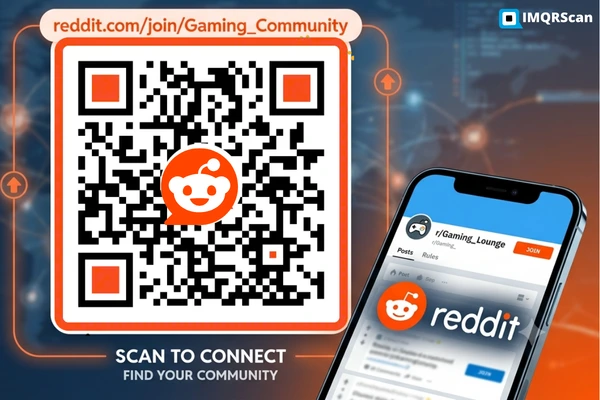
Reddit to QR Code Generator
Convert Reddit profiles, posts, subreddits, AMAs, and discussion links into scannable QR codes.
Open Reddit Tool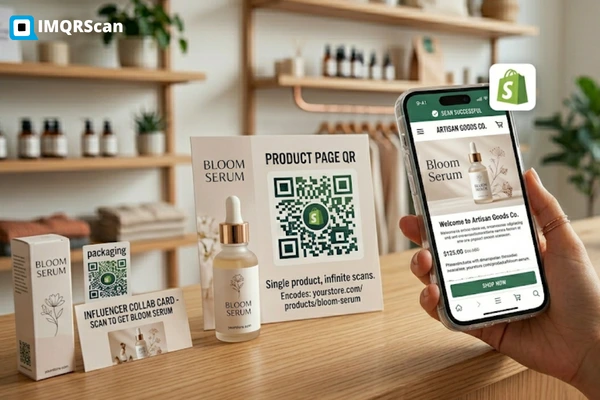
Shopify to QR Code Generator
Create QR codes for Shopify stores, product pages, collections, checkout links, and online shop campaigns.
Open Shopify Tool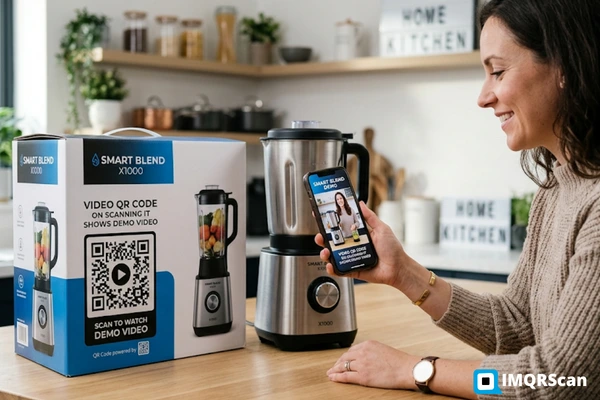
Video to QR Code Generator
Convert video links into QR codes for tutorials, product demos, event videos, presentations, and marketing campaigns.
Open Video Tool