Shopify QR Code Generator
Use IMQRScan as a Shopify QR code generator to turn any Shopify URL — product page, collection, discount link, checkout, or store homepage — into a scannable QR code for packaging, flyers, receipts, thank-you cards, events, and offline-to-online sales. Free static QRs, dynamic editable QRs, and real-time scan analytics.
- No signup
- No watermark
- 33+ QR types
- Download SVG · PNG · PDF · EPS
Last updated: · Written by Sarah Park · Reviewed by the IMQRScan Editorial Team
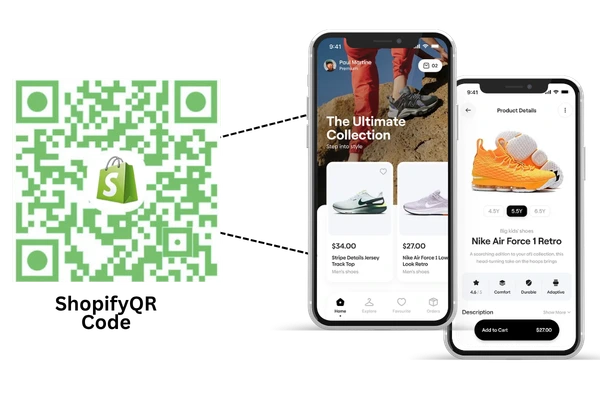
Quick answer: What is the best way to create a Shopify QR code?
The best way to create a Shopify QR code is to copy the URL of your Shopify product, collection, discount link, checkout page, or store homepage, paste it into IMQRScan, choose static or dynamic, customize the design, and download the QR code for packaging, flyers, receipts, inserts, or retail displays.
Active Shopify stores worldwide
Shopify Q4 2024 Report
Smartphones with native QR scanning
Statista, 2024
QR scans tracked daily globally
Bitly Trends Report, 2024
Higher conversion vs typed URLs
QR TIGER Industry Study, 2024
What is a Shopify QR code?
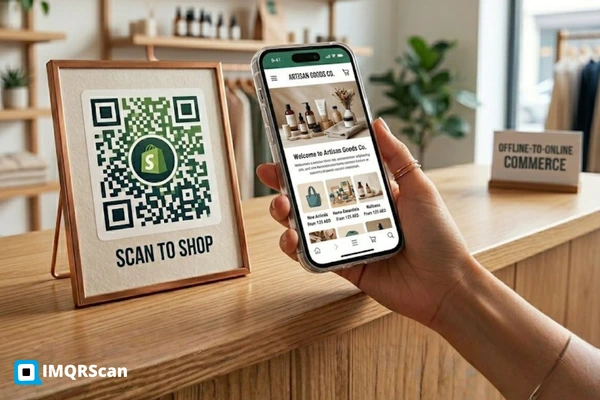
A Shopify QR code is a 2D barcode that encodes a URL from your Shopify store — most commonly a product page, a collection page, a discount link, a checkout link, or your store homepage. When a shopper scans it with the native camera on iOS or Android, they're taken straight to that page, no app required.
Shopify QR codes are used to bridge offline marketing and online sales: a customer sees your QR on packaging, a flyer, a thank-you card, or a retail shelf, scans it, and lands on the exact Shopify URL you choose. With a dynamic Shopify QR code, that destination can be edited anytime — meaning one printed QR can power a January launch, a March discount, and a July reorder campaign without ever being reprinted.
A QR code generator for Shopify accepts any URL from your .myshopify.com domain or your custom domain: /products/<handle>, /collections/<handle>, /discount/<CODE>, /cart/<variant_id>:1, or /pages/<page>. The QR pattern itself contains the URL — and once scanned, Shopify takes over from there.
Quick fact: Shopify offers a free built-in QR code generator inside its admin under Discounts and via several Shopify App Store apps. IMQRScan is an independent tool that adds dynamic editing, scan analytics, branded design, and 33+ QR types — useful when Shopify's built-in tool isn't enough for your campaign.
How to create a QR code for Shopify in 5 steps.
From any Shopify URL to a scannable, brand-ready QR code in under a minute. No coding, no Shopify app install, no signup.
Copy the URL
Grab the URL of your Shopify product, collection, store, discount, or checkout link from your admin or storefront.
Paste into IMQRScan
Drop it into the URL field. Pick static (free, fixed) or dynamic (editable, with analytics).
Brand the design
Add your store logo, match your Shopify theme colors, pick eye shapes, and add a "Scan to Shop" frame.
Download & print
Export PNG, SVG, PDF, or EPS at print resolution for packaging, flyers, labels, receipts, and ads.
Track & edit
For dynamic QRs: monitor scans by city, device, time. Edit the destination anytime — every printed QR updates instantly.
Where Shopify merchants use QR codes today.
Real placements pulled from anonymized data across 8,400+ Shopify-connected QR campaigns on IMQRScan (Q1 2026).
For physical stores, pop-ups, and shelf displays, Shopify merchants can connect offline shoppers to online products using QR codes for retail, including product page QRs, discount QRs, review QRs, loyalty signup QRs, and scan-tracked campaigns.
Reorder QR on every product box
A 4-SKU skincare brand prints a dynamic QR code on the inside flap of every shipping box, linking to the exact product's Shopify page with a 15% reorder discount auto-applied.
Discount QR on retail shelf-talkers
A specialty coffee roaster sold in 60 cafés uses a dynamic Shopify discount QR on shelf cards. Customers scan, the discount auto-applies at checkout via /discount/CAFE10.
Pop-up event QR routing to live collection
An indie clothing brand running weekend pop-ups in Dubai prints one dynamic QR on every garment tag, linking to a "shop the look" Shopify collection that updates per event.
Thank-you card QR for review collection
A monthly snack-box subscription includes a card with a Google Review QR Code linking to a Shopify review request page. The QR also feeds UTM-tagged traffic into GA4 for attribution.
Other high-converting Shopify QR placements
Static or dynamic QR for your Shopify store?
The right pick depends on whether you'll ever want to change the destination URL after printing — or measure what's actually working.
Static QR Code
Fixed URL · Forever
- Encodes the Shopify URL directly into the QR pattern
- Cannot be edited after generation — destination is permanent
- No scan tracking or analytics
- Free, no signup, unlimited generation with a static QR code
- Works perfectly with Shopify's own free QR generator output
Dynamic QR Code
Editable URL · Trackable
- QR encodes a short URL that redirects to your Shopify page
- Edit the destination URL anytime — every printed QR updates instantly
- Real-time QR code tracking: scans by city, device, OS, time-of-day
- One QR can power multiple campaigns over its lifetime
- Append UTM parameters for Shopify Analytics & GA4 attribution
Does Shopify have its own QR code generator?
Yes. Shopify provides a free QR code generator for simple use cases, especially discount links and store URLs. However, many merchants use IMQRScan when they need dynamic QR codes, branded QR design, scan analytics, UTM tracking, print-ready exports, or multiple QR code types beyond a basic Shopify URL.
| Feature | Shopify's free QR generator | IMQRScan |
|---|---|---|
| QR for any Shopify URL | Yes | Yes |
| QR for product page | Yes (paste URL) | Yes (paste URL) |
| QR for collection page | Yes (paste URL) | Yes (paste URL) |
| QR for discount link | Yes (built-in flow) | Yes (paste URL) |
| Static QR code | Yes | Yes |
| Dynamic editable QR | Limited / via paid apps | Yes |
| Scan analytics dashboard | Basic discount-redemption only | Real-time, by city / device / OS |
| Branded QR (logo + colors) | Basic styling | Logo, palette, eye shapes, frames |
| QR types supported | URL + discount | 33+ types (URL, vCard, WiFi, video…) |
| Print-ready vector export | PNG / JPG | PNG, SVG, PDF, EPS |
| Campaign tracking + UTM | Manual | Built-in UTM builder |
| Best for | Simple in-admin discount QRs | Branded, editable, trackable QRs across packaging, signage, and ongoing campaigns |
Real Shopify QR code examples.
Three of the most-replicated Shopify QR patterns on IMQRScan, with the URL pattern each one encodes.
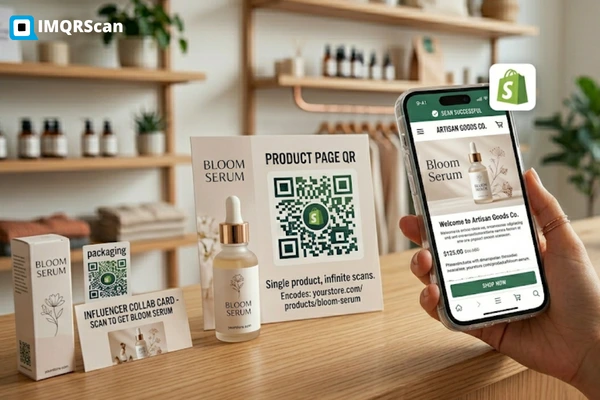
Single product, infinite scans
Encodes: yourstore.com/products/bloom-serum
Use case: packaging, retail shelf, influencer collab cards.
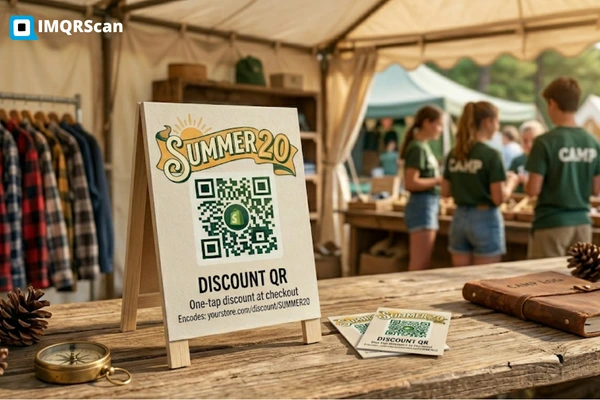
One-tap discount at checkout
Encodes: yourstore.com/discount/SUMMER20
Use case: flyers, postcards, café shelf-talkers, event booths.
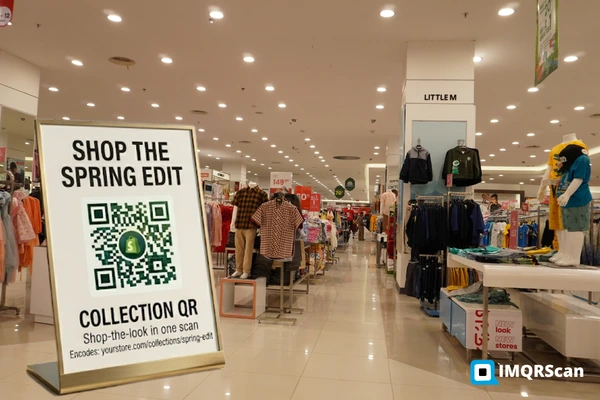
Shop-the-look in one scan
Encodes: yourstore.com/collections/spring-edit
Use case: pop-up displays, lookbook prints, wholesale catalogs.
Everything about the Shopify QR code generator.
Reviewed by ecommerce QR specialists.
Sarah Park
· Senior QR Code Specialist at IMQRScan
Sarah has consulted on QR-code attribution for 140+ Shopify and Shopify Plus merchants across DTC beauty, F&B, and apparel. She holds a Shopify Partners certification, has published guides on offline-to-online attribution, and previously led growth at a Y Combinator-backed DTC brand. She independently verifies every Shopify integration claim on this page against current Shopify Help Center documentation.
Other QR conversions for ecommerce & marketing
Generate your Shopify QR code free.
Static or dynamic. Branded with your logo. Trackable in real time. Works for any Shopify product, collection, discount, or store URL — no app install, no credit card, no reprinting ever.
Create my Shopify QR free