Secure QR Code Generator: Make QR Codes Safe to Scan
A secure QR code sends people only where you intend, over HTTPS, from a source they can recognize. This generator helps with HTTPS short links, instant pause, editable links, and scam reporting. No generator can stop a fake sticker, so placement and checks still matter.
Free on every plan • HTTPS short links • Pause and edit any time • Scam reporting • PIN on Professional
What Makes a Secure QR Code
A QR code is only a pattern that stores text, usually a link. It cannot run code by itself. Whether it is safe depends on three things: where it leads, who can change it, and whether people can tell it is really yours.
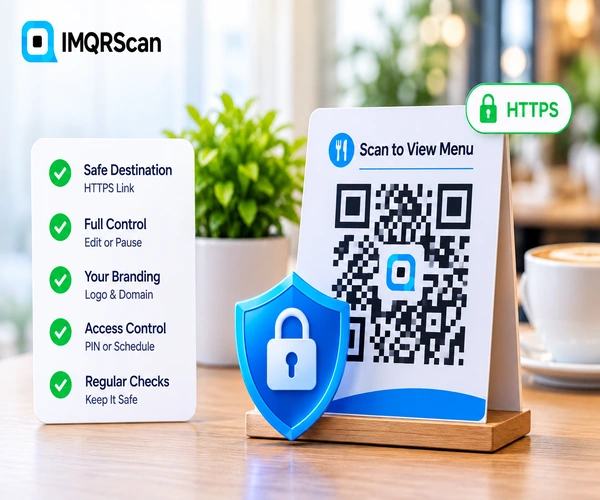
- A safe destination: an HTTPS page you control
- Control: you can change or pause the code if something goes wrong
- Recognition: your logo, your message, and ideally your own domain
- Access control: a PIN or schedule for private content
- Physical care: placement that is hard to cover, and regular checks
What Is a Secure QR Code?
A secure QR code is a QR code that opens a trusted HTTPS destination, can be controlled by its owner after printing, and is easy for people to recognize as genuine. QR code security covers both sides: how businesses create and manage codes, and how people check them before scanning.
The pattern itself has no security features. Anyone can make a QR code, and any phone can read it. That is why security is about everything around the pattern: the link, the account that controls it, and the place where it is printed.
This page covers scan safety. For restricting who can open a code, see PIN protection in the table below.
How QR Code Scams Work
The US Federal Trade Commission and the FBI have both warned about QR code scams, often called quishing. These are the patterns they describe.
| Scam | How it works | What owners can do | What scanners can do |
|---|---|---|---|
| Fake sticker | A fake code is stuck over a real one on a parking meter, menu, or poster | Place codes behind glass or inside laminates, and check them often | Feel for a sticker on top, and check the link before opening |
| Phishing email | An email says to scan a code to fix an account or read a document | Never ask customers to log in right after a scan | Verify with the sender through another channel first |
| Unsolicited package | A package you did not order includes a note with a QR code | Not applicable | Do not scan it; the FBI calls this a brushing scam |
| Fake payment page | The code opens a copy of a real payment or parking page | Use your own domain, so copies look different | Pay in the official app when you can |
| Malicious download | The code starts an app or file download | Link to official app stores only | Do not install apps or files from street codes |
Sources: the FTC consumer alert on QR code scams and FBI public warnings. In the US, report scams at reportfraud.ftc.gov.
Are QR Codes Encrypted?
No. The data in a standard QR code is readable by any phone or scanner app. There is no hidden layer. Some specialist systems encode encrypted text, but phone cameras cannot read it without a matching app, so it does not help everyday codes.
What protects people is not encryption inside the code but what happens after the scan:
- HTTPS encrypts the connection between the phone and the page the code opens. IMQRScan short links use HTTPS.
- A PIN keeps private content closed to people who do not know it.
- Keeping secrets out of the code. Never put passwords, card numbers, or private data directly into a QR code.
How to Make a Secure QR Code
Use the generator at the top of this page. These steps take about five minutes.
Link to a page you control
Use an HTTPS address on your own website or a trusted platform. Check the link before you create the code.
Choose a Smart code
In the generator above, keep Smart (dynamic) selected, so you can change or pause the destination at any time.
Brand the code
Add your logo and a frame that says what the code opens, such as Scan to View Menu, so people know it is yours.
Add protection if needed
For private content, add a PIN or a schedule. These options are on the Professional plan and up.
Print with the short link
Print the short link under the code, so people can check where it goes, and place the code where it is hard to cover.
Check it regularly
Look at printed codes in public places often, and watch your scan analytics for anything unusual.
QR Code Security Features in IMQRScan
Every feature below exists in IMQRScan today. The plan column shows where it is available.
| Feature | What it does | Plan |
|---|---|---|
| HTTPS short links | Smart codes open through an encrypted HTTPS short link | Every plan |
| Pause a code instantly | Scanners see a friendly paused page until you turn it back on | Every plan |
| Change the destination | Fix a compromised or wrong link without reprinting | Every plan (Smart codes) |
| Report a suspicious code | Anyone can report a code; our team reviews it and blocks codes that break the rules | Every plan |
| Your own domain | The short link shows your brand instead of a generic domain | Add-on, $10 a month |
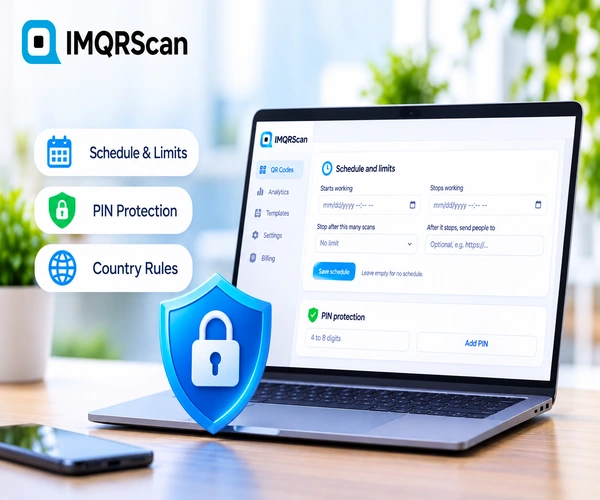
| PIN protection | People must enter a PIN of up to 8 digits before the content opens | Professional and up |
| Schedule and scan limits | The code works only between dates, or up to a number of scans | Professional and up |
| Team roles | Limit who on your team can edit or delete codes | Professional and up |
What No Secure QR Code Generator Can Do
Security pages often promise too much. Here is what IMQRScan, and any other generator, cannot do for you:
- Stop a fake sticker. If someone covers your printed code, the scan never reaches us. Only placement and regular checks prevent it.
- Scan every destination for malware automatically. IMQRScan does not run an automatic check on every link. It reviews reported codes and blocks those that break its rules.
- Encrypt the data in the code. As explained above, standard QR codes are readable by anyone.
- Protect a static code after printing. A static code cannot be paused or redirected. Use a Smart code for anything printed in public.
Static vs Dynamic QR Code Security
Both kinds have trade-offs. For public printed codes, dynamic codes give you more control when something goes wrong.
| Security question | Static QR code | Dynamic (Smart) QR code |
|---|---|---|
| Can you pause it? | No | Yes, instantly |
| Can you change a bad link? | No, reprint needed | Yes |
| Depends on a service? | No, works offline from the pattern | Yes, works while your plan is active |
| Spot unusual scans? | No analytics | Yes, scan analytics |
| PIN or schedule? | No | Yes, on Professional and up |
| Can others report it? | No | Yes |
Compare the two in depth on the dynamic QR code generator and static QR code pages, and watch scans with QR code tracking.
QR Code Security Best Practices
One checklist for businesses that create codes, and one for people who scan them.
For businesses
- Link only to HTTPS pages you control.
- Use Smart codes for anything printed in public.
- Show your logo and say what the code opens.
- Print the short link under the code so people can check it.
- Place codes behind glass or inside laminated cards.
- Check public codes every week for stickers on top.
- Never ask for passwords or payment right after a scan unless people expect it.
- Use a strong password for your QR account and limit team roles.
For people who scan
- Read the link your camera shows before opening it.
- Look for misspellings or swapped letters, as the FTC advises.
- Feel for a sticker covering another code.
- Be careful with codes in emails asking you to log in.
- Do not scan codes in packages you did not order.
- Pay in the official app when you can.
- Use your phone's built-in camera instead of unknown scanner apps.
- Report suspicious codes to the business and the platform.
Real Example: A Café Spots a Fake Sticker
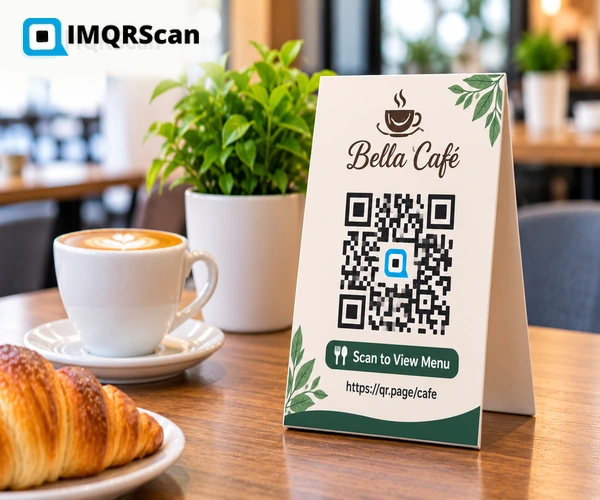
A café has menu QR codes on every table. It set them up with security in mind:
- Each code is a Smart code that opens the café's own HTTPS menu page.
- The table cards show the café logo, the frame text Scan to View Menu, and the short link printed below.
- Staff check every table card at opening time.
One morning a waiter finds a sticker over the code on table 6. Scanning it shows a payment page on an unfamiliar domain, not the short link printed on the card. He removes the sticker, the manager checks scan analytics for unusual activity, and the café warns guests on social media.
Do You Need a Secure QR Code Scanner App?
For most people, no. The built-in camera on iPhone and Android reads QR codes and shows the link before you open it. That preview is your best moment to spot a fake.
Be careful with third-party scanner apps. Some fake scanner apps have been found to carry malware or heavy ads. If you use one, pick a well-known app from the official store, and check what permissions it asks for.
What Else Can You Do With a Secure QR Code?
Security works best with a clear design and good management. IMQRScan adds tools for both.
Logo and Branding
Add your logo and a clear frame, so people recognize your codes at a glance.
Scan Analytics
Spot unusual activity, such as scans from places your code is not printed.
Folders and Bulk Creation
Manage many codes in one place, and create them in bulk from a CSV file.
More Tools in IMQRScan
Free Print Templates
Flyers, posters, and table tents with your code already placed.
Multi-Language Pages
Show hosted landing pages in the languages your visitors read.
Country Rules
Send each country to a different destination from one code.
Retargeting Pixels
Meta, GA4, Google Ads, TikTok, and LinkedIn pixels on every scan.
QR Stickers
Print-ready stickers for packaging, doors, and windows.
Built-in QR Templates
Start every code from the same branded design.
Team and Users
Invite teammates and give each one a role.
QR Code API
Create and manage codes from your own software.
Free on every plan
- HTTPS short links
- Pause and edit Smart codes
- Scam reporting and review
- Logo and all design options
- Multi-language landing pages
Free plan includes
- Unlimited static QR codes
- 5 Smart (dynamic) QR codes
- 15 tracked scans
- 14 days of scan analytics
- Bulk creation, 5 per upload
Professional plan and up
- PIN protection
- Schedule and scan limits
- Team management and roles
- Country rules and retargeting pixels
- QR Code API
- Custom domain add-on ($10/month)
Secure QR Code FAQs
Answers about QR code security, scams, encryption, and protection.