Property Listing QR Code Generator for Signs and Flyers
Last updated: November 2026 · Written & reviewed by the IMQRScan Editorial Team
A property listing QR code opens a mobile page for one home, with photos, price, size, map, floor plan and a button to call, WhatsApp or book a viewing. Create your property listing QR code below and edit the listing any time after printing.
Free plan • No credit card required • Edit the listing after printing
1
Scan to see the home
3
Ways buyers can reach you
A4
Printable property sheet
Live
Edit after printing
What Is a Property Listing QR Code?
Definition: A property listing QR code is a scannable code, printed on a sign, flyer or brochure, that opens a mobile web page for one home. The page shows photos, price, property facts, location and the agent, with a button to call, WhatsApp or book a viewing.
Think of it as the brochure box on a yard sign, but it never runs empty and never goes out of date.
A buyer drives past, stops, and points a phone camera at the sign. In two seconds they see the price, the rooms and the inside of the home. No app. No typing a web address. No searching a portal and landing on another agent's page.
You build the page in the generator above. Because the code is Smart, the page lives online and you can change it at any time. The square printed on the sign stays the same.
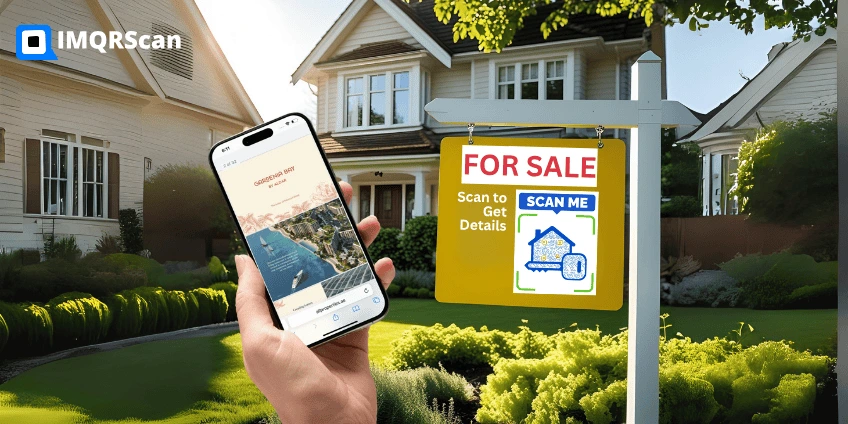
TL;DR: one code per home, one page per code.
- Holds: a short link to your listing page
- Opens: photos, price, facts, map and your contact
- Changes: any time, with no reprint
Property Listing QR Code vs a Portal Link vs a Plain URL Code
Most agents first try a QR code that opens a portal listing. It works, but the buyer often leaves with someone else. Here is how the three options compare.
| Question | Property listing QR code | Portal listing link | Plain URL QR code to your site |
|---|---|---|---|
| Built for a phone in one scan | Usually | Depends on your site | |
| Shows only your listing and contact | other agents and similar homes | ||
| Survives when the listing is removed | Yes, shows Sold and your other listings | Often becomes a dead page | Only if you redirect it |
| Viewing request form built in | Portal form | If your site has one | |
| Printable property sheet | one-page PDF | ||
| Setup time | About 10 minutes | Copy a link | Build a page first |
Three Ways Buyers Can Reach You From the Code
Every agent works differently. Some want a form in the inbox, some only answer WhatsApp, and some already use a booking tool. Pick one per listing.
| Contact option | What the buyer sees | Buyer details stored | Best for |
|---|---|---|---|
| Viewing request form (default) | Book a viewing form, plus Call and WhatsApp | Yes, in your Viewing requests page, and you get an email | Agents who follow up from a list |
| Call and WhatsApp only | Call and WhatsApp buttons with a short privacy note | No | Agents who live on WhatsApp |
| Your own booking link | Book a viewing opens Calendly, your CRM or your portal | No, the booking happens in your tool | Teams with an existing booking system |
The viewing form has the usual spam protection: a time check, a robot box, a hidden trap field and a limit of five requests an hour from one device. You can mark each request, add notes and export a CSV.
In every option, the page also offers a Save contact button and a share sheet, so a buyer can send the listing to a partner on WhatsApp, email or Telegram in one tap.
Where to Put a Property Listing QR Code
The best spot is wherever a buyer has a question and no way to ask it. That is usually outside the home, after office hours.
- Yard sign or sign rider: the most common use. Make the code big.
- Window card: for apartments and shop fronts where no sign is allowed.
- Flyer, brochure or postcard: the code opens the photos you could not fit on paper.
- Open house: on the door and the kitchen counter, so visitors keep the details.
- Portal photos and social posts: a small code in the last image sends phones to your page.
- Lobby or building notice: for rentals in a block, one code per unit.
Print size guide
| Where it goes | Minimum size |
|---|---|
| Flyer, postcard or business card | 3 by 3 cm |
| Window card | 6 by 6 cm |
| Yard sign rider seen from the pavement | 10 by 10 cm |
| Large sign seen from a car window | 15 by 15 cm or more |
Keep a white margin around the code and use dark on light. More detail in our guide to minimum QR code size.
What a Property Listing QR Code Cannot Do
It does not replace the Dubai Madmoun QR code
Since 24 April 2023, property ads in Dubai must carry the Madmoun QR code that the Dubai Land Department issues with each Trakheesi advertising permit. That code proves the ad is approved. Your property listing QR code is a marketing code. Print both, and add your permit number in the listing so buyers see it on your page too. Source: Dubai Land Department.
It does not sync with your MLS or portal
You type the listing in once. If the price changes on the portal, change it in your dashboard too. Many agents update both on the same day as a habit.
It does not tell you who scanned
You see how many scans, when, and roughly where, plus counts of calls, WhatsApp taps and shares. You only learn a buyer's name when they send a viewing request. That is by design, and it keeps you on the right side of privacy rules.
Real Example: One Listing From Sign to Viewing
Here is how a letting agent set up a two-bedroom apartment for rent, using the Property Listing type exactly as it works today.
- She chose For rent, entered the yearly rent and picked Year as the rent period.
- She uploaded a living room photo as the main photo, then a bedroom, the view and the floor plan.
- She added 2 beds, 2 baths, the size in sq ft, one parking space and Furnished.
- She pasted a Google Maps link and her permit number.
- She kept the viewing request form, because her team follows up from a list each morning.
- She printed the one-page PDF sheet for the lobby and a 10 cm code on the window card.
- When the flat was let, she set the status to Rented and added a link to her other listings.
The window card stayed up for another month. People who scanned it saw the Rented badge and a button to her current homes, instead of a dead link.
Best practice for every listing
- Use one code per home, never one code for all homes on a sign.
- Lead with the best photo. It decides if people scroll.
- Show the price, or say Price on request. Hidden prices lose scans.
- Write a scan promise on the sign: Scan for price, photos and viewings.
- Print a short web address under the code for people who prefer typing.
- Update the status the day it changes.
Mistakes That Waste a Property Listing QR Code
Too small
A 3 cm code on a yard sign cannot be scanned from the pavement. Go to 10 cm or more.
Opening the homepage
Buyers want this home, not your whole site. Send each code to its own listing.
Old details
A wrong price after a reduction costs trust. Edit the listing the same day.
Glossy signs
Glare in sunlight stops cameras. Ask the printer for a matte finish.
What a Property Listing QR Code Opens
The Property Listing type builds a mobile page for one home behind your code. Here is what a buyer sees after one scan.
Photos and floor plan
A main photo, two more photos and an optional floor plan.
Price and status
For sale, for rent or off-plan, with a price or Price on request.
Property facts
Bedrooms, bathrooms, size, parking, furnishing and handover date.
Location
Area, city and a Google Maps or Apple Maps link.
Agent card
Name, photo, agency logo, licence number and an Available badge.
Next step
Call, WhatsApp, a viewing request, or your own booking link.
How to Create a Property Listing QR Code
Use the generator at the top of this page. A full listing takes about ten minutes.
Choose Property Listing
In the generator above, choose Property Listing. It builds a mobile listing page behind your QR code.
Add the property
Enter the title, status, price or rent, three photos, beds, baths, size, area, city and a map link.
Add yourself as the agent
Add your name, photo, agency logo, phone, WhatsApp, email and any licence or permit number your market needs.
Pick how buyers contact you
Keep the viewing request form, switch to Call and WhatsApp only, or add your own booking link.
Design and test
Add your colors and logo, then scan the code on an iPhone and an Android phone.
Print and place it
Download SVG for signs and PNG for portals, or print the one-page PDF property sheet.
What Else Can a Property Listing QR Code Do?
A listing changes often. These IMQRScan tools help you keep every printed code useful until the home is sold.
Free Print Templates
Sign riders, window cards and flyers with your code placed.
QR Stickers
Sticker designs for signs, windows and brochure boxes.
Retargeting Pixels
Show ads later to people who scanned (Professional).
Schedule and Scan Limits
Turn a code on for an open house weekend (Professional).
Bulk Creation
One code per listing from a spreadsheet.
Team and Users
Give each agent their own codes and role.
Custom Domain
Use your agency domain for the short link.
Built-in QR Templates
Brand colors, frames and logo placement set.
Free on every plan
- Built-in QR templates
- Multiple QR shapes
- Free print templates
- QR stickers
- Multi-language landing pages
Free plan includes
- Unlimited static QR codes
- 5 Smart (dynamic) QR codes
- 15 tracked scans
- 14 days of scan analytics
- Bulk creation, 5 per upload
- File uploads up to 5 MB
Professional plan and up
- PIN protection
- Schedule and scan limits
- Country rules
- Retargeting pixels
- QR Code API
- Team management and roles
- Advanced analytics and exports
Plus plan: integrations with webhooks, Zapier, Make, HubSpot and GA4, white label, and 3 user seats. Add-ons on any plan: custom domain ($10/month), extra users and extra smart codes.
Summary
- A property listing QR code opens a mobile page for one home.
- Buyers see photos, price, facts, map and a floor plan.
- They can call, WhatsApp, or send a viewing request.
- Change the price or mark it Sold without reprinting.
- Print a one-page PDF property sheet with the code on it.
A property listing QR code turns a sign or flyer into the full listing, at the moment a buyer is standing outside the home. Keep the page honest and up to date, and give buyers one clear way to reach you.
Create Your Property Listing QR Code
Add the home, choose how buyers reach you, and test the code on two phones before you print.
Create a Property Listing QR CodeFree plan • No credit card required