Eventbrite QR Code Generator: Promote Your Event Page
An Eventbrite QR code opens your Eventbrite event page in one scan, so people can see the details and get tickets. Eventbrite puts a QR code on every ticket for check-in, but the code that promotes your event is one you create yourself. Choose the Eventbrite type below and paste your event link.
Dedicated Eventbrite QR type • Free static codes • Smart codes with scan tracking
2
Kinds of Eventbrite QR code
1
Scan to your event page
PNG/SVG
Print-ready downloads
Live
Scan analytics
What Is an Eventbrite QR Code?
Definition: An Eventbrite QR code is a scannable code that opens an Eventbrite event page, so people can see the details and buy tickets. Eventbrite also places a separate QR code on each ticket for check-in.
The answer to most Eventbrite QR code questions depends on which of the two codes you mean.
| QR code | Who makes it | What it does | Where it is used |
|---|---|---|---|
| Ticket QR code | Eventbrite, automatically | Proves an attendee has a ticket | Scanned at the door with the Eventbrite Organizer app |
| Event page QR code | You, with a QR code generator | Opens your Eventbrite event page | Flyers, posters, slides, social posts, table cards |
Eventbrite's help center says it does not have a built-in QR code generator yet for promoting an event. It suggests two ways: the Create QR Code option in Google Chrome, or pasting your event link into a third-party QR code generator such as the one above.
Eventbrite QR Code Options Compared
All three options open your event page. The difference is what you can do after the code is printed. The same QR code generator also makes codes for your website, venue WiFi, and contact details.
| Option | Logo and colors | Change the link later | Count scans | Files |
|---|---|---|---|---|
| Chrome Create QR Code | No | No | No | PNG image |
| Static Eventbrite QR code | Yes | No | No | PNG and SVG |
| Smart Eventbrite QR code | Yes | Yes | Yes, by date, device and location | PNG and SVG, plus an optional splash screen and pop-up |
IMQRScan has a dedicated Eventbrite QR type, so you paste only your event link and the generator checks it is an Eventbrite address. For a one-off poster, a static code works. For a series of events, or print that stays up for weeks, a smart (dynamic) code saves reprinting and shows which placements sell tickets.
Add a Splash Screen or Pop-Up to Your Eventbrite QR Code
A smart Eventbrite QR code can show a short branded moment before the event page opens. Visitors then continue to Eventbrite by themselves.
Splash screen
Your logo or image, a background color and a short line of text, shown for 1 to 6 seconds while the event page loads. Good for brand recognition at a festival or a series.
Pop-up advert
An image, title, short text and a button to another link, with a Skip button. Set the delay, let it hide by itself, and show it once per visitor. Good for a sponsor message or an early-bird reminder.
Use them lightly. People who scan want tickets. Keep the splash short and the pop-up skippable, and leave both off for a simple poster where speed matters most.
Where to Find the QR Code on an Eventbrite Ticket
Attendees do not need a generator for their ticket. Eventbrite creates a unique Eventbrite ticket QR code for each ticket on in-person events.
- Order confirmation email: the ticket, with its QR code, comes with the order email.
- Eventbrite app: open the app, go to Tickets and select the event to show the code on screen.
- Printed ticket: the PDF ticket can be printed if a phone battery is a worry.
No QR code on the ticket? Check the order email and the app first. Online events and some custom setups check guests in differently, so if it is still missing, contact the organizer.
How to Scan Eventbrite QR Codes at Check-In
- Download Eventbrite Organizer. Install the free app from the App Store or Google Play and log in with your Eventbrite account.
- Select your event and tap Check in. On Android, open the menu first, then select Check in.
- Tap the scan icon. Point the camera at the Eventbrite QR code on the ticket. A confirmation appears once it scans.
- Handle problems. If a ticket was already used, the app shows an error, which helps stop shared tickets. You can also check guests in by name.
These steps follow Eventbrite's check-in guide. To check in attendees, you need to be an admin or owner of the account, or have a role that allows check-in.
Can an Eventbrite QR Code Go Straight to Checkout?
No. Eventbrite's own guidance is that the QR code links to your event page, where attendees select Get Tickets. That extra step is short, and the page shows the date, venue and ticket types people want to see before paying.
How to see which flyer sells tickets
- One dynamic code per channel. Make one Eventbrite QR code for posters, one for flyers and one for slides, and compare their scan counts.
- Match it to sales. Eventbrite's own tracking links can be used as the destination of each code, so you see sales per channel in Eventbrite too.
- Read the timing. Scans by date show whether a campaign push or a newsletter brought people in. See how to track QR code scans.
Where to Use Your Eventbrite QR Code
| Placement | Why it works | Tip |
|---|---|---|
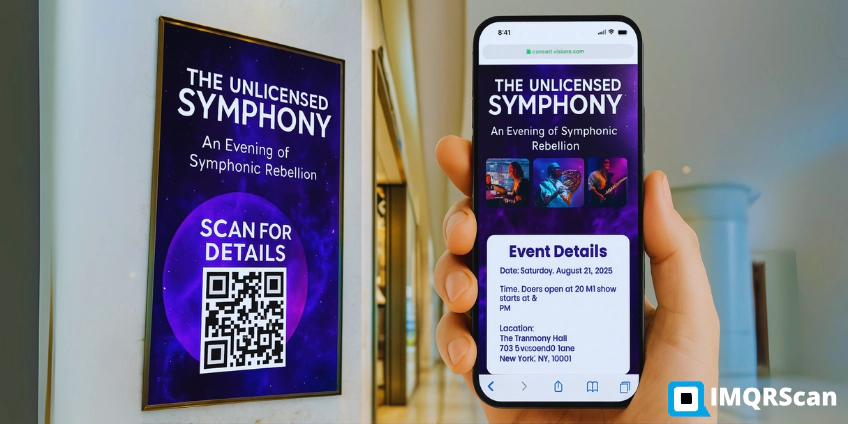
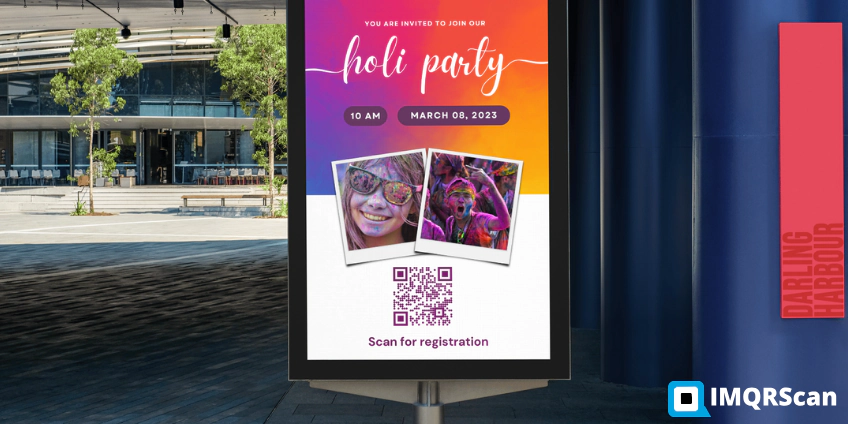
| Flyers and posters | People see them while they wait or walk past | Add the date and one line, such as Scan for tickets |
| Presentation slides | The audience scans from their seats | Keep the slide up for at least 10 seconds |
| Social posts and stories | Works on screens and in shared images | Also add the clickable link |
| Table cards at a previous event | Promotes the next event to warm guests | Use a dynamic code to update it later |
| Email signatures and newsletters | Reaches people reading on a desktop | Small, with the link next to it |
Eventbrite QR Code Troubleshooting
- The code opens a blank or broken page. Check that the event is published and that you copied the live event link.
- People cannot scan it from far away. Make it larger. A poster read from 2 metres needs a code about 20 cm wide; see minimum QR code size.
- A ticket will not scan at the door. The Organizer app shows an error when a ticket is already used or not valid for this event. Check the attendee in by name if needed.
- The event moved to a new date or page. A static code keeps opening the old link. A dynamic code can be updated in seconds.
Example: A Monthly Workshop Series
- A workshop host creates one dynamic QR code that opens the next Eventbrite event page.
- The code goes on posters at a coworking space and on the last slide of every workshop.
- After each workshop, the host updates the link to the next date, so the posters never go out of date.
- Scan counts show the slide brings more visitors than the posters, so the host makes the slide bigger.
For events outside Eventbrite, with Add to calendar and a map, use the event QR code generator. For a full planning approach across codes, signs and sponsors, read QR codes for event organizers.
What an Eventbrite QR Code Generator Should Include
The promotional Eventbrite QR code should do more than open a link, especially when posters stay up for weeks.
Dedicated Eventbrite type
Paste only your event link; the generator checks it is an Eventbrite address before you print.
Logo and event colors
Brand the code and add a frame with a call to action.
Edit after printing
Switch the link to the next event without reprinting.
Scan tracking
See scans by date, device and location for each placement.
Print-ready files
SVG for posters and banners, PNG for screens and social posts.
Splash screen and pop-up
Show your logo or a short skippable message before Eventbrite opens, on smart codes.
How to Create a QR Code for Your Eventbrite Event
These steps work for any Eventbrite event, in person or online.
Publish and copy your event link
Make sure the event is live, then in your Eventbrite dashboard find Event link under the event title and select Copy link.
Choose the Eventbrite type
In the generator above, pick Eventbrite and paste the link into Eventbrite link. The generator checks it is an Eventbrite address.
Pick the kind of code
Choose a static code for a free, fixed link, or a smart code to track scans and change the link later.
Add a splash screen or pop-up
For smart codes, you can show your logo for a moment, or a short pop-up with a Skip button, before Eventbrite opens.
Design it for your brand
Add your logo and event colors, plus a frame with a call to action such as Scan for tickets.
Test and download
Scan with an iPhone and an Android phone, check the event page opens, then download SVG for print and PNG for screens.
What Else Can an Eventbrite QR Code Do?
A dynamic Eventbrite QR code can do more than send people to the event page.
Retargeting Pixels
Reach people who scanned but did not buy (Professional).
Schedule
Turn the code on and off around the sale dates (Professional).
Country Rules
Send each country to a different event page (Professional).
Free Print Templates
Posters and table cards with your code placed.
Built-in QR Templates
Ready-made designs with colors and frames.
Bulk Creation
One code per venue, partner or poster run.
Team and Users
Share event codes with colleagues and partners.
Custom Domain
Use your own domain for the short link.
Free on every plan
- Built-in QR templates
- Multiple QR shapes
- Free print templates
- QR stickers
- Multi-language landing pages
Free plan includes
- Unlimited static QR codes
- 5 Smart (dynamic) QR codes
- 15 tracked scans
- 14 days of scan analytics
- Bulk creation, 5 per upload
- File uploads up to 5 MB
Professional plan and up
- PIN protection
- Schedule and scan limits
- Country rules
- Retargeting pixels
- QR Code API
- Team management and roles
- Custom domain add-on from Starter ($10/month)
Summary
- There are two Eventbrite QR codes: the ticket code Eventbrite makes, and the promotional code you make.
- Your Eventbrite QR code opens the event page, not the checkout step.
- Attendees find their ticket QR code in the order email and the Eventbrite app.
- Scan tickets at the door with the free Eventbrite Organizer app.
- Use a dynamic code to track scans and update the link for the next event.
Eventbrite handles the tickets and the check-in scan. Your Eventbrite QR code does the promotion: the dedicated Eventbrite type gets people from the poster to the event page, and a smart code adds scan tracking, editing, and an optional splash screen or pop-up.
Create Your Eventbrite QR Code
Choose the Eventbrite type, paste your event link, pick static or smart, and test it on two phones before printing.
Create an Eventbrite QR CodeFree plan • No credit card required