Bitcoin QR Code: How It Works and How to Use It Safely
What is a Bitcoin QR code, how does it work, and how do you stay safe scanning one? Learn Bitcoin QR code formats, payment URIs, scams, and how to create one.
Reviewed: May 2026 • Reviewed by IMQRScan's editorial team
Quick Answer
A Bitcoin QR code is a 2D barcode that encodes a Bitcoin wallet address and optionally an amount, label, or message. It helps people scan and pay without typing a long BTC address by hand.
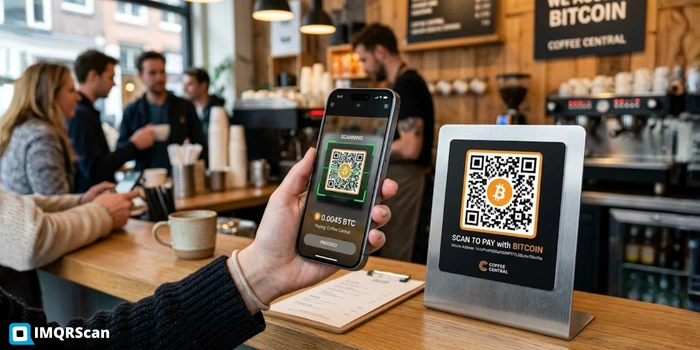
Table of Contents
- What Is a Bitcoin QR Code?
- How Does a Bitcoin QR Code Work?
- Wallet QR vs Payment QR
- Address QR vs Payment URI
- Can It Include an Amount?
- How to Create a Bitcoin QR Code
- How to Scan Safely
- Common Mistakes
- Scams and Safety Tips
- Example Format
- Bitcoin Donation QR Code
- Bitcoin QR Scanner
- Bitcoin QR Privacy
- Merchants and Invoices
- Bitcoin QR vs Lightning QR
- FAQs
Create a Bitcoin QR Code
Paste a BTC address, optionally add an amount, and create a free Bitcoin QR code with IMQRScan.
Bitcoin QR Code GeneratorKey Takeaways
- A Bitcoin QR code is a printable shortcut for a wallet address — it removes typo risk, nothing more.
- The BIP-21 URI standard lets you bake an amount, label, and message into the QR for one-tap payments.
- On-chain Bitcoin QRs never expire. Lightning (BOLT11) QRs do — usually within minutes.
- The biggest real-world risk is QR-swap fraud on printed posters, not the QR format itself.
- Always scan from inside your wallet app, and verify the parsed address before confirming.
A Bitcoin transaction is unforgiving: hit "send" with a single wrong character in the recipient address and the funds either bounce, get rejected, or in the worst case leave forever. That single risk is the reason that most modern Bitcoin wallets include a QR scanner or receive-address QR flow: scan a QR, eliminate the keystrokes, eliminate the typo.
Yet most people who use Bitcoin daily have never thought about what is actually inside that little square pattern, why a wallet QR is not the same as a payment QR, or how a known scam swaps QR codes on physical posters and redirects payments to the attacker.
This guide answers all of it. By the end you will know exactly what a Bitcoin QR code is, how to read one, how to make one, and how to spot a fake before it costs you. When you are ready to create one for yourself, use IMQRScan's Bitcoin QR code generator. Paste a wallet address, optionally add an amount, and download.
What Is a Bitcoin QR Code?
A Bitcoin QR code is a square 2D barcode that contains the data a Bitcoin wallet needs to receive a payment. At the simplest level, it stores the receiving address. At a richer level, it stores a Bitcoin payment URI, which is the address plus an amount, a label, and a message, so the sending wallet opens with everything pre-filled.
Think of the QR as a printable shortcut for a public address. The address itself is the long string of 26 to 62 characters that begins with 1, 3, or bc1. Reading it aloud is impractical. Typing it without an error is risky. Photographing it with a phone, however, takes about half a second and removes the human-error problem entirely.
That convenience is why major Bitcoin wallets commonly support QR scanning before manual paste. A Bitcoin QR code is also generic in the best sense: it is not tied to any company, app, or service. The QR you generate today on IMQRScan's crypto wallet QR code generator will still work later on wallets that support the open format, because no IMQRScan server is in the loop after the file is downloaded.
How Does a Bitcoin QR Code Work?
Underneath the pixels, three layers stack on top of each other.
Layer 1: The Bitcoin address
A unique alphanumeric string identifying a wallet on the Bitcoin blockchain. Three formats are common today: Legacy starts with 1, P2SH starts with 3, and Bech32 or SegWit starts with bc1. Taproot addresses begin with bc1p.
Layer 2: The Bitcoin URI
Defined by BIP-21, the URI wraps the address with optional parameters. The bitcoin: scheme tells the phone to open this in a Bitcoin wallet.
Layer 3: QR encoding
The URI string is turned into a QR pattern using the QR code specification. Built-in error correction helps the code scan even if it is slightly smudged or partly covered.
A realistic Bitcoin payment URI looks like this:
bitcoin:bc1qxy2kgdygjrsqtzq2n0yrf2493p83kkfjhx0wlh?amount=0.01&label=Coffee&message=Order+1742The bitcoin: scheme tells the phone to open this in a Bitcoin wallet. The amount, label, and message are optional. Wallets that follow BIP-21 read the URI and pre-fill the send screen. Wallets that do not may fall back to treating the address as a plain receive target.
Bitcoin Wallet QR Code vs Bitcoin Payment QR Code
These two terms get used interchangeably online. They are not the same thing, and confusing them is the most common mistake first-time merchants make.
| Feature | Bitcoin Wallet QR | Bitcoin Payment QR |
|---|---|---|
| What it encodes | Just the address | Address + amount + memo using BIP-21 |
| Sender experience | Wallet opens, recipient filled, sender types amount | Wallet opens, recipient and amount pre-filled, sender taps confirm |
| Best for | Tips, donations, profile bios, generic receive | Invoices, fixed-price checkout, ticket sales |
| Reusable for many payments | Yes, same QR for any amount | Yes, but the amount is locked |
| Mistake risk | Sender may type wrong amount | Very low, because almost everything is pre-filled |
For a broader payment QR walkthrough, read IMQRScan's guide on how to create a QR code for payment.
Bitcoin Address QR Code vs Bitcoin Payment URI
A pure bitcoin address QR encodes only the address, for example bc1qxy2kgdygjrsqtzq2n0yrf2493p83kkfjhx0wlh, with no protocol prefix. It still works in most modern wallets because they auto-detect the format, but some older wallets may not recognise it without the bitcoin: scheme.
A Bitcoin payment URI always begins with bitcoin: and is the recommended format. It works on BIP-21-compliant wallets, allows you to attach amount and label, and signals to the operating system that the QR should be handed to a Bitcoin app rather than treated as plain text.
Recommendation: Always generate a payment URI QR, even if you do not need an amount. The bitcoin: prefix costs little in scan complexity and removes ambiguity for the sender's wallet. IMQRScan's BTC address to QR code tool applies the URI wrapper for you automatically.
Can a Bitcoin QR Code Include an Amount?
Yes. The amount parameter is part of the BIP-21 standard, expressed in BTC, not satoshis. Here are examples of what you can encode and what each does:
bitcoin:bc1q...?amount=0.005opens a wallet send screen requesting 0.005 BTC.bitcoin:bc1q...?amount=0.005&label=Espressomay also display "Espresso" alongside the recipient.bitcoin:bc1q...?amount=0.005&message=Invoice%20%231742adds a message a sender sees during confirmation.
Worth knowing: not every wallet displays the label or message identically, and some wallets ignore them. The amount is generally honoured by modern Bitcoin wallets that comply with BIP-21. Test the QR with your own wallet before printing it on menu cards, invoices, flyers, or posters.
There is one practical limit. If you generate a payment QR with a fixed amount, the BTC price can move between the moment the QR is printed and the moment a customer scans it. For a coffee at $4 that may be fine. For a high-value invoice, many merchants pair a wallet QR with a separate price quote rather than locking the amount into the QR itself.
How to Create a Bitcoin QR Code
There are three honest options, in order of recommendation.
Option A: Use IMQRScan's generator
Open IMQRScan's Bitcoin QR code generator, paste your Bitcoin address, optionally add an amount and memo, customise the colours and logo if needed, and download as PNG, SVG, or PDF. The encoding happens in your browser. About 30 seconds end to end.
Create Bitcoin QR Code FreeOption B: From inside a Bitcoin wallet app
Most wallets display a QR for your receive address whenever you tap "Receive." Some let you add an amount. The downside is that the QR is often sized for screens, not print, and is rarely customisable.
Option C: From the command line
If you are technical, libraries like python-qrcode or JavaScript QR packages can encode a BIP-21 URI into SVG. This is best for developer checkout flows, not simple one-off creation.
Whichever option you pick, always test the generated QR with your own phone before sharing it. Open your Bitcoin wallet, tap scan, point at the code, and verify that the address and amount match what you intended.
How to Scan a Bitcoin QR Code Safely
Scanning a Bitcoin QR is mechanically simple. The safety part is what takes practice. Here is the safe-scan checklist:
- Use your wallet app, not a random phone scanner. Launching the scanner from inside your wallet ensures the address is parsed by the wallet's own logic.
- Confirm the parsed address matches the printed address. Cross-check at least the first 4 and last 4 characters against the source.
- Confirm the amount if pre-filled. A malicious printed QR could request 1 BTC instead of 0.01 BTC.
- Check the address format matches the network. A QR claiming to be Bitcoin but containing an Ethereum 0x address is a red flag.
- When in doubt, send a small test transaction first. A $1 test before a $1,000 transfer is cheap insurance.
Common Bitcoin QR Code Mistakes
Here are the mistakes we see most often, ranked roughly by frequency.
Printing a low-resolution QR
A QR exported as a small PNG will pixelate when enlarged. Use SVG or a high-resolution PNG for posters, packaging, or flyers.
Not leaving a quiet zone
The white border around a QR is functional. Phones use it to lock onto the code. Cropping it off is a common reason a QR refuses to scan.
Low contrast colours
Light grey on white may look elegant in a mockup, but cameras can struggle to read it. Keep dark modules dark and backgrounds light.
Wrong network
Generating a QR for Bitcoin but pasting an Ethereum or Litecoin address is dangerous. Always double-check the network before generating.
Forgetting to test on a phone
Don’t print 5,000 flyers without scanning the QR with at least three different wallets first.
Locking an amount in BTC for a long-running invoice
BTC price moves. A QR encoding 0.005 BTC is worth a different USD amount tomorrow than today. For multi-week campaigns, encode the wallet only and quote price separately.
Also remember that a Bitcoin QR is a static QR code by nature. The data lives in the pixels, not on a server. If you need to change the address later, generate a new QR. Dynamic QR codes are useful for editable web links and marketing campaigns, but they are not the correct model for direct wallet-address payments. For non-crypto campaigns, explore IMQRScan's dynamic QR code generator and QR code tracking.
Bitcoin QR Code Scams and Safety Tips
QR-based fraud has scaled with QR usage. The U.S. Federal Trade Commission issued a public warning in December 2023 about QR code scams, and law enforcement agencies have also reported crypto-related scams where victims are pushed to scan payment QRs. Three patterns dominate:
Pattern 1: The sticker swap
A scammer prints a QR linking to their own wallet and sticks it over a legitimate one on a poster, counter, parking meter, or charity flyer.
Pattern 2: Fake support request
A scammer impersonates wallet or exchange support and asks the victim to verify a wallet by scanning a QR. Real support teams do not need this.
Pattern 3: Phishing landing page
A QR opens a fake website asking for a seed phrase. A real Bitcoin payment QR should trigger your wallet, not a page requesting recovery words.
Never share or scan a QR containing a private key, seed phrase, or recovery phrase. Always verify the recipient address inside your wallet after a scan. Use small test transactions for unfamiliar destinations. Generate your own QRs from a trusted source like IMQRScan rather than re-using a QR sent in a chat or email.
For NFT pages, Solana Pay links, blockchain explorer URLs, crypto donation pages, or custom crypto landing pages that do not fit the bitcoin: URI, use IMQRScan's URL QR code generator.
Bitcoin QR Code Example Format
For anyone curious about what gets encoded, here is a realistic Bitcoin payment URI with each part labelled. (The address below is a well-known public example used in Bitcoin documentation; do not send funds to it.)
bitcoin:bc1qar0srrr7xfkvy5l643lydnw9re59gtzzwf5mdq?amount=0.01&label=IMQRScan%20Demo&message=Sample%20order| Component | What it does |
|---|---|
bitcoin: |
The URI scheme. It tells the operating system to hand the QR to a Bitcoin wallet. |
bc1q...mdq |
The receiving Bitcoin address in Bech32 or SegWit format. |
?amount=0.01 |
Requested amount in BTC. The wallet pre-fills 0.01 BTC. |
&label=... |
A short label many wallets show alongside the recipient. |
&message=... |
A free-form message useful for matching a payment to an invoice. |
Spaces inside label or message are URL-encoded as %20. Most generators handle this for you, but if you are hand-crafting the URI for a developer integration, encode it correctly or wallets may truncate at the first space.
Bitcoin Donation QR Code: When Reuse Makes Sense
A Bitcoin donation QR code is usually a wallet QR that stays the same for a long time. A charity, creator, open-source project, mosque, community group, or independent publisher can print one Bitcoin address on a poster, profile page, event banner, or donation card and let supporters scan it whenever they want to contribute.
This is one of the few cases where reusing the same Bitcoin QR code can be practical. The sender chooses the amount, the recipient does not need to generate a new invoice for every person, and the QR can work across printed and digital channels. For example, a creator might place the same Bitcoin donation QR code in a YouTube description, a PDF media kit, and a conference flyer.
The trade-off is privacy. If every donation goes to the same address, anyone can look up that address on a public Bitcoin block explorer and see incoming payments. They may not know the identity of every donor, but they can see the payment history of that address. For personal privacy or accounting separation, it is better to create a new receive address for each campaign, event, or donor group.
Bitcoin QR Code Scanner: What Should You Use?
A Bitcoin QR code scanner should normally be the scanner built into your Bitcoin wallet. You do not need a separate "Bitcoin QR scanner" app from an app store, and in many cases you should avoid one. A random scanner app may read the QR and show the text, but it may not understand Bitcoin payment URI details like amount, label, or message. Worse, a low-quality scanner could open a browser link when you expected a wallet confirmation screen.
When you scan from inside your wallet, the app parses the QR as a Bitcoin payment request. It shows the recipient address, amount if included, and transaction details before you approve anything. That confirmation screen is your safety checkpoint. Never skip it. Check the first few and last few characters of the address, confirm the amount, and make sure the network is Bitcoin.
A normal phone camera can sometimes detect a bitcoin: URI and offer to open a wallet, but the safest habit is to open your trusted wallet first, tap Scan, and scan from there. This is especially important when paying from printed QR codes in public places, because fake stickers can be placed over real QR codes.
Bitcoin QR Code Privacy: Should You Reuse the Same Address?
Bitcoin addresses are public. That is useful because anyone can send funds to them, but it also means every payment to the same address can be viewed on-chain. If you use one Bitcoin QR code for all customers, donors, or friends, those payments become easier to connect together.
For businesses, this can create accounting visibility you may not want. For individuals, it can reveal how many payments you received and when. Most modern wallets solve this by generating a fresh receiving address each time you tap Receive. That fresh address can still belong to the same wallet, but it makes it harder for outside observers to link all incoming payments together.
Reusable Bitcoin QR codes are still useful for public tips, printed donation posters, and low-risk use cases. But if privacy matters, create a new Bitcoin QR code for each invoice, campaign, or customer. If you use IMQRScan's crypto QR code generator, regenerate the QR whenever your wallet gives you a new receive address.
Bitcoin QR Code for Merchants and Invoices
For merchants, the biggest question is whether the QR should include a fixed BTC amount. If the price is small and paid immediately, a Bitcoin payment QR with amount can work well. A customer scans, sees the amount, and confirms. This reduces wrong-amount payments and makes checkout faster.
For invoices that stay open for days or weeks, be careful. Bitcoin price changes, so a QR that encodes 0.005 BTC may represent a different local-currency value tomorrow. For longer-running invoices, many merchants either quote the BTC amount at the time of payment or use a checkout system that creates a fresh payment request when the customer is ready to pay.
If your QR is for a web checkout page, NFT page, blockchain explorer, or crypto landing page rather than a direct Bitcoin wallet address, use IMQRScan's URL QR code generator instead. Use the Bitcoin QR format only when you want the scanner to open a Bitcoin wallet directly.
Bitcoin QR Code vs Lightning QR Code
A Bitcoin QR code usually refers to an on-chain Bitcoin payment. It encodes a Bitcoin address or a BIP-21 payment URI. The transaction is broadcast to the Bitcoin network and is considered final after confirmations. This is simple, durable, and useful for larger payments, donations, cold-wallet deposits, and invoices where speed is not the main priority.
A Lightning QR code is different. It usually encodes a Lightning invoice, often called a BOLT11 invoice. That invoice is designed for fast, low-fee payments and is usually single-use and time-limited. Lightning QR codes are common for coffee shops, small retail payments, events, tips, and in-person payments where speed matters.
The practical difference is simple: use a Bitcoin QR code for on-chain BTC receiving addresses and long-term wallet payments. Use a Lightning QR code when the wallet or merchant gives you a Lightning invoice for quick payment. Do not treat them as interchangeable. A Bitcoin wallet address QR and a Lightning invoice QR may both look like square barcodes, but the data inside is different and your wallet handles them differently.
Ready to make your own Bitcoin QR code?
Skip the typo risk. Generate a Bitcoin QR code free on IMQRScan. Paste your wallet address, choose an amount if needed, and download in seconds. No watermark, encoded in your browser.
Create a Bitcoin QR freeAbout this article
Reviewed by IMQRScan's editorial team. This article covers Bitcoin QR code formats, QR payment safety, and practical QR generation guidance.
Disclosure: IMQRScan provides the QR code generation tool referenced in this article.
For technical context, see the BIP-21 Bitcoin URI standard, the U.S. Federal Trade Commission, and ISO/IEC 18004 QR code specification.
FAQs About Bitcoin QR Codes
Quick, expert-reviewed answers about Bitcoin wallet QR codes, payment QR codes, scanner safety, traceability, and common scams.
The Basics
bitcoin:<address>?amount=<btc>&label=<text>&message=<text>. The bitcoin: prefix is the BIP-21 URI scheme. The QR pattern itself follows the ISO/IEC 18004 specification.
bitcoin:<address> URI. Many Bitcoin QRs include a small ₿ symbol or wallet logo in the centre for easy identification, which IMQRScan's generator can add automatically.
Creating & Using
bitcoin:bc1q...?amount=0.005 opens the sender's wallet pre-filled with 0.005 BTC. The recipient is locked, the amount is locked, and the user only confirms.
Safety, Privacy & Scams
bitcoin: URI and offer to open a Bitcoin wallet. For safety, always scan from inside the wallet itself rather than the camera app because it gives you a reliable confirmation step before any funds move.
Still have questions? The fastest way to learn how a Bitcoin QR works is to make one.
Create a Free Bitcoin QR Code →Related QR Code Guides & Generators
Continue with crypto QR tools, static QR basics, URL QR codes, and payment QR guides.
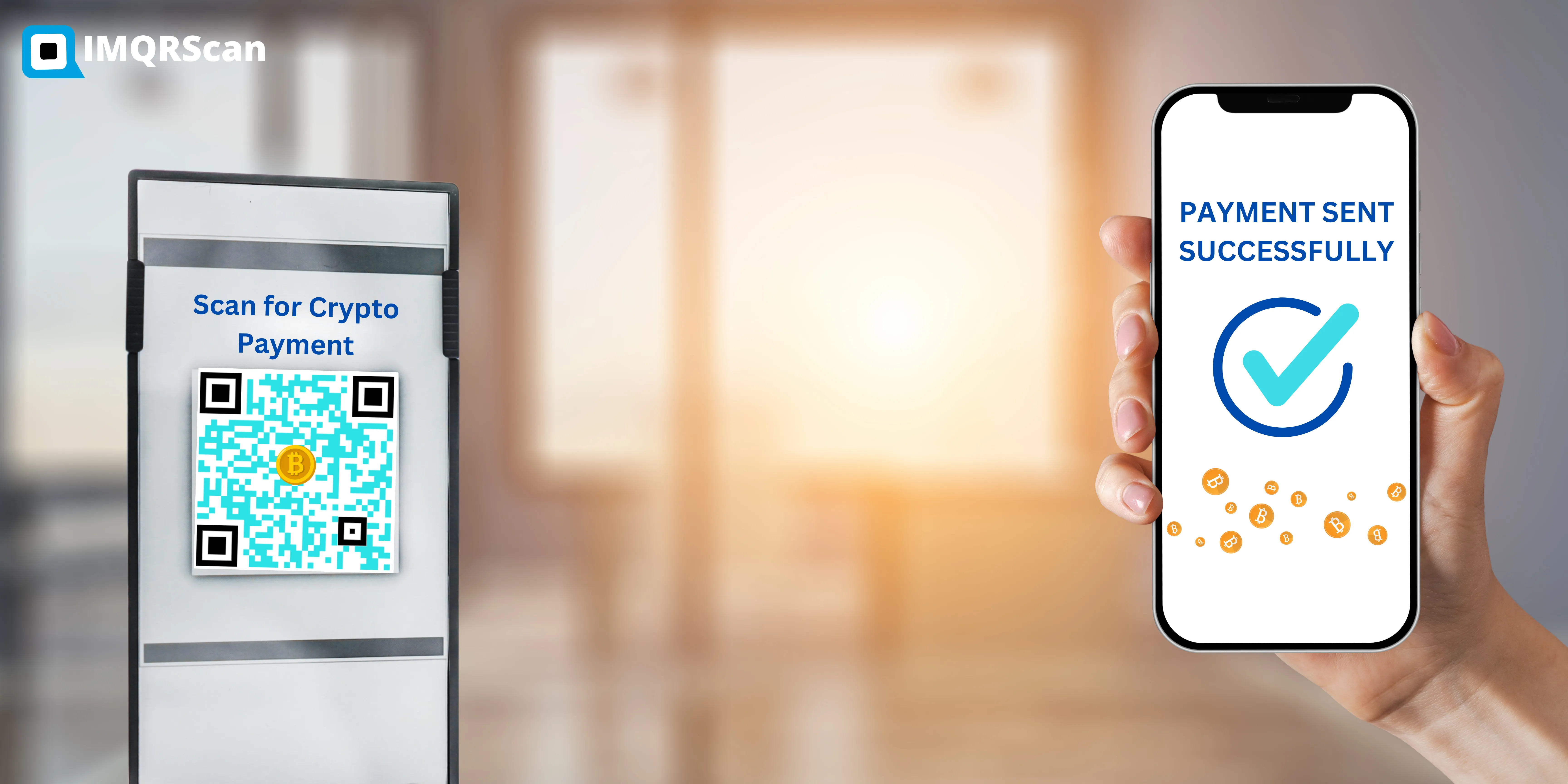
Crypto QR Code Generator
The tool itself for BTC, ETH, BCH, LTC, and DASH wallet QR codes.
Open Tool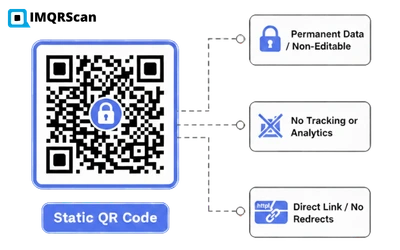

URL QR Code Generator
Use it for NFT pages, Solana Pay links, and blockchain explorer URLs.
Open Tool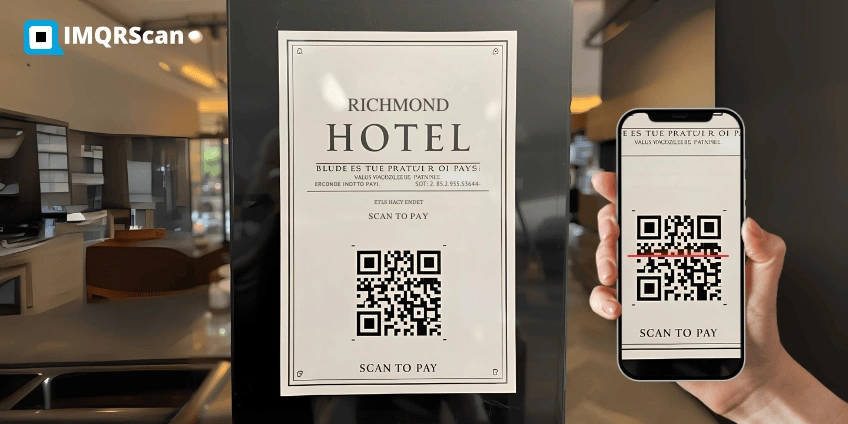
How to Create a QR Code for Payment
A broader payment QR walkthrough across crypto and fiat payment use cases.
Read Guide