How to Create a QR Code for a Google Drive Folder (Step-by-Step Guide)
To create a QR code for a Google Drive folder, copy the folder’s shareable link, paste it into a QR code generator, customize if needed, and download the QR code. This works for both My Drive and Shared Drive folders, depending on organization permissions.
It is fast and hassle‑free to share files in your Google Drive folder by creating a QR code. All you need is to get your Google Drive shareable link and paste it into a QR code generator like IMQRScan, then you can create your code in real‑time. This can be used with any shared drive folder and allows the user to access your files by just scanning the code using the phone camera.
Table of Contents
- Why Google Drive Folders Should Use QR Codes
- Step‑by‑Step Guide: Create QR Code for Google Drive Link
- QR Code Types: Static vs Dynamic
- QR Code Permissions and Security
- Industry Use Cases for Google Drive QR Codes
- Creating QR Codes for Specific File Types
- Free vs Paid QR Code Solutions
- Testing, Validation & Distribution
- Advanced Features and Integrations
- Troubleshooting Common Issues
- Future of QR Code File Sharing
- Simplifying File Sharing with Google Drive QR Codes
Why Google Drive Folders Should Use QR Codes
QR codes convert any long Google Drive URL into a scannable image that is compatible with all devices. This is why they are becoming a necessity in contemporary file sharing:
- Quick Access: Users can scan and open folders in 2 seconds.
- No Typing Errors: Removes mistakes when exchanging complicated URLs.
- Mobile‑Friendly: Works on any smartphone without extra apps.
- Professional Appearance: Clean alternative to long, messy links.
- Trackable: Dynamic QR codes provide scan analytics. Learn more about QR code tracking.
According to recent data from Statista, QR code usage has grown significantly across industries, with file sharing being one of the top use cases across business sectors.
Step‑by‑Step Guide: Create QR Code for Google Drive Link
Step 1: Get Your Google Drive Shareable Link
Before you can generate a QR code for a Google Drive link, you need the proper URL:
- Open Google Drive and find your folder.
- Right‑click the folder and select "Share".
- Click "Change to anyone with the link".
- Choose permissions (View, Comment, or Edit).
- Copy the shareable link URL.
Step 2: Choose Your QR Code Generator
Pick the right tool to make a QR code for Google Drive files:
| QR Code Tool | Price | Dynamic QR | Customization | Analytics |
|---|---|---|---|---|
| IMQRScan | $2.99/month | Yes | Full branding | Detailed stats |
| QR Code Monkey | Free/Paid | Limited | Basic colors | No tracking |
| Beaconstac | $5+/month | Yes | Advanced | Premium only |
| QRCode Generator | Free | No | Limited | None |
Tip: If you need scan tracking, editable links, or expiration control, use a dynamic QR code with IMQRScan starting at $2.99/month.
Step 3: Generate Your QR Code
Using IMQRScan as your best QR code tool for Google Drive:
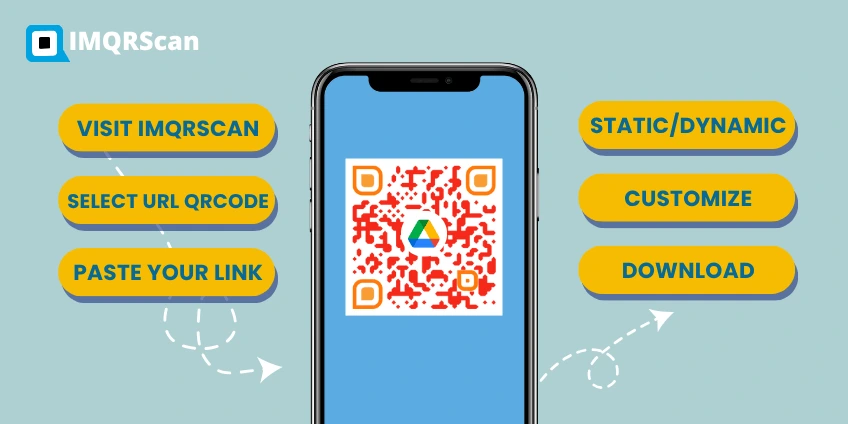
- Visit IMQRScan QR code generator.
- Select "URL" as QR code type.
- Paste your Google Drive shareable link.
- Choose between a static and a dynamic QR code.
- Customize colors and add logo if needed.
- Download in high resolution.
Drive Link Expiration: Google Drive links can expire on some Workspace plans. When a link expires, the QR code still scans but access is denied. Dynamic QR codes are useful when link expiration or updates are needed.
QR Code Types: Static vs Dynamic
Understanding the difference between static and dynamic QR codes helps you choose the right option for Google Drive QR code sharing:
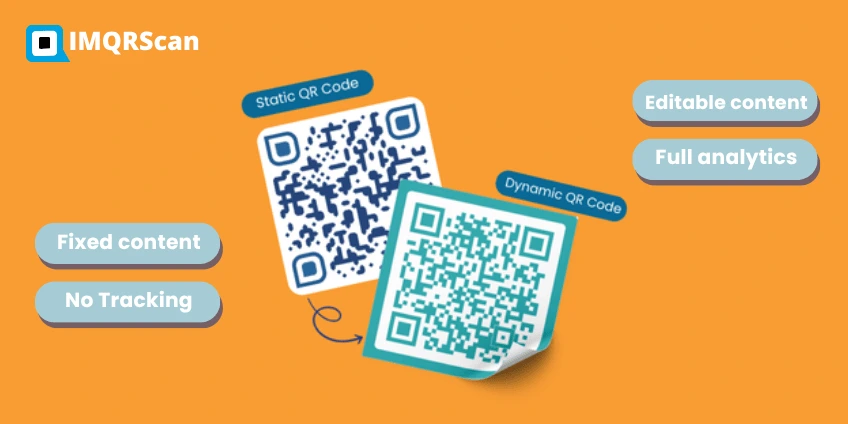
- Fixed content – cannot change after creation
- Free option available
- No tracking capabilities
- Best for: One‑time events, permanent folders
- Editable content – update destination without reprinting
- Full analytics – track scans, locations, devices
- Higher functionality – redirect, schedule, expire
- Best for: Business folders, changing content
Research from QR Code statistics shows that dynamic QR codes generate 40% more engagement due to their tracking and updating capabilities.
QR Code Permissions and Security
Setting Proper Access Levels
When you create a QR code for a Google Drive folder, consider these permission options:
| Permission Type | User Actions | Best For | Security Level |
|---|---|---|---|
| View Only | See and download | Public sharing | High |
| Comment | View + add comments | Team feedback | Medium |
| Edit | Full file modification | Collaboration | Lower |
Security Best Practices
- Review permissions before generating QR codes.
- Set expiration dates for sensitive folders.
- Monitor access logs through Google Drive activity.
- Use dynamic QR codes for better control.
- Limit editing rights to trusted users only.
QR Code Scan Privacy: QR codes do not collect personal data by default. Static QR codes do not track scans, while dynamic QR codes may log anonymous data such as time or device type. Privacy depends on QR settings and Drive permissions.
Google Shared Drive vs My Drive
Google Drive folders may be stored in My Drive or a Shared Drive. My Drive folders are controlled by the owner, while Shared Drive folders follow organization rules. Some companies disable public link sharing, which can prevent QR code access.
Google Workspace Admin Controls
In business accounts, Google Workspace admins may block public sharing or external access. If a QR code does not open a folder, organization sharing policies are often the cause.
Industry Use Cases for Google Drive QR Codes
Weddings and Events
Google Drive QR code wedding applications are multiplying:
- Photo sharing: QR code to upload photos to Google Drive.
- Guest information: Wedding schedules and venue details.
- Digital favors: Photo albums and video messages.
- RSVP collections: Guest responses and dietary needs.
Event planners report 65% faster photo collection using QR codes compared to traditional methods, according to the Wedding Industry Report 2024.
Education Sector
Schools and universities leverage QR code file sharing for drive:
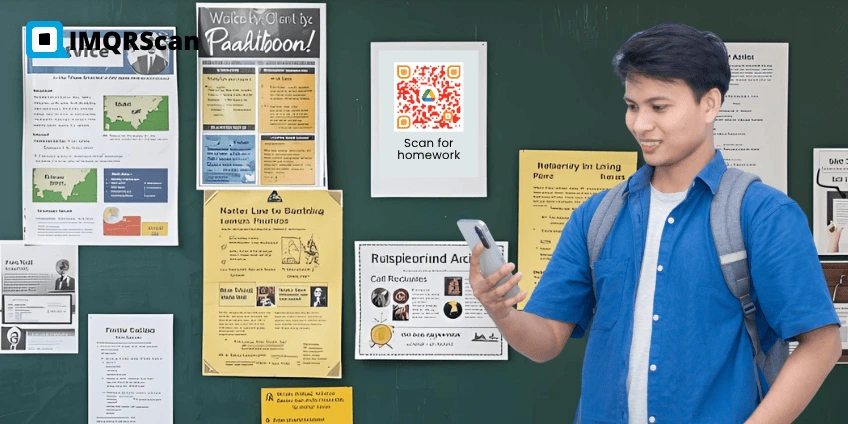
- Assignment distribution: Course materials and homework.
- Resource libraries: Research papers and study guides.
- Student portfolios: Project submissions and presentations.
- Parent communication: Progress reports and announcements.
Business Applications
Companies use QR codes for efficient file sharing:
- Employee onboarding: Training materials and handbooks.
- Client presentations: Proposals and marketing materials.
- Product catalogs: Technical specifications and brochures.
- Meeting resources: Agendas and supporting documents.
Research shows that businesses using QR codes for file sharing help reduce reliance on email attachments and speed up access and improve document access speed by 85%, according to Digital Workplace Analytics.
Healthcare Industry
Medical facilities implement QR codes for:
- Patient forms: Intake documents and consent forms.
- Educational materials: Treatment information and guidelines.
- Staff resources: Protocols and emergency procedures.
- Research data: Clinical trial documents and results.
Creating QR Codes for Specific File Types
QR Code for Google Drive PDF
When creating QR code for Google Drive PDF files:
- Share the specific PDF file (not folder).
- Generate direct‑access QR code.
- Test mobile viewing compatibility.
- Consider file size for mobile users.
Audio Files in Google Drive
To create QR code for audio file in Google Drive:
- Ensure mobile compatibility – MP3 format works best.
- Check file permissions – allow streaming access.
- Test playback on different devices.
- Add file descriptions in the folder.
For advanced use cases, you can also use our file upload QR code generator to collect files directly via a QR code.
Google Drive Upload QR Code
A Google Drive upload QR code allows users to add files to a folder. This works by setting folder permissions to Editor and is commonly used for events, assignments, and photo collection.

Free vs Paid QR Code Solutions
Generate QR Code for Google Drive Link Free Options
Free Tools Offer:
- Basic QR code generation.
- Static codes only.
- Limited customization.
- No analytics or tracking.
- Standard download formats.
Paid Solutions Include:
- Dynamic QR code capabilities.
- Advanced customization options.
- Detailed scan analytics.
- Bulk generation features.
- Priority customer support.
Studies indicate that businesses using paid QR code solutions see 3x higher engagement rates due to advanced features and professional presentation. Marketing Technology Research.
Optimal QR Code Specifications:
- Minimum size: 2cm x 2cm for reliable scanning (more info).
- High contrast: Dark code on light background.
- Error correction: Medium level (15%) recommended.
- Clear space: 4‑module quiet zone around code.
- Quality format: PNG or SVG for crisp printing.
Testing, Validation & Distribution
Testing and Validation
Before deploying your QR codes:
- Test multiple devices – iPhone, Android, tablets.
- Check different lighting – indoor, outdoor, dim conditions.
- Verify permissions – ensure intended access levels.
- Test loading speed – confirm quick folder access.
- Validate file types – check mobile compatibility.
Distribution Strategies
Physical Placement:
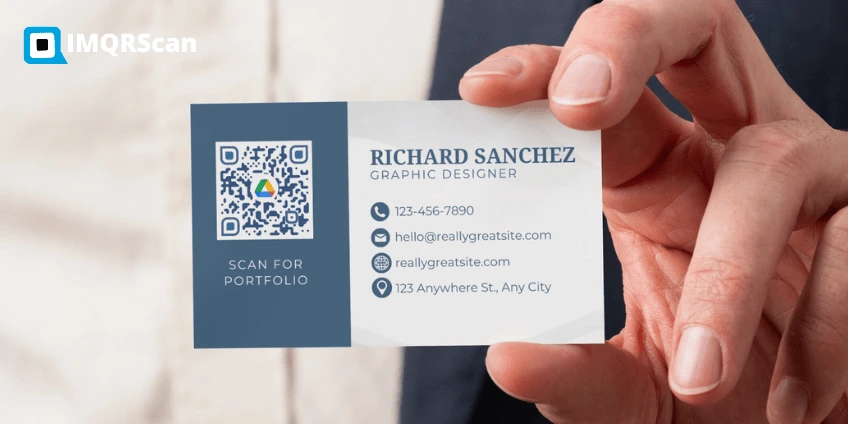
- Business cards and brochures.
- Posters and signage.
- Product packaging.
- Event materials.
Digital Distribution:
- Email signatures.
- Social media posts.
- Website integration.
- Digital presentations.
Market research shows that QR codes placed at eye level generate 40% more scans than those positioned too high or low. OPPIZI.
Advanced Features and Integrations
Dynamic QR Code Benefits
Using dynamic codes for Google Drive sharing provides:
- Real‑time analytics – scan locations, devices, times.
- Content updates – change destination without reprinting.
- A/B testing – compare different folder structures.
- Expiration control – set automatic deactivation dates.
- Password protection – add security layers.
Integration Options
Popular Integrations:
- CRM systems for client file sharing.
- Learning management systems.
- Email marketing platforms.
- Social media management tools.
- Website builders and CMS platforms.
Troubleshooting Common Issues
QR Code Not Working
Common Problems and Solutions:
| Issue | Cause | Solution |
|---|---|---|
| Won't scan | Low contrast/small size | Increase size, improve contrast |
| Access denied | Wrong permissions | Update Google Drive settings |
| Slow loading | Large files | Optimize folder contents |
| Mobile issues | Incompatible formats | Convert to mobile‑friendly types |
Permission Problems
When users cannot access your Google Drive folder:
- Check sharing settings – ensure "anyone with link" is enabled.
- Verify link status – confirm the URL hasn't expired.
- Test permissions – try accessing from different accounts.
- Update QR code – regenerate if settings changed.
Future of QR Code File Sharing
Emerging Trends
The file sharing landscape continues evolving:
- AI‑powered QR codes – smart content recommendations.
- Voice‑activated sharing – integration with smart assistants.
- Blockchain security – enhanced protection for sensitive files.
- Augmented reality – interactive QR code experiences.
Industry analysts predict that QR code usage for file sharing will grow by 150% over the next two years, driven by increased remote work and digital transformation initiatives. Statista.
Technology Integration
Upcoming Features:
- Biometric authentication for QR access.
- Real‑time collaboration through QR codes.
- Advanced analytics with AI insights.
- Cross‑platform integration improvements.
Offline Access Limitations: QR codes require an internet connection to open Google Drive folders. Offline access works only if files were saved offline in advance and is not available for public viewers.
Simplifying File Sharing with Google Drive QR Codes
Creating a QR code for your Google Drive folder streamlines file sharing across personal and professional settings. Whether you need a free way to create QR code for Google Drive sharing or require advanced features with analytics, the process remains straightforward: get your shareable link, choose your generator, and customize your code.
The best method to share a Google Drive folder using a QR code involves selecting the right tool for your needs. IMQRScan pricing plan offers an affordable solution at $2.99/month, providing dynamic QR codes, detailed analytics, and complete customization options that exceed many free alternatives.
As QR code adoption continues growing, integrating this technology into your file‑sharing strategy ensures you stay ahead of digital trends while providing users with instant, convenient access to your Google Drive content. Whether for weddings, business presentations, educational resources, or client communications, QR codes transform complex URLs into simple, scannable solutions that work seamlessly across all devices and platforms.
About the Author
The IMQRScan Editorial Team is a group of writers and digital marketers passionate about QR technology, SaaS, and digital innovation. With expertise in QR code solutions and modern marketing strategies, the team focuses on creating content that helps businesses, creators, and professionals adopt smart tools for growth. Every article is fact‑checked and reviewed to ensure accuracy, simplicity, and practical value for our readers worldwide.
Frequently Asked Questions
About Google Drive QR Codes
Everything You Need to Know About Creating QR Codes for Google Drive Folders
How do I get a shareable link for a Google Drive folder?
Right‑click the folder in Google Drive, select "Share" > "Get link", set permissions, and copy the URL.
What permission settings should I use before creating the QR code?
Choose "Anyone with the link – Viewer" for public sharing, "Commenter" for feedback, or "Editor" for collaboration. Avoid "Restricted" unless inviting specific emails.
What’s the difference between static and dynamic QR codes?
Static codes are fixed and free; dynamic codes are editable, trackable, and often paid. Use dynamic if you may update the link or want analytics.
How can I customize my QR code (logo, color, format)?
Most generators let you add a logo, change colors, and pick formats like PNG or SVG. Ensure good contrast for reliable scanning.
How do I test that the QR code works properly?
Scan with iOS and Android phones, test in different lighting, verify folder access, and check permissions before distributing.
Can I generate QR codes in bulk for multiple Google Drive folders?
Yes, tools like QR Batch, Beaconstac, or QRCode Monkey Pro support bulk generation via spreadsheet upload.
Are there privacy/security concerns when sharing via QR codes?
Yes. Use appropriate permissions, avoid sharing sensitive data publicly, and consider dynamic codes for expiration or password protection.
Which free QR code generators are reliable for Google Drive links?
QR Code Monkey, GoQR.me, QRStuff, and Chrome's built‑in QR tool are reliable for static codes. For tracking and editing, consider paid options like IMQRScan.