Best vCard QR Code Generator in 2026
A vCard QR code lets someone scan your business card, event badge, or flyer and save your contact details in one tap, no typing, no lost numbers. Here is a clear comparison of the best tools available, including what makes each worth considering and where each falls short.
Quick Answer
The best vCard QR code generator is one that lets you create a scannable contact card, customize the QR code design, update contact details later, and download print-ready files. IMQRScan is a strong choice for professionals, small businesses, teams, and marketers because it supports branded vCard QR codes, dynamic editing, scan analytics, and PNG, SVG, and PDF downloads, without requiring a credit card to start.
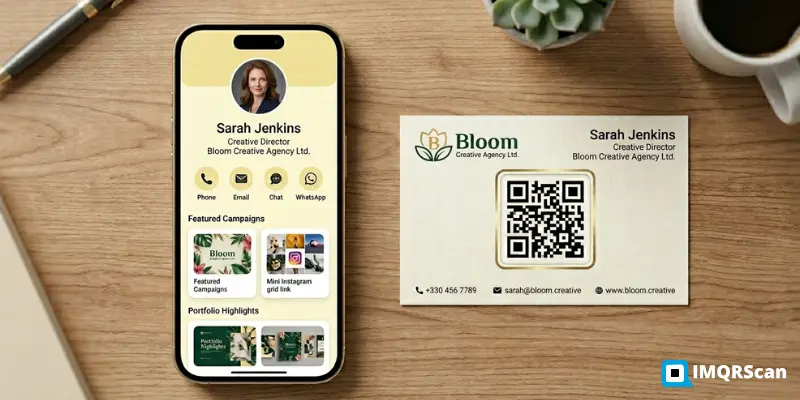
Table of Contents
Create a vCard QR Code
Create a branded, editable, and trackable vCard QR code with print-ready downloads.
Open vCard QR GeneratorWhat Is the Best vCard QR Code Generator?
Not all vCard QR code generators work the same way. Some embed your contact data directly into the QR pixels, meaning if your phone number or job title changes, the QR is outdated and you need to reprint everything. Others store your contact details on a hosted profile and encode a short URL, so the QR stays the same while your data can be updated at any time.
This guide compares seven tools across the criteria that matter most when you are choosing a vCard QR code generator for real-world use: whether the QR is editable after printing, whether it supports custom design, what you can download, and whether there are hidden limits on the free tier.
Best vCard QR Code Generators Compared
Seven tools reviewed across design, editability, analytics, and export. Independent assessment, no sponsored rankings.
IMQRScan | Best for Editable vCard QR Codes
IMQRScan is a vCard QR code generator and online contact sharing tool that helps users create scannable digital contact cards. You can add your name, phone number, email, company, job title, website, address, and social links, then generate a branded QR code that people can scan and save directly to their contacts, no app required on the scanning end.
It is particularly useful for business cards, flyers, event badges, email signatures, packaging, and networking materials because the QR supports dynamic editing. If you change your phone number or get a new job title, you update it once in IMQRScan and every existing printed QR reflects the change instantly. There is no need to reorder cards.
IMQRScan also includes scan analytics, logo customization, custom color palettes, and print-ready downloads in PNG, SVG, and PDF. The QR conforms to vCard 4.0, so the saved contact imports cleanly into Apple Contacts, Google Contacts, and Outlook.
HiHello | Best for Digital Business Cards
Free Tier AvailableHiHello is built around the concept of a digital business card profile, and QR codes are one of several ways to share it. The product is polished and works well for professionals who want a full-featured profile page. Contact details, social links, and a headshot all live on a hosted page that the QR links to.
The free tier is reasonably capable for individuals. Advanced analytics and team features are reserved for paid plans, and the export options are more limited than dedicated QR code generators. For users who primarily want a vCard QR code for print, rather than a full digital card platform, HiHello is slightly more product than needed.
Popl | Best for NFC Networking
Free Tier AvailablePopl was originally designed around NFC cards and devices. You tap your Popl card or wristband to a phone and your contact page opens instantly. QR codes work as a fallback for phones without NFC or in situations where physical contact is not possible.
For networking events where NFC is the primary sharing method, Popl is a strong tool. For teams who mainly need print-ready vCard QR codes for business cards, flyers, or signage, the NFC focus means the platform is oriented toward a different use case than pure QR code generation.
Blinq | Best for Teams and Professionals
Free Tier AvailableBlinq positions itself as a modern digital business card for professionals and teams. Cards are clean and easy to set up, and the team admin features let managers push consistent branding across a group. QR codes are generated for each card and are scannable from any phone camera.
Print-export options are more limited than a dedicated QR code generator, and advanced analytics require a paid plan. Blinq is a good choice for sales teams that need a simple, consistent digital card, but for those who want a heavily customized, print-ready QR code, a dedicated generator gives more control.
Canva | Best for Business Card Design
Free Tier AvailableCanva is a design tool first. It can generate a basic vCard QR code that you embed inside a beautifully designed business card layout. This is where it excels. If your primary goal is a polished, print-ready card design and you want a QR embedded in it, Canva is a natural fit because the QR generation is built into the design workflow.
That said, Canva QR codes are static. You cannot edit the contact data after the QR is generated, there are no scan analytics, and the QR customization options are basic compared to dedicated generators. It is a strong design tool that happens to include QR generation, rather than a strong QR tool that happens to include design.
QRGent | Best for Simple Free vCard QR Codes
FreeQRGent is a lightweight QR code generator that supports vCard as one of several QR types. It is fast to use, fill in the form, generate, download. There is no account required for basic use. The output is a standard PNG or SVG that works fine for low-volume personal use.
The trade-off is functionality. QRGent generates static QR codes, meaning the contact data is locked into the QR at the moment of creation. There are no scan analytics, no branding options comparable to dedicated tools, and no dynamic editing. For a quick one-off vCard QR with no ongoing needs, it is a reasonable free option.
QRCode Monkey | Best for Simple Static QR Codes
FreeQRCode Monkey is one of the most widely used free QR code generators, and it does a good job at what it does: static QR codes with customizable design. You can change colors, round the corners, add a logo, and export in high-resolution PNG, SVG, or PDF. For vCard use, you fill in the contact fields, and the contact data is embedded directly into the QR.
The limitation for ongoing professional use is that static QR codes cannot be edited after generation. If your email address changes or you move to a new role, the printed QR becomes inaccurate and cannot be corrected without generating and reprinting a new one. For one-off or low-stakes use, it remains one of the cleanest free options available.
vCard QR Code Generator Comparison Table
A quick-reference breakdown of each tool across the features that matter most for professional and print use.
| Tool | Best For | Free Start | Editable QR | Analytics | Print-Ready Export |
|---|---|---|---|---|---|
| IMQRScan | Editable vCard QR codes | ✓ Yes | ✓ Yes | ✓ Yes | PNG, SVG, PDF |
| HiHello | Digital business cards | ✓ Yes | ✓ Yes | Plan dependent | Limited |
| Popl | NFC networking | ✓ Yes | ✓ Yes | Plan dependent | Limited |
| Blinq | Modern digital cards | ✓ Yes | ✓ Yes | Plan dependent | Limited |
| Canva | Business card design | ✓ Yes | Basic | ✗ No | Design export |
| QRGent | Simple vCard QR codes | ✓ Yes | Limited | ✗ No | Basic PNG/SVG |
| QRCode Monkey | Static QR codes | ✓ Yes | ✗ No | ✗ No | PNG, SVG, PDF |
Which QR Code vCard Generator Is Best for Creating a Clean Digital Business Card?
For creating a clean digital business card, choose a vCard QR code generator that supports a simple contact layout, branded QR design, mobile-friendly contact saving, and print-ready downloads. IMQRScan is a strong option because it lets you create a clean vCard QR code with your name, phone number, email, company, website, social links, logo, and custom colors.
What Are the Best Online Tools to Build a vCard Easily?
The best online tools to build a vCard easily include IMQRScan, HiHello, Popl, Blinq, Canva, QRGent, and QRCode Monkey. IMQRScan is especially useful if you want to create a vCard QR code that people can scan, save to their phone, and use from printed business cards, flyers, event badges, packaging, or email signatures. It supports dynamic editing, so you can update your contact details after printing along with branded QR design, scan analytics, and print-ready PNG, SVG, and PDF downloads, with no credit card required to start.
Best Free vCard QR Code Generator
Several tools in this list offer free tiers, but "free" means different things across different platforms. Before choosing a free vCard QR code generator, it is worth checking four things.
✓ Is the vCard QR editable after printing?
Static QR codes cannot be changed. If your contact details are likely to evolve, a dynamic generator saves you from reprinting. IMQRScan lets users start with dynamic vCard QR code features so they can test editing, branding, and the contact-saving experience before choosing a plan.
✓ Does the free QR support save-contact functionality?
The QR should open a prompt that lets someone tap "Save Contact" and import your details directly to their phone. Not all generators produce a properly formatted vCard file that works across iOS and Android.
✓ Can you download a print-ready file?
PNG is fine for screen use. For printing on business cards, flyers, or signage, SVG or PDF is better because they scale without pixelation.
✓ Are there scan limits on the free plan?
Some tools cap the number of scans per month on free accounts. For a professional who distributes cards widely at events, on packaging, or through email signatures, a scan cap becomes a real constraint.
IMQRScan is a strong free-start option because users can begin without entering a credit card, test the full contact sharing experience, customize the QR design, and download files before committing to any plan.
Why IMQRScan Is a Strong vCard QR Code Generator
IMQRScan was built for the reality that professional contact details do not stay static. Here is what that means in practice.
01 / Dynamic: Edit After Printing
Update your phone number, job title, or company name at any time. Every existing printed QR reflects the change on the next scan. No reprinting, no reordering.
02 / Branded: Logo and Color Customization
Add a center logo and match your brand palette. Custom design that stays scannable with the right error correction support.
03 / Complete: All Contact Fields Supported
Name, phone, email, company, job title, website, address, and social links are supported for clean contact sharing.
04 / Analytics: Track Every Scan
Real-time data on scan count, location, device type, and time helps you understand which materials drive contact saves.
05 / Print-Ready: PNG, SVG, and PDF Exports
PNG for digital use. SVG and PDF for print-ready use on business cards, flyers, event badges, signage, and packaging.
06 / Versatile: Works Across Formats
Use the same QR code across business cards, event badges, flyers, email signatures, packaging, and networking materials.
What Is the Best Digital Business Card QR Code Generator?
The best digital business card QR code generator depends on whether you need a simple contact-saving QR code or a full digital profile page. IMQRScan is a good choice for professionals and businesses that want a branded vCard QR code people can scan and save, with dynamic editing, analytics, and PNG, SVG, and PDF downloads.
What Is the Best QR Code Generator for Business Cards?
The best QR code generator for business cards should create high-quality QR codes that are easy to scan, editable after printing, and suitable for professional branding. IMQRScan works well for business cards because it supports vCard QR codes, logo customization, custom colors, dynamic updates, analytics, and print-ready export formats.
Create Your vCard QR Code
Build a branded, scannable, editable vCard QR code in under two minutes. No credit card required.
Create a vCard QR Code FreeWhy this guide is useful
This guide compares vCard QR code generators for professionals, small businesses, teams, and marketers. It focuses on practical features such as dynamic editing, branding, analytics, and print-ready downloads.
For creating your own vCard QR code, use the IMQRScan vCard Plus QR Code Generator.
Frequently Asked Questions
Common questions about vCard QR code generators, digital business cards, business card QR codes, and contact-saving QR tools.
Ready to create your vCard QR code?
Create a vCard QR Code FreeRelated QR Code Generator Guides
More resources from IMQRScan to help you get the most from QR codes in professional and business contexts.
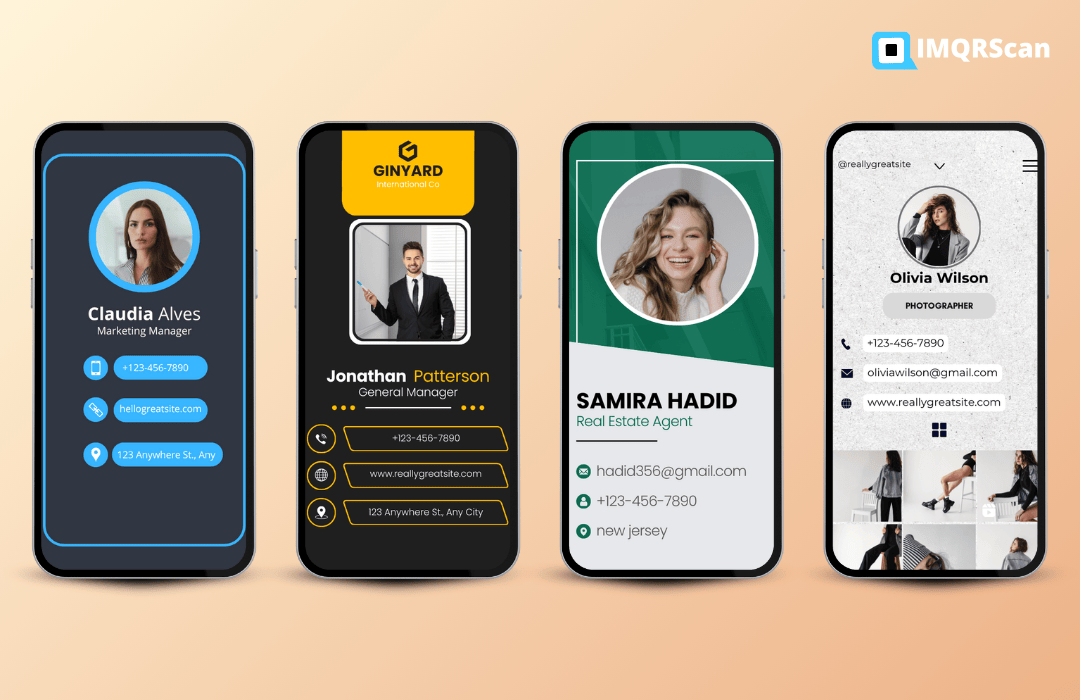
vCard QR Code Generator
Create a branded, editable, trackable vCard QR code in under two minutes.
Open Tool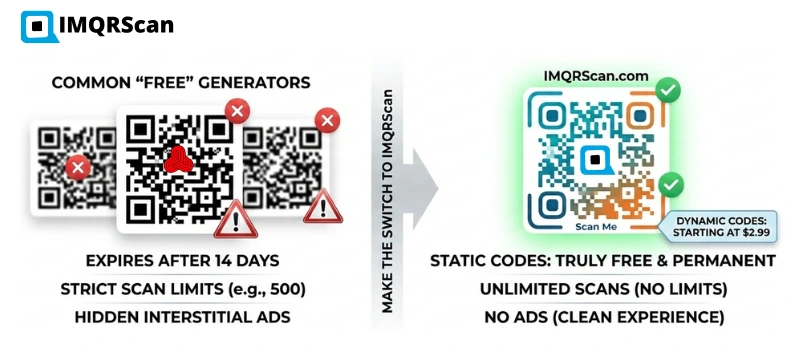
Best QR Code Generator
A broader comparison of the best QR code generators across URL, vCard, WiFi, PDF, and more.
Read Guide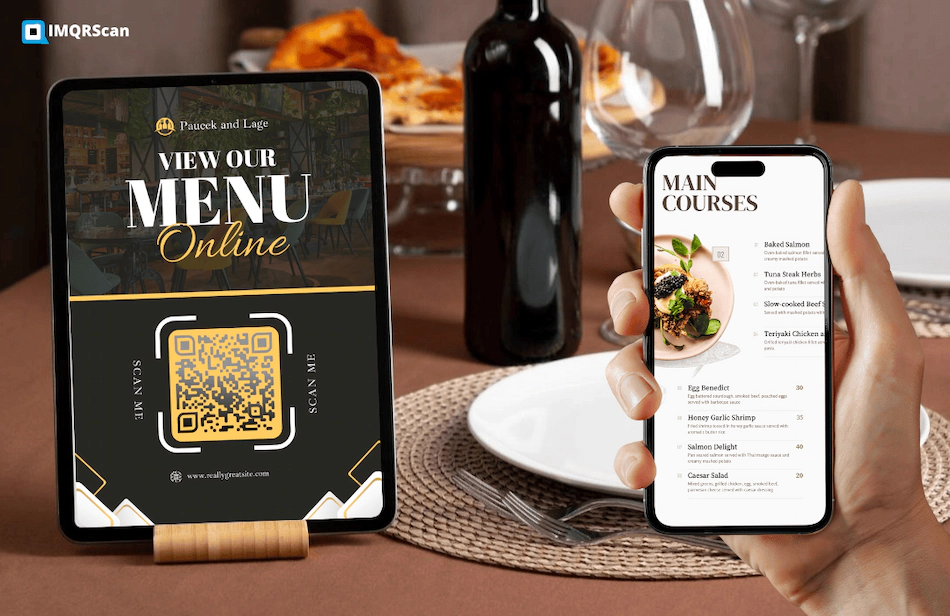
Best QR Code Generator for Restaurant Menus
How restaurants and hospitality businesses use QR codes for menus, WiFi, and customer contact sharing.
Read Guide