WiFi QR Code Generator for Restaurants and Cafes
Free WiFi QR code generator built for restaurants, cafes, hotels, and Airbnbs. Add your logo, download print-ready SVG, and help guests connect in one tap.
Quick Answer
Restaurants and cafes should create a WiFi QR code for a guest network, brand it with their logo, download it as SVG for print, and place it where guests can scan without asking staff for the password.
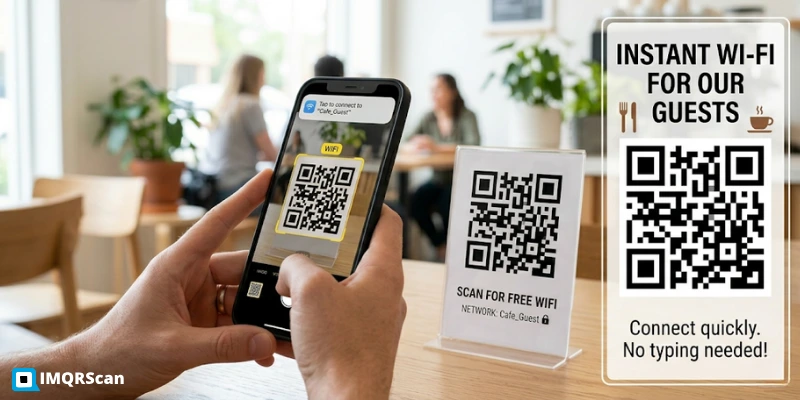
Table of Contents
Create a Restaurant WiFi QR
Generate a brandable, print-ready WiFi QR code for your restaurant, cafe, hotel, Airbnb, or guest area.
Create Restaurant WiFi QRKey Takeaways
- Restaurants, cafes, hotels, Airbnbs, salons, clinics, and lobbies can reduce staff interruptions with one guest WiFi QR code.
- Always generate the QR from a guest network, not the main network used by POS systems, cameras, or back-office devices.
- For printed table tents, SVG is the safest download format because it stays sharp at any size.
- Matte or satin finishes scan better than glossy cards under hospitality lighting.
- Test one printed sample inside the venue before bulk ordering menus, stickers, or acrylic stands.
WiFi QR Code Generator for Restaurants and Cafes
If you run a venue where guests sit, eat, or wait, such as a cafe, restaurant, bar, hotel lobby, Airbnb, salon, or clinic, there is a small operational tax that adds up quietly across every shift. A guest asks for the WiFi password. A staff member stops what they are doing to read it out from a sticker behind the bar, or pull it up on their phone, or guide the guest through retyping it three times because of an ambiguous capital I.
Multiply by every guest, every shift, every week. The IMQRScan WiFi QR code generator removes that interruption entirely. One QR, one tap, and the guest is online.
This page is the WiFi QR code generator tuned for hospitality: branded with your logo, exported as a vector SVG that prints cleanly at any size, and built on the safe assumption that you will use a guest network rather than your main private one.
It is free, with free signup and no watermark. The tool above this section is the same browser-based generator used by independent cafes and multi-location chains. IMQRScan helps you generate a WiFi QR code directly in your browser, so you can create and download a print-ready code quickly.
Create Free Restaurant WiFi QR CodeWhy Hospitality Venues Use a WiFi QR Code
There are a handful of reasons venues move to a QR-based WiFi sign, and they compound. Customers no longer have to ask, which removes a small friction at the moment they should be enjoying themselves. Staff stop being interrupted, which adds up to real time across a busy shift.
The credential stops being read out loud across the room, which improves the perception of professionalism even if the password itself is the same one printed on the back of the bill. And because the QR can carry your logo, the WiFi sign becomes a small piece of brand surface area instead of a generic printed card.
The deeper reason that venues realise after a few weeks is that the WiFi QR replaces the password sticker on the receipt printer with something that is actually managed. You can rotate the credentials, replace the QR with a fresh print, and you have a clean way of keeping the network separated from your point-of-sale terminals and back-office equipment.
Where to Place the WiFi QR Code in Your Venue
The placement decision is more important than the design decision. A perfectly branded QR in the wrong spot still requires a guest to ask. A plain black-and-white QR in the right spot is read in three seconds without staff involvement.
Five placements that consistently work in real venues:
On every table
The highest-converting placement. Use a laminated tent card or vinyl table sticker. Guests notice it within the first minute of sitting down.
At the host stand or counter
The second-best placement, especially for takeaway and grab-and-go. Bonus: the QR can sit beside the menu QR if you have one.
Inside the menu
Works well for sit-down restaurants where guests will be holding the menu anyway. Print it on the back cover or on the drinks page.
On the back of the bill or receipt
A quiet but clever placement. Guests see it precisely when they are about to settle in for coffee or dessert.
Near the bathroom
Slightly cynical, slightly true. People check their phones there. Nothing wrong with putting the WiFi within sight.
Where Not to Put It
Avoid the area immediately behind the host stand where it is invisible to seated guests. Avoid printing it on a glossy menu card that catches overhead light and breaks scans. And avoid placing it where staff have been reading the password aloud. Replacing the announcement with a small QR in the same spot misses the whole point.
Set Up a Guest Network First. This Is the Important Step.
The single biggest mistake hospitality venues make is generating a WiFi QR for their main network and printing it on every table. The QR contains the password as part of its encoded data; anyone with a free QR scanner app can extract that password as plain text.
If that password is also the one your point-of-sale terminals, security cameras, kitchen tablets, and back-office laptop use, you have just put all of that on a sticker.
The fix takes ten minutes on most modern routers: enable the guest network feature, give it a different password, and make sure the option to isolate guest devices from the rest of the network is turned on. Then generate the QR from the guest network credentials.
If the QR is photographed off a tabletop, the worst case is a stranger using your guest internet, not a stranger on the same network as your card reader.
Guest Network Setup on Common Router Brands
TP-Link
Admin page → Wireless → Guest Network → enable, set SSID and password, enable AP isolation.
Netgear
Advanced → Setup → Guest Network → enable for the band you want.
ASUS
Guest Network in the sidebar → set SSID, password, choose AP isolation.
eero
Open the eero app → Settings → Guest Network → toggle on.
Ubiquiti UniFi
Common in hospitality: Settings → WiFi → Create New Network → check Guest Hotspot Portal.
Cisco or Meraki
Create a separate SSID with VLAN tagging. Talk to your IT provider if this is unfamiliar.
Brand the QR with Your Logo and Colours
This is the IMQRScan generator's strongest feature for hospitality. Adding a centre logo to a WiFi QR is one thing; doing it without breaking scans is another. Most free generators paste the logo over the QR pattern and ship the result; the QR scans on the designer's phone and fails on the cafe table at 8 PM under low-warm lighting.
IMQRScan automatically uses error correction level H, 30 percent recovery, and sizes the logo to a safe maximum, so the redundancy is enough to recover the lost data modules. The branded QR scans where the unbranded one would, not just in the studio.
Practically, this means you can put your espresso bar's wordmark, the hotel's monogram, or the restaurant's house symbol in the centre of the QR without it becoming a piece of decorative art that does not actually work as a QR code.
Print Specifications for Hospitality
Sizing
| Use case | Recommended QR size |
|---|---|
| Tent cards and table signs | 4 × 4 cm minimum, 5 × 5 cm preferred |
| Wall posters and window decals | 8 × 8 cm or larger |
| Menu inclusion | 2.5 × 2.5 cm minimum, 3 × 3 cm if there is room |
| Receipt and bill prints | 2.5 × 2.5 cm. Test on the receipt paper your printer actually uses. Thermal paper is forgiving but only with sharp originals. |
Material
Matte or satin laminated card or vinyl scans far more reliably than glossy. Hospitality lighting, overhead pendants, warm bulbs, and candles, produces a lot of glare on glossy surfaces, which is exactly the wrong thing for QR scanning.
Laminated cards last about three months on a table that gets wiped down constantly; vinyl stickers last six to twelve. PVC and acrylic stands look most professional and last indefinitely.
Frame Copy
Add a short caption above or below the QR. "Scan to connect to WiFi" is universal. "Free WiFi, scan to join" sets a friendly tone. Avoid printing the SSID and password as text alongside the QR; that defeats the entire point and reintroduces the typing problem you are trying to remove.
Test Before Bulk Ordering
Print one of the tent cards or stickers at the size and on the material you intend to roll out. Take it to the venue, place it where it will live, and try to scan it from one to two metres away with three different phones: at least one older Android, one iPhone, and one mid-range device.
If all three connect cleanly under the actual lighting, the rest of the run will too. Most expensive print mistakes are caught in this fifteen-minute test.
Real Examples from Venues Using IMQRScan
These are anonymised composites drawn from venues using the IMQRScan generator across hospitality, real estate, and small business in Europe and the Middle East.
A 12-table specialty cafe
Replaced a printed sticker on the espresso machine with a branded WiFi QR on every table tent. Within two weeks, the staff reported a measurable drop in WiFi-related interruptions, and the owner stopped having to repeat the password for delivery drivers waiting at the counter. Total cost: under twenty dollars in tent cards. Generator: free.
A 200-room city hotel
Replaced printed credential cards on every nightstand with branded vinyl QR stickers. The IT team also took the opportunity to migrate guest WiFi to a separate VLAN. Housekeeping saves roughly thirty seconds per turnover not having to re-place credential cards.
A 6-property short-term rental host
Generates one QR per property, each with the listing's name as the centre logo, printed on a laminated 4 × 4 inch card placed on the kitchen counter. The host stopped sending the WiFi password in the welcome message and reports zero WiFi questions in the past quarter.
A coworking floor in a coastal city
Two QRs per zone: one for the main coworking guest WiFi and one for the meeting rooms with a higher bandwidth allocation. The QRs are printed on small acrylic stands with the coworking brand logo in the centre, replaced quarterly with rotated guest passwords.
An 8-location regional coffee chain
Standardised WiFi QR generation across all eight locations using a single brand colour palette and the chain's mark in the centre. New locations can be deployed in an afternoon: enable guest WiFi on the router, generate the QR, send the SVG to the local print shop.
Quick Answers for Owners and Managers
Create a Restaurant WiFi QR Code
Use IMQRScan to create a branded, print-ready WiFi QR for your guest network. Add your logo, choose colours, and download SVG for menus, table tents, stickers, or acrylic stands.
Create Free Restaurant WiFi QR CodeWhy this guide is built the way it is
The IMQRScan team works with hospitality operators across the US, UAE, UK, and EU on real venue rollouts. The placement, sizing, and material recommendations on this page reflect what actually works on a working table at 8 PM, not what photographs well on a press release.
Print specifications are based on practical scan testing across different phone types, lighting conditions, and print materials, including older Android handsets that often fail to scan QRs that pass on flagship devices.
Last reviewed: May 2026.
Frequently Asked Questions
Practical answers for restaurant, cafe, hotel, Airbnb, and hospitality teams using WiFi QR codes.
Ready to reduce WiFi password interruptions in your venue?
Create Restaurant WiFi QR Code →Related Restaurant and WiFi QR Guides
Continue with WiFi QR creation, guest network safety, scanning instructions, and restaurant QR code tools.
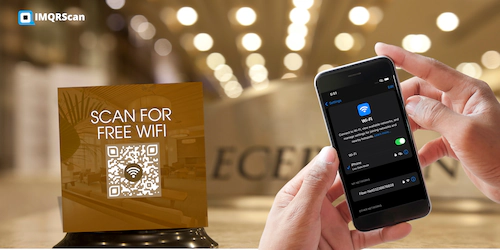
WiFi QR Code Generator
Use the IMQRScan generator to create a guest WiFi QR for your venue.
Open Tool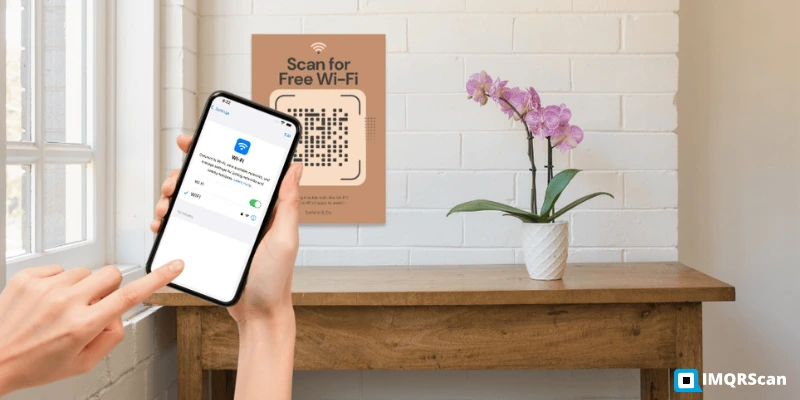
WiFi QR Without Password
Learn why guest networks are the safest way to share venue WiFi with QR codes.
Read Guide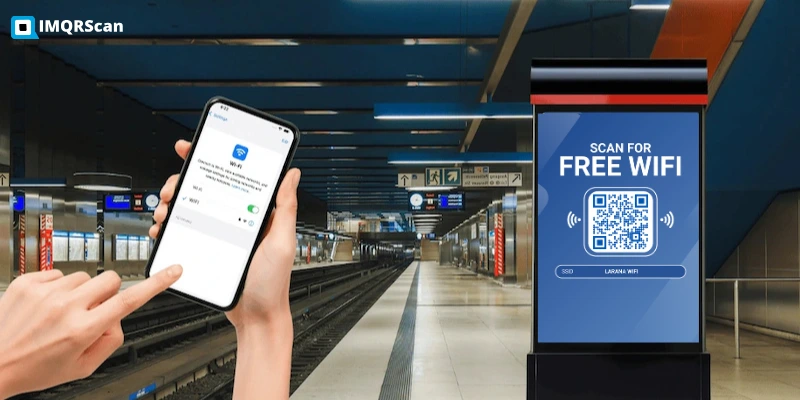
Make a WiFi QR Code
Follow step-by-step instructions for SSID, password, encryption type, and print-ready download.
Read Guide
Restaurant Menu QR Code Generator
Create digital menu QR codes for restaurants, cafes, hotels, and hospitality venues.
Open Tool