WhatsApp QR Codes for Business
For marketing teams and local businesses, a WhatsApp QR code turns printed materials, packaging, signs, menus, and business cards into direct chat channels. It is one of the simplest QR code marketing tactics for moving offline customers into a direct WhatsApp conversation.
Most businesses using WhatsApp for customer communication have the same problem. A potential customer sees a phone number on a business card, a flyer, or a shop window. They mean to message. They get distracted, forget the number, or just do not bother because saving a contact and opening WhatsApp is more effort than it looks.
Direct answer
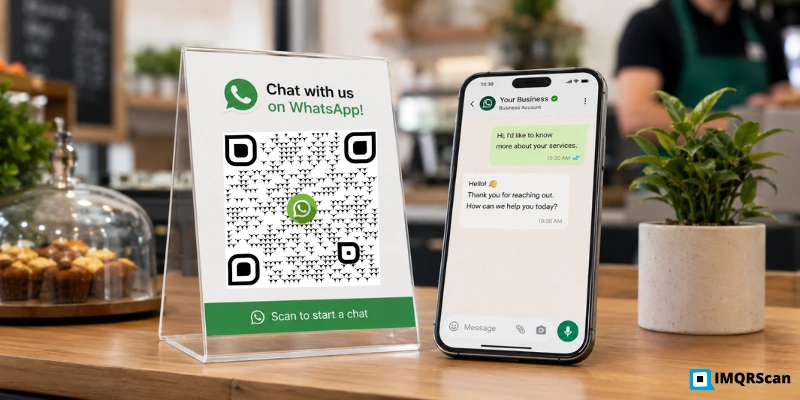
Businesses use WhatsApp QR codes by generating a code that links to their WhatsApp number or chat link, then placing it on printed materials, business cards, menus, packaging, posters, or in digital formats like email footers and websites. When a customer scans the code, WhatsApp opens directly with a chat to that number. A pre-filled message can be added so the customer only needs to tap send.
Best for: restaurants, salons, clinics, real estate agents, retail stores, event teams, service businesses, and customer support teams that want customers to start a WhatsApp chat without saving a phone number.
Table of Contents
- What Is a WhatsApp QR Code for Business?
- Why Businesses Use WhatsApp QR Codes
- WhatsApp QR Code Use Cases for Business
- WhatsApp QR Code for Restaurants
- WhatsApp QR Code for Salons and Clinics
- WhatsApp QR Code for Real Estate Agents
- WhatsApp QR Code for Customer Support
- WhatsApp Business QR Code vs Normal WhatsApp QR Code
- How to Create a WhatsApp QR Code for Your Business
- How to Track WhatsApp QR Code Campaigns
- Best Practices for Business WhatsApp QR Codes
- FAQs
A WhatsApp QR code removes every step between seeing the number and starting the chat. Scan, tap, message. The customer is already in the conversation before they have time to lose interest.
This page covers where it actually pays off across different business types, what to say in the pre-filled message, and how to make the code useful rather than decorative. If you run a local company, also read our QR code for small business guide for more practical offline-to-online examples.
What Is a WhatsApp QR Code for Business?
It is a scannable image that holds a link to your business WhatsApp number. When a customer scans it, WhatsApp opens on their phone with your business already in the chat. No number to save. No searching for the business name. No typing.
With a pre-filled message added, the customer lands in a chat with a message already written, something like "Hi, I'd like to book an appointment" or "Please send me your menu." They tap send and the conversation begins.
Businesses using WhatsApp Business accounts get one additional benefit: when a customer scans the code and opens the chat, they see the business name, category, location, and description before sending a message. It is a more professional presentation than a plain contact entry.
Why Businesses Use WhatsApp QR Codes
There are three situations where a WhatsApp QR code solves a real problem rather than just being an interesting-looking addition to a business card.
No typing numbers
People do not type numbers from print. A phone number on a flyer or poster has low conversion to actual contact. The customer has to open their contacts app, type the number, save it, open WhatsApp, find the contact, and tap the message. A QR code collapses all of that into one scan.
Qualified inquiries
Pre-filled messages qualify the inquiry instantly. A restaurant that uses "Table for [number] on [date]" as a pre-filled message gets structured booking requests rather than vague "hi" messages. A clinic that uses "I'd like to book an appointment with Dr Sharma" knows immediately what the customer needs.
Measurable scans
Scans can be measured. A phone number on a business card tells you nothing. A WhatsApp QR code with dynamic tracking can show scan totals, scan dates, approximate location, and device type. For businesses running campaigns across multiple locations, this data is genuinely useful.
For broader campaign planning, WhatsApp QR codes work best when they are part of a complete QR code marketing strategy. You can use them alongside review QR codes, menu QR codes, social media QR codes, and business profile QR codes to connect every printed touchpoint to a measurable digital action.
WhatsApp QR Code Use Cases for Business
The eight use cases below are not a comprehensive list. They are the ones where the QR code does the most work, where the friction it removes makes a measurable difference to whether the customer contacts you or does not.
Customer Support
A QR code on a product, a receipt, or a support page that opens a WhatsApp chat with a pre-filled message like "Hi, I need help with my order" routes the customer directly to support without a phone queue or a form. It works because it meets the customer where they already are, on their phone, in a messaging app they use every day.
Sales and Product Inquiries
A QR code on a product display, a catalogue, or a showroom card lets a potential buyer contact the salesperson before they leave the building. Pre-filled: "I'd like more information about [product name]." The lead is captured while interest is highest.
Restaurant Orders and Reservations
Table cards, menus, and takeaway packaging all benefit from a WhatsApp QR code. Pre-filled messages can be set to prompt a reservation request or a table order. For delivery businesses, the code on packaging lets a customer reorder with one scan.
Salon and Clinic Appointments
A WhatsApp QR code on the checkout desk or on a loyalty card lets a client book their next appointment before they leave. Pre-filled: "Hi, I'd like to book an appointment." It removes the need to call during business hours, which most clients want to avoid.
Real Estate Leads
A QR code on a property board, a brochure, or an estate agent's car lets an interested buyer contact the agent in real time, while they are standing outside the property. Pre-filled: "Hi, I'm interested in the property on [street name]." Most enquiries from property boards come hours after the viewing, when interest has cooled. A QR code captures the moment.
Events and Trade Shows
Lanyards, booth banners, and printed programmes with a WhatsApp QR code let visitors start a conversation during the event rather than needing to follow up by email later. Pre-filled messages can reference the event: "Hi, we met at [event name]."
Product Packaging and Flyers
Packaging is the one moment in the customer journey when the product is physically in the customer's hands. A WhatsApp QR code on the packaging that opens a support or feedback chat has a higher scan rate than any other print surface because the customer's phone is already out.
Business Cards and Storefronts
A WhatsApp QR code on the back of a business card turns a piece of paper into an active communication channel. On a storefront window or door sticker, it lets a customer contact the business before stepping inside, useful for pricing questions, availability, or opening hours outside business hours.
Small businesses can use the same idea across receipts, appointment cards, packaging, flyers, and counter displays. For more placement ideas, see the QR code for small business guide.
WhatsApp QR Code for Restaurants
Restaurants have more natural scan moments than almost any other business type. A customer at a table is already stationary, phone likely in hand, with time between ordering and receiving the food.
Restaurants and Cafes
Best placements:
- Table tent next to the payment terminal, high-attention moment when the bill arrives
- Back of the printed menu, visible throughout the meal
- Takeaway bag insert, reaches customers at home, phone nearby
- Storefront window sticker, lets walk-past customers contact before entering
- Receipt footer, automatic with every transaction
Pre-filled message ideas:
- “Hi, I'd like to make a reservation for [number] on [date]”
- “Please send me today's specials”
- “Hi, I'd like to place a delivery order”
- “Table 7, can we please see the dessert menu?”
For restaurants managing multiple tables or multiple QR code types (menu, order, review), the restaurant QR code generator is set up specifically for hospitality placements.
WhatsApp QR Code for Salons and Clinics
Personal service businesses have a natural window at the end of an appointment when the client is satisfied and still present. That is the moment for a booking QR code.
Salons, Clinics and Personal Services
Best placements:
- Checkout counter card, client is standing, appointment done, experience fresh
- Loyalty stamp card reverse, carried in wallet, seen regularly
- Mirror card during the appointment, phone in hand, relaxed mood
- Appointment reminder card given at end of visit
Pre-filled message ideas:
- “Hi, I'd like to book my next appointment”
- “Hi, I'd like to book with [stylist/doctor name]”
- “Please let me know your next available slot”
- “I'd like to rebook for the same time next month”
WhatsApp QR Code for Real Estate Agents
The property board is one of the most underused lead-generation surfaces in real estate. Most buyers who stop to photograph a board do nothing with the photo. A QR code on the board converts that pause into an active enquiry.
Real Estate Agents
Best placements:
- Property board, highest-intent moment, buyer is standing at the property
- Brochure insert at viewings
- Business card, handed after a viewing while interest is at its peak
- Vehicle signage, visible to neighbours and passersby
Pre-filled message ideas:
- “Hi, I'm interested in the property at [address]”
- “Hi, I saw your board on [street], is it still available?”
- “I'd like to arrange a viewing”
- “Please send me details on [property type] in [area]”
WhatsApp QR Code for Customer Support
Phone queues are the most complained-about part of customer service. WhatsApp is the format most customers already prefer for casual communication. Combining the two, a QR code that opens a support chat, reduces both incoming call volume and customer frustration.
Placement is everything for support QR codes. The code needs to appear exactly where the problem arises: on the product, on the packaging, on the receipt, or on the screen when the customer hits a snag. A support QR code buried in the about section of a website does not get scanned.
Pre-filled messages for support:
- “Hi, I need help with my order #[number]”
- “Hi, I’m having trouble setting up my [product name]”
- “Hi, I’d like to request a return or exchange”
- “Hi, my delivery hasn’t arrived, order reference [number]”
WhatsApp Business QR Code vs Normal WhatsApp QR Code
Both are generated the same way, the difference is the account type the QR code connects to, and what the customer sees when they open the chat.
| Feature | Normal WhatsApp QR Code | WhatsApp Business QR Code |
|---|---|---|
| What customer sees when chat opens | Your phone number as a contact | Your business name, category, and profile |
| Can add pre-filled message | Yes | Yes |
| Requires WhatsApp Business app | No | Yes |
| Automated responses | Not available | Available, away messages, quick replies |
| Best for | Personal contact, sole traders | Customer-facing business use |
| Generated the same way on IMQRScan | Yes | Yes, paste the Business number |
For any business that handles customer enquiries through WhatsApp, the Business account is worth setting up before generating the QR code. The additional profile information builds trust at the moment of the first scan.
How to Create a WhatsApp QR Code for Your Business
- Get your WhatsApp Business number ready with the full international country code
- Decide whether to add a pre-filled message, keep it under 15 words and make it specific to the action you want
- Open the WhatsApp QR Code Generator and enter your number and optional message
- Customise the design, add your logo, set brand colours, add a frame with a label like "Scan to WhatsApp us"
- Download as SVG for print, PNG for digital use
- Test on an actual device before distributing, confirm the correct number opens and the pre-filled message appears
How to Track WhatsApp QR Code Campaigns
A static QR code is a one-way door. Someone scans it and you never know. A dynamic QR code with analytics changes that.
With IMQRScan's QR code tracking, every scan on a dynamic code is logged with the date and time, approximate location by city and country, and device type. For a business running campaigns across multiple locations or print surfaces, this tells you which placement is working.
What tracking answers that a plain scan rate cannot:
- Did the business card or the counter card drive more enquiries?
- Which city's flyer distribution got the most scans?
- Did scans spike after a particular event or promotion?
- Is the packaging insert or the receipt footer performing better?
Dynamic codes also let you update the destination number or message without reprinting, useful if the business number changes, if the team member handling WhatsApp enquiries changes, or if you want to rotate pre-filled messages for different campaigns. See dynamic QR code generator for full details.
Best Practices for Business WhatsApp QR Codes
- Use WhatsApp Business, not a personal number, for any QR code placed on printed business materials. Customers see the business name rather than a phone number.
- Keep the pre-filled message specific and short. A message that already explains the purpose, booking, support, enquiry, gets tapped faster than a blank chat.
- Download SVG for all print use. PNG pixelates when scaled up. The SVG file from IMQRScan stays sharp on anything from a business card to a trade show banner.
- Print the code at a minimum of 2 cm x 2 cm for card and receipt use. For posters and window stickers viewed from further away, size up proportionally.
- Add a label near the code. "Scan to WhatsApp us" or "Scan to chat" is clearer than an unlabelled square and increases scan rates.
- Use a dynamic code for any material printed in volume. If the number changes or the campaign ends, update the destination from your dashboard. See pricing plans for business options.
Create a Business WhatsApp QR Code
Paste your WhatsApp Business number into the WhatsApp QR Code Generator, add a pre-filled message, customise the design, and download. Free to start, no account needed for a basic code.
FAQs About WhatsApp QR Codes for Business
Answers about business use cases, customer support, business cards, tracking and dynamic WhatsApp QR codes.
More WhatsApp QR Code Resources
Continue with WhatsApp QR creation, group QR codes, logo design, tracking and small business QR code guides.
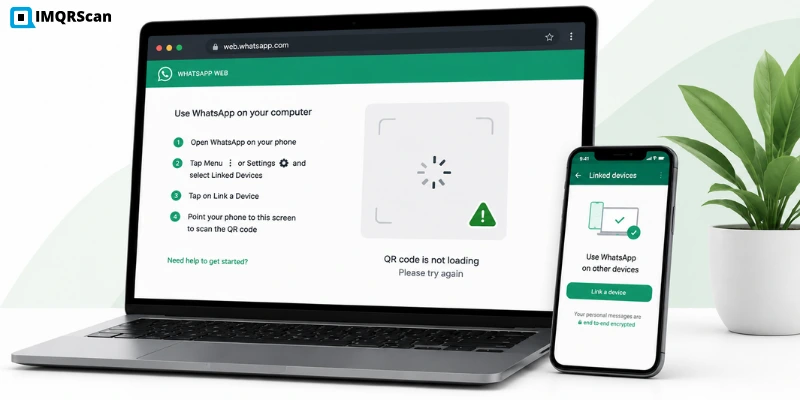
WhatsApp Web QR Not Generating
Fix WhatsApp Web QR code loading, scanning, browser, cache, and connection issues.
Read Guide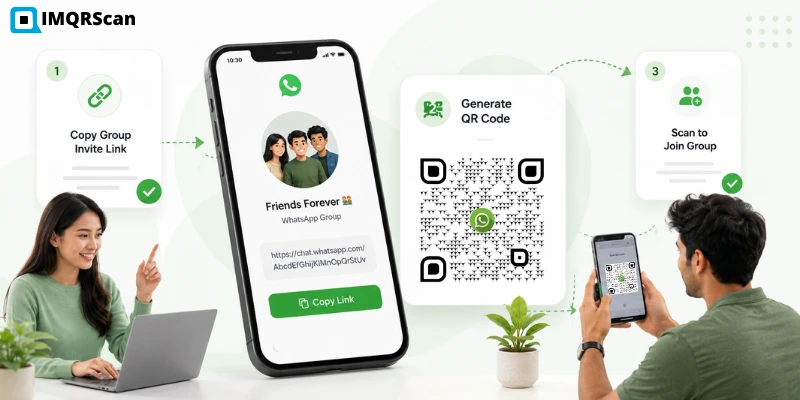
WhatsApp Group QR Code
Learn how to generate a QR code from a WhatsApp group invite link.
Read Guide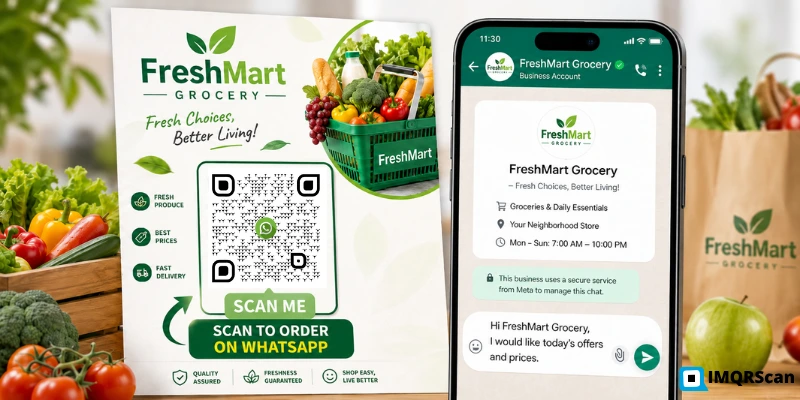
WhatsApp QR Code with Logo
Learn how to add a WhatsApp logo, brand colors and frame text to your QR code.
Read Guide
Scan a WhatsApp QR Code
Learn how to scan WhatsApp QR codes on iPhone, Android, Windows and other devices.
Read Guide