Best Ways to Share Multiple Links in a Single QR Code
A QR code stores one URL, that is the technical reality. But there are several clever ways to make that single URL deliver multiple links to the people who scan your code.
Quick Answer
The best way to share multiple links in one QR code is to use a Multi Link QR Code Generator. It creates a hosted landing page with all your links, then generates one dynamic QR code that opens that page. Visitors scan once, then choose the link they need.
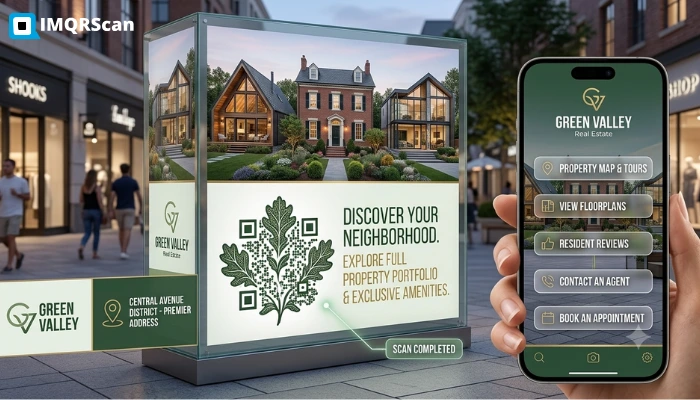
Table of Contents
Create a Multi-Link QR Code
Create one QR code for websites, social profiles, stores, bookings, portfolios, menus, and campaign links.
Open Multi Link QR GeneratorKey Takeaways
- A QR code stores one URL, but that URL can open a page with multiple links.
- The easiest option is a dynamic multi-link QR code generator.
- Link-in-bio pages can work, but they are not usually built for print QR campaigns.
- Smart redirects are useful when each scanner should get a different destination.
- For businesses printing QR codes, IMQRScan’s multi-link QR code is the best default option.
Overview
Some methods take 90 seconds. Others require building your own infrastructure. Which one is right for you depends on your use case, technical comfort level, and how much control you need after printing.
Here are the five most practical methods, starting with the easiest.
Method 1: Use a Multi-Link QR Code Generator (Recommended)
This is the fastest and most reliable method for businesses and creators. A multi-link QR code generator creates a hosted landing page that lists all your links, then generates a QR code that points to that page. Visitors scan once, land on the page, and tap the link they need.
IMQRScan's Multi Link QR Code Generator is purpose-built for this. You add your links, brand the landing page and QR code, and download a print-ready file. The QR is dynamic, you can edit your links at any time from the dashboard, so printed materials never become outdated.
Best for
Businesses, restaurants, marketers, creators, event organizers, and anyone printing QR codes on physical materials.
Try IMQRScan Multi Link QR Code Generator
Create one dynamic QR code for multiple links, social profiles, websites, menus, bookings, and campaigns.
Create Multi Link QR Code FreeMethod 2: Use a Link-in-Bio Page and Convert It to a QR Code
Tools like Linktree, Beacons, and Card let you create a simple page with multiple links for your social media bio. You can take the URL of that page and generate a QR code that points to it using a standard QR code generator.
This works, but it has trade-offs. Link-in-bio tools are designed for screens, not print. They typically do not offer branded QR export, print-resolution downloads, scan analytics per QR, or dynamic QR editing. If your main use is sharing links in a digital bio and you occasionally need a QR, this is an acceptable quick fix.
Best for
Creators and influencers who already have a Linktree or Beacons page and just want a QR for occasional use.
For a QR-first version of this idea, use IMQRScan’s Multi Link QR Code Generator or read our guide on one QR code for all social media links.
Method 3: Build Your Own Landing Page
If you have a website, you can create a simple page, such as yoursite.com/links, with a list of links, then generate a QR code pointing to that page using IMQRScan's URL QR Code Generator.
The advantage is full control over design and content, no third-party branding on the page. The disadvantage is maintenance: you need to update the page on your own CMS and manage hosting. If the page goes down, the QR stops working.
Best for
Businesses with in-house web teams that want the multi-link page to live on their own domain.
Method 4: Use Smart Redirects (By Device, Location, or Time)
A smart redirect QR code sends different people to different URLs based on a condition, their device type, country, or the time of day they scan.
For example: a retail brand might send iOS users to the App Store and Android users to Google Play. A multilingual business might send French speakers to the French version of their site. An event organizer might send a different destination before, during, and after the event.
This is technically a way of “serving multiple links from one QR”, but not in the same-session, visitor-choose sense. Each person gets one destination; it just adapts to their context.
IMQRScan's dynamic QR platform supports smart redirects as part of its advanced features.
Best for
App install campaigns, international brands, and time-sensitive promotions.
Method 5: Use a Social Media QR Code for Social-Only Profiles
If the multiple links you want to share are all social media profiles: Instagram, Facebook, TikTok, YouTube, LinkedIn, a dedicated social media QR code can display them all in one clean view without a generic link-in-bio page.
IMQRScan has a dedicated social media QR code. Visitors scan and see your social profiles displayed visually. They tap the one they prefer.
The important distinction: use a social media QR code when your only goal is connecting people to your social profiles. Use a multi-link QR code when you need to include a mix of social profiles, websites, booking pages, stores, menus, portfolios, or other destinations.
Which Method Is Best for Businesses?
| Method | Ease of Setup | QR Branding | Editable After Print | Analytics | Best For |
|---|---|---|---|---|---|
| Multi-link QR generator (IMQRScan) | Easy | Full control | Yes, dynamic | Per scan | Businesses, creators, print |
| Link-in-bio + QR | Medium | Limited | Yes (page only) | Basic | Social creators, digital only |
| Own landing page + QR | Requires dev | Full control | Via CMS | Via GA4 | Brands with web teams |
| Smart redirect QR | Medium | Yes | Yes | Yes | App installs, international |
| Social media QR code | Easy | Yes | Yes | Yes | Social profile sharing only |
For most businesses printing QR codes on physical materials, Method 1: using IMQRScan's Multi Link QR Code Generator is the right default. It is the fastest, gives you the most control, and is the only option designed specifically for QR printing workflows.
Create Your Multi-Link QR Code
Create your multi-link QR code in under 2 minutes with IMQRScan. No credit card required to start.
Create Multi-Link QR CodeWhy this guide is useful
This guide answers: “What are the best ways to share multiple links in a single QR code?” The practical answer depends on your goal, but for businesses using printed QR codes, a dynamic multi-link QR code is usually the safest and most flexible choice.
That is exactly what IMQRScan’s Multi Link QR Code Generator is built for.
Related Multi Link QR Code Guides
Continue with the main generator, multiple website guide, multi URL definition, social links, and dynamic QR tools.

Multi Link QR Code Generator
Create one QR code for websites, social profiles, stores, menus, bookings, and more.
Open Tool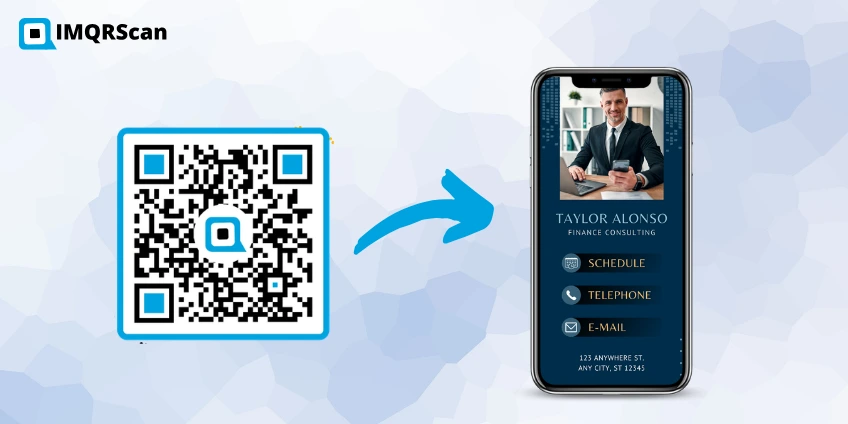
Create a QR Code for Multiple Websites
Learn how one QR code can connect to multiple websites through a landing page.
Read Guide
What Is a Multi URL QR Code?
Understand multi URL QR codes, dynamic editing, smart redirects, and analytics.
Read Guide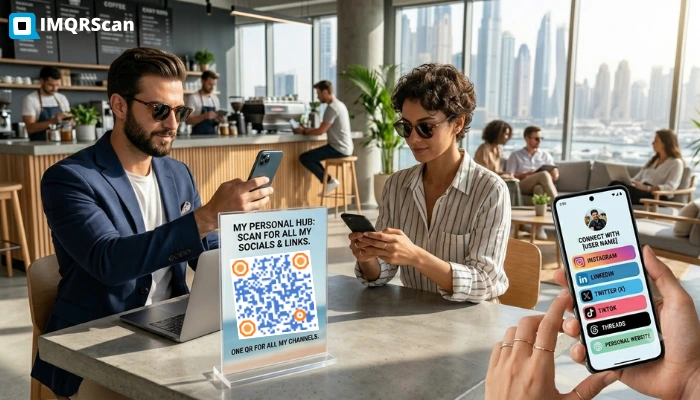
One QR Code for All Social Media Links
Learn when to use a social media QR code and when to use a multi-link QR code.
Read Guide