One QR Code for All Your Social Media Links
Put Instagram, Facebook, TikTok, YouTube, LinkedIn, X, and other profiles behind one scannable QR code. IMQRScan gives you two options: a dedicated social media QR code or a flexible multi-link QR code.
Direct Answer
Yes, you can share all your social media profiles from one QR code. There are two ways: a social media QR code, designed specifically for social profiles, and a multi-link QR code, designed for social profiles plus other links like websites, stores, menus, WhatsApp, or booking pages. IMQRScan offers both, and the right option depends on what you want people to do when they scan.
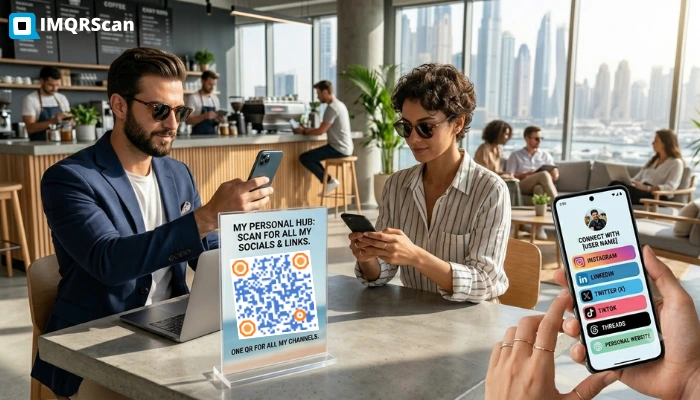
Table of Contents
Create a Social Media QR Code
Create one QR code for Instagram, TikTok, YouTube, LinkedIn, Facebook, X, and more.
Open Social Media QR ToolKey Takeaways
- You can put all your social media profiles behind one QR code.
- Use a social media QR code when you only want to share social profiles.
- Use a multi-link QR code when you want social profiles plus websites, stores, booking pages, menus, WhatsApp, or portfolio links.
- IMQRScan supports dynamic updates, so you can edit your profiles without reprinting the QR.
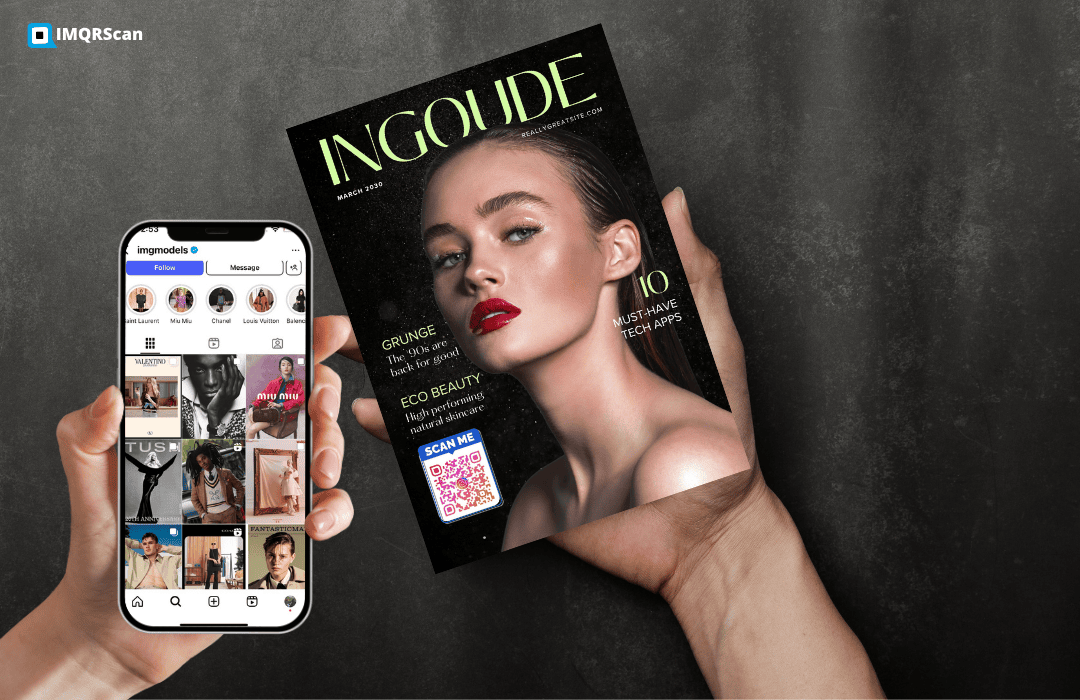
- For business cards, posters, product packaging, and events, one QR code is easier than printing several profile links.
Why People Want One QR Code for All Their Social Profiles
Typing out your social handles takes time and causes errors. Handing someone a business card with six profile usernames on it creates the same problem on their end. A single QR code solves both issues. One scan opens a page that shows every profile, and visitors tap the one they use.
This matters for business cards, event badges, restaurant table cards, product packaging, and any situation where you want to make it effortless for someone to follow you or stay in contact.
Can I Use a Link-in-Bio QR Code for Social Media?
Yes. A link-in-bio QR code lets you share several social profiles and content links from one scannable code. Instead of adding separate QR codes for Instagram, YouTube, TikTok, LinkedIn, and your website, you can create one bio links QR code that opens a mobile-friendly page with all your links.
IMQRScan gives you two options: use the Social Media QR Code when you only want to share social profiles, or use the Multi Link QR Code Generator when you want social profiles plus websites, stores, booking pages, portfolios, menus, or WhatsApp links.
Method 1: Social Media QR Code (Social Profiles Only)
If your only goal is to share your social media profiles, such as Instagram, Facebook, TikTok, YouTube, LinkedIn, X, Pinterest, and Snapchat, a dedicated social media QR code is the cleanest solution.
IMQRScan's social media QR code generator is designed specifically for this. You add each social platform you use, the tool creates a visually clean profile page that displays your accounts as recognizable icons, and generates a branded QR code that points to it. Visitors scan and tap the platform they prefer.
The page is designed to look like a profile hub rather than a generic link list, which performs better when the audience is choosing between social platforms rather than between different types of destinations.
Best for
Influencers, creators, artists, musicians, and personal brands whose entire online presence lives on social media.
Method 2: Multi-Link QR Code (Social + Everything Else)
If you want to link to social profiles alongside a website, online store, booking page, portfolio, WhatsApp, menu, or downloadable PDF, a mobile app development company or any other brand can use a multi-link QR code to provide a flexible and convenient way to share multiple destinations with a single scan.
IMQRScan's Multi Link QR Code Generator lets you build a landing page with any combination of links, not just social profiles. You can add Instagram, LinkedIn, and TikTok on the same page as your Calendly, your Shopify store, and your latest project link.
Best for
Businesses, restaurants, freelancers, consultants, and anyone whose online presence spans multiple types of platforms and needs them all accessible from one QR.
Which Method Should You Use?
| Your Goal | Best Method | IMQRScan Tool |
|---|---|---|
| Share all social profiles in one QR code | Social Media QR Code | Social Media QR Code |
| Share social profiles plus website, store, booking, menu, or portfolio links | Multi Link QR Code | Multi Link QR Code Generator |
| Send people directly to your Instagram profile | Instagram QR Code | Instagram QR Code |
| Send people directly to your Facebook page, profile, group, or event | Facebook QR Code | Facebook QR Code |
| Send people directly to your Snapchat profile | Snapchat QR Code | Snapchat QR Code |
| Share contact details, social profiles, website, and business links together | vCard Plus QR | vCard Plus QR |
How to Create a Social Media QR Code with IMQRScan
Open the tool
Add your platforms
Select each platform you use, such as Instagram, TikTok, YouTube, LinkedIn, Facebook, X, Pinterest, and more.
Customize the profile page
Add your name, a short bio, and a profile photo.
Design your QR code
Choose colors, add a center logo, and optionally add a CTA frame like “Scan to follow”.
Download and print
Download as PNG, SVG, or PDF and start printing on cards, posters, table cards, packaging, or event materials.
Edit anytime
Add or remove social platforms anytime from your dashboard. The QR code already printed updates automatically.
Create One QR Code for All Social Media Links
Use IMQRScan to create one dynamic QR code for Instagram, TikTok, YouTube, LinkedIn, Facebook, X, and more.
Create Social Media QR Code Create Multi-Link QR CodeReal-World Examples
Music Artist Business Card
A musician adds Instagram, Spotify, YouTube, SoundCloud, and a Linktree to one social media QR code on their press cards. When a venue or journalist scans, they see all channels at once and follow the ones they use.
Restaurant Table Card
A restaurant uses a multi-link QR code on table cards: Instagram for food photos, Google review page, online ordering link, and the weekly specials PDF. Four destinations, one scan.
Conference Exhibitor Badge
An exhibitor prints a multi-link QR code on their badge and booth collateral. It links to their LinkedIn, company website, a product demo booking form, and a whitepaper download. All four are relevant to different types of visitors.
Why this guide is useful
This guide answers: “Can I use one QR code for all my social media links?” The answer is yes, but the best tool depends on your use case.
Use Social Media QR Code for social-only profiles, or use Multi Link QR Code Generator when you want social links plus websites, stores, menus, bookings, portfolios, or WhatsApp.
Related Social Media and Multi Link QR Guides
Continue with multi-link QR tools, social media QR, Instagram QR, vCard Plus, and multi URL QR guides.

Multi Link QR Code Generator
Create one QR code for websites, social profiles, stores, menus, bookings, and more.
Open Tool
What Is a Multi URL QR Code?
Understand multi URL QR codes, dynamic editing, smart redirects, and analytics.
Read Guide